


A tool control program depends on the transitions between identification, calibration, planning, use, and return. You can track every step and still lose time when those records sit in separate logs, job packets, inventory areas, and service transactions. Simply knowing that a tool exists is not good enough. You need to know which individual asset is available, whether its calibration status supports the planned work, where it is, who has it, which Work Order needs it, and what happened during possible outside service or receipt.
Tooling details affect job readiness, production scheduling, technician access, receiving decisions, quality oversight, and the evidence available for later review of the work. Vista-Suite Enterprise’s aviation tool management software adds value by keeping those decisions connected throughout the complete tooling lifecycle.
Tooling Control Must Follow the Asset at Every Stage
Fragmentation often originates from a reasonable thought process, but it eventually leads to calibration dates living in one tracker, sign-out activity in another, Work Order requirements in a job packet, and outside service details in purchasing or repair records. Each record can be accurate on its own, but the operation still depends on people to reconcile several sources before they can answer a simple question about readiness or responsibility.
A connected lifecycle changes the question from “Where should I look?” to “What does this asset’s record show now?” The identity created when the tool enters the system remains useful throughout its lifecycle, including when the tool is planned for a job, checked out, sent for calibration or repair, received back, and prepared for its next use. This continuity reduces the administrative work needed to translate one part of the process into another.
The distinction between a tool type and an individual asset is central to effective tooling control. That’s why Vista-Suite Enterprise lets you designate a master part as a tool and define its calibration settings. The individual inventory record can then carry the asset number, calibration history, status, and transaction activity for the physical item your operation actually uses. This structure supports consistent setup without treating interchangeable descriptions as interchangeable histories.
A Reliable Tool Record Starts With Identity and Calibration Context
In Vista-Suite Enterprise, you designate a master part record as a tool and define its calibration requirements and interval. Each physical tool created from that definition then receives its own inventory record and asset number. The setup is then part of the controlled record rather than a note someone has to remember to copy into a separate tracker.
Each physical tool still needs its own identity. Whether the tool record is created manually or during its first receipt, an automatically assigned asset number gives the item a durable reference that can be used across inventory activity, Work Orders, service transactions, and history. This matters when several tools share the same part number or description but have different calibration dates, locations, conditions, or usage histories. The individual asset number keeps those differences visible.
Calibration information adds the time-based context needed for readiness decisions. Current and previous certificate dates, the defined interval, and the calculated due date help your team see where an asset stands without interpreting disconnected paperwork. When the interval or certification information changes through an approved process, the record can carry the updated context forward for later planning and review.
The immediate benefit is improved decision-making. A planner can identify the required type of tool, while the people controlling the physical assets can identify which specific unit is available and appropriate for the work. Quality leaders can more clearly connect the tool definition to each asset and its calibration history.
Work Order Tooling Requirements Make Readiness a Planning Decision
A job can be fully planned for labor and materials and still wait because a required test stand, specialty tool, or piece of ground support equipment is unavailable. Tooling requirements belong in Work Order planning because they affect whether the job can start and continue as intended. Keeping the requirement with the job also makes it visible to the people preparing and performing the work.
Reusable Work Order templates extend that control to recurring work. Tooling requirements can be included in a template and brought into a new Work Order with the rest of the selected job structure. The “Add from Template” process helps your team reuse established requirements instead of depending on memory whenever a similar job returns. You can preserve a useful standard while still choosing the portions that apply to the current job.
This is where tool management begins to support capacity planning. Tooling requirements become visible during planning instead of being discovered when work is about to begin. Listing them directly on the Work Order gives planners and production staff time to confirm availability and address potential conflicts. Vista-Suite Enterprise’s mobile capabilities also allow technicians to review tooling and equipment lists associated with a Work Order, keeping the requirements accessible closer to where the work happens.
Proactive visibility gives your operation a better chance to identify a conflict while you still have time to respond. That may mean reserving an available asset, adjusting the job sequence, or initiating outside service before the requirement becomes a production delay.
Checkout and Check-In Should Preserve Responsibility and Job Context
A sign-out process is most useful when it records more than movement. The tool’s current status, the Work Order receiving it, and the people involved in issuing and returning it all help explain where the asset is and why it moved. Without that context, an available or unavailable label still leaves someone searching for the person or job behind the status.
Tool checkout connects an individual asset to the Work Order that needs it. The record can show that the tool is checked out, preserve the related job reference, and retain the user details associated with the issue. When the tool comes back, check-in captures the return and the person who turned it in. These details support day-to-day accountability without making a separate sign-out sheet the primary source of truth.
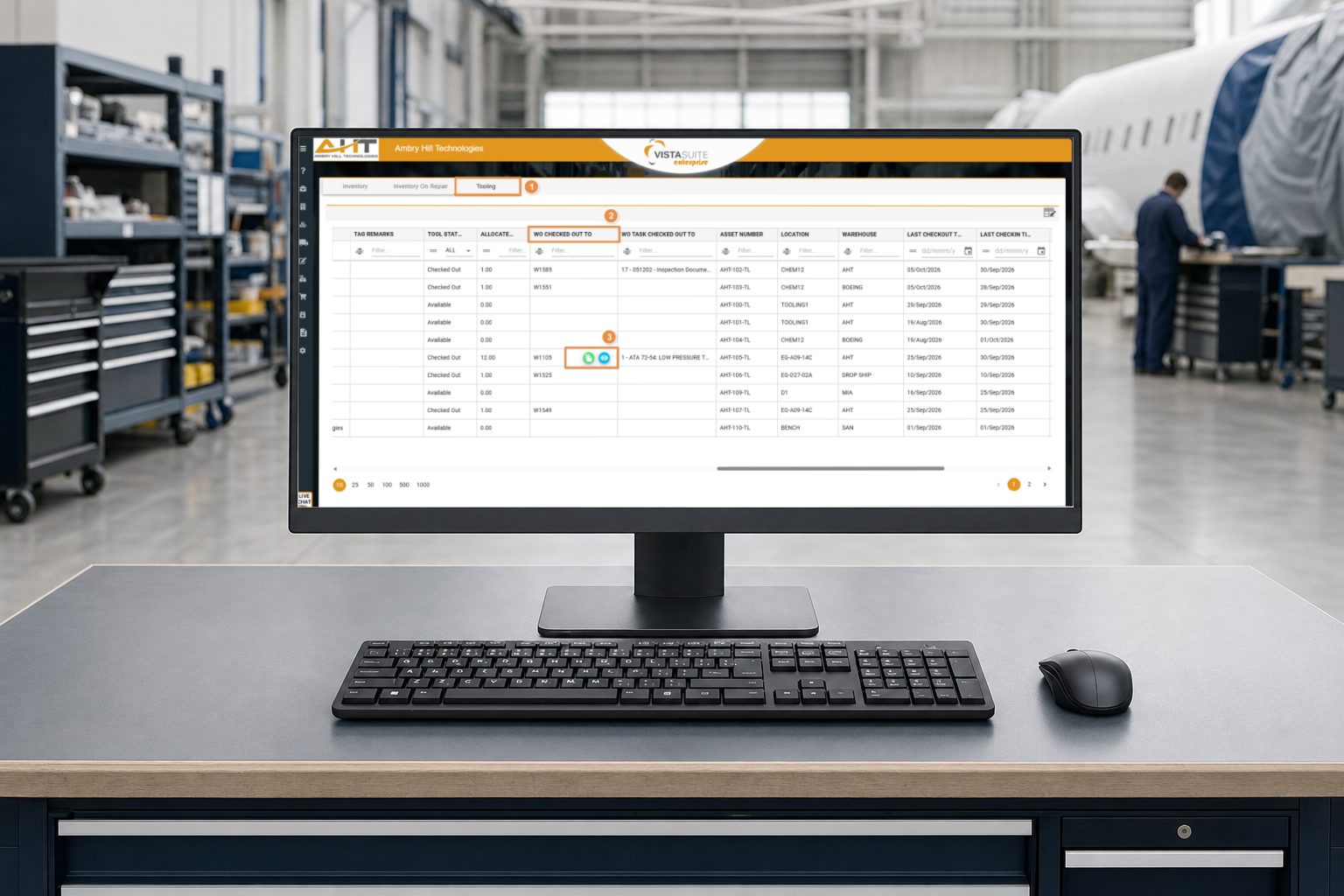
A dedicated Tooling Browse in Vista-Suite Enterprise gives your team an operational view of assets and statuses such as Available, Checked Out, or On Repair. When an asset is checked out, the related Work Order number provides immediate job context. Copy and open-record actions beside that number let a user reuse the reference or move directly into the Work Order without searching for it again.
That navigation detail is valuable. The faster your team can move from the tool to the job, the faster it can answer who needs the asset, whether the requirement is still active, and what work is driving the checkout. Tool control becomes part of production visibility instead of a separate administrative task.
Outside Repair and Calibration Must Keep the Same Asset Story Intact
A tool does not leave the lifecycle when it leaves your facility. Outside repair or calibration introduces another set of records and handoffs: the service order, outbound logistics, the vendor’s work, the inbound return, receiving, and the decision to update calibration information. If those steps lose the original asset identity, your team has to rebuild the connection before the tool can confidently return to use.
A connected process keeps the tool tied to its Repair Order and logistics activity while its status shows that it is on repair. The same asset can move through the Logistics Order Shipment, Logistics Order Receipt, and receiving process rather than being treated as an unrelated receipt. People reviewing the tool can see the service context, while people managing the service transaction retain the connection to the controlled asset.
Receiving is an important control point because the returned tool may bring new calibration information. Vista-Suite Enterprise supports receive-time calibration reset choices so the current certification date can be updated and the next due date recalculated from the established interval. This places the update at the point where the returning asset and its documentation are being reviewed.
The operational result is continuity. The tool that left, the service that was performed, the tool that returned, and the calibration basis for its next use remain part of one traceable story. That reduces the risk of treating a service event as complete while the asset record still carries outdated readiness information.
Audit History Should Be Created by the Work, Not Reconstructed Later
It is critical that tooling history is produced from moment-by-moment activity. Setup changes, inventory events, checkout and check-in, Work Order relationships, repair activity, receiving, and calibration updates each answer a different question. Together, they give quality and operations leaders a stronger basis for understanding what happened to a specific asset over time.
Because the tool’s records stay connected, each person can find the information they need without assembling it from separate sources. Supervisors can see its current status and related Work Order. Quality personnel can review its calibration and transaction history. Receiving and Repair Order personnel can trace it through outside service and return. Every record remains tied to the same individual tool asset.
Connected history also improves process review. When the underlying records are linked, it becomes easier to investigate repeated late calibration returns, frequent conflicts around a particular tool type, or gaps between checkout and return.
Vista-Suite Enterprise Connects Tooling to the Records That Drive the Work
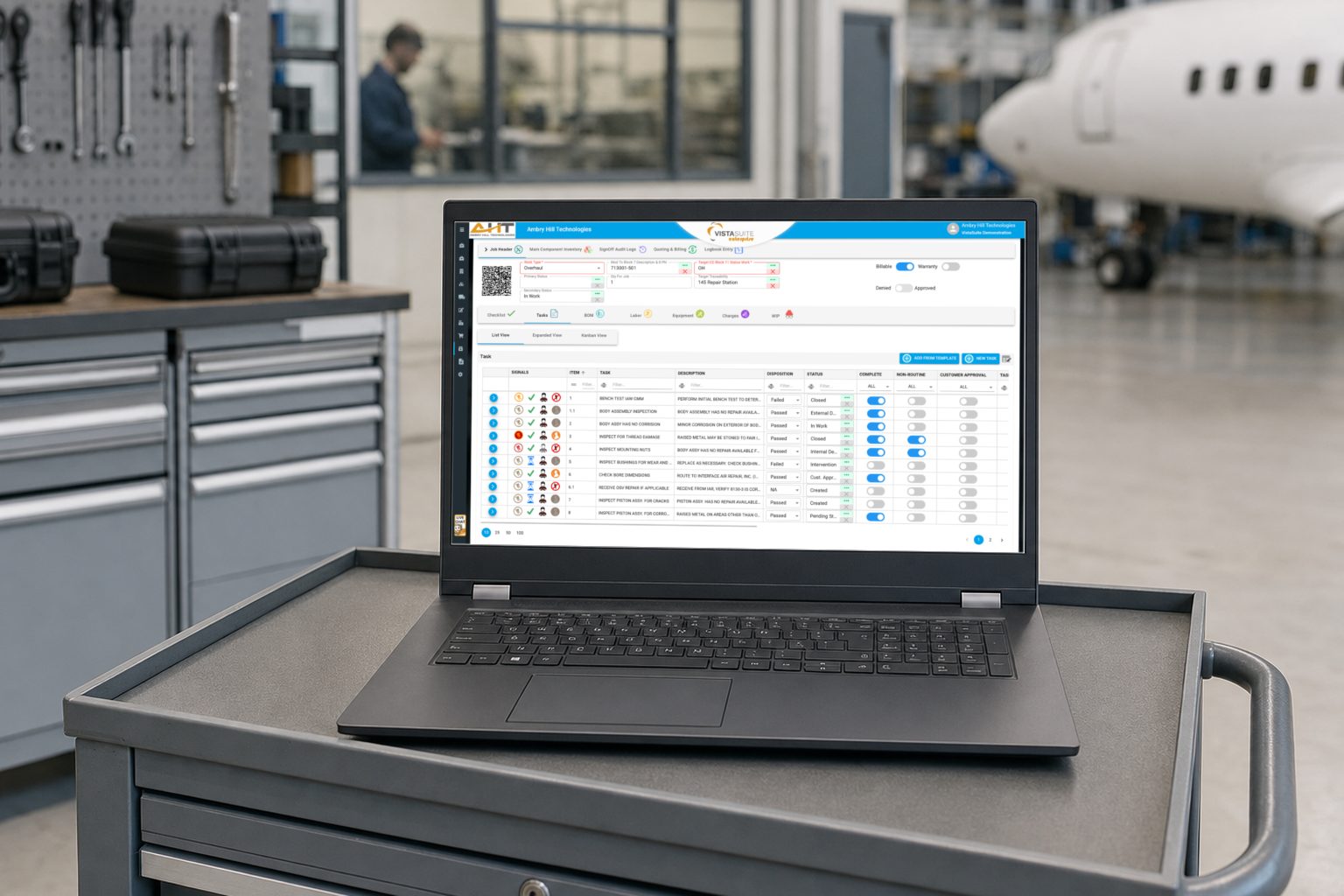
Vista-Suite Enterprise brings tooling into the same aviation ERP and MRO environment used for inventory, Work Orders, purchasing, Repair Orders, logistics, receiving, mobile work, and audit activity. The value is not simply having another place to list tools, but keeping the individual asset connected to the operational records that explain its readiness, location, responsibility, and next action.
For planning, Tooling Requirements entry and templates keep equipment needs attached to recurring job structure. For execution, checkout and check-in connect the asset to the Work Order and the people handling it. For visibility, Tooling Browse shows the current status and provides direct access to related job context. For outside service, Repair Order, logistics, and receiving activity preserve the asset relationship through return and calibration updates.
Those connections help your operation replace several fragile handoffs with one continuous source of context. Planners gain earlier visibility into requirements. Technicians can review what a job needs. Tooling and warehouse personnel can see status and responsibility. Receiving can update the returning asset at the right control point. Quality and leadership can review history without depending on a manually assembled narrative.
That is the benefit of complete lifecycle control: Vista-Suite Enterprise supports the decisions around the tool, not just the existence of the tool. As job volume, asset counts, and service activity grow, the same connected records can help you maintain readiness and accountability without multiplying separate trackers.
See how connected Tooling Management can support your repair-station workflows. Request a demo of Vista-Suite Enterprise at ambryhill.com/demo.
More About Aviation Tool Management in Vista-Suite Enterprise
What is aviation tool management software?
Aviation tool management software helps an operation control individual tool assets through identification, calibration, planning, checkout, return, outside service, receiving, and history. The most useful approach keeps those activities connected to the Work Orders and transactions that explain why the tool moved or changed status.
Can Vista-Suite Enterprise manage tools that require calibration?
Yes. A master part can be designated as a tool and configured with calibration requirements and intervals. Individual tool records can carry asset identification, certification dates, calculated due dates, status, and history.
Can tooling requirements be reused on recurring Work Orders?
Yes. Tooling Requirements can be included in Work Order templates and brought into a Work Order through the template process. This helps your team reuse established job requirements while selecting the template content that applies to the current work.
What information is retained during tool checkout and check-in?
Checkout can connect the individual asset to the related Work Order and retain the user details associated with issuing it. Check-in records the return and the user who turned it in, supporting current-status visibility and later review.
How does Vista-Suite Enterprise handle tools sent for outside calibration or repair?
The tool can remain connected to Repair Order, outbound logistics, return, and receiving activity while its status shows that it is on repair. At receipt, calibration information can be reset and the next due date recalculated from the established interval.
Can a user open the related Work Order from Tooling Browse?
Yes. For a checked-out tool, the related Work Order number can be copied or opened from Tooling Browse, giving the user direct access to the job context behind the checkout.