


When your operation is busy, mobile access is essential. Your team should be able to move parts, update work orders, capture photos, record labor, check shipment details, and keep the system current without walking back to a desk for every step.
But in aviation aftermarket operations, “we have a mobile app” can mean very different things.
Sometimes it means a narrow picking tool. Sometimes it means a photo uploader. Sometimes it means a mobile view of a few workflows, while the real work still has to happen somewhere else. And sometimes it means an app that gives your frontline team the same operational confidence you expect from the rest of your Enterprise Resource Planning (ERP) system.
These differences are critical. When choosing aviation ERP or MRO software, mobile capability should be one of the most visible indicators of whether the system fits your operational reality.
The Problem With “Mobile App Available”
“Mobile app available” is easy to say, but it’s harder to make something useful.
Your warehouse team does not need a brochure feature; they need to validate locations, move inventory, print labels, scan records, and update activity in real time.
Your technicians do not need a passive view of a job; they need a complete view of assigned tasks, completed checklists, the ability to add notes, access files, record labor, document findings, and move work forward without stopping the flow.
Your sales and operations leaders do not need another partial system to manage; they need confidence that what happens on the floor, in the shop, and during customer conversations is reflected in the platform everyone trusts.
Many systems fall short by providing just enough mobile functionality to claim the feature, but not enough to make a real impact on daily operations.
That creates a quiet kind of friction. People work around the system. Notes wait until later. Photos live on phones. Labor is entered after the fact. A simple inventory move becomes a reminder to update the system when someone gets back to a computer.
None of that feels dramatic in the moment, but over time, it becomes the difference between a system your team uses in real time and one your team cleans up after work happens.
The Three Mobile Gaps Aviation Teams Should Watch For
When you compare aviation ERP mobile capability, think of the gaps that could surface if your team tried to run real work.
1. The narrow workflow gap
Some mobile tools are built around one slice of the operation. They may help with picking, basic shipment movement, photo capture, approvals, or a technician task view.
Those workflows can be useful. The problem is when they are treated as a substitute for broad mobile execution.
If your mobile app can help with one step but not the steps around it, your team is still managing the gaps. A warehouse person may scan or pick an item, then need a desktop to finish the related documentation. A technician may update a task, then need another workflow for files, labor, notes, or related materials. A manager may approve a change, but still lack a practical view into what is happening across the work.
In aviation, the handoffs are the process. Inventory, documentation, quality, labor, shipping, quotes, and work orders are not separate islands. If mobile access touches just one island, the rest of the operation still depends on memory, messages, and cleanup.
2. The partial access gap
Another common mobile promise is that most web-platform features are available in the app.
That sounds good until your team finds the missing workflow at the worst possible moment.
“Most” may be fine for a light business tool. It is less reassuring when your operation depends on traceability, document access, task status, line-item accuracy, and fast handoffs between sales, warehouse, and repair activity.
Your team should not have to guess which tasks can be performed on the app and which require a terminal. This confusion slows adoption and reduces mobile to a convenience rather than a core operational tool.
The better question is not, “Does the app have a lot of features?”
The better question is, “Can your team complete the work they naturally need to complete from where that work actually happens?”
3. The legacy add-on gap
Legacy systems often grow mobile capability one module at a time. A mobile imaging tool here. A mobile warehouse function there. A technician or approval feature somewhere else.
That approach can extend an older system, but it can also leave your team with a patchwork experience. Each piece may solve a specific request, yet the larger operating model still feels tied to the desktop.
For leadership, that creates a harder problem than convenience. It limits how much you can standardize execution across the company.
If mobile is treated as an add-on, your team will treat mobile as optional. If mobile is built into the way inventory, work orders, photos, files, shipping, labor, and quotes move through the platform, your team can use it as part of the normal operating rhythm.
That is the standard worth holding.

What a Serious Aviation ERP Mobile App Should Support
A real aviation ERP mobile app should help your team do work, not just look at work.
For parts trading, distribution, MRO, and repair station-style operations, that means mobile capability should cover the workflows where delays and small errors most often begin:
- Inventory movement between locations
- Inventory location validation
- Line-item and part search
- QR/barcode scan-to-record workflows
- Photo capture tied directly to records
- File and document access
- Shipping and receiving activity
- Quote creation, review, print, and email
- Work order browsing and task management
- Digital checklist completion
- Notes for technician and internal communication
- Required equipment and manual access
- Bill of materials creation and issue activity
- Labor recording against tasks, jobs, and records
- Audit visibility into activity and changes
This is about giving your team the right actions at the point of work because, when mobile workflows are too shallow, your people become the integration layer. Then, they have to remember what changed, carry the context, and update the system later. That is not a fair burden to put on a busy team, especially in an operation where documentation, traceability, and handoff clarity matter.
Your software should reduce that burden.
A Real-World Scenario: The Small Delay That Keeps Repeating
Picture a common day in an aviation aftermarket operation.
A customer calls about an urgent part. Sales needs current information. Warehouse needs to confirm availability and location. Ops needs to understand whether the part is tied to another order, whether documentation is available, and whether shipment activity can move quickly.
If the mobile app is narrow, one person has to walk to a desk for information. Someone else sends a message. Another person takes a photo that has to be attached later. And another makes a note outside the system. The work still gets done, however, because good teams find a way.
But good teams should not have to compensate for inadequate mobile functionality.
Now compare that with a mobile workflow where your team can search inventory, validate location contents, scan a QR/barcode, view related history, capture photos, access files, initiate shipment activity, and keep the record current from the warehouse floor.
The difference affects how confident your team feels as the work progresses and what leadership can trust. You are not waiting for the system to catch up to the operation. The system is part of the operation.
Where Vista-Suite Enterprise Changes the Standard
Vista-Suite Enterprise is built for aviation aftermarket operations that need more than basic mobile access. Its mobile app is designed to support high-value work across the places where your team actually operates: the warehouse, the repair station, the shipping area, the receiving process, and the moments when sales and operations need answers quickly.
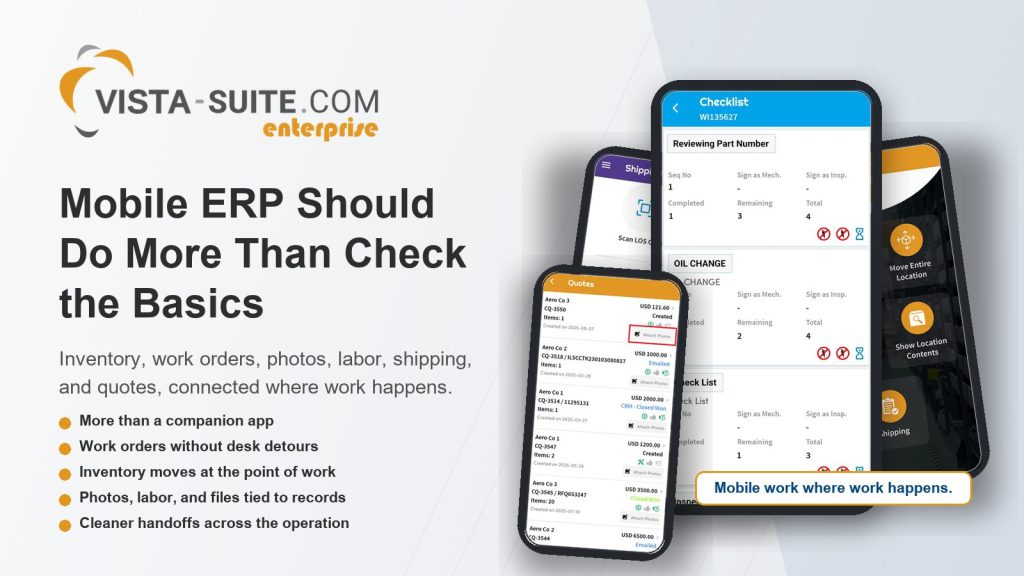
With Vista-Suite Enterprise mobile workflows, your team can support inventory movement, location validation, QR/barcode scanning, photo and file capture, shipping and receiving actions, quote activity, work order execution, checklist completion, labor recording, and connected record visibility from a mobile device.
Broad coverage across key workflows is essential for operational success.
If a mobile tool handles just one part of the process, your people still have to bridge the rest. Vista-Suite Enterprise is designed to reduce those bridges by connecting mobile actions to the ERP workflows your business already depends on.
For leadership, that means mobile tech is not just a frontline convenience but an essential control layer.
You get better alignment between what happened, what was documented, what still needs action, and what the next person can see. Your team gets a system that supports them while they work, instead of asking them to leave the work to support the system.

Why This Matters More as You Grow
Small process gaps are easier to absorb when volume is low. A few delayed updates, a few extra trips to a workstation, a few photos that need to be attached later: the team can usually carry it until growth changes the math.
With more RFQs, shipments, work orders, documentation, team members, and handoffs, the cost of inadequate mobile access rises. Manageable gaps turn into significant operational drag as you grow. This is why mobile capability must become a top strategic concern.
If you are trying to scale an aviation aftermarket business, you need operational control without forcing every task through a desk. You need sales, warehouse, repair, quality, and leadership working from the same reality. You need fewer delayed updates and fewer process side paths.
Mobile execution helps make that possible when it can support the real operating environment.
How to Evaluate Mobile Aviation ERP Software Before You Commit
Before you choose an aviation ERP or MRO system, ask direct questions about mobile workflows. Do not settle for “yes, we have an app.”
Ask:
- Which inventory actions can be completed from a mobile device?
- Can your team validate locations and retrieve records with QR/barcode scanning?
- Can photos and files be captured and attached directly to operational records?
- Can shipping and receiving work move forward from the shop floor?
- Can quotes be created, researched, printed, or emailed from mobile?
- Can technicians browse work orders, manage assigned tasks, complete checklists, add notes, access manuals, and record labor?
- Can the required equipment and bill of materials activity be handled in the workflow?
- Are mobile actions connected to audit visibility and system records?
- Which important workflows still require a desktop?
- Is mobile part of the core operating model, or is it a separate add-on?
The answers will tell you a lot and show whether the vendor views mobile as a convenience, a module, or a serious part of aviation ERP implementation.
The System You Choose Shapes the Habits Your Team Builds
Software stores data, but it also trains behavior.
If your system makes mobile work feel incomplete, your team will build habits around delay, workaround, and after-the-fact updates. If your system supports real mobile execution, your team can build habits around real-time action, cleaner handoffs, and stronger record discipline.
That is why this decision deserves more attention.
Your people already know how to keep work moving. They do it every day. The right aviation ERP mobile app should make that easier, not ask them to carry the weight of disconnected processes.
Vista-Suite Enterprise gives your team a stronger mobile foundation for the work that matters: inventory, work orders, photos and files, shipping and receiving, quotes, labor, QR/barcode workflows, and connected operational visibility.
If you are evaluating aviation ERP or MRO software, do not stop at generic mobile access. Ask whether the system is comprehensive enough to help your team execute from wherever work happens, as that is the standard your operation should expect.
Schedule a live demo of Vista-Suite Enterprise at ambryhill.com/demo to see how mobile workflows can support your aviation aftermarket workflows.