Aircraft Parts and Inventory ERP Workflows
Use Vista-Suite Enterprise to manage inventory, RFQs, quotes, purchase orders, sales orders, shipping, receiving, and invoicing with aviation-specific workflows.
Upgrade to a modern ERP and MRO experience for managing inventory, quotes, orders, work orders,
labor, shipping, receiving, files, reports, and mobile app tasks in a system purpose-built for aviation.

See how Vista-Suite Enterprise can give your aviation operation clearer workflows, connected records, and practical control.
Request Demo

Vista-Suite Enterprise gives your team one place to manage the work that keeps an aviation operation moving.
Use it for parts, inventory, quotes, orders, work orders, labor, shipping, receiving, files, reports, and mobile tasks.
Use Vista-Suite Enterprise to manage inventory, RFQs, quotes, purchase orders, sales orders, shipping, receiving, and invoicing with aviation-specific workflows.
Connect work orders, repair orders, labor, task activity, files, and mobile execution so shop work stays visible from quote through delivery.
Support role-based access, export compliance workflows, digital files, reports, dashboards, QR/barcode tasks, and Kanban views across your operation.
Explore Vista-Suite Enterprise by operation type, then drill into the connected workflows behind each one.
Connect RFQs, quotes, inventory, sourcing, sales orders, fulfillment, and invoicing for aviation parts trading work.
Explore Parts Trading WorkflowsManage inventory visibility, purchasing, receiving, customer demand, sales orders, shipping, invoicing, and reporting.
Explore Distribution WorkflowsKeep work orders, repair orders, labor, files, receiving, mobile execution, invoicing, and reporting connected.
Explore MRO Workflows* All product names, trademarks and registered trademarks are property of their respective owners. All company, product and service names used herein are for identification purposes only. Use of these names, trademarks and brands does not imply endorsement.
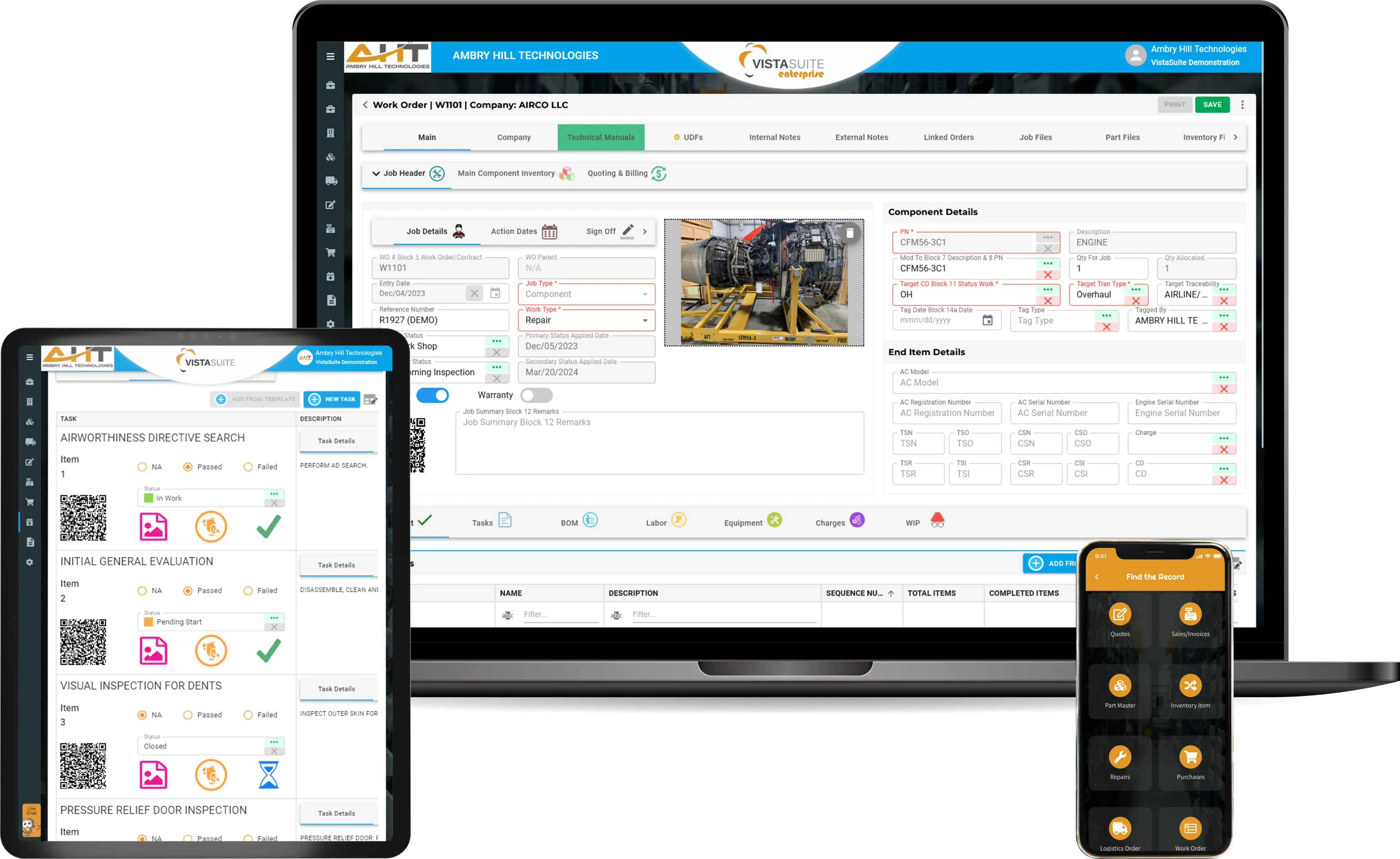
See the connected workflows that support aviation ERP, MRO, inventory, logistics, compliance, reporting, and mobile execution.

Manage aircraft parts, inventory locations, traceability, costs, labels, and warehouse activity in connected aviation workflows.

Manage inventory groups, consignments, bulk purchases, and aircraft teardowns while tracking costs, commissions, overhauls, and charges.

Manage customer and vendor accounts, contacts, addresses, transaction defaults, warnings, files, and screening support.

Capture inbound RFQs from email and other sources, extract part requirements, route work, and reduce repetitive sales data entry.

Build aviation parts and service quotes with pricing, trace details, exchanges, clauses, and connected brokering workflows.

Manage customer orders, allocated inventory, exchanges, fulfillment, files, invoicing, and connected transaction workflows.

Create aviation invoices and credit memos with connected order details, taxes, trace information, files, and posting workflows.

Send vendor RFQs, record parts and repair pricing, compare responses, and reuse supplier data across connected workflows.

Manage supplier commitments, inventory replenishment, services, commissions, approvals, receiving, returns, and procurement files.

Manage outside repairs and overhauls for owned inventory or customer-brokered work, including piece parts, charges, and logistics.

Standardize picking, packing, inspection, documentation, export details, and outbound aviation logistics.

Process pending receipts, serialized parts, RMAs, inspections, labels, photos, and files with connected inventory visibility.

Record labor against work orders, inventory, pools, sales orders, or general tasks and convert eligible activity into charges.

Manage repair-station work with tasks, bills of materials, labor, checklists, charges, assignments, and supported digital sign-offs.

Build aviation kits and lite manufacturing jobs with BOM templates, inventory allocation, costs, checklists, and completed inventory records.

Give teams mobile access to quoting, inventory, receiving, shipping, work orders, labor, photos, files, and supported sign-offs.

Define transaction tax rates, company tax codes, base currency, foreign currency fields, and exchange rates for connected financial workflows.

Assign predefined roles and permissions to control access to applications, records, settings, and sensitive workflow actions.

Support export-control workflows with classifications, license files, notes, documents, labels, and optional Descartes VisualCompliance screening.

Create or revise forms and reports, manage controlled form details, and use included BI dashboards to review operational data.

View approved external data sources inside Vista-Suite Enterprise for legacy records, pricing references, and other operational information.

Store photos, manuals, certificates, and supporting documents with operational records and in a centralized file library.

Manage flat-rate and cost exchanges, core returns, replacement charges, credits, documents, and related inventory movement.

Use QR and supported barcode tools for inventory, receiving, shipping, labor, scanning, and label workflows.

Visualize quote, order, repair, and logistics stages in interactive Kanban swimlanes alongside standard transaction views.

Support quality programs with transaction warnings, checklists, screening workflows, controlled records, and process safeguards.
Software development moves fast, and features evolve over time. While we strive to keep this and other pages accurate, some information may not reflect the most recent changes.
For the most current details, we recommend scheduling a live demo at ambryhill.com/demo.
Bring clarity and control to your aviation operation.