Transaction-Level Currency Conversions and Company-Specific Tax Rate Management
Whether billing foreign customers for component repairs or managing purchase orders with international suppliers, Vista-Suite Enterprise gives teams direct control over currencies and tax settings within the transactions they create every day. Built-in multi-currency and tax management capabilities help users apply financial settings at the point of entry, reducing spreadsheet work, finance handoffs, and guesswork. Vista-Suite Enterprise keeps these details connected to the aviation workflows where quotes, orders, and invoices are created.
Expand Each Topic for Details:
Support international customers with multi-currency capabilities. Home and foreign currency fields are displayed throughout the system, and printed business forms can display foreign currency values as well.
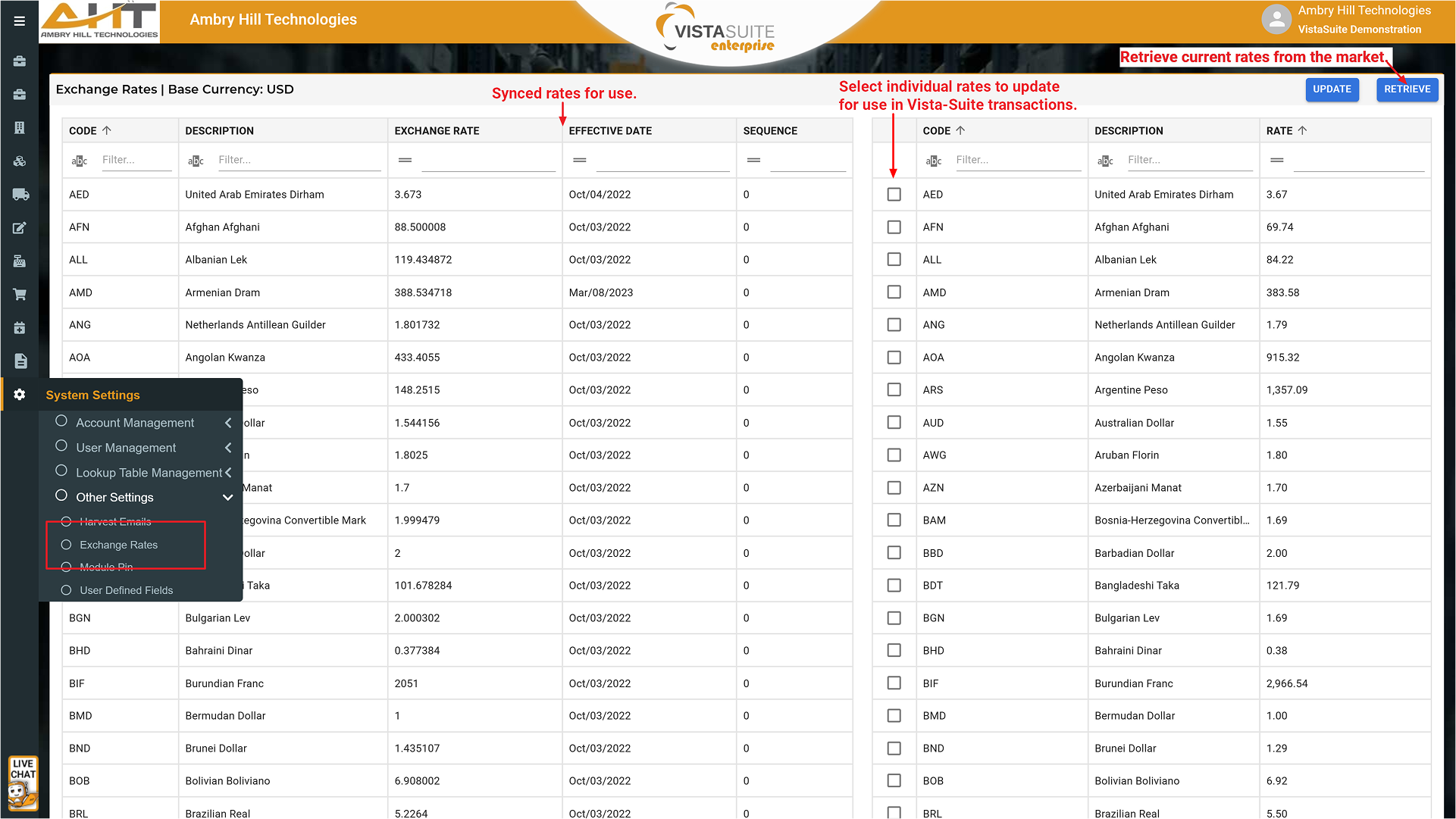
Update exchange rates through an Open Exchange Rates integration for current or historical exchange rate data.
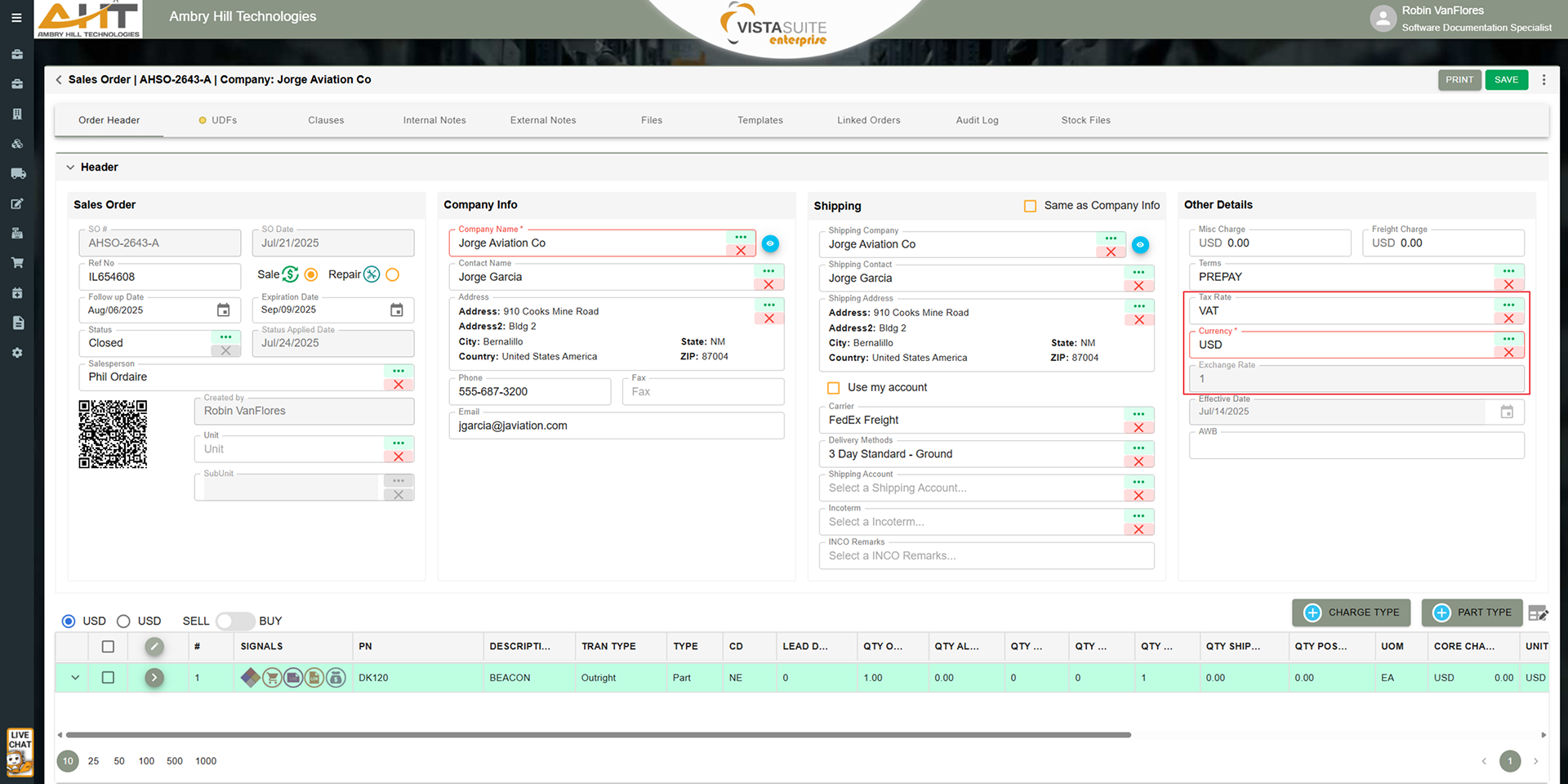
Store the exchange rate and exchange rate effective date for each transaction.
Set a base currency for company-wide accounting and reporting consistency.
Choose alternate currencies on a per-transaction basis (quotes, purchase orders, invoices, etc.) based on customer or vendor requirements.
View a transaction's home and foreign values with a currency toggle, keeping screens cleaner than showing both values in every field.
The system supports multiple decimal places for all price, cost, and quantity fields for more granular management of fractional amounts typically caused when currency conversion occurs.
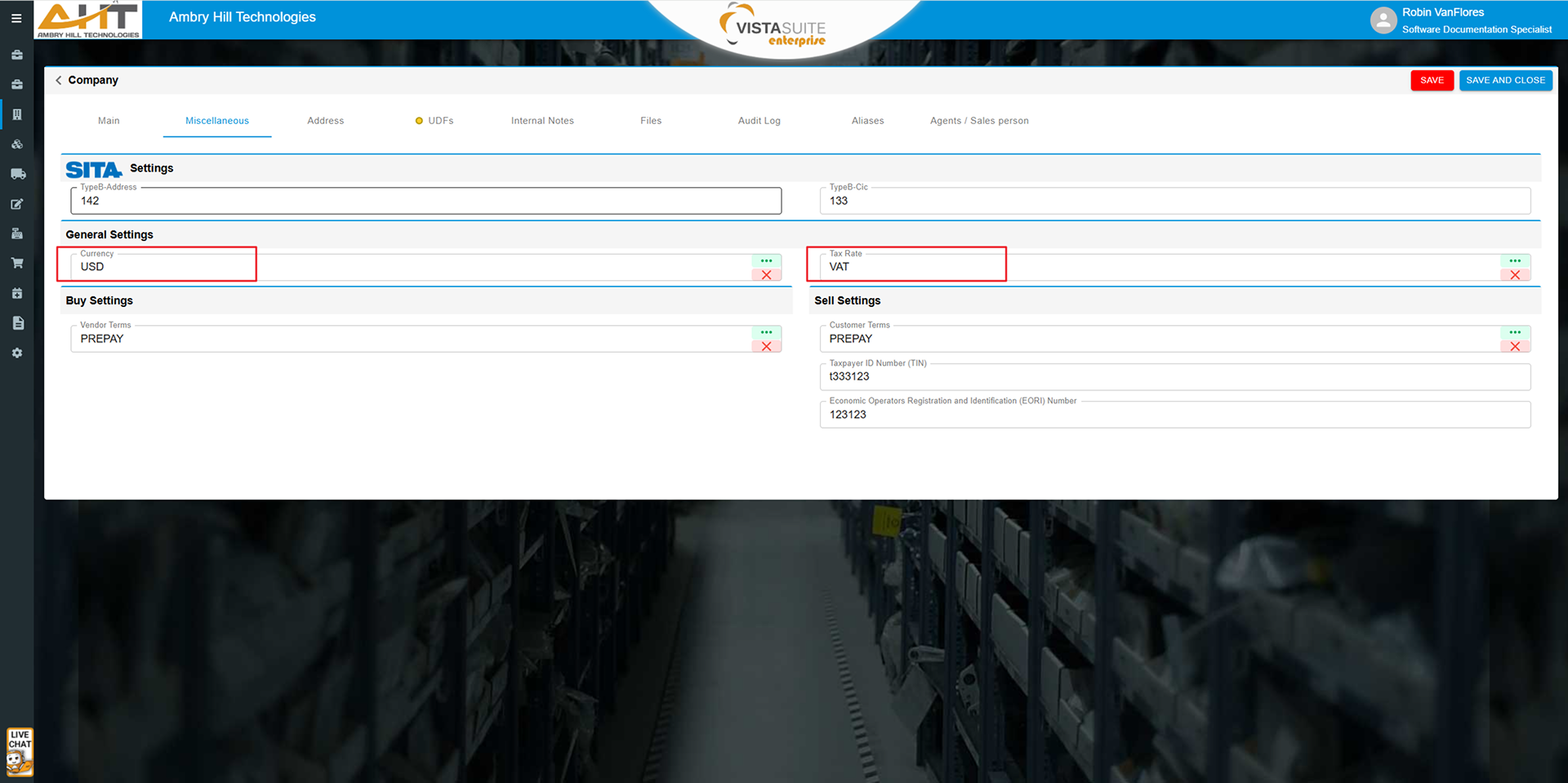
Assign individual tax codes to customers or vendors so the right tax logic can be applied during transactions.
Define a tax rate percentage for each part or charge transaction type, such as one rate for outright sales and another rate for exchanges.
Orders offer a "cost pass-through" option for freight and misc. costs which will bypass the tax calculations and is conveniently separated from line items in the transaction headers.
Track the Tax Payer ID number and the Economic Operators Registration & Identification (EORI) number against customer and vendor records for reporting.
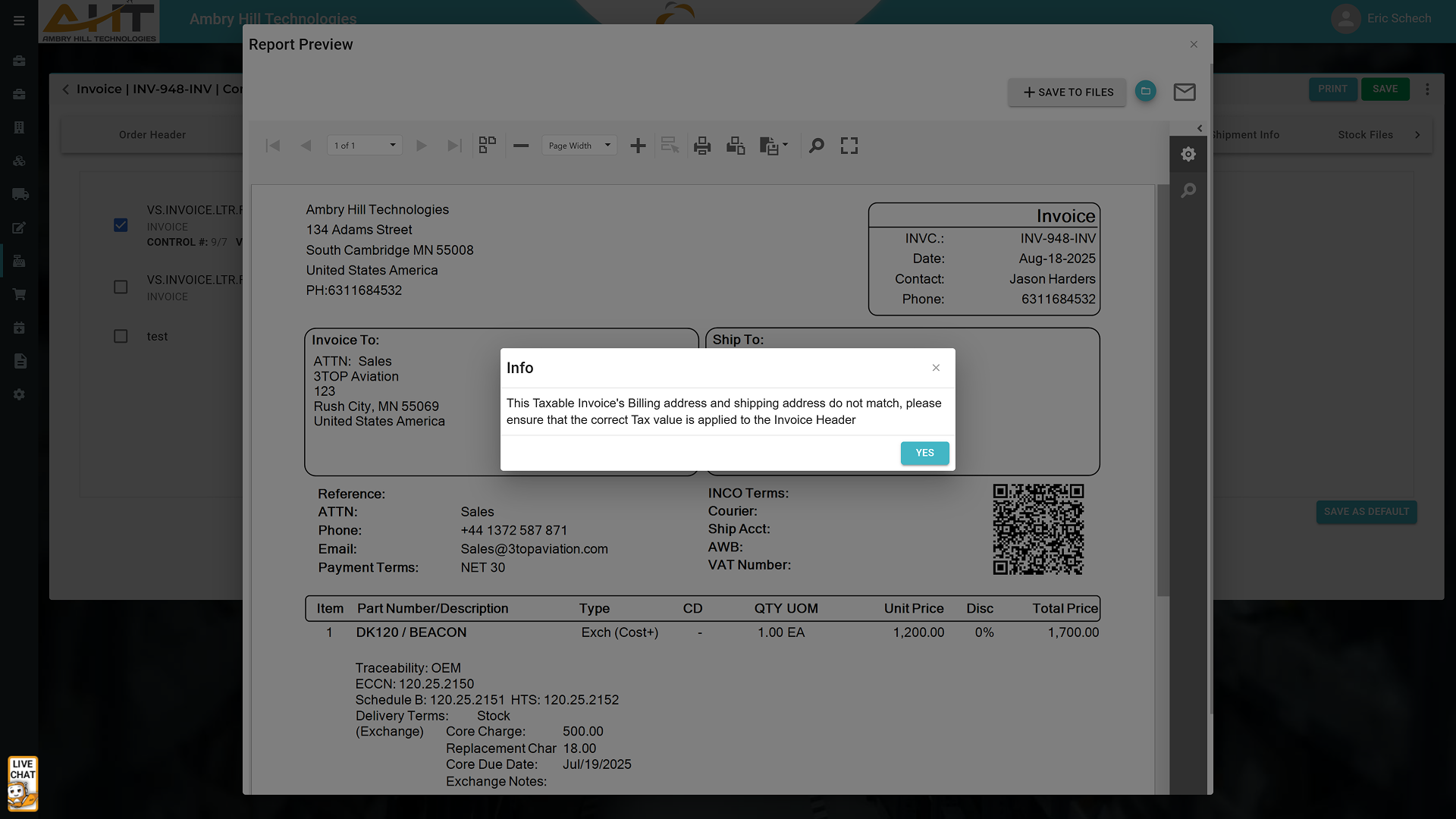
Optional Invoice setting that alerts you if an invoice is taxed and the shipping destination does not match the billing information.
Reduce the need for external spreadsheets or follow-up tax adjustments common in disconnected processes.
Why It Matters
Accurate currency and tax handling at the transaction level can reduce downstream issues like incorrect billing, payment delays, or mismatched financial reports. When these details are handled up front by the users entering quotes, orders, and invoices, teams can save time across departments and reduce frustrating rework. Vista-Suite Enterprise includes these financial settings as part of the normal workflow, not an afterthought.
See a demo by contacting sales@ambryhill.com



.png)