

 Purchase Orders
Aviation purchasing connects vendor pricing, purchase requests, repair services, exchange details, receiving, shipping, files, clauses, approvals, and cost tracking. When those details are disconnected, procurement teams can lose visibility into ordered items, inbound work, and vendor commitments.
Vista-Suite Enterprise gives teams a connected purchase order workflow for creating, cloning, editing, tracking, printing, emailing, returning, shipping, receiving, and reporting on purchase orders while keeping related inventory, vendors, sales orders, repairs, and files close at hand.
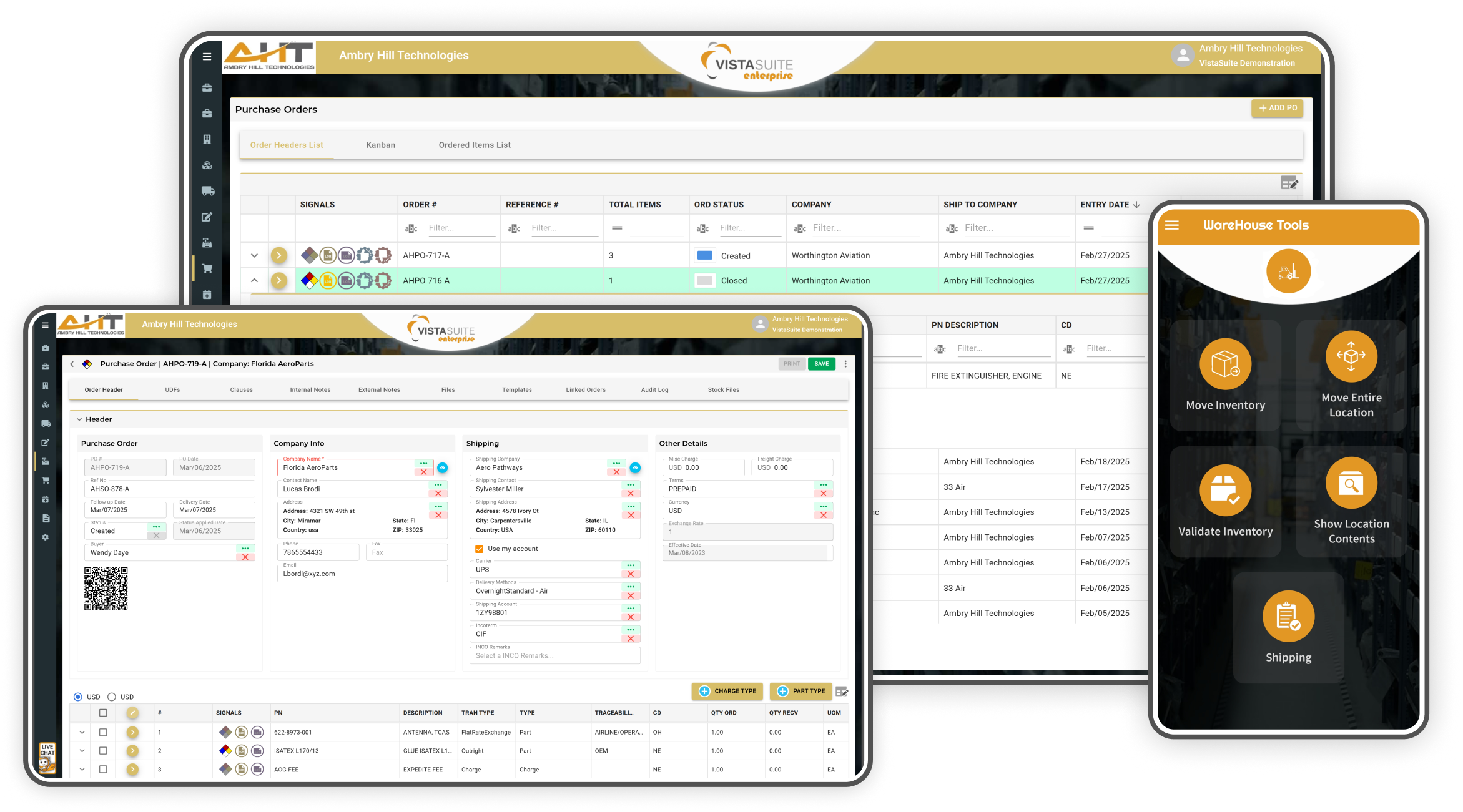
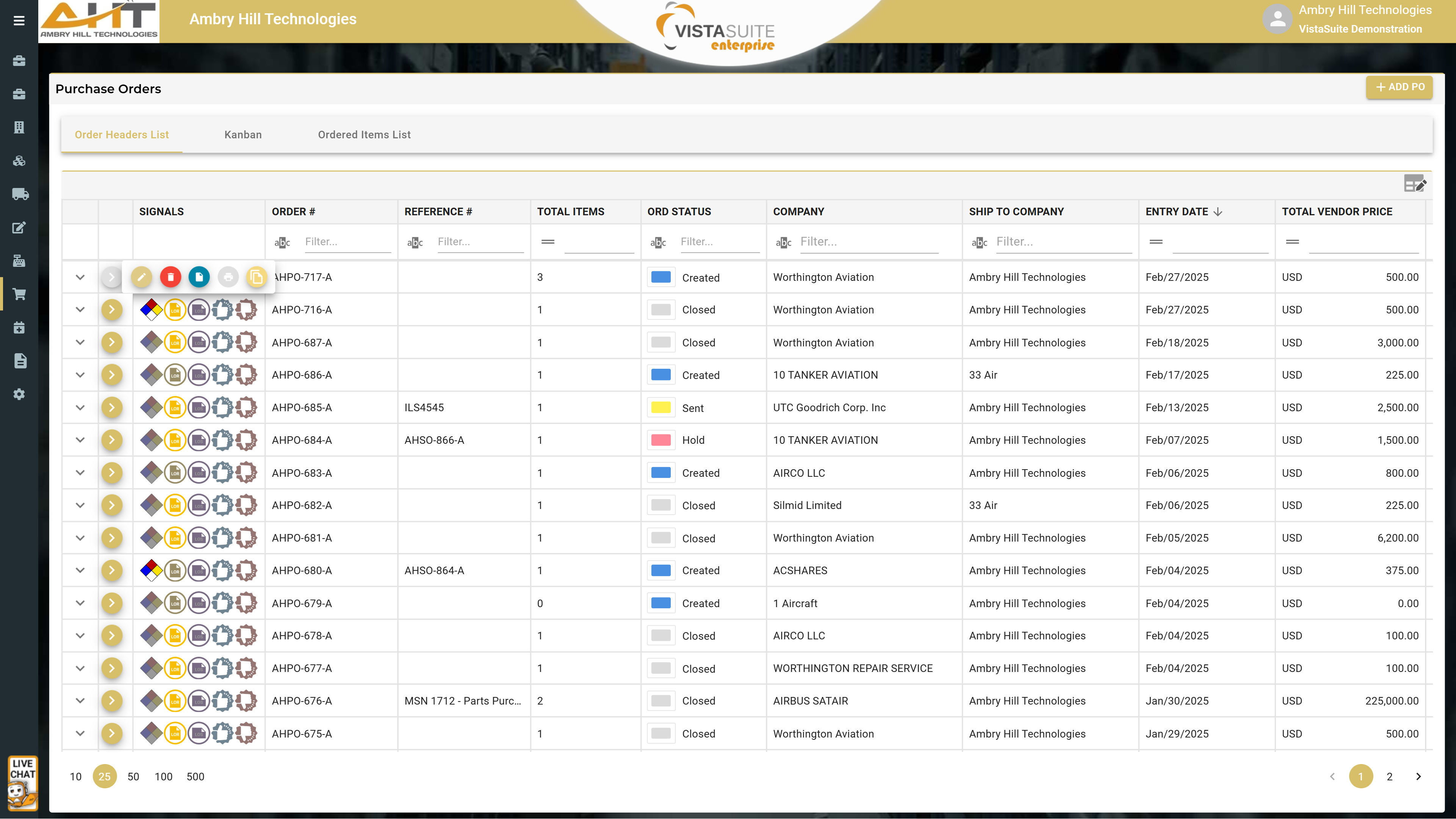
Signals indicate if the purchase order contains hazmat materials, accepted or rejected items, or is linked to a receiving or shipping event. Among the customizable columns displayed is the overall purchase order disposition, allowing for quick awareness of progress without the need to open the record. A quick-action menu includes options to edit, delete, view files, print docs, or clone the purchase order
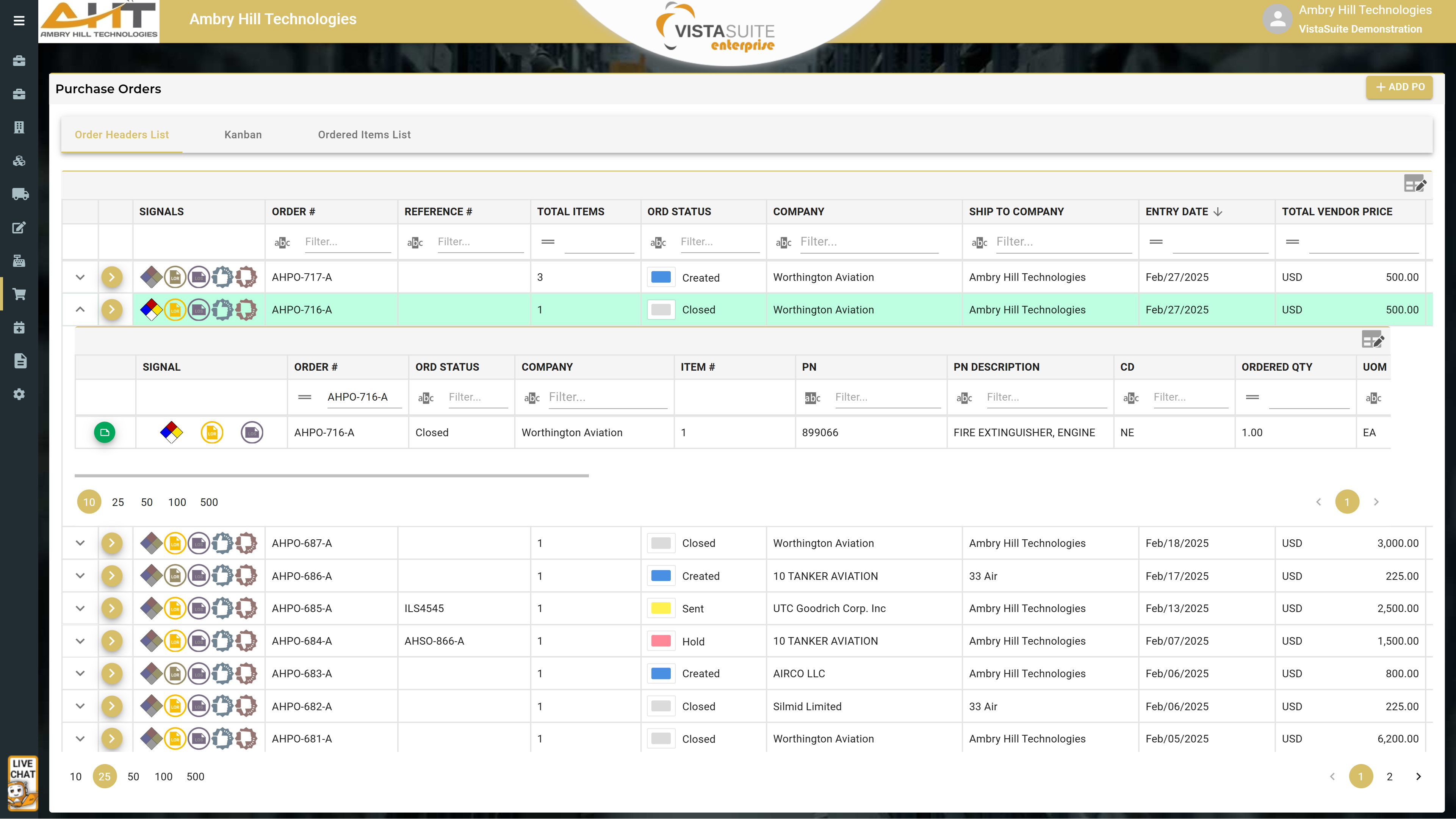
The expanded portion reveals purchase order line items and at-a-glance signals that indicate if an item is a hazardous material or linked to a receiving or shipping event. Among the customizable columns displayed is the item disposition, allowing for quick awareness of progress without the need to open the record.
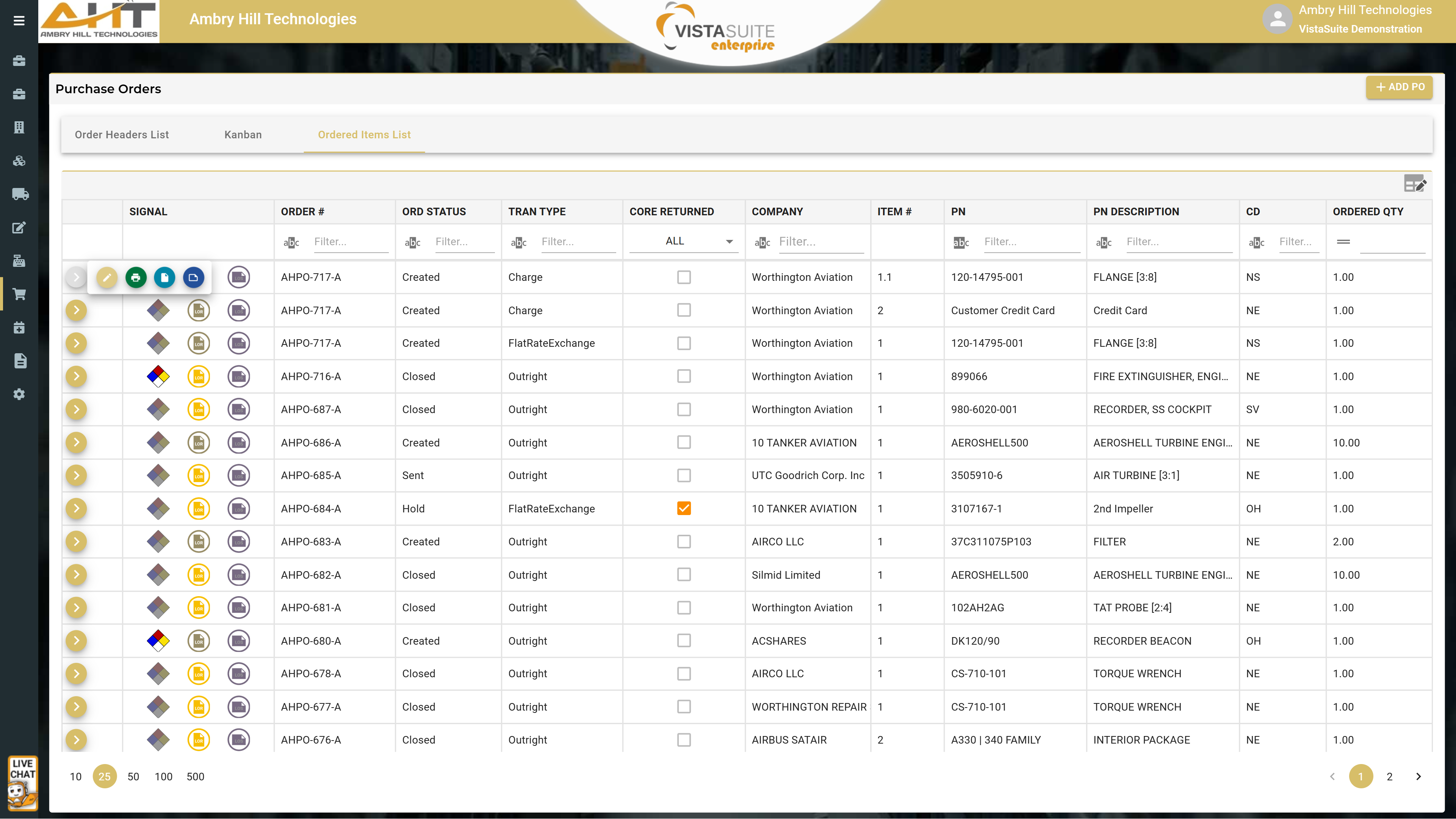
The "Ordered Items List" layout surfaces ordered items and the corresponding purchase orders, reducing the time required to identify ordered items and related details. The quick-action menu enables options to edit the purchase order, print docs, view files, and view item notes.
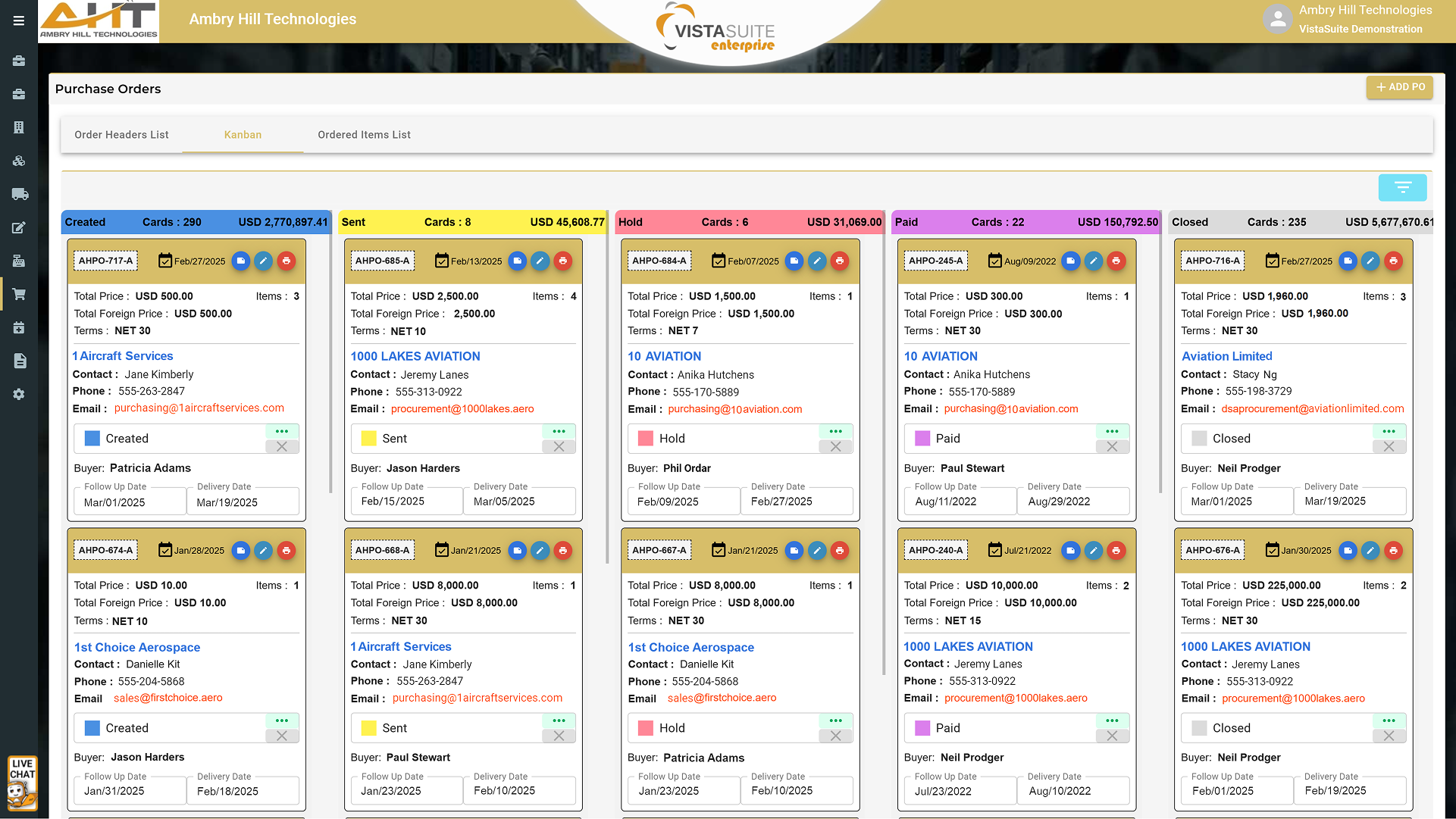
Kanban layouts provide a visual workflow for managing purchase orders, making it easier to track each order's status and reduce the chance of work getting missed.
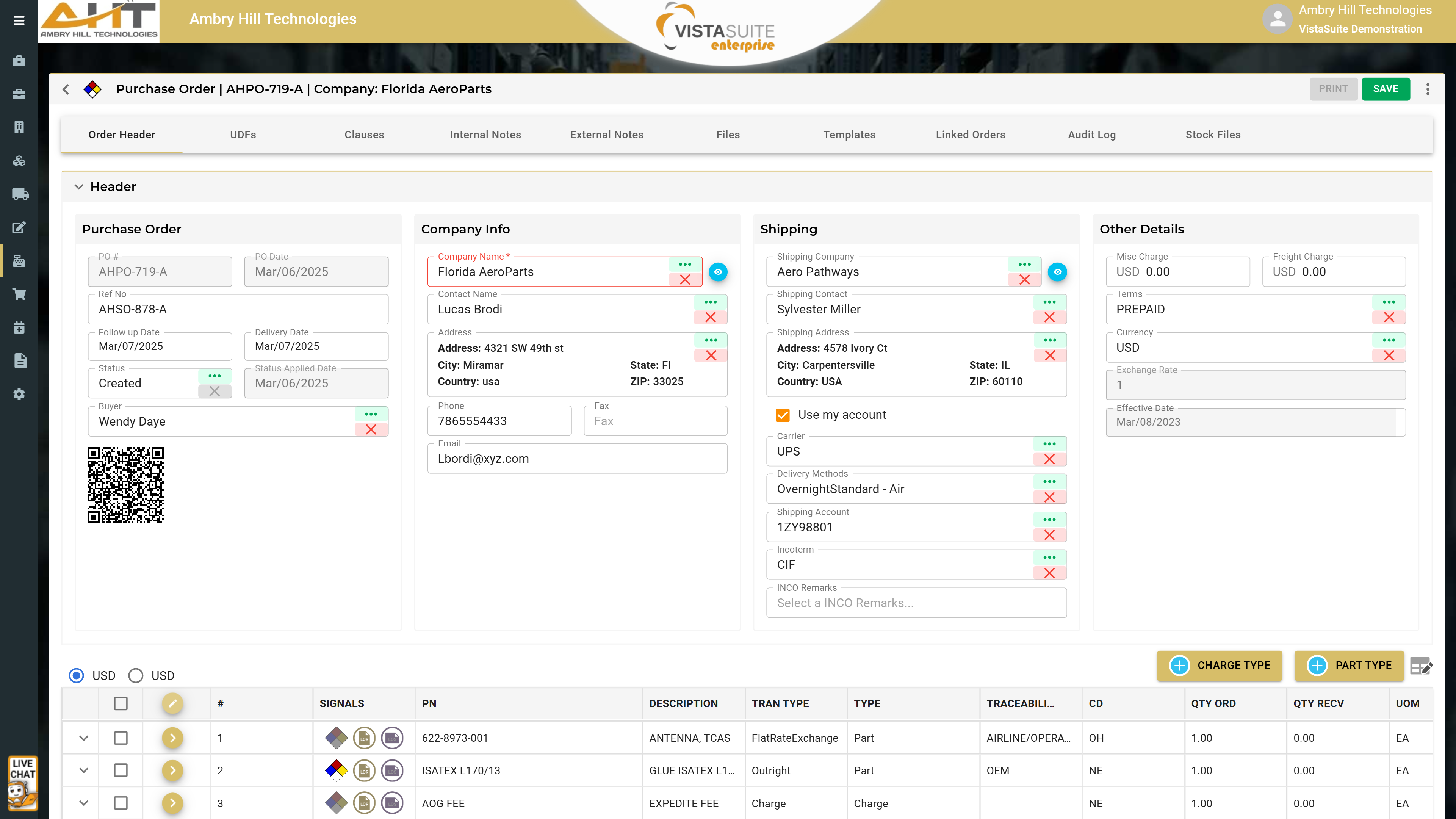
Structured header information and tabbed access to additional purchase order details help keep the purchase order workflow organized.
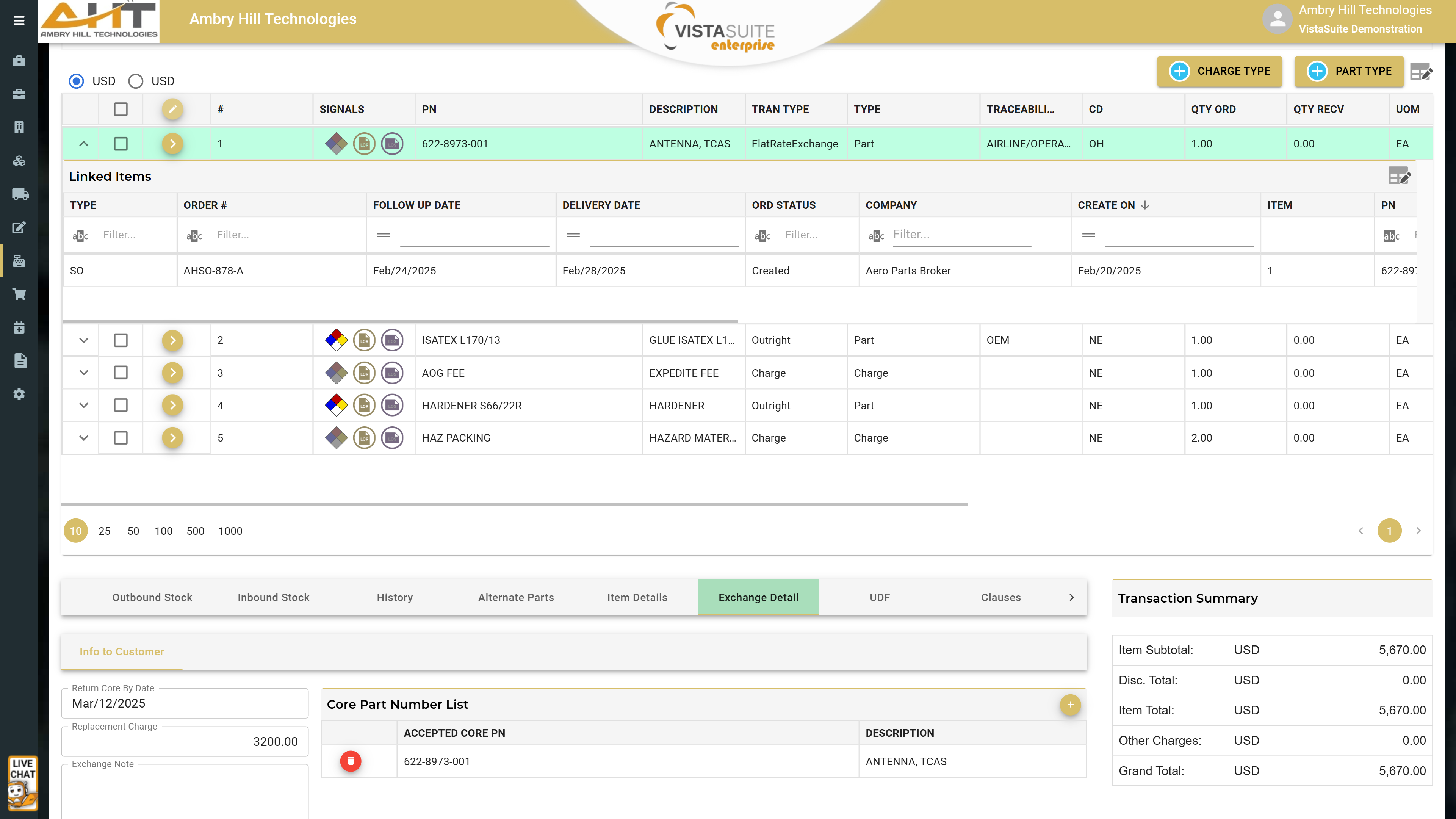
At the top is an expanded line item where linked orders are displayed. Below is the transaction summary of totals, followed by a reference to the overall cost and profit margin. Also notice the exchange details for the selected line item.
Purchase Order Request Document: Supports internal approvals and budget control before making a purchase.
Purchase Order Document: Provides suppliers with a structured purchase order that communicates buyer expectations, such as delivery and payment terms, condition requirements, quantities, pricing, and exchange details.
Purchase Order Detail: A detailed breakdown of purchase orders, including item descriptions, quantities, prices, transaction types, fulfillment status, and other descriptive elements.
Purchase Order Status: A report summarizing the status of purchase orders, such as confirmed, created, hold, sent, and closed. Status names can be customized to your own requirements.
Purchase Order Receiving Log: Provides visibility into the status and transaction details of expected purchase order items for procurement and warehouse teams.
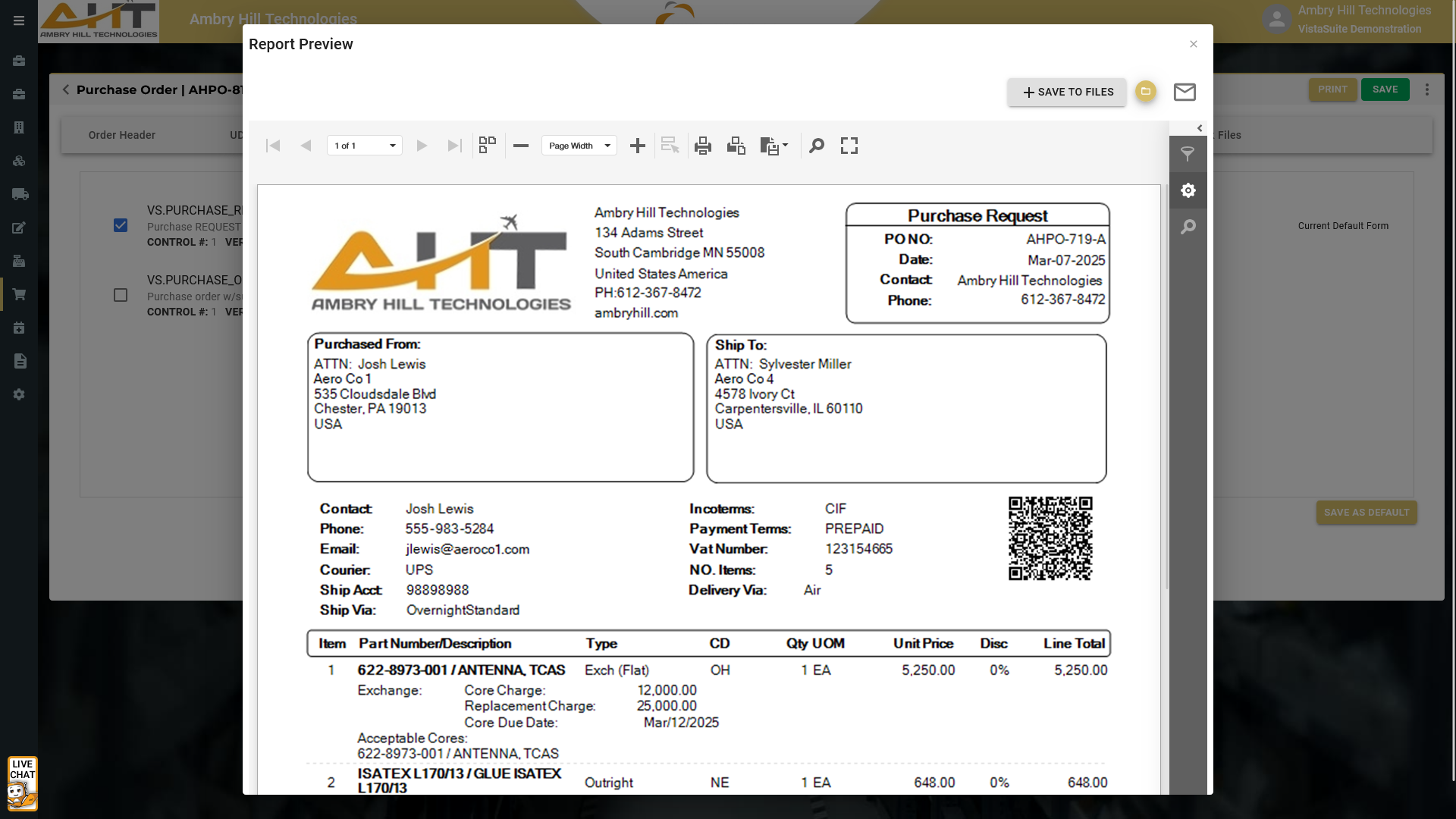
Supports internal approvals and budget control before making a purchase.
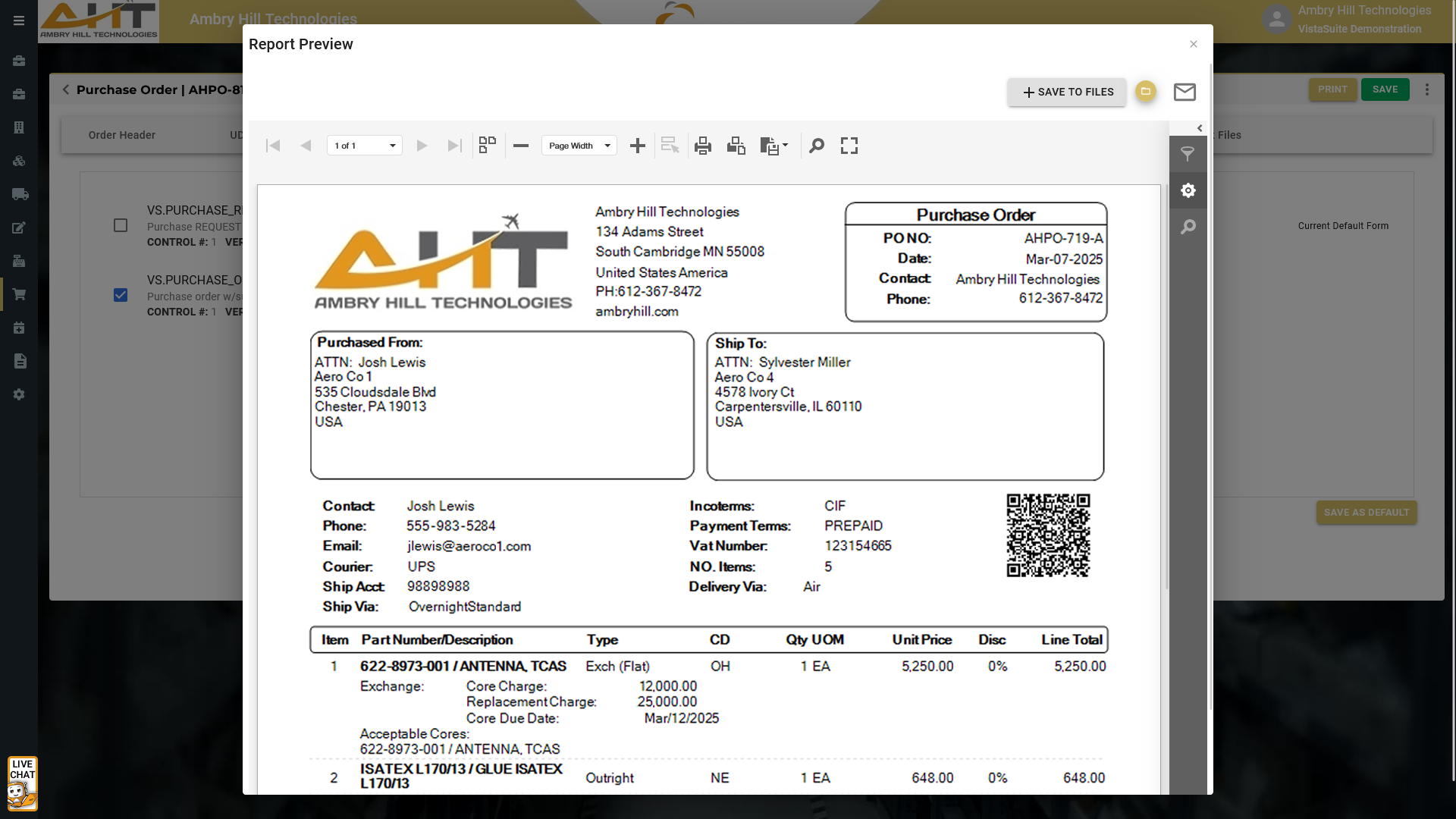
Provide suppliers with a well-structured, professional purchase order that clearly communicates buyer expectations, such as precise delivery and payment terms, condition requirements, quantities, pricing, exchange details, etc.
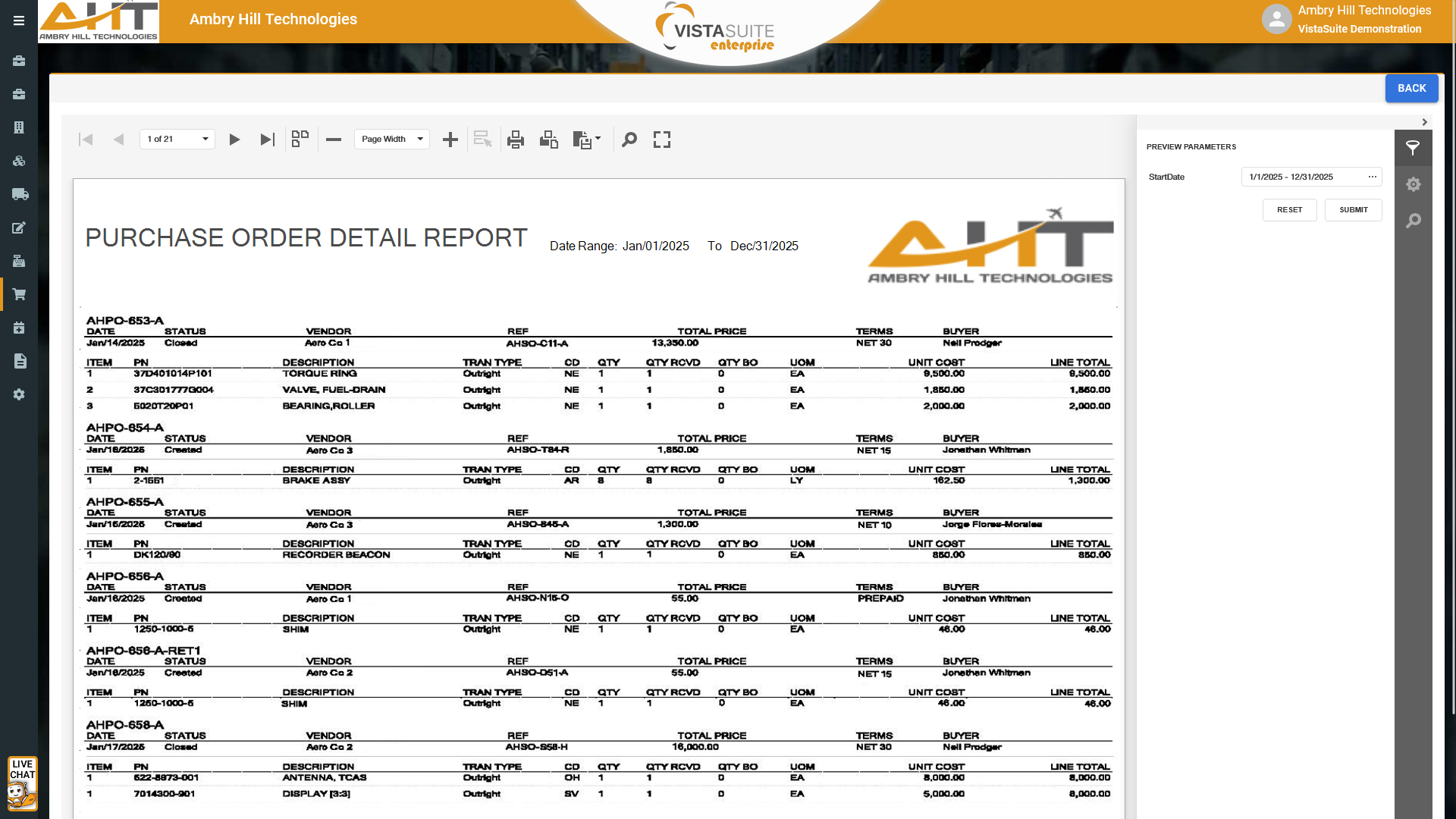
A detailed breakdown of purchase orders, including item descriptions, quantities, prices, transaction types, fulfillment status, and many other descriptive elements.
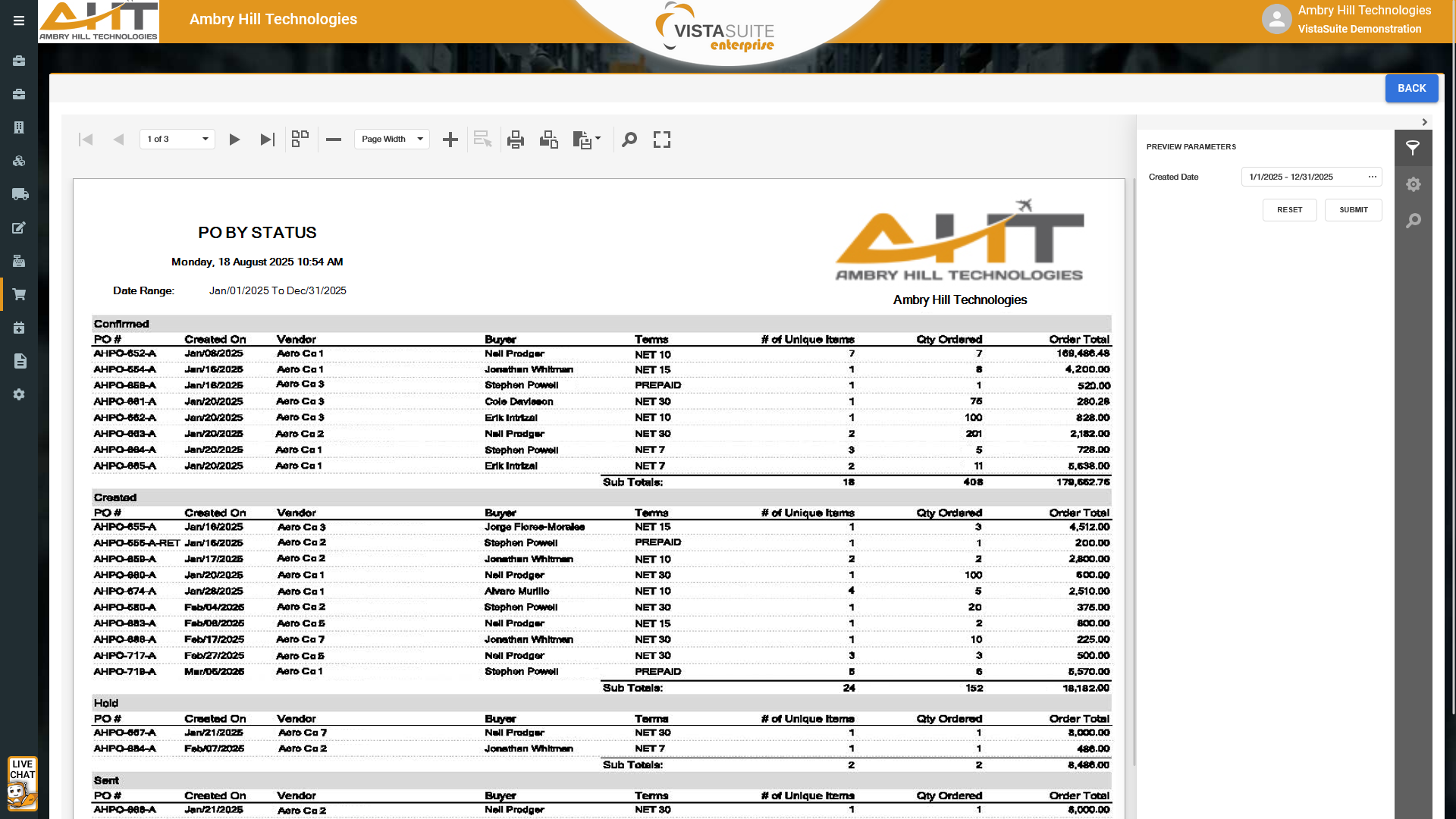
A report summarizing the status of purchase orders, such as confirmed, created, hold, sent, and closed, for example. Customize the status names to your own requirements. The report can be tailored to list details such as vendor, buyer, terms, number of items, etc.
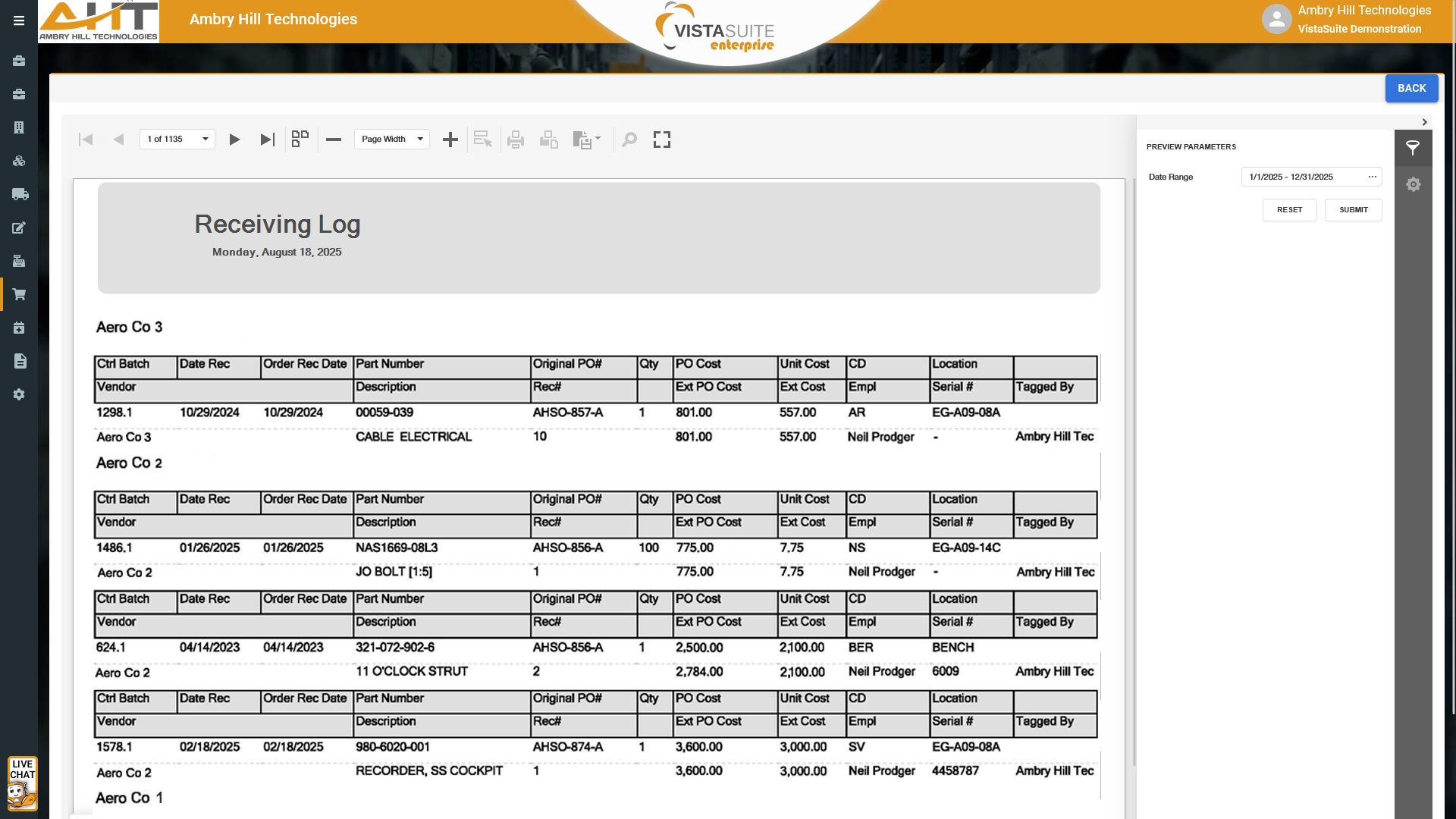
Improve the communication between procurement and warehouse teams by providing visibility into the status and transaction details of expected purchase order items. Proactively address discrepancies and improve planning across your operation.
Software development moves fast, and features evolve over time. While we strive to keep this and other pages accurate, some information may not reflect the most recent changes. For the most current details, we recommend scheduling a live demo at ambryhill.com/demo.
Bring clarity and control to your aviation operation.