

 Shipping Management
Aviation shipping depends on clear control of pending shipments, stock picking, inspection, packing, documents, export details, files, carrier instructions, and shipment status. When those details are spread across orders and teams, delays, missed items, and documentation gaps become harder to catch.
Vista-Suite Enterprise Logistics Order Shipping (LOS) connects outbound shipping work in one workflow, with mobile photo capture, QR-based record lookup, serialized inventory visibility, pending and potential shipment views, configurable documents, batch editing, audit logs, and direct links to related transactions.
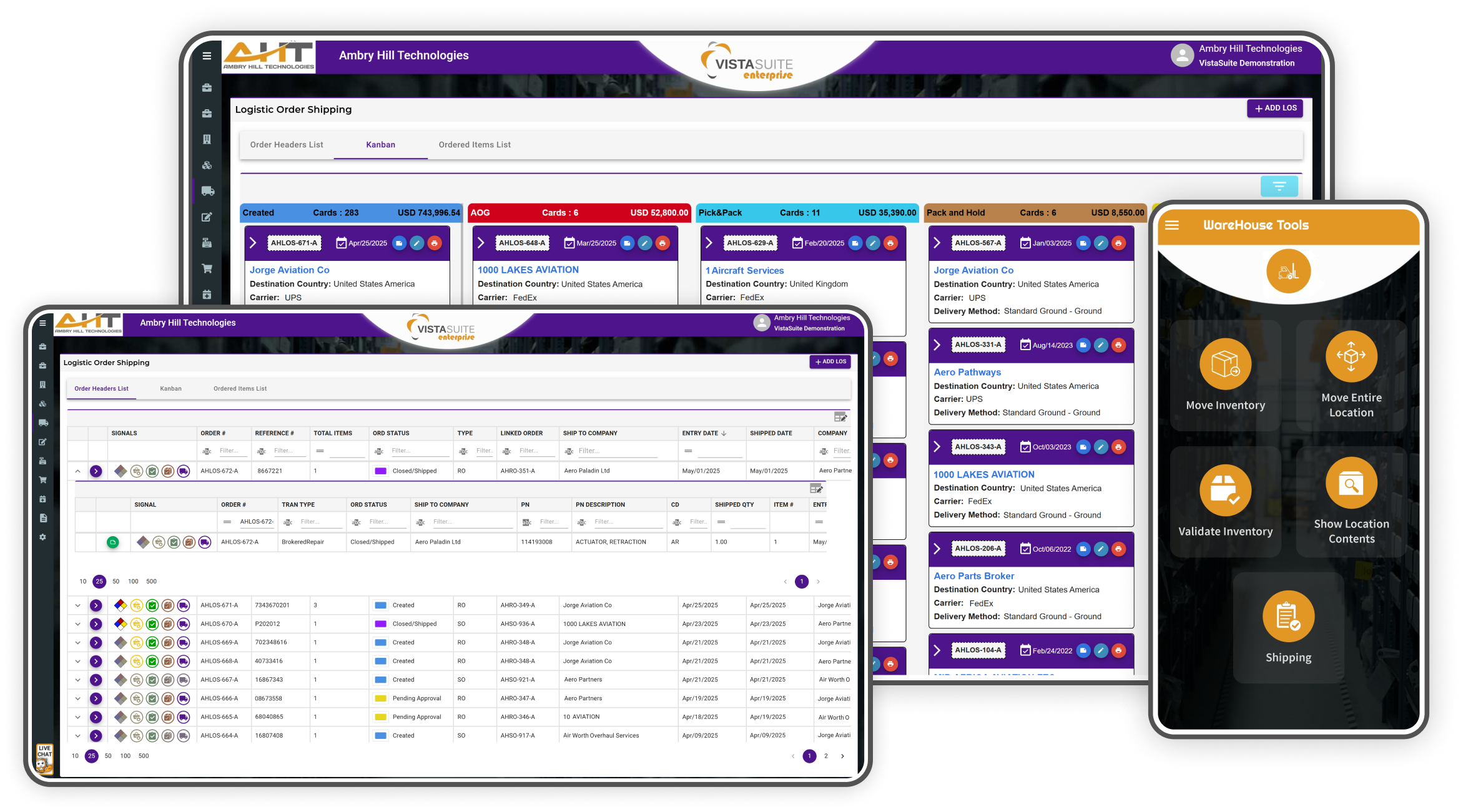
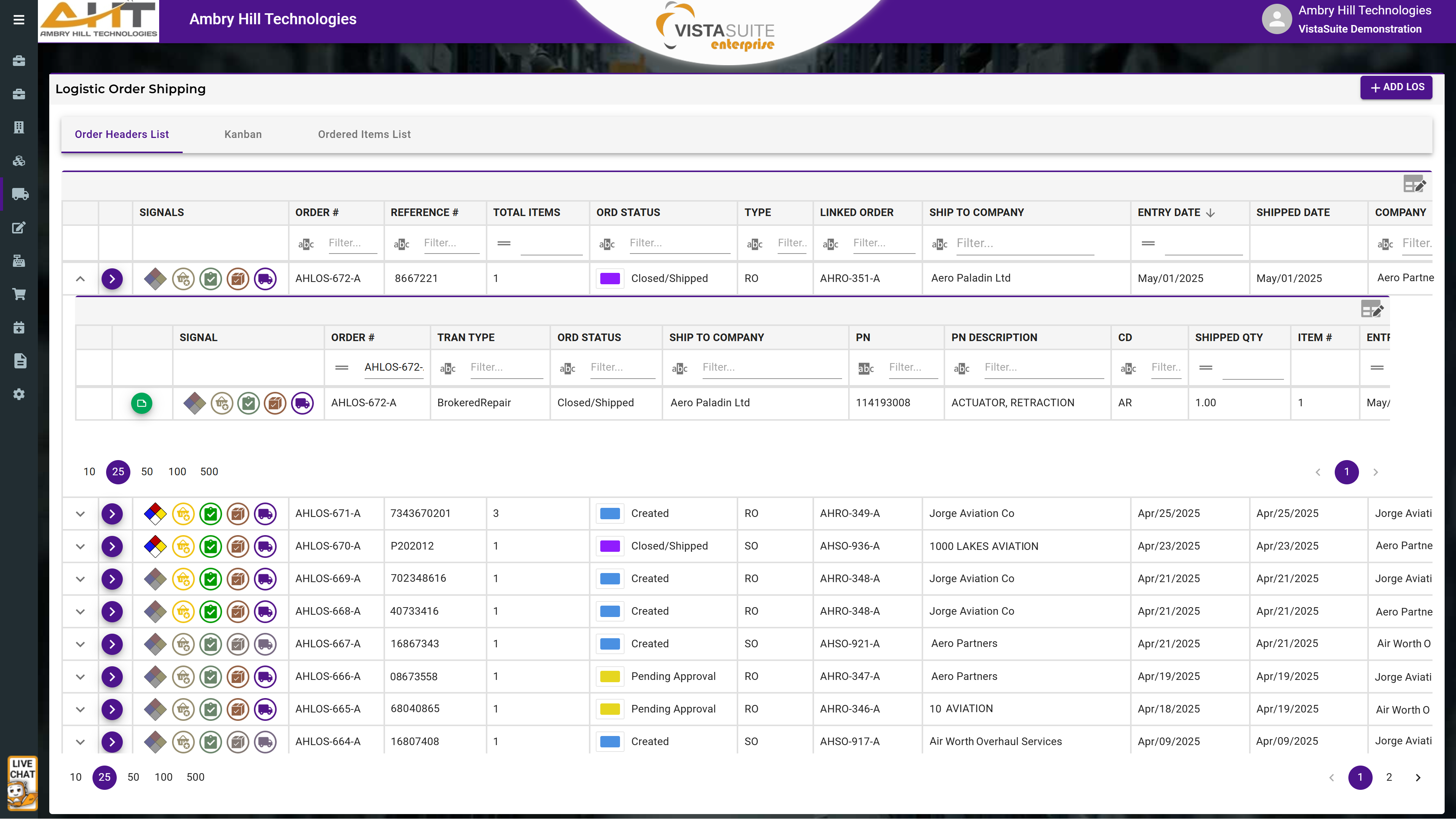
Each LOS record includes a row of visual signal icons to quickly indicate shipment-related statuses of orders and items, such as hazmat involvement, items have been picked, items have been inspected, items have been packed, or if the shipment has been finalized. Customizable columns display shipment status and item-level dispositions, giving teams real-time visibility into outbound progress without opening the full record.
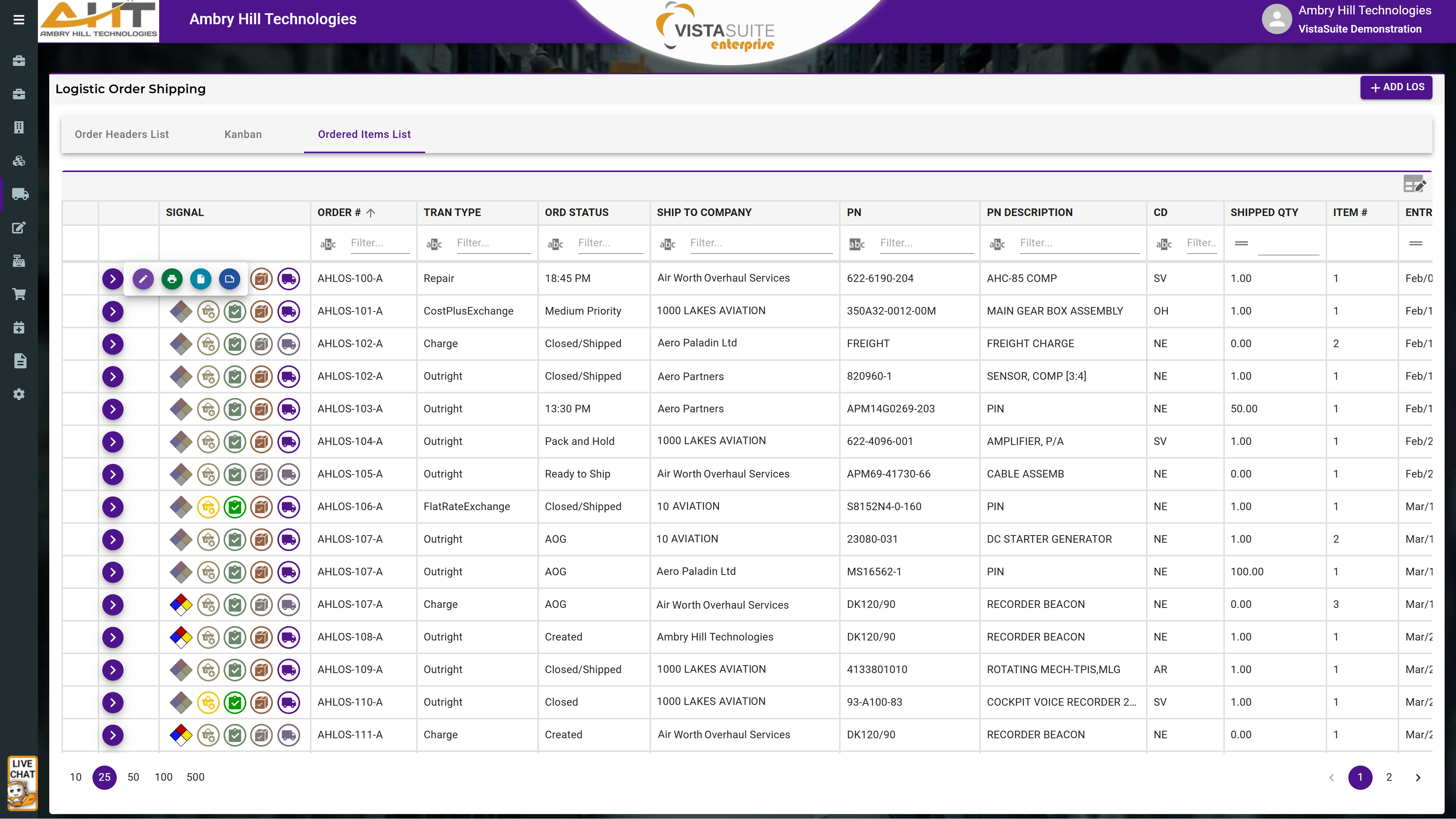
The "Ordered Items List" layout provides a focused list of all items assigned to LOS records, streamlining outbound operations by reducing the need to manually identify item-level shipping order details. From this view, users can quickly take action to edit item information, print documents, access attachments, or view item-specific notes.
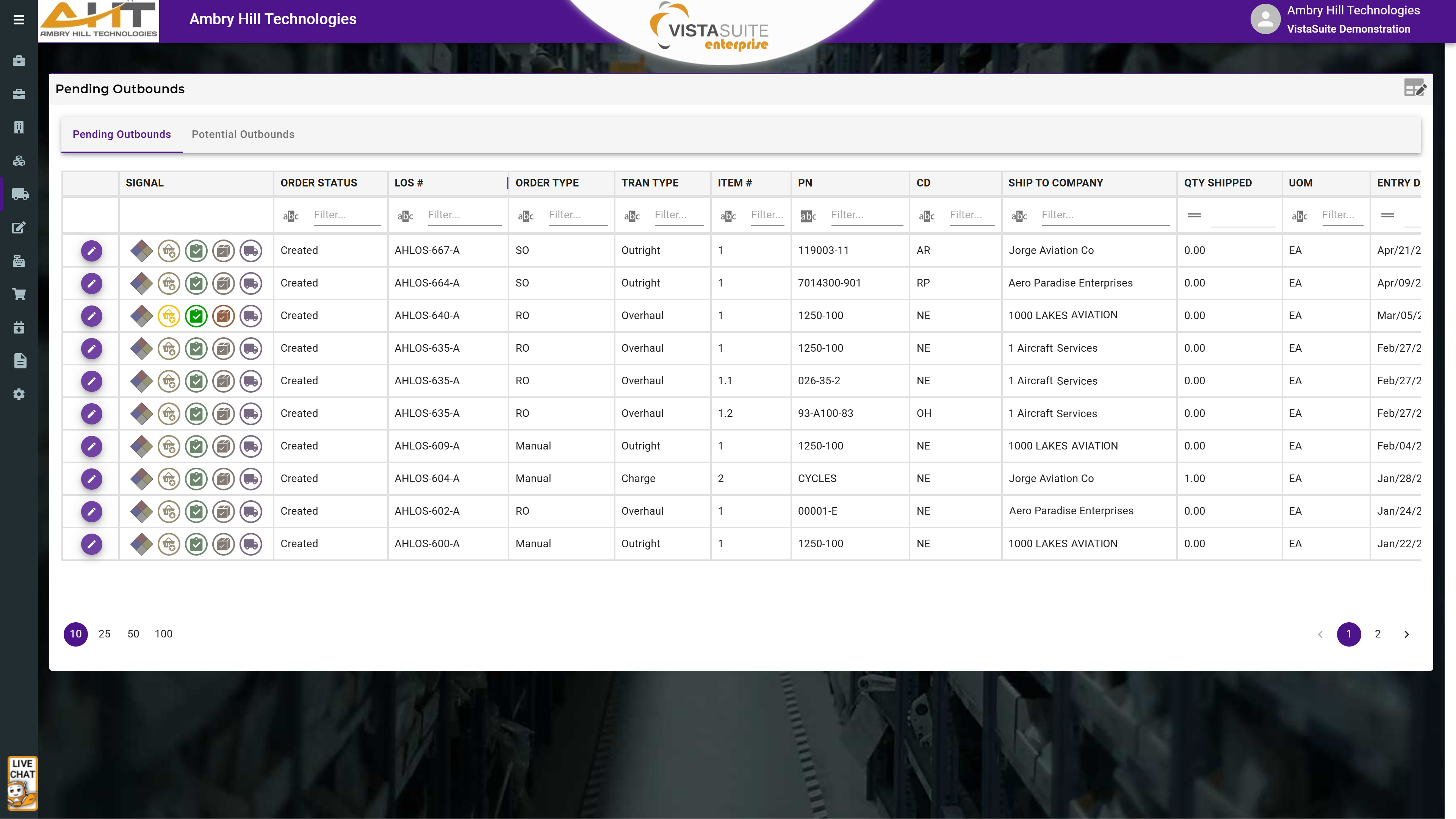
The Pending Shipments view displays all initiated LOS transactions that have not yet been shipped, while the Potential Shipments view surfaces all eligible open sales, repair returns, or exchange transactions across the system that have yet to be assigned to a logistics shipping order. Users can search by order number, part number, transaction type, customer, and more. This innovative approach to outbound shipping management removes the guesswork and reduces time spent switching between modules or tracking down order owners.
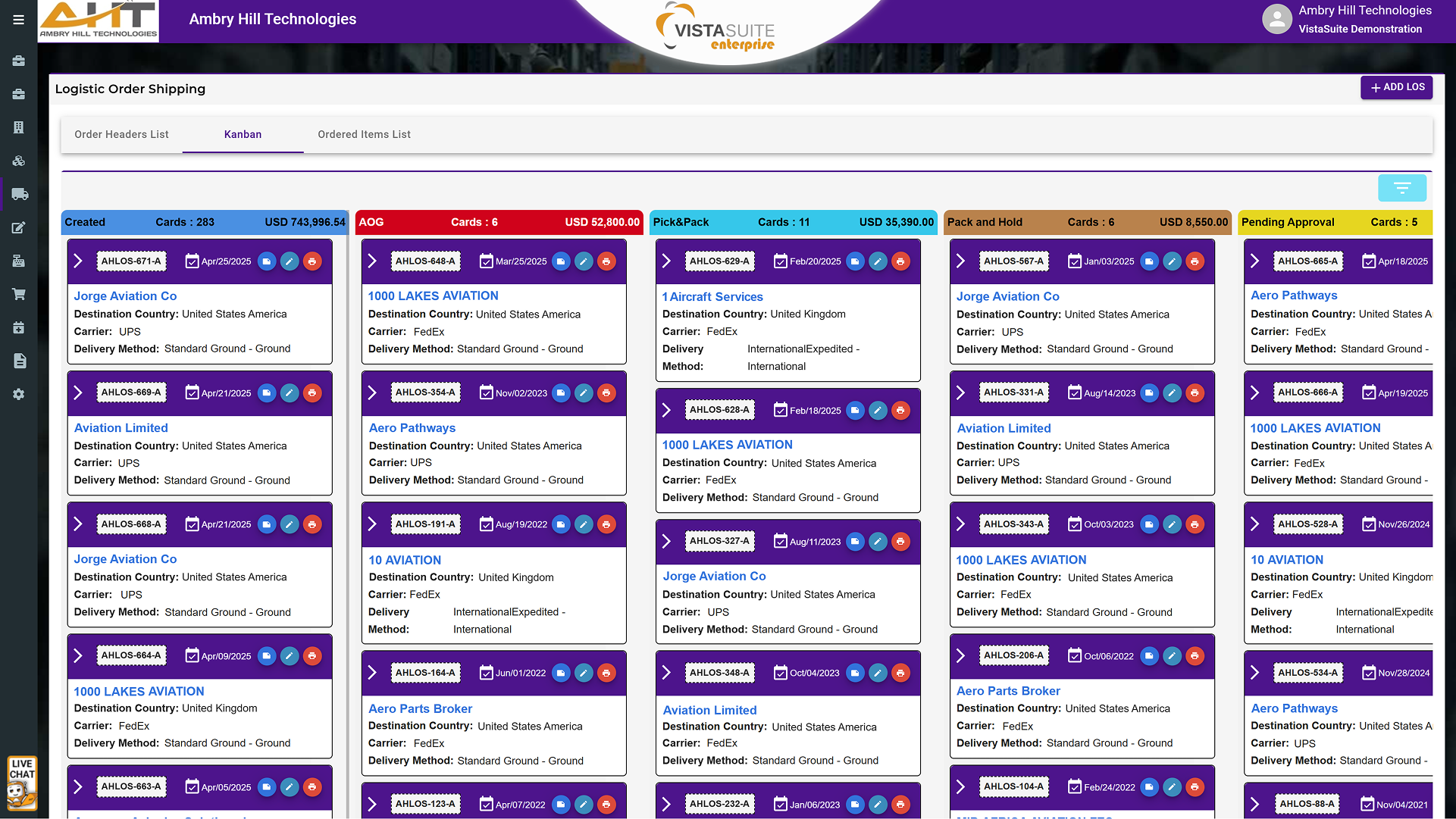
The LOS Kanban layout offers a visual, drag-and-drop workflow for outbound shipments. This layout makes it easy to track the shipping status of each order, identify bottlenecks, and ensure timely processing and dispatch of goods.
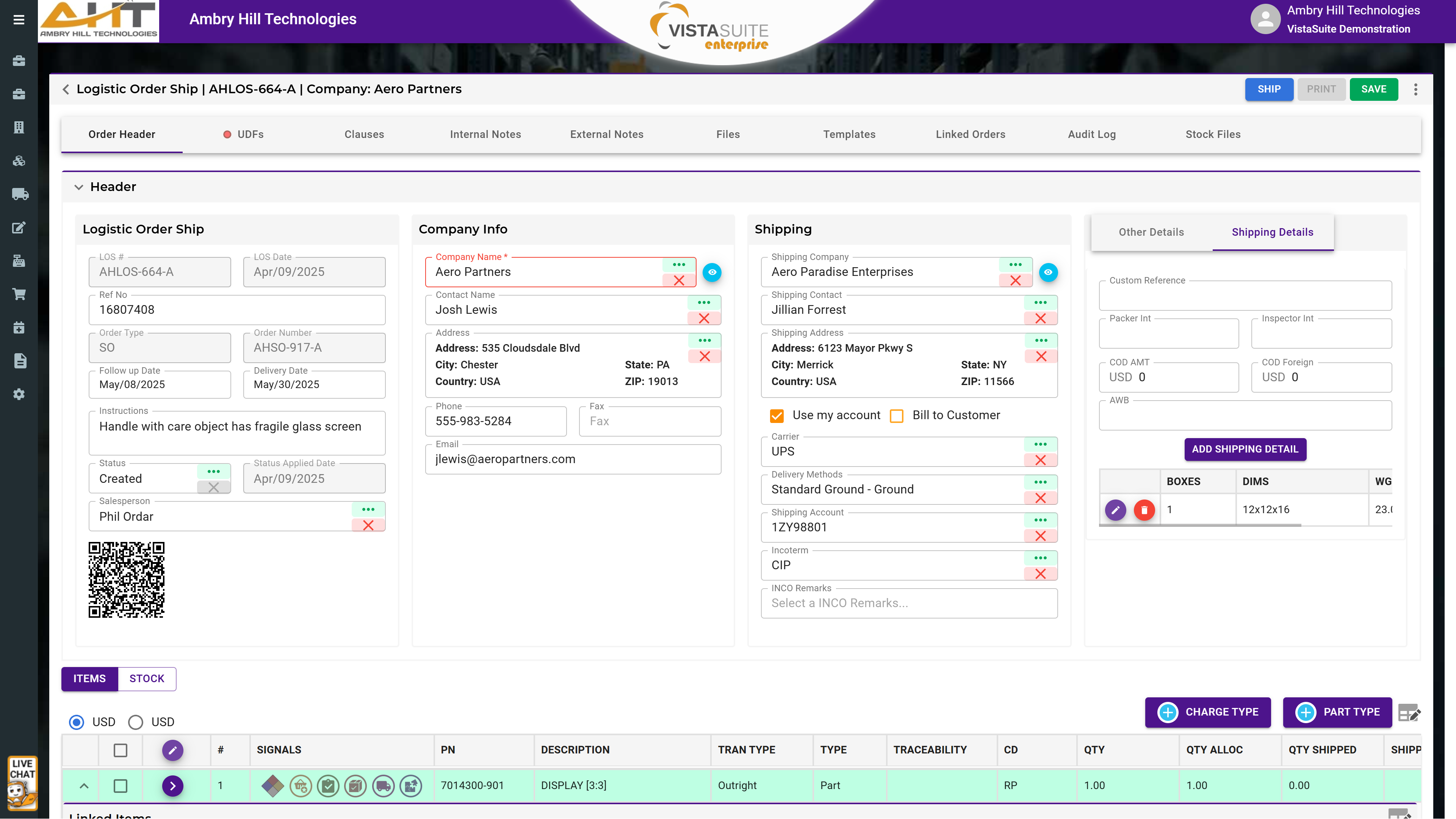
Each LOS record features a well-structured transaction header and tab-based layout, providing intuitive access to all critical shipment details. Line items included in a logistics shipping order are accompanied by visual signals to indicate shipment-related statuses such as hazmat involvement, items have been picked, items have been inspected, items have been packed, if the shipment has been finalized, or includes piece parts.
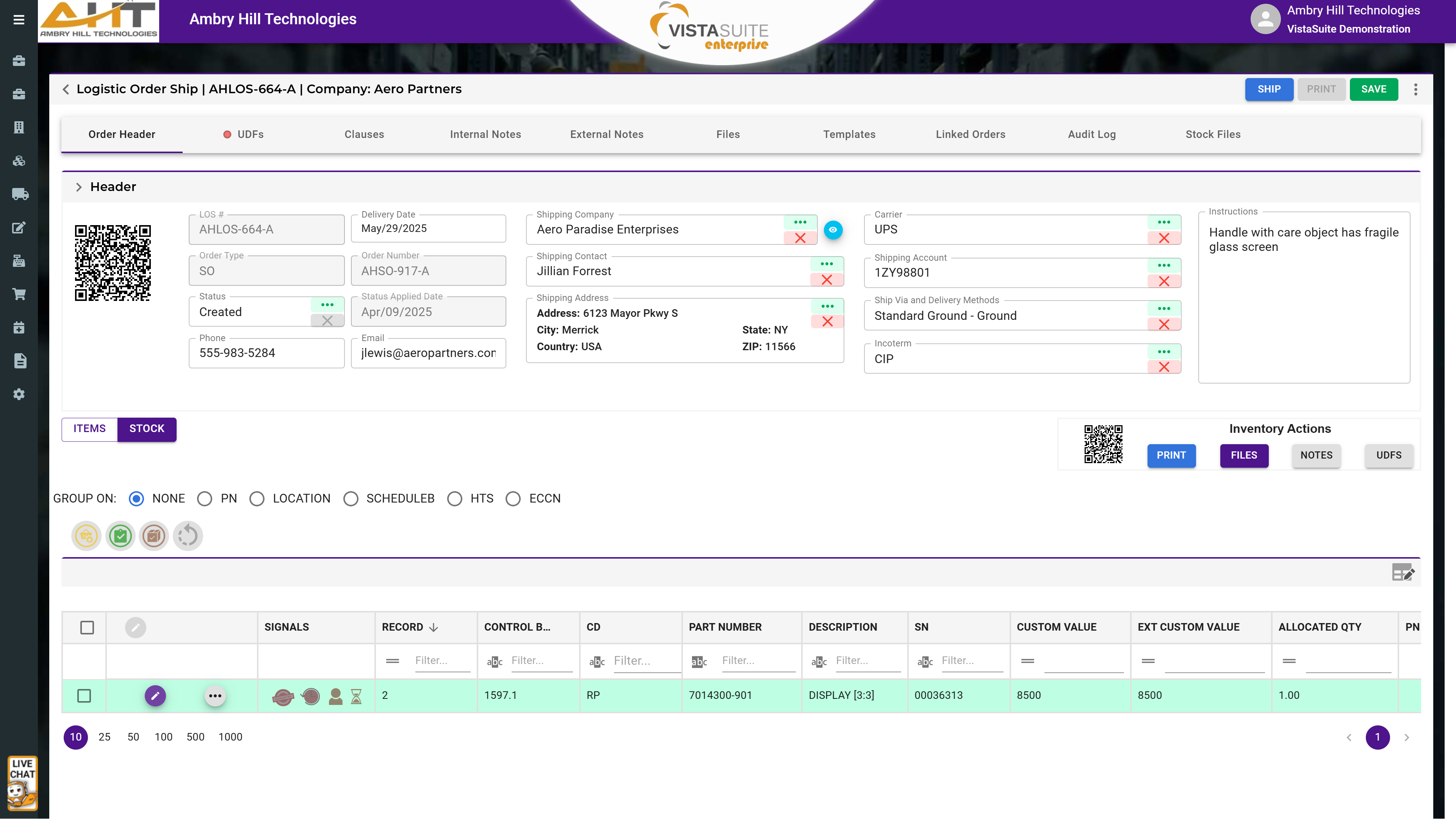
The LOS transaction interface distinguishes between a general "items" view (representing the ordered or expected items) and a detailed "stock" view (representing the individual inventory records/serialized parts). Manage and track stock through every fulfillment stage (e.g., Picked, Inspected, Packed, and Shipped) using batch actions, filters, and a reset option for maximum flexibility. All activity is logged in the LOS audit log for full accountability.
Outbound Items Report In Logistics Order Shipping (LOS): The Outbound Items Report provides a detailed, item-level record of outbound shipments. It includes key data such as part number, quantity, customs value, HTS code, manufacturer, full ship-to address, LOS number, ship date, carrier, and Incoterms. Formatted like a spreadsheet for easy filtering and analysis, it supports audit readiness, export documentation, and customer service. Custom layouts are available upon request.
Open Shipments Report: The Open Shipments Report provides a view of outbound shipment records that have been initiated but are not yet completed. It serves as a working queue for warehouse and logistics personnel, highlighting orders that are prepared for shipment but still pending dispatch or final processing. Customized layouts are available as an additional service to better align with unique operational needs or reporting standards.
Authorized Release Certificates: FAA Form 8130, 8130-3, EASA Form 1, CAA Form 1, and TC Form 1 airworthiness approval tags are prepopulated and printable.
ASA Form 2020 (Landscape And Portrait Orientation): Standardized forms issued by the Aviation Suppliers Association (ASA) to document parts transactions and support traceability and quality assurance workflows.
ATA 106: A standardized industry form used to document traceability and quality details of aircraft parts, often accompanying transactions to support aviation documentation requirements.
Shipper's Declaration Of Dangerous Goods Certificate: This LOS document is used to declare hazardous materials included in a shipment, including hazard class, UN number, packaging details, handling instructions, and a signed declaration from the shipper.
Core Return Pack Slip: The Core Return Pack Slip is generated by Logistics Order Shipping (LOS) to accompany the shipment of a part that requires a core return. It provides reference details for returning the used or repairable core component and helps match returned cores to original transactions.
C Of C Form (Certificate Of Conformance): The Certificate of Conformance documents that a part meets required specifications and supports the receiving party's inspection, documentation, and traceability needs.
Customs Invoice Document: The Customs Invoice provides customs authorities with shipment details used to assess duties, taxes, and cross-border movement of goods. The LOS workflow can pull relevant data from the corresponding order to reduce manual entry and support consistent documentation.
Customs Part Certificate Of Origin: The Certificate of Origin verifies the country where the product was manufactured. The LOS module includes a pre-built Certificate of Origin that can pull relevant data from the shipment record to support accurate cross-border documentation.
Pack Slip: Included with shipments, the Pack Slip details the contents of the package for verification upon receipt and provides clear documentation when escalating shipping or supplier issues.
Pick Ticket: This internal document informs warehouse staff which items to retrieve for order fulfillment. It lists part numbers, quantities, and storage locations to streamline the picking process and reduce errors.
Repair Order Form (LOS): The Repair Order Document is a professional form generated within the LOS application to accompany shipments sent to suppliers or repair vendors. It outlines repair instructions, delivery and payment terms, part details, pricing agreements, and routing details.
Shipper's Letter Of Instructions: The Shipper's Letter of Instructions (SLI), generated through the LOS module, communicates detailed shipping requirements to a freight forwarder or logistics provider.
Shipping Label: Export details and manufacturer traceability can be embedded into a single label. The format can include export and customs data, serialized inventory details, and QR codes to retrieve the corresponding LOS record through the Vista-Suite Enterprise mobile application.
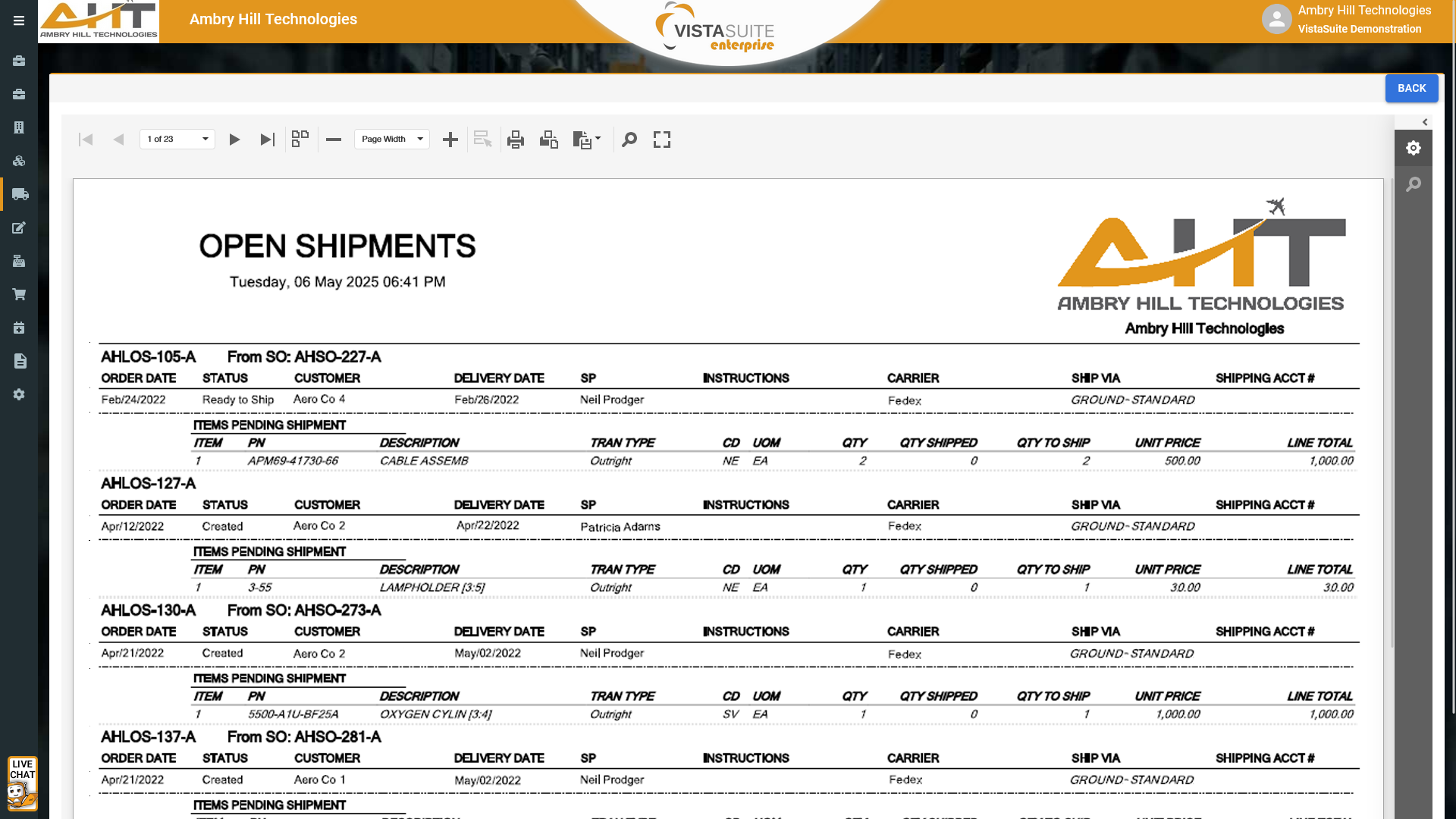
The Open Shipments Report provides a real-time view of all outbound shipment records that have been initiated but are not yet completed. It serves as a working queue for warehouse and logistics personnel, highlighting orders that are prepared for shipment but still pending dispatch or final processing. This report supports proactive shipment management, prevents delays, and ensures nothing is missed during fulfillment. Customized layouts are available as an additional service to better align with unique operational needs or reporting standards.
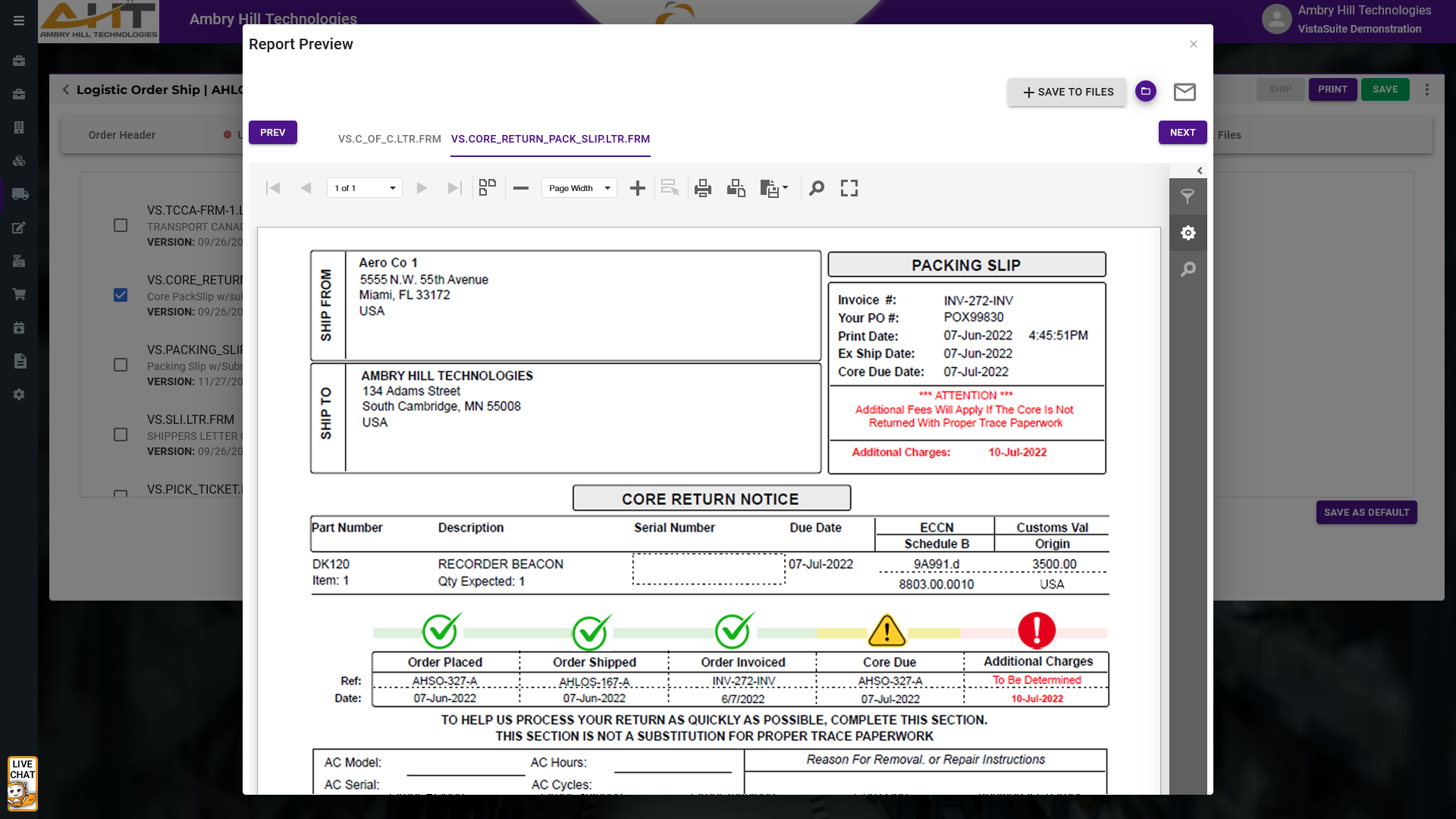
The Core Return Pack Slip is a document generated by the Logistics Order Shipping (LOS) module to accompany the shipment of a part that requires a core return. It provides clear instructions and reference details for the recipient to return the used or repairable core component. Typically included in the outbound shipment, the slip stays with the new or overhauled part and serves as both a return authorization and tracking reference when the core is sent back. This document helps streamline the reverse logistics process, reduce delays in core returns, and ensure proper matching of returned cores to original transactions.
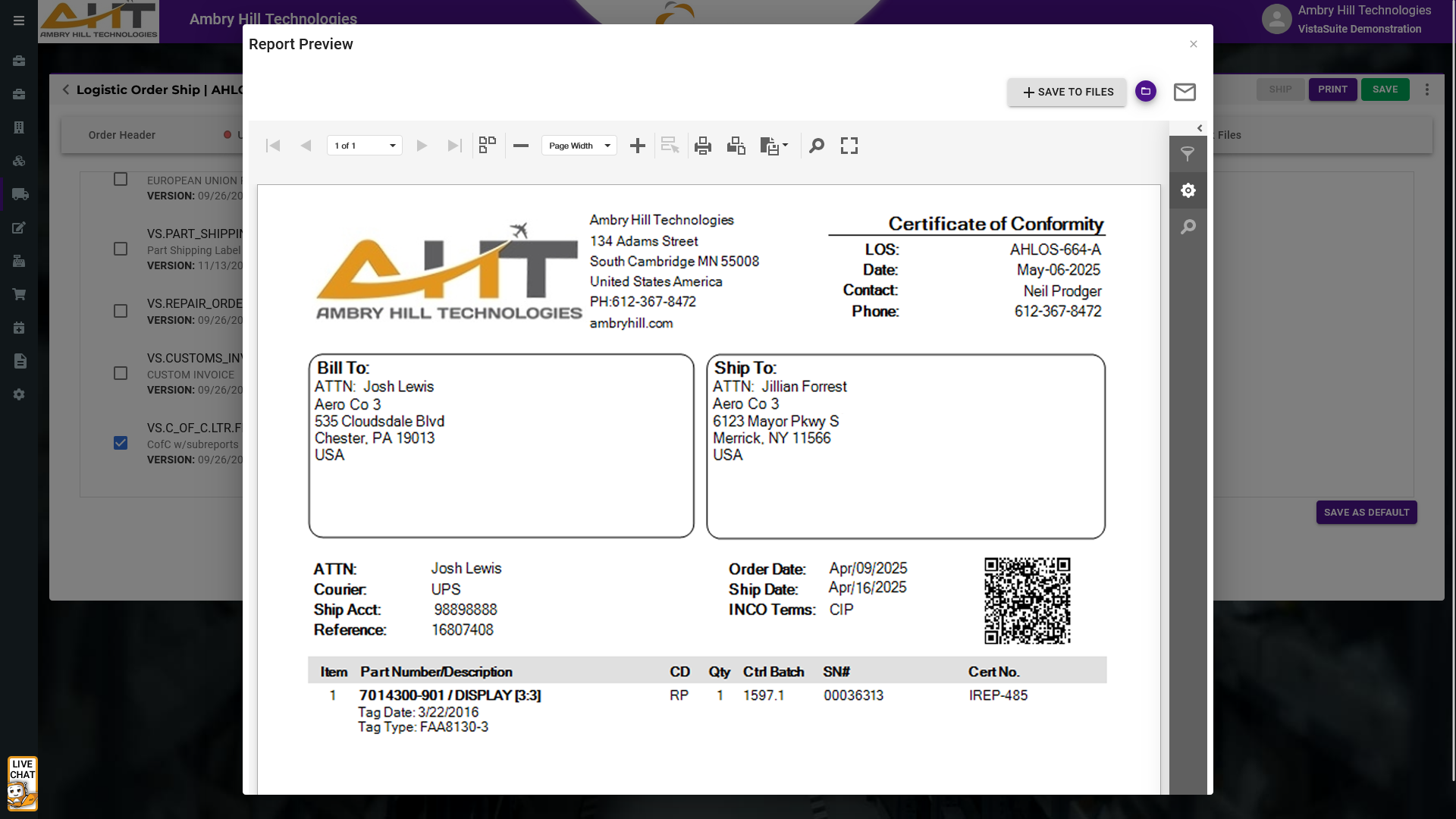
The Certificate of Conformance documents that a part meets required specifications and supports the receiving party's inspection, documentation, and traceability needs.
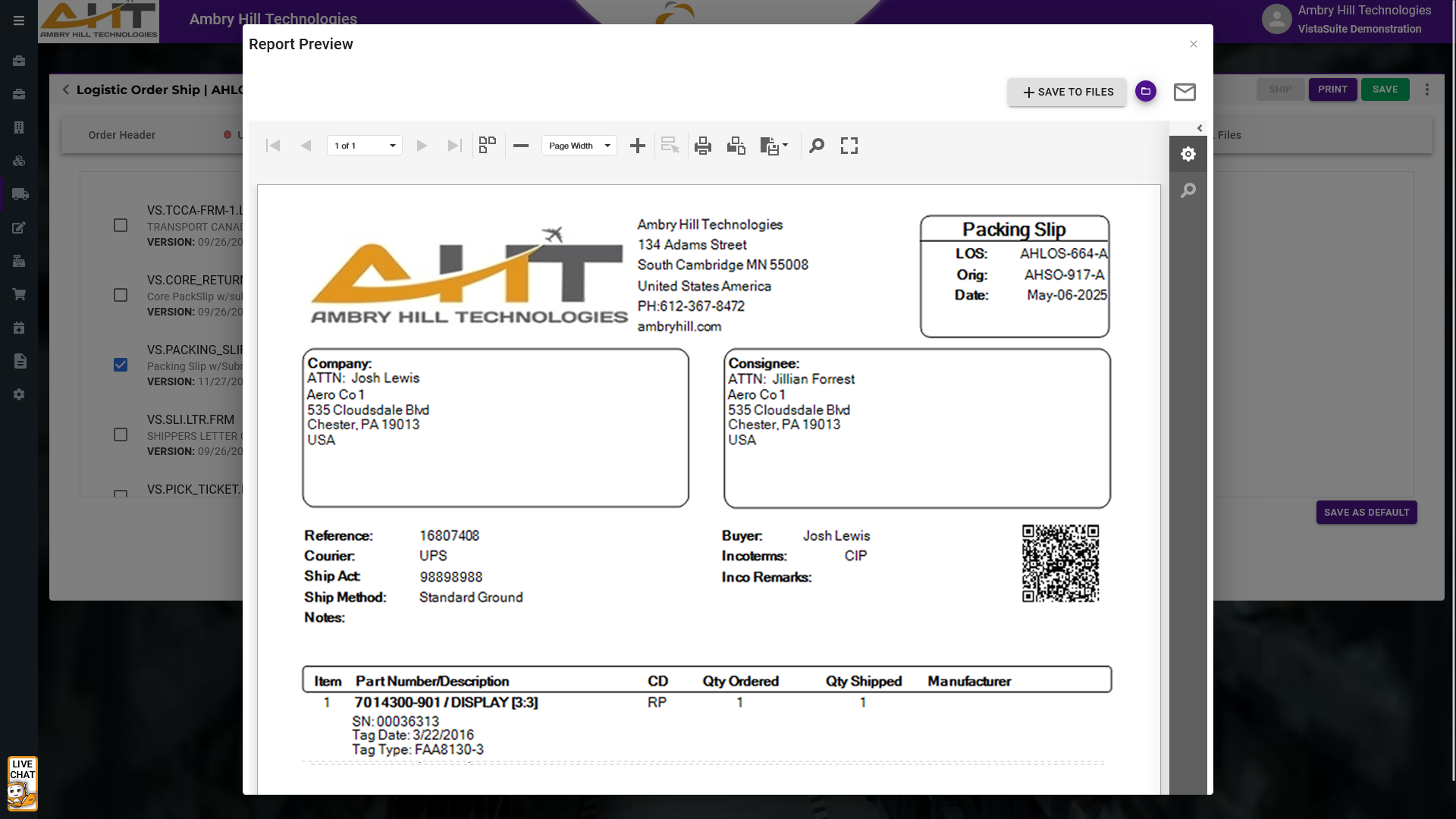
Included with shipments, the Pack Slip details the contents of the package for verification upon receipt. For example, when an MRO facility receives a shipment of parts, the receiving personnel uses the pack slip to confirm that expected components are present before moving them into inventory. This helps your team identify missing or incorrect items quickly and provides clear documentation when escalating shipping or supplier errors.
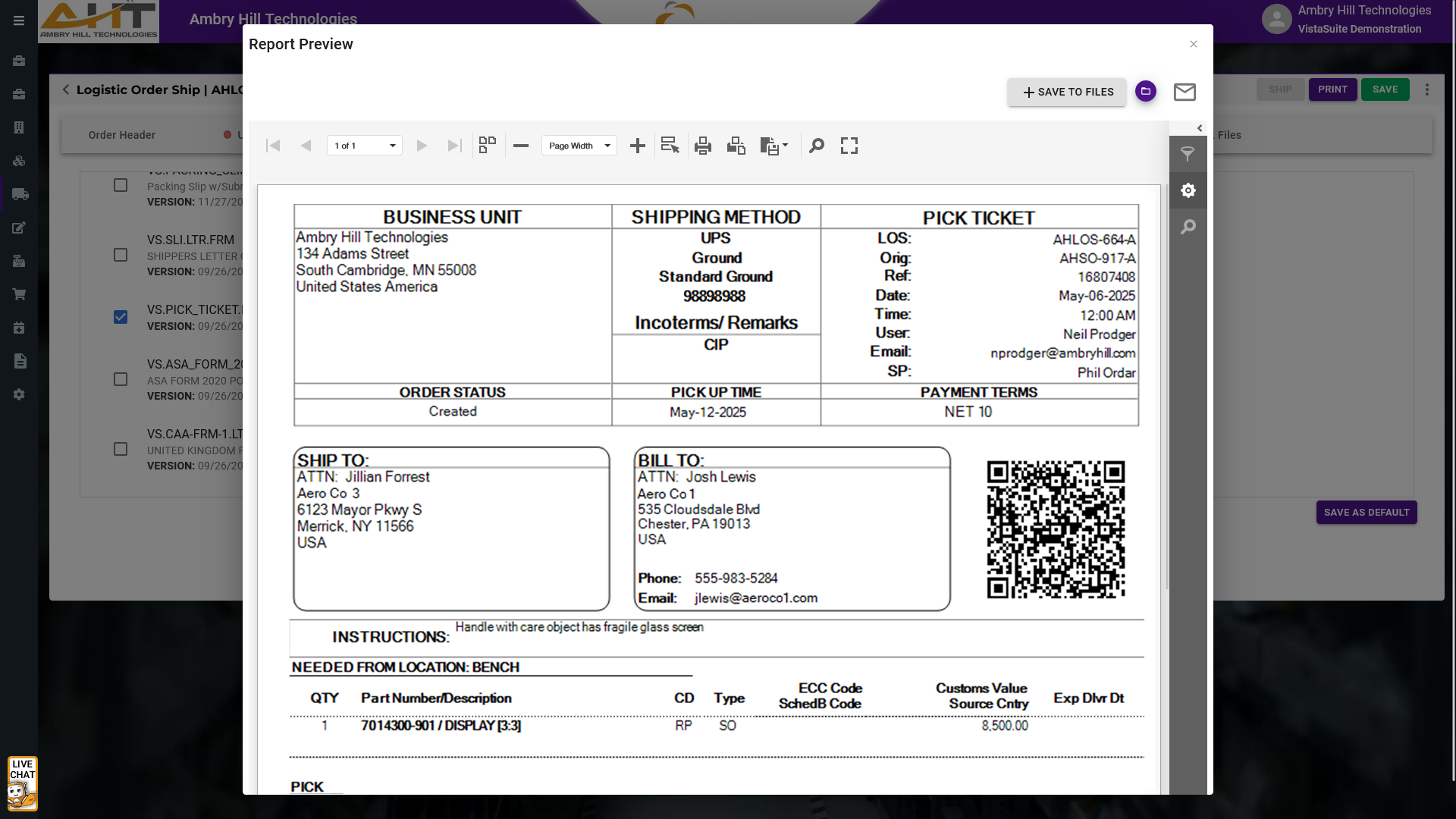
This internal document informs warehouse staff on which items to retrieve for order fulfillment. It clearly lists part numbers, quantities, and storage locations to streamline the picking process and reduce errors. A well-prepared pick ticket helps teams move faster and with greater confidence, especially when time-sensitive orders are in play.
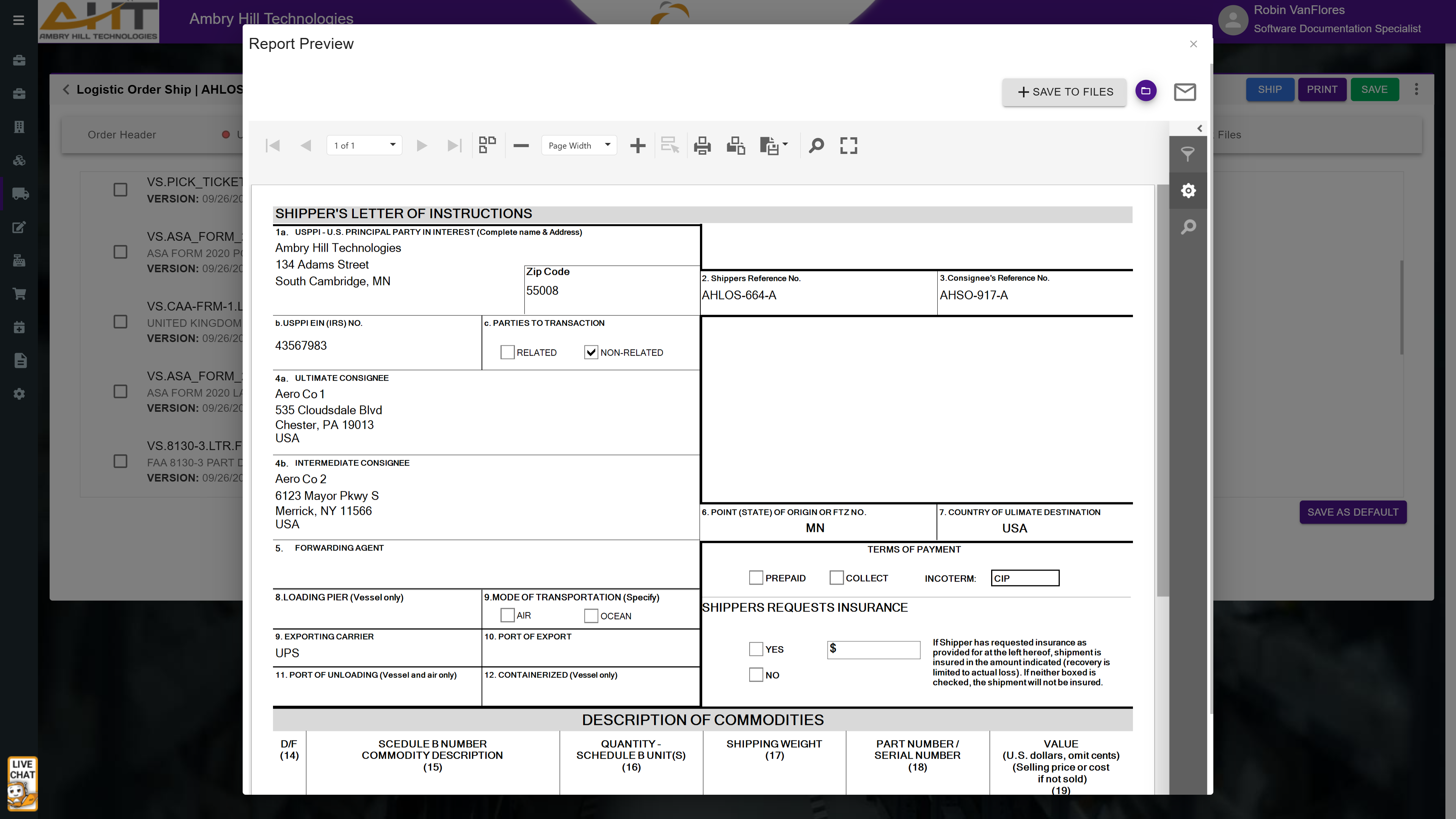
The Shipper's Letter of Instructions (SLI), generated through the Logistics Order Shipping (LOS) module, is used to communicate detailed shipping requirements to a freight forwarder or logistics provider. It includes instructions such as how and when to ship the goods, preferred carriers, insurance needs, handling requirements, and references to required documents like the commercial invoice or export licenses.
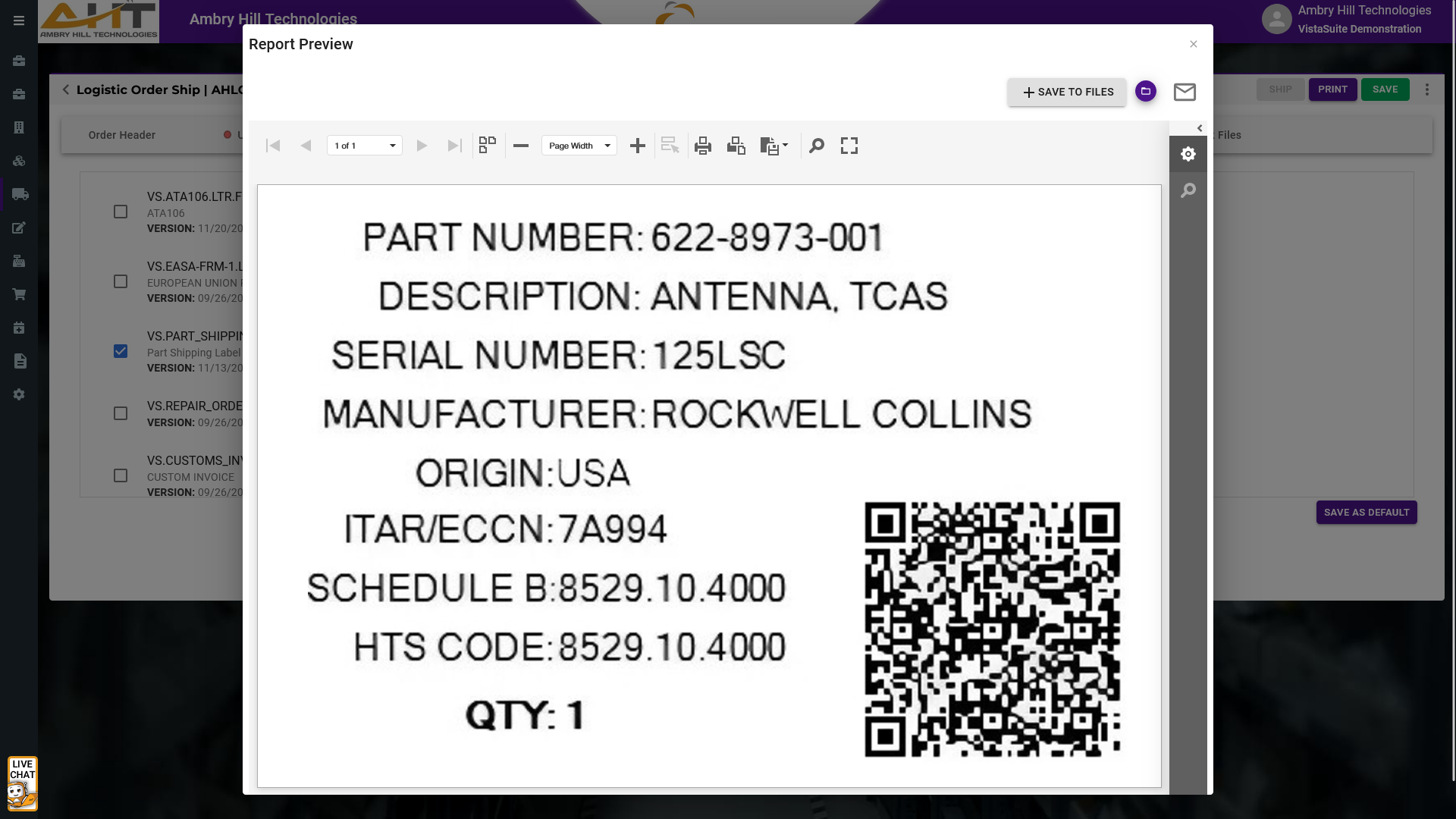
Export details and manufacturer traceability can be embedded into a single, easy-to-read label. This built-in label format supports shipment documentation and handling workflows.
The format can include critical export and customs data, supports serialized inventory management, and includes QR codes to quickly retrieve the corresponding LOS record through the Vista-Suite Enterprise mobile application.
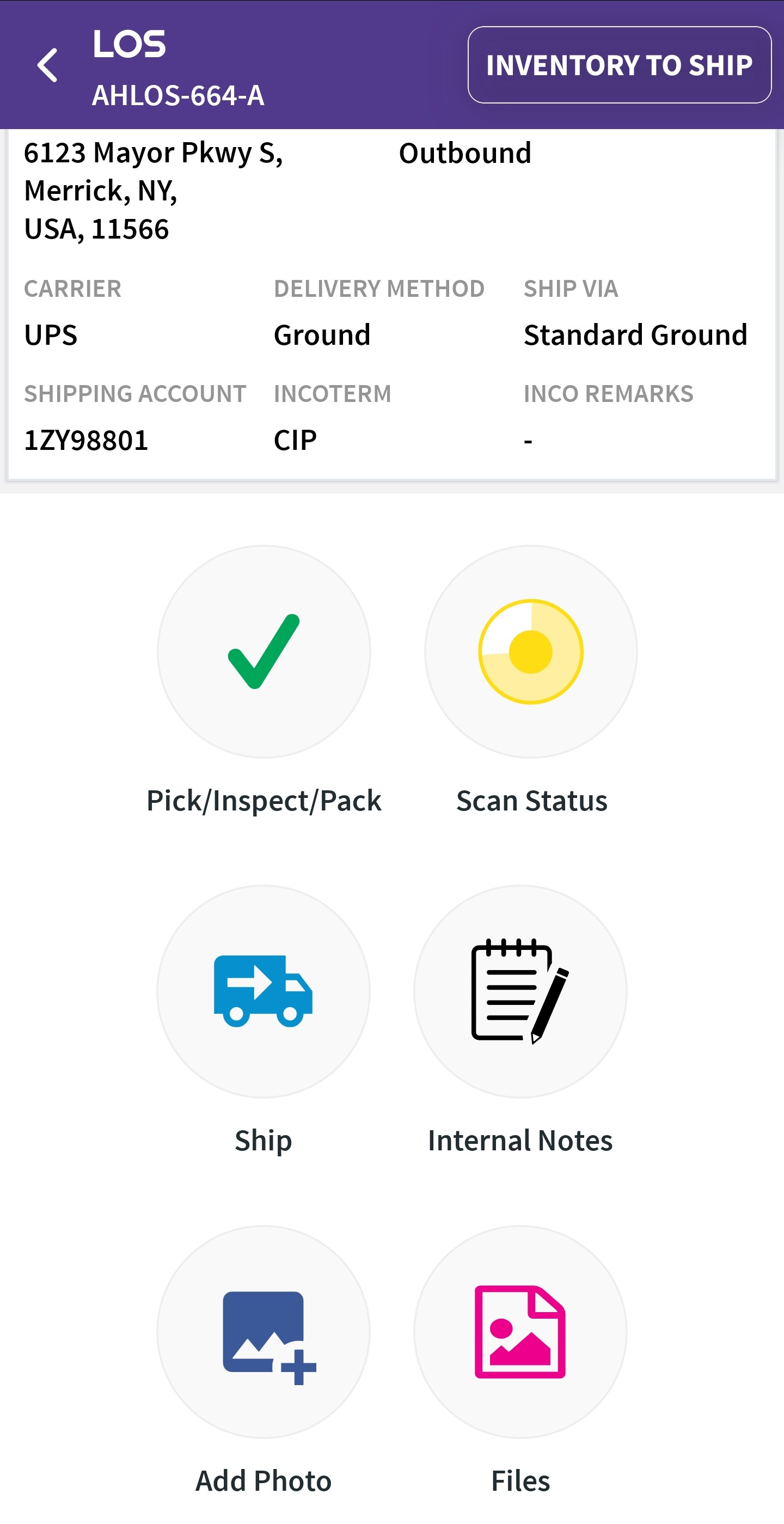
Quickly locate any Logistics Order Shipment (LOS) record by scanning a LOS QR code. This simple, yet valuable capability minimizes manual search errors and speeds up shipping workflows from the start.
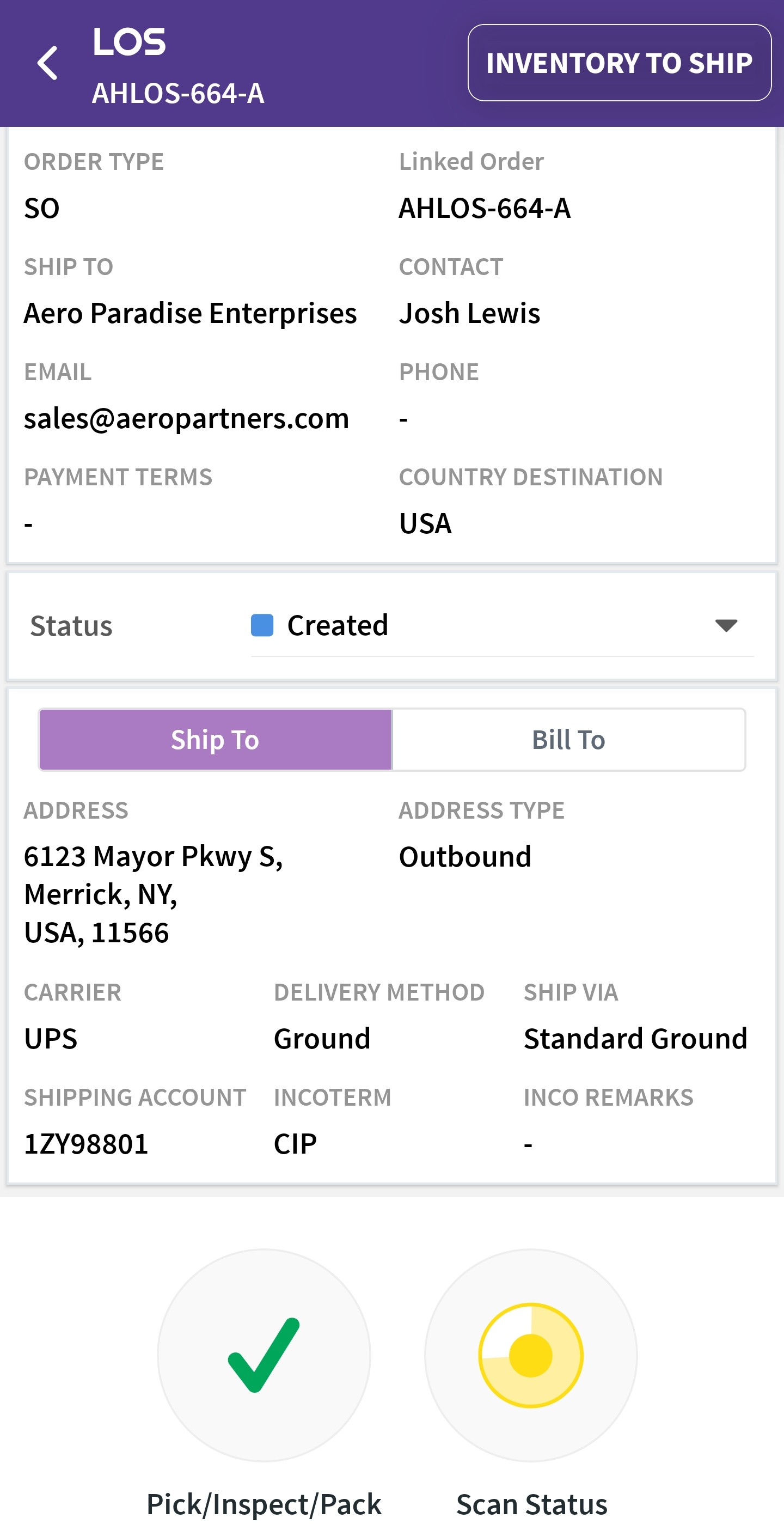
Access comprehensive details for each shipment, including customer information, addresses, and shipping terms. Centralizes order information for improved accuracy across shipping operations.
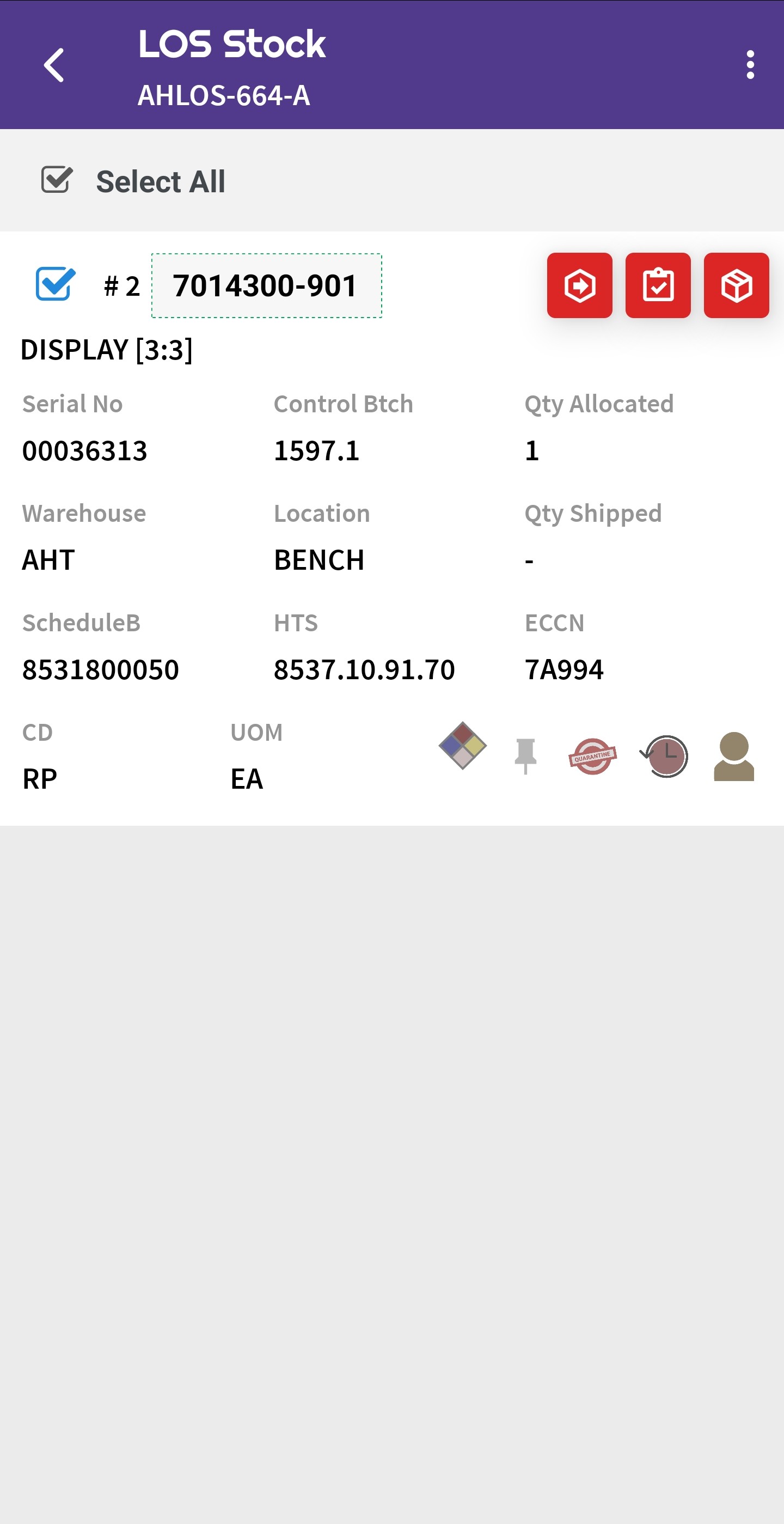
Get a live view of allocated and available inventory. Details include the serial number, control batch, and warehouse location for accurate picking and efficient order fulfillment.
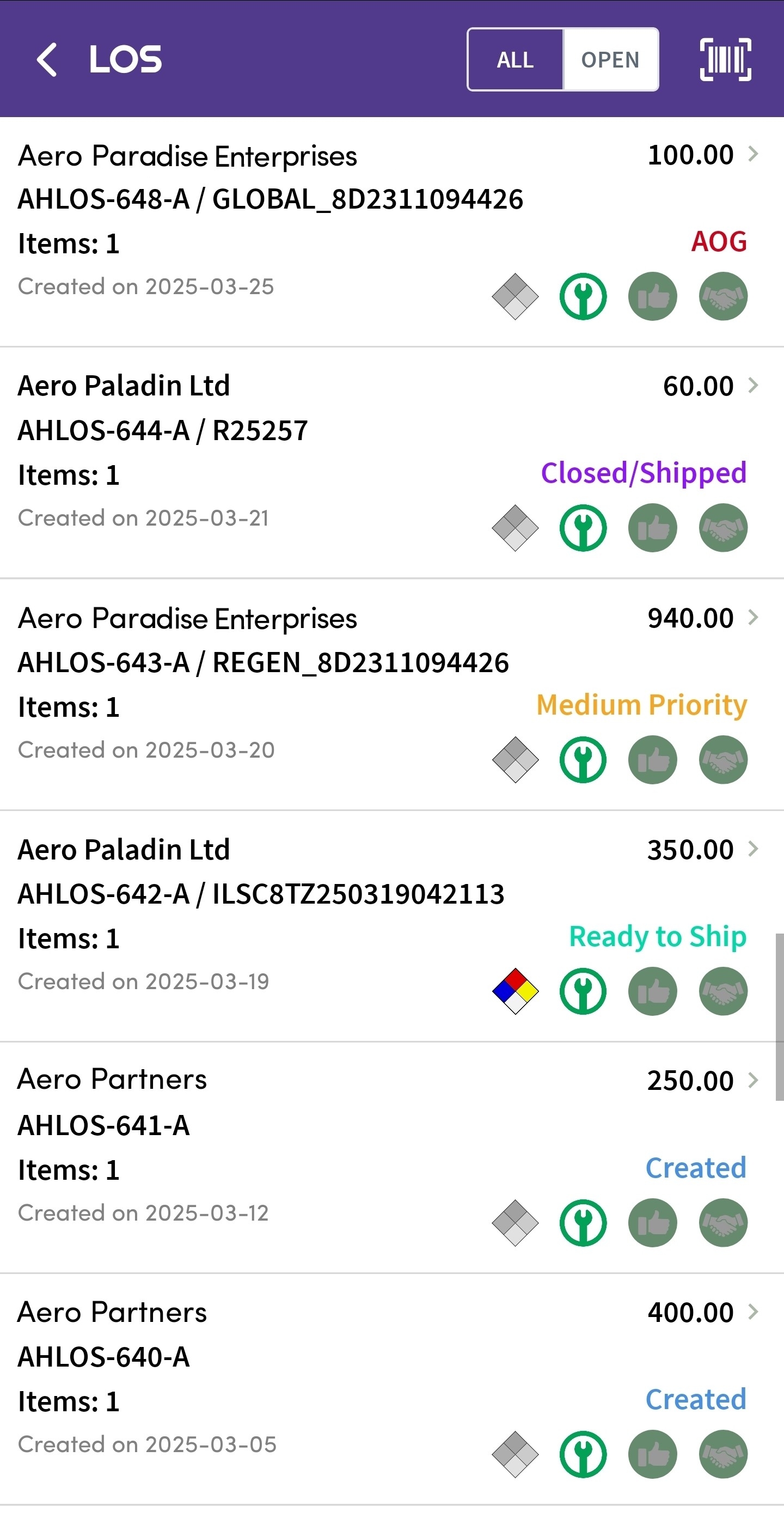
Easily browse all orders, or just the open ones, complete with status and priority indicators that allow your team to swiftly prioritize, track, and respond to order requirements.
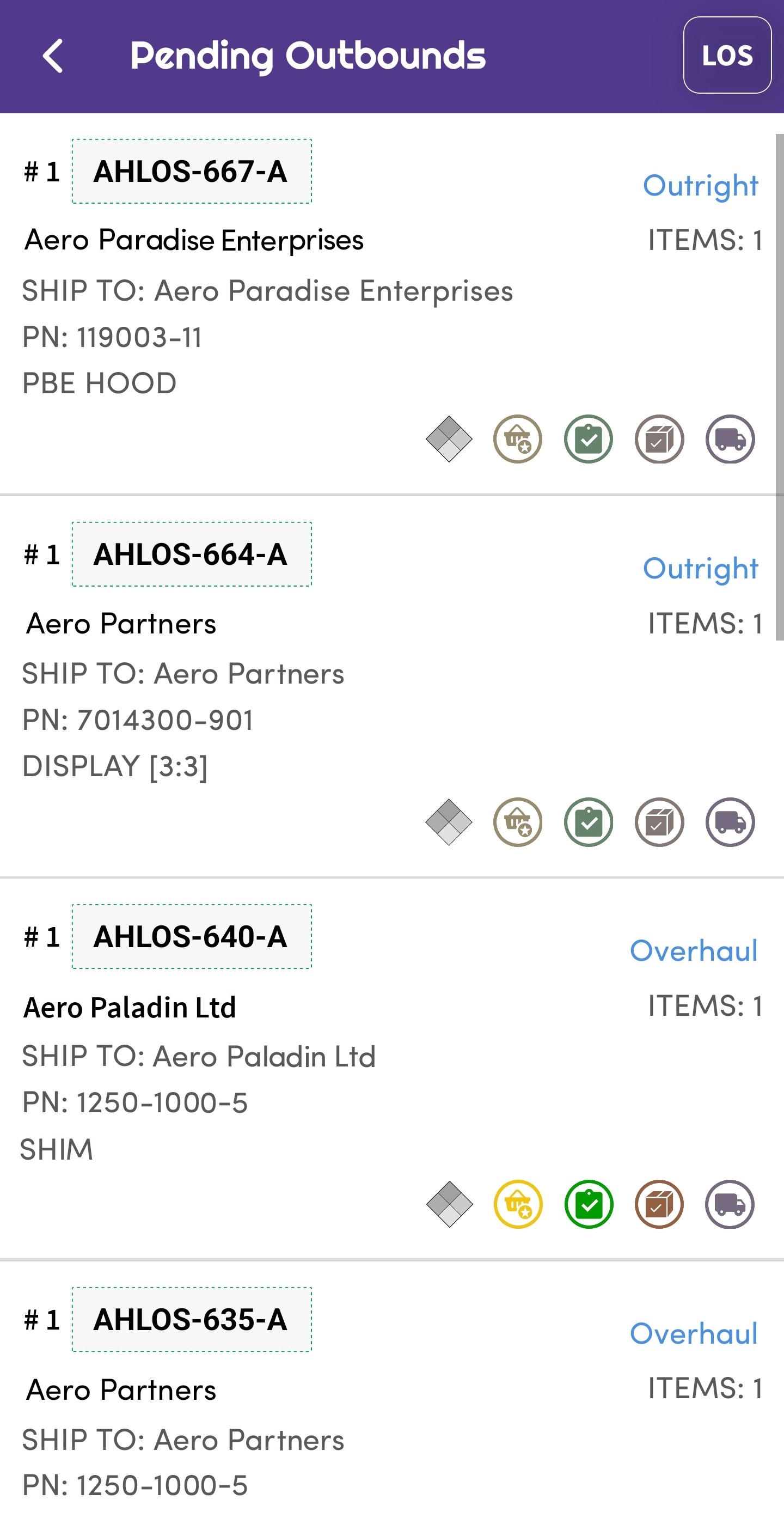
Check shipments queued for outbound processing at a glance. Effortlessly manage priorities and ensure timely shipments to customers.
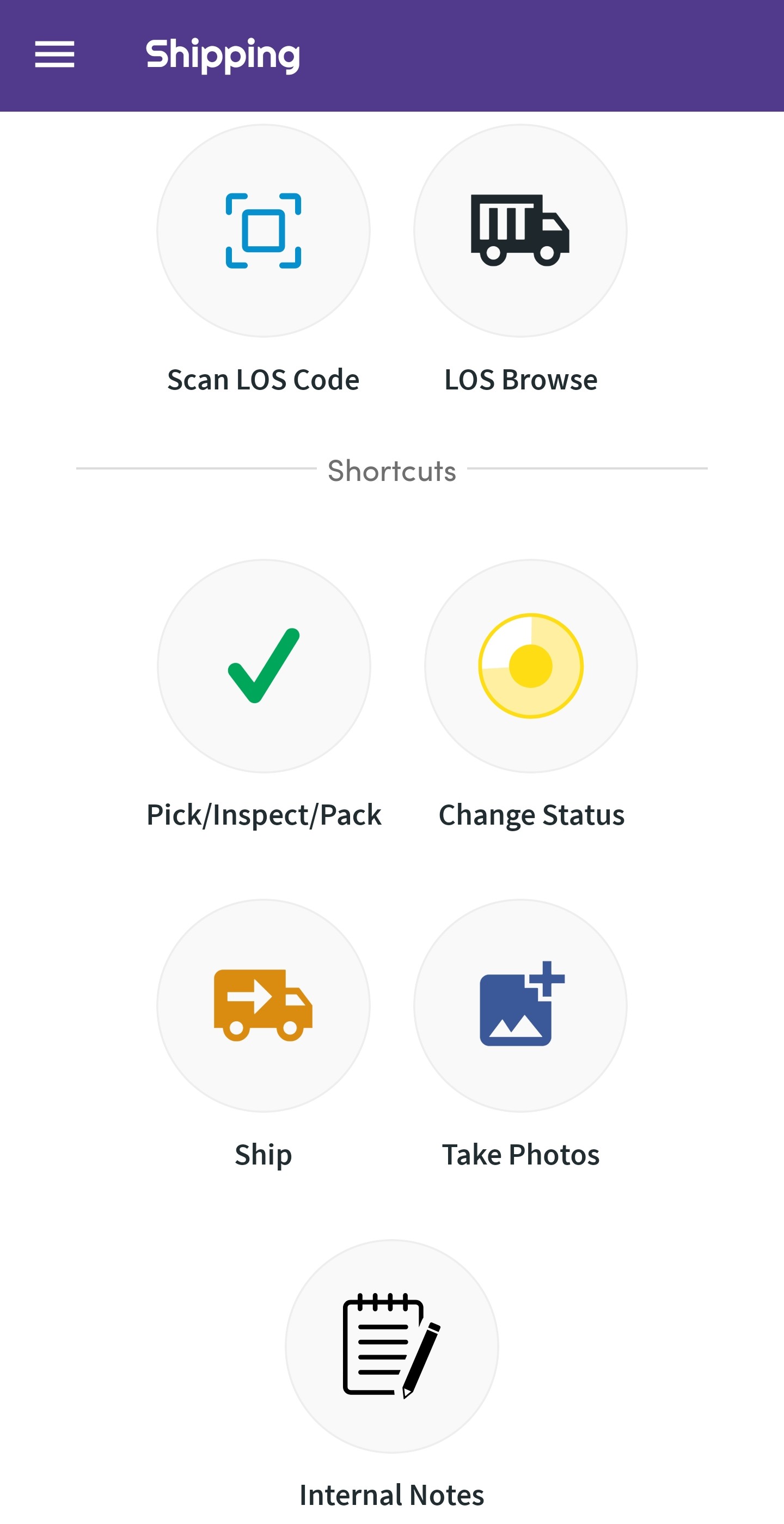
All critical shipping workflow actions are consolidated into a single accessible interface, enabling users to advance shipments, update statuses, attach documentation, and communicate
Software development moves fast, and features evolve over time. While we strive to keep this and other pages accurate, some information may not reflect the most recent changes. For the most current details, we recommend scheduling a live demo at ambryhill.com/demo.
Bring clarity and control to your aviation operation.