

 Aviation Export Compliance
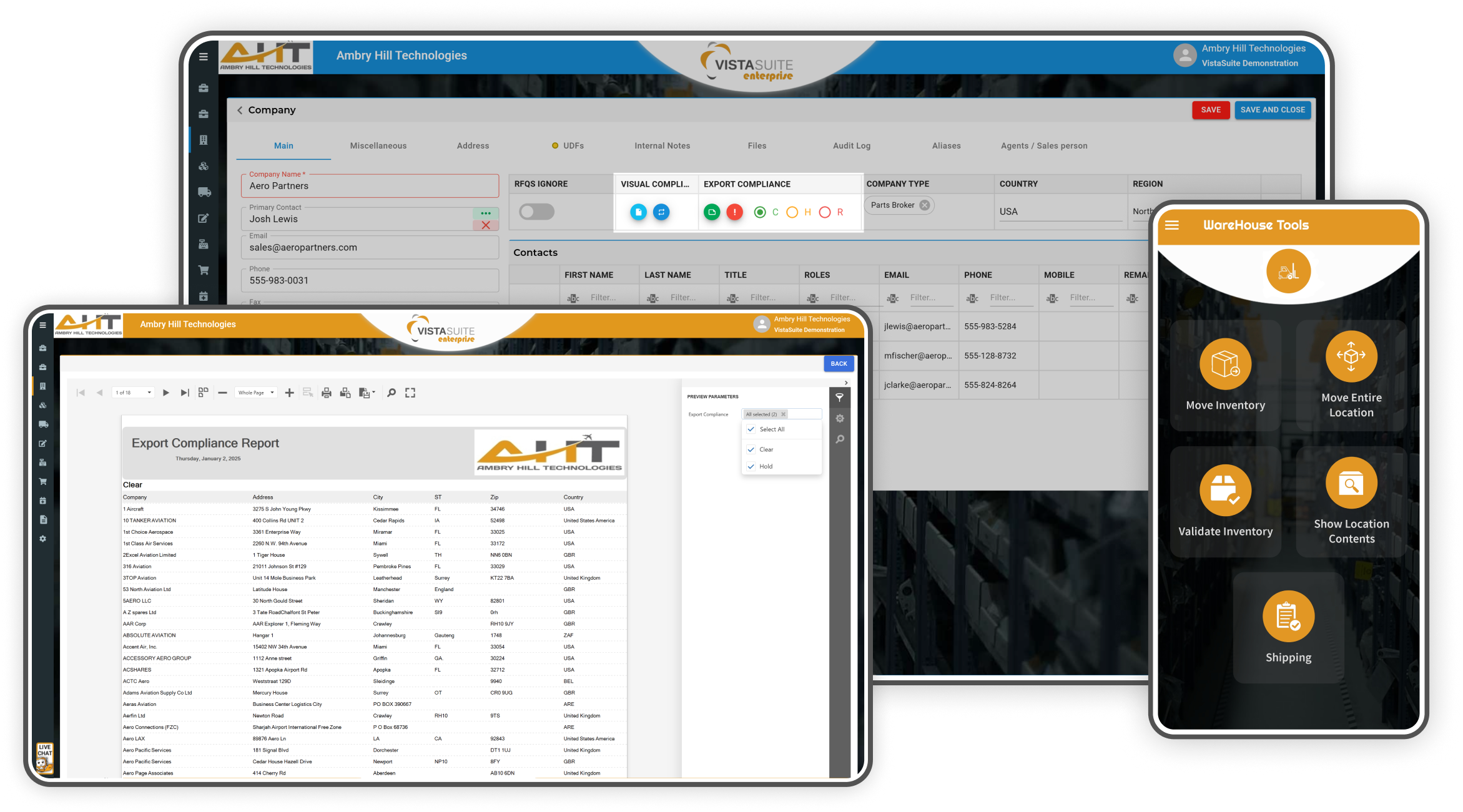
Vista-Suite Enterprise helps aviation teams keep export-control details, files, screening notes, and part classifications connected to the records where work happens.
Teams can store end-use certificates and export licenses, track ECCN, HTS, ITAR, and related fields, support denied party screening through an optional Descartes VisualCompliance integration, and carry customs-related details into receiving, shipping, labels, invoices, reports, and internal review workflows.

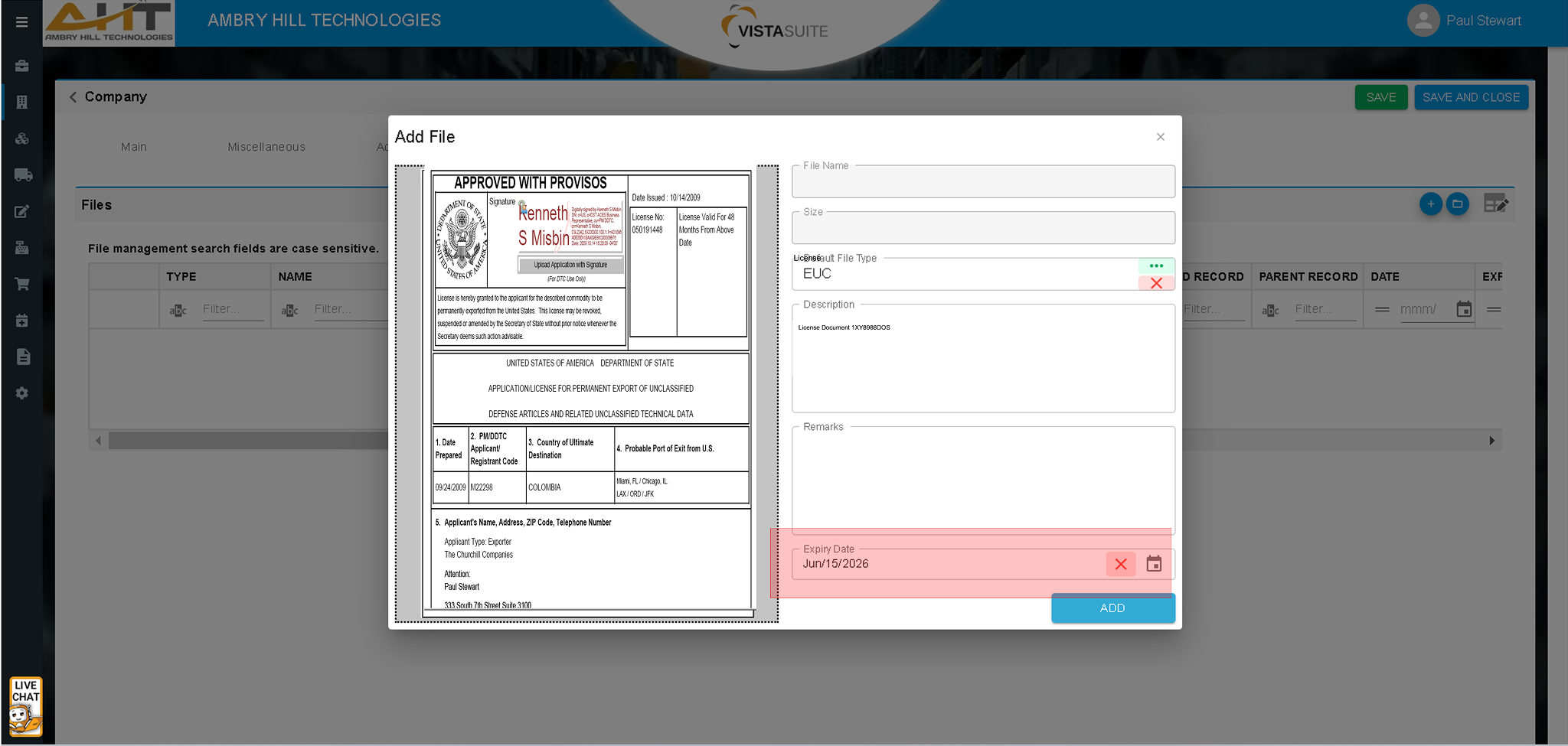
Store scanned End Use Certificates (EUCs) and other vital export-control documentation directly in each company record. This centralized approach supports quick retrieval for internal review, due diligence, and audit preparation.
Attach and retrieve licenses and other important documentation at the company or part levels throughout the system. This can reduce spreadsheet-based tracking by keeping files connected to operational records.
 Screening - RPS Manual Screening.png)
An integrated screening interface is available for scenarios that require manual denied party checks, with optional Descartes VisualCompliance support when configured.
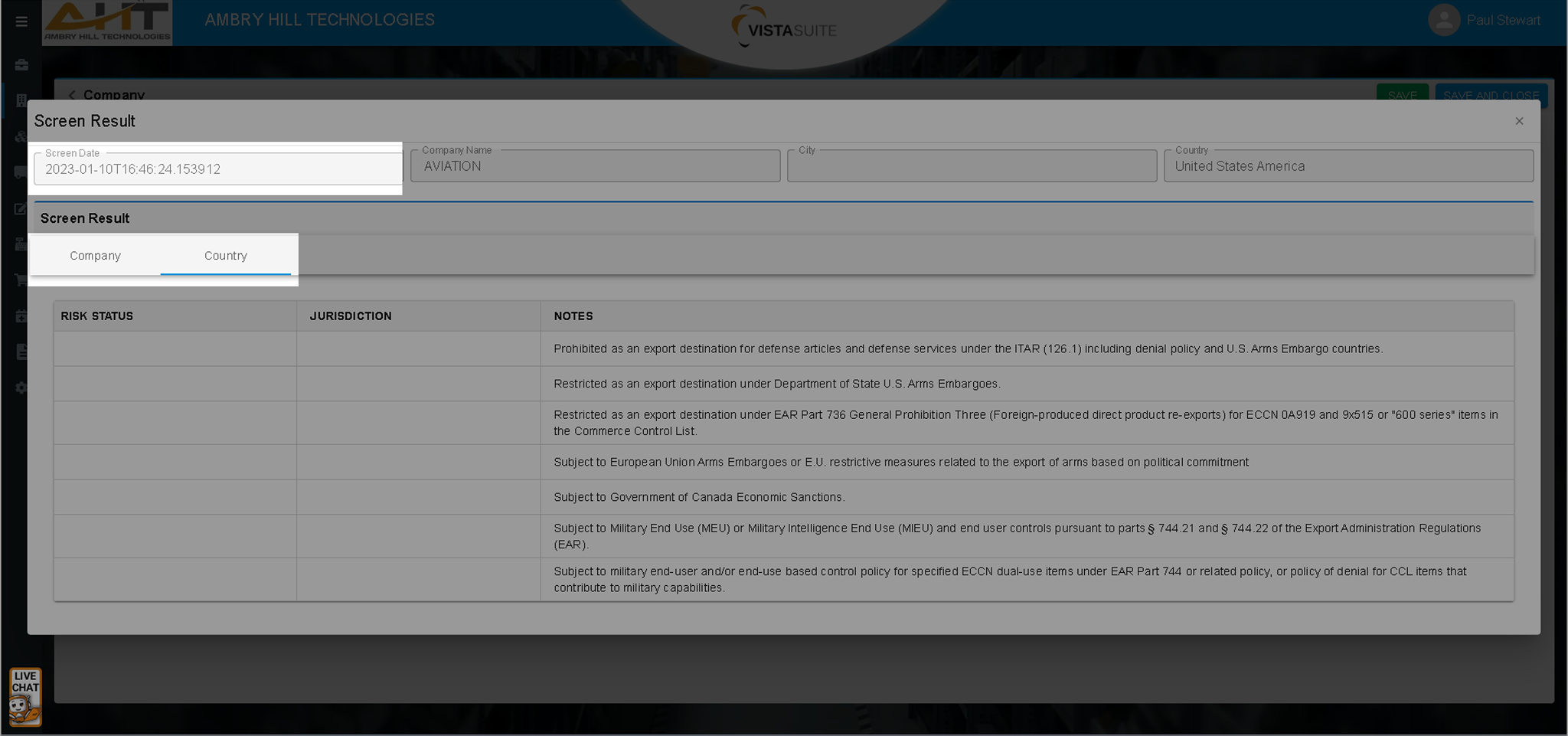
Screening events can be logged with time and date stamps within each company record to support reviewable screening history..
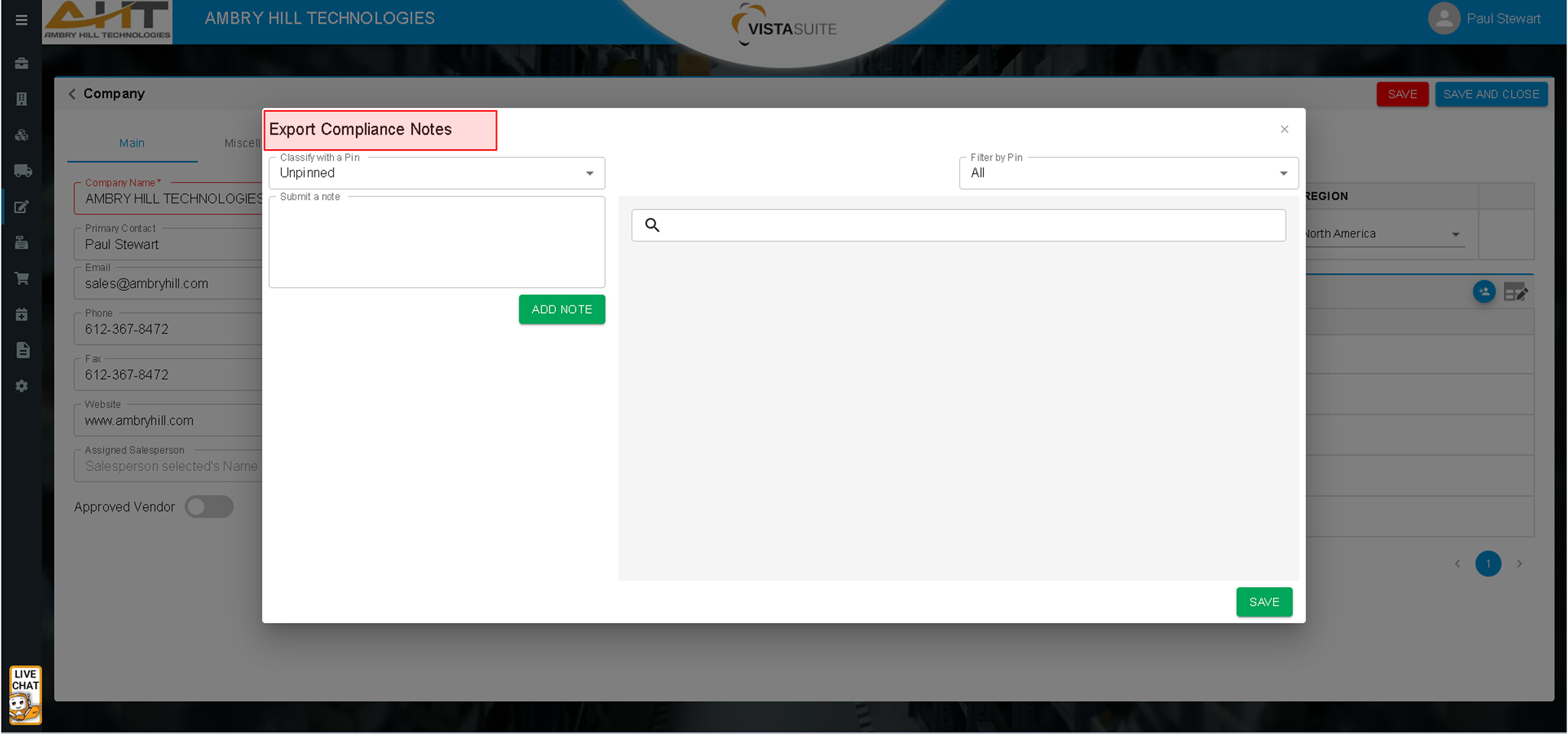
System-wide, categorized pinned notes help teams document screening decisions and findings in a structured way.
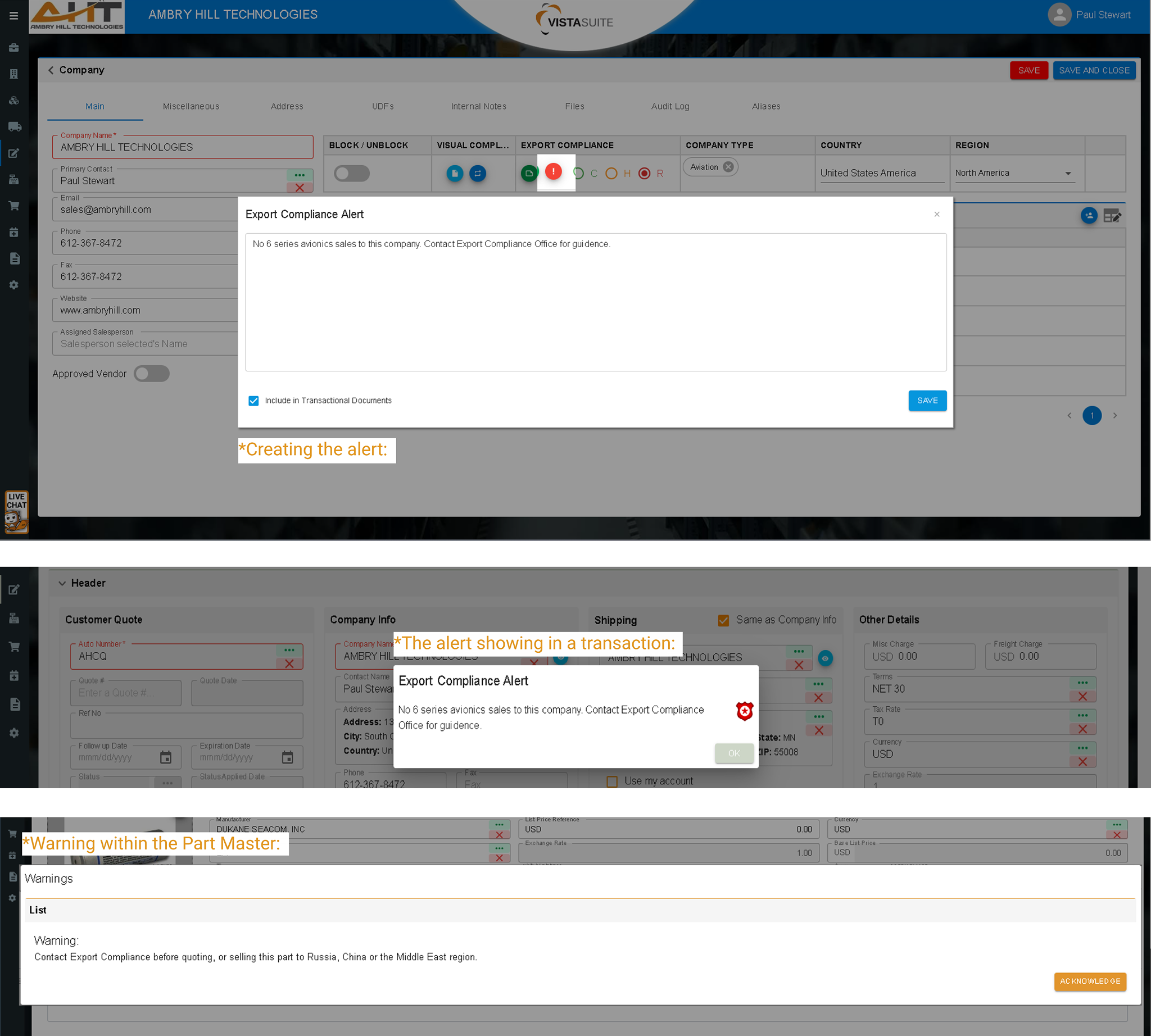
Presents user-acknowledged export-control warnings at key transaction points, such as initiating quotes or sales orders, to help teams notice review items before work moves forward.
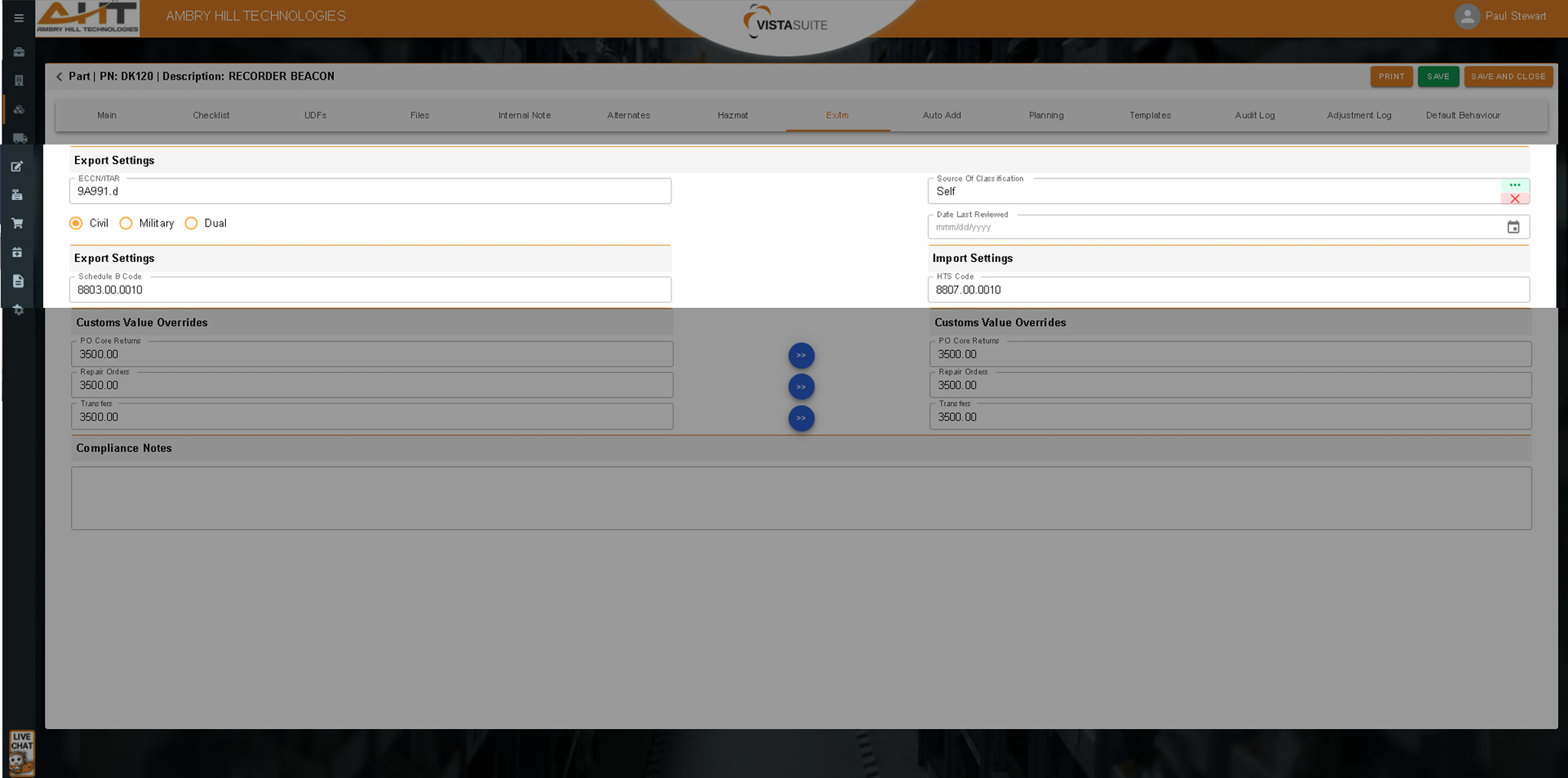
Fields in the part master record, including ECCN, ITAR, Schedule B, HTS, and related values, support export/import control at the part level and make classification data easier to access where needed.
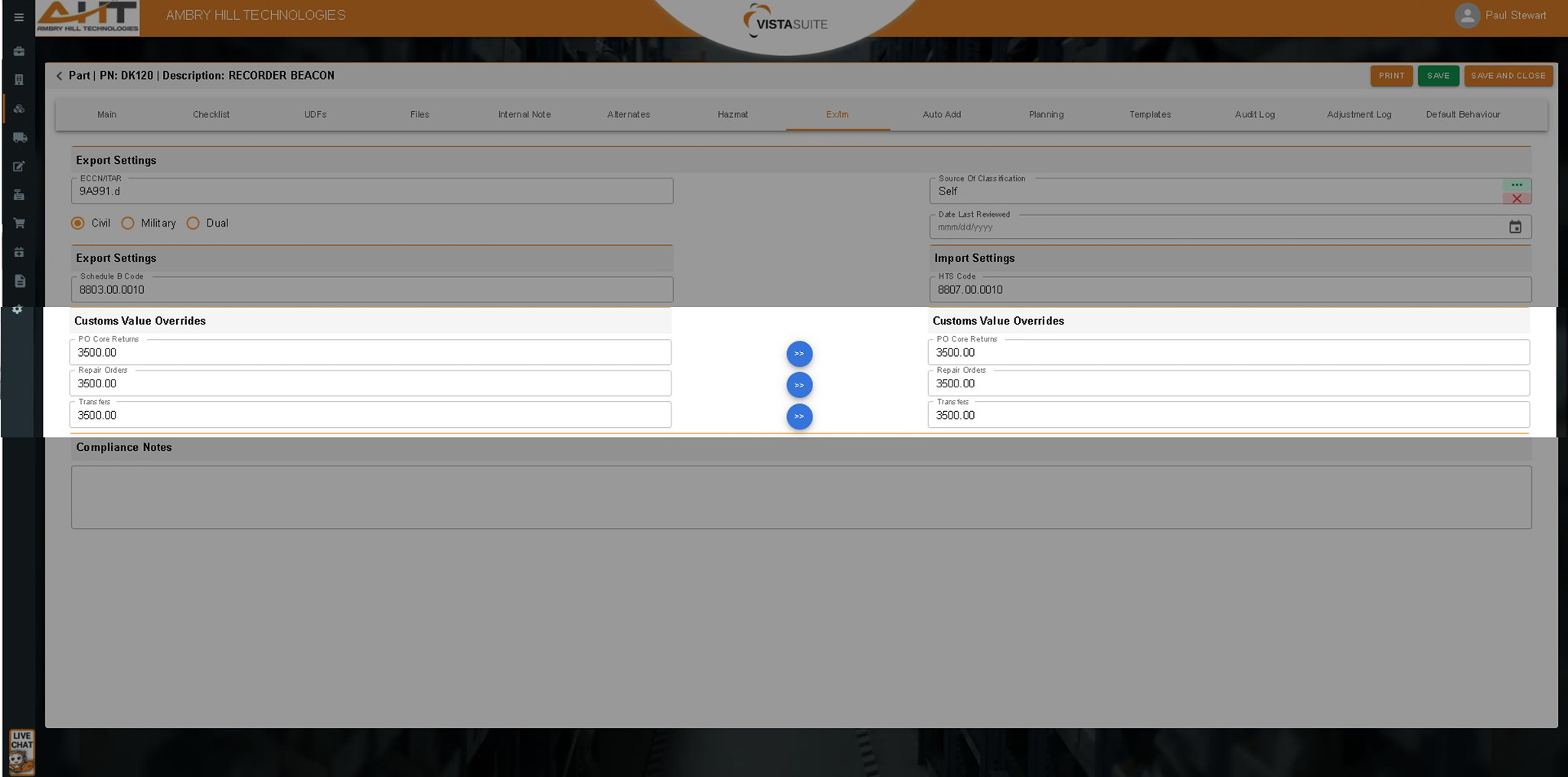
The customs value override defined in the Export/Import (Ex/Im) section of a part record is used only when a value is absent on a transaction while creating Logistics Order Shipments (LOS). These fallback values can optionally be incorporated into system documents using the system forms designer.
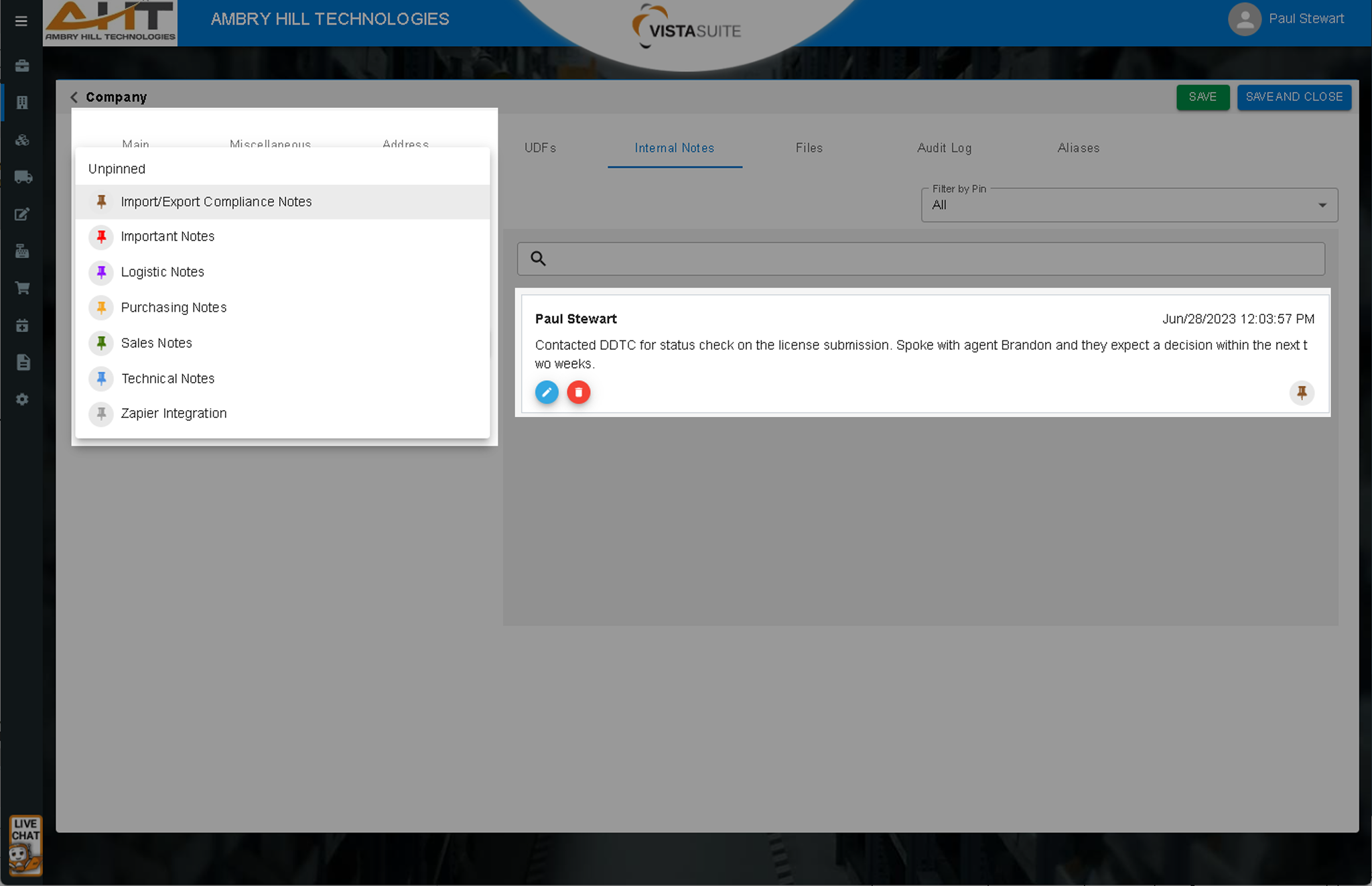
Create, categorize, and date/time-stamp review notes across transactions. Teams can attach files to a note, lock a note, search or filter notes, and run reports on different pin categories. A dedicated export-control note area helps keep review notes separate from general notes for clearer team communication and awareness.
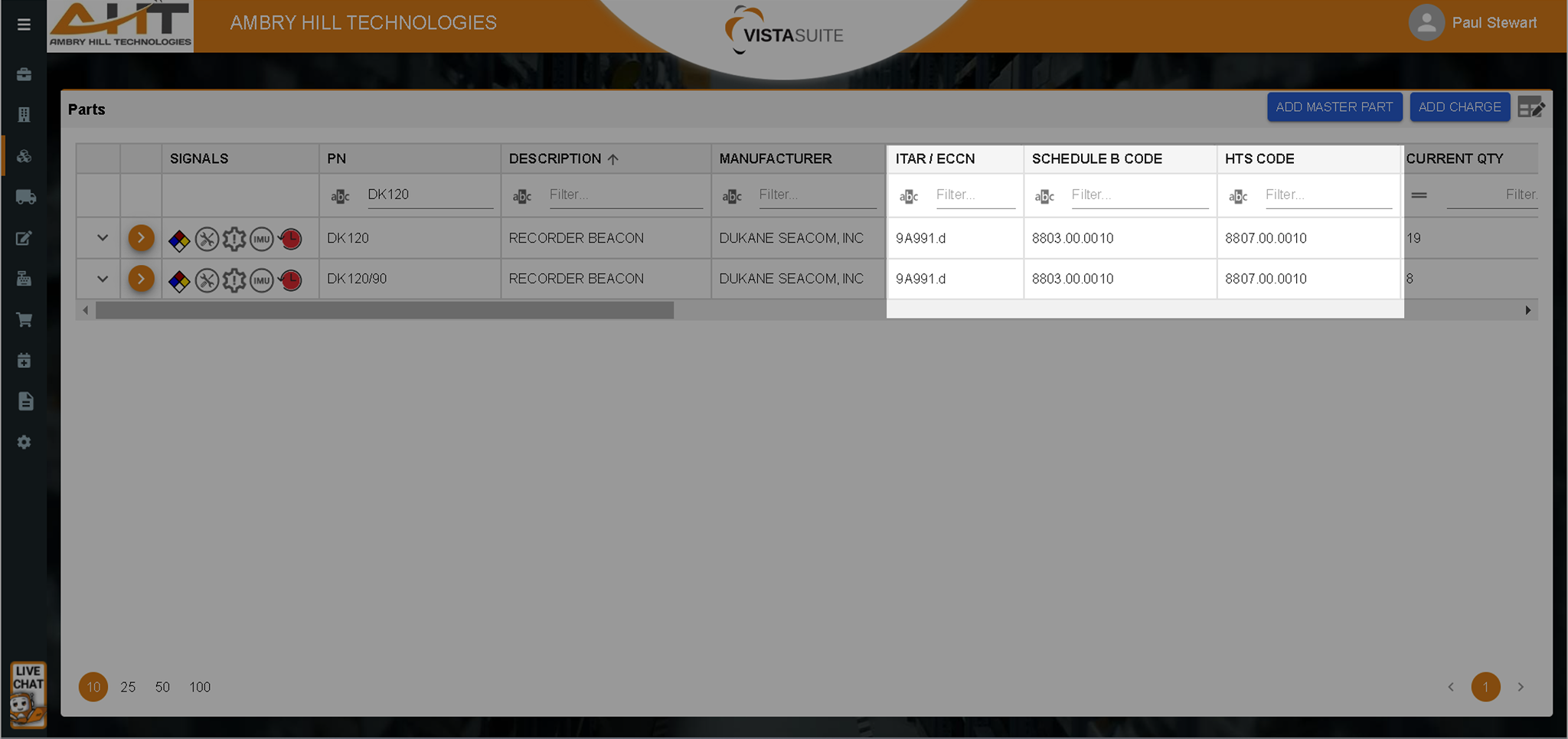
Drag and drop columns within a table or grid to align with your viewing needs. Export-control fields can be arranged for visibility based on your process.
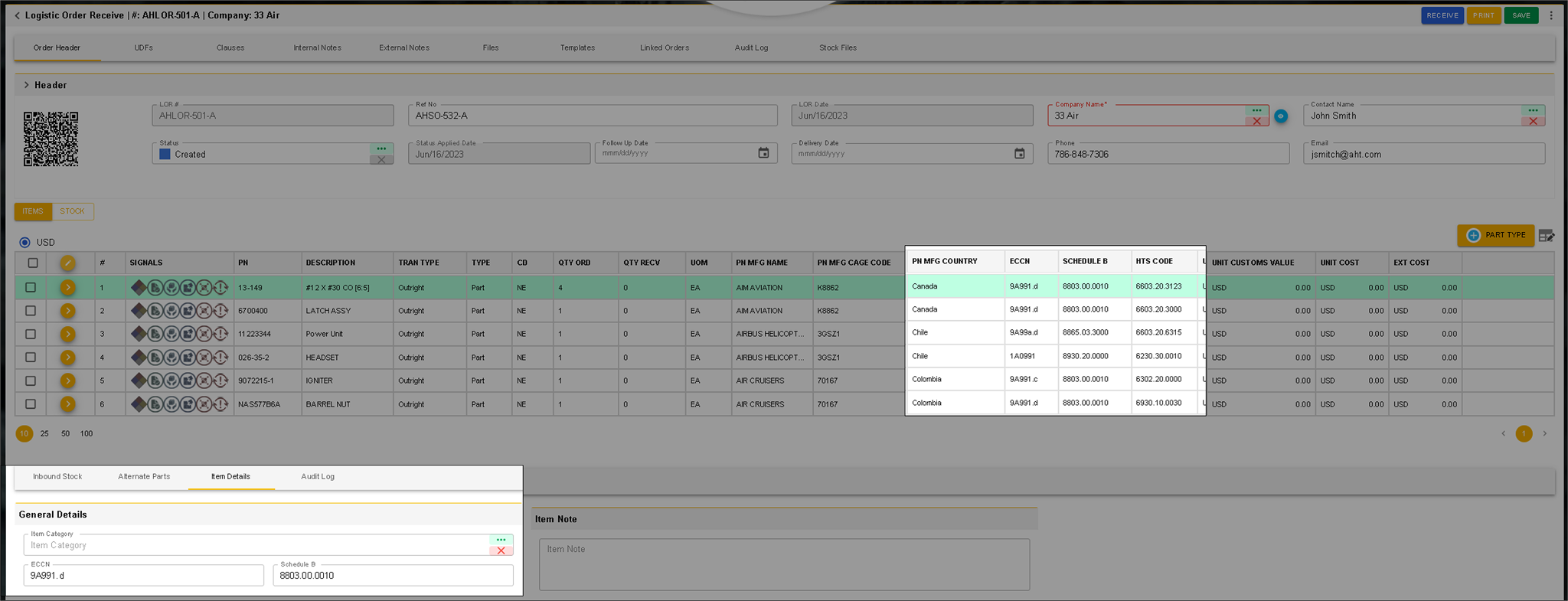
Trade data such as HTS, ECCN, origin, and related fields can be shown on-screen and on printed LOR documents when receiving items, helping teams access classification details during receiving review..
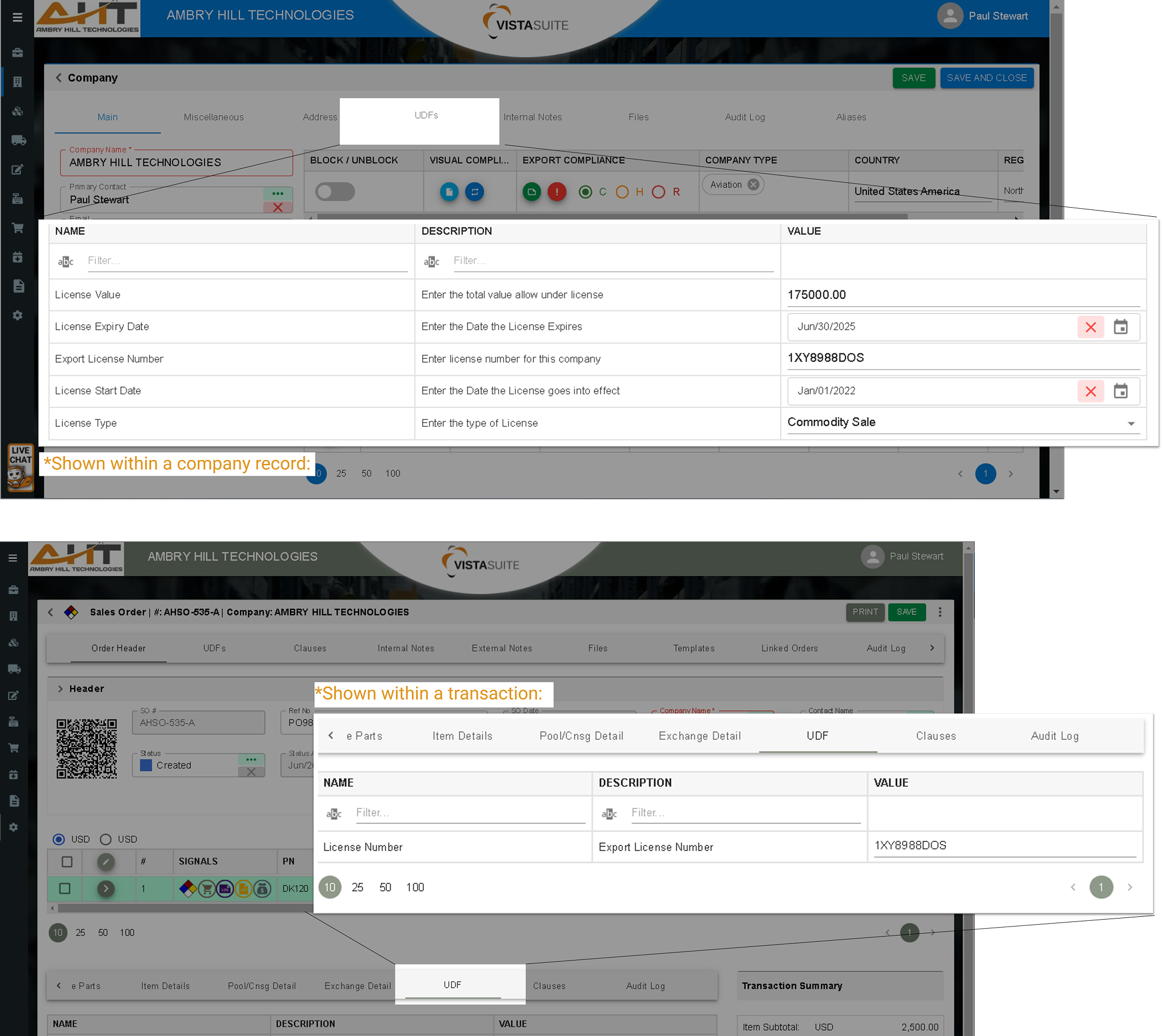
Maintain license details using adaptable, user-defined fields that can be included in reports, supporting review workflows without requiring a separate license-management module.
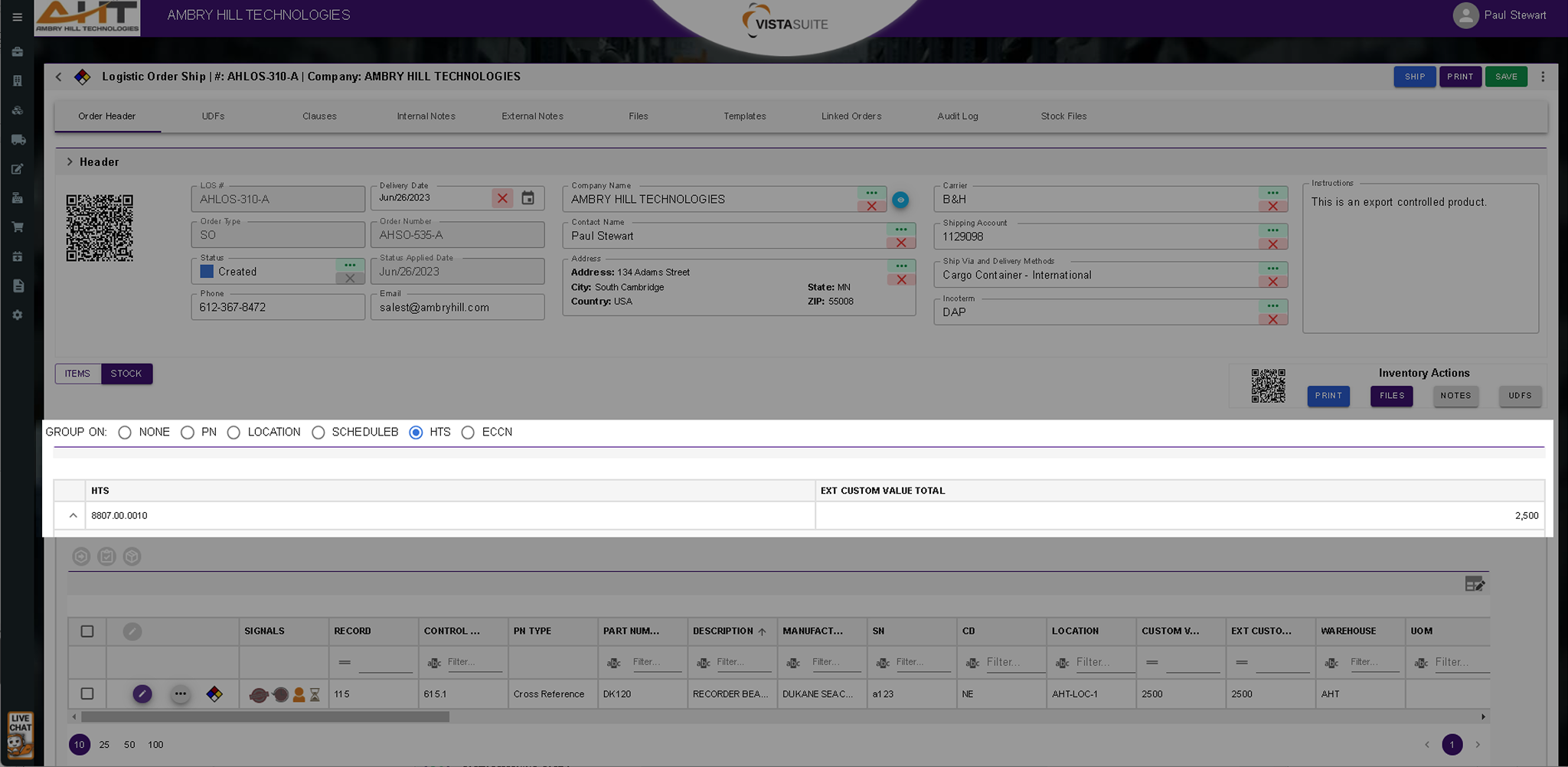
The Logistics Order Ship (LOS) transaction interface distinguishes between a general item view (representing the ordered or expected items) and a detailed inventory view (representing the individual inventory records or serialized parts). If you toggle to the inventory view, you can quickly total your customs values by part number, location, Schedule B, HTS, or ECCN codes. This helps with Shipper's Export Declaration (SED) filing.
Certificate of Origin: When importing goods, it is often necessary to provide Customs with the Source of Origin, or Country, where the product was produced. Vista-Suite Enterprise offers a pre-built Certificate of Origin document found in the Logistics Order Receipt (LOR) application.
Quality Assurance Inspection Form: When importing goods, it is often necessary to provide Customs with the Source of Origin, or Country, where the product was produced. Vista-Suite Enterprise offers a pre-built Certificate of Origin document found in the Logistics Order Receipt (LOR) application.
Customs Invoice Document: The Customs Invoice, generated by the Logistics Order Shipping (LOS) module, supports international shipment documentation. It provides customs-related details used to assess duties, taxes, and goods movement across borders. This includes information such as item descriptions, quantities, declared value, country of origin, HTS codes, Incoterms, and full shipper and consignee details. The Vista-Suite Enterprise LOS system can pull this data from the corresponding order, reducing manual entry. By standardizing this document, the system helps shippers prepare the information needed for customs review.
Shipping Label: Essential compliance information and manufacturer traceability are embedded into a single,
easy-to-read label that supports shipment review.
Unlike generic ERP-generated labels, this format includes critical export and customs data,
supports serialized inventory management, and includes QR codes to quickly retrieve the
corresponding LOS record through the Vista-Suite Enterprise mobile application.
Core Return Pack Slip: The Core Return Pack Slip is a document generated by the Logistics Order Shipping (LOS) module to accompany the shipment of a part that requires a core return. It provides clear instructions and reference details for the recipient to return the used or repairable core component. Typically included in the outbound shipment, the slip stays with the new or overhauled part and serves as both a return authorization and tracking reference when the core is sent back. This document helps streamline the reverse logistics process, reduce delays in core returns, and support proper matching of returned cores to original transactions.
Pick Ticket: This internal document informs warehouse staff on which items to retrieve for order fulfillment. It clearly lists part numbers, quantities, and storage locations to streamline the picking process and reduce errors. A well-prepared pick ticket helps teams move faster and with greater confidence, especially when time-sensitive orders are in play.
Detailed Inventory Label: The layout is both informative and useful; complete with QR code, unique signal icon, and space to keep track of location changes.
Filtered Company Screening Results: Displays the outcomes of compliance screenings for selected companies filtered on timeframe, company name, and record status. Descartes VisualCompliance is an optional integration and may require a separate subscription.
Export Compliance Status for All Companies: Sorts all companies according to the restricted party screening categories of clear, hold, or restricted. Descartes VisualCompliance is an optional integration and may require a separate subscription.
Expiring Documents Report: Lists files and documents based on expiration dates to determine ones requiring attention.
Pinned Notes Summary: A quick reference to all pinned notes across the system matching the specified search parameters.
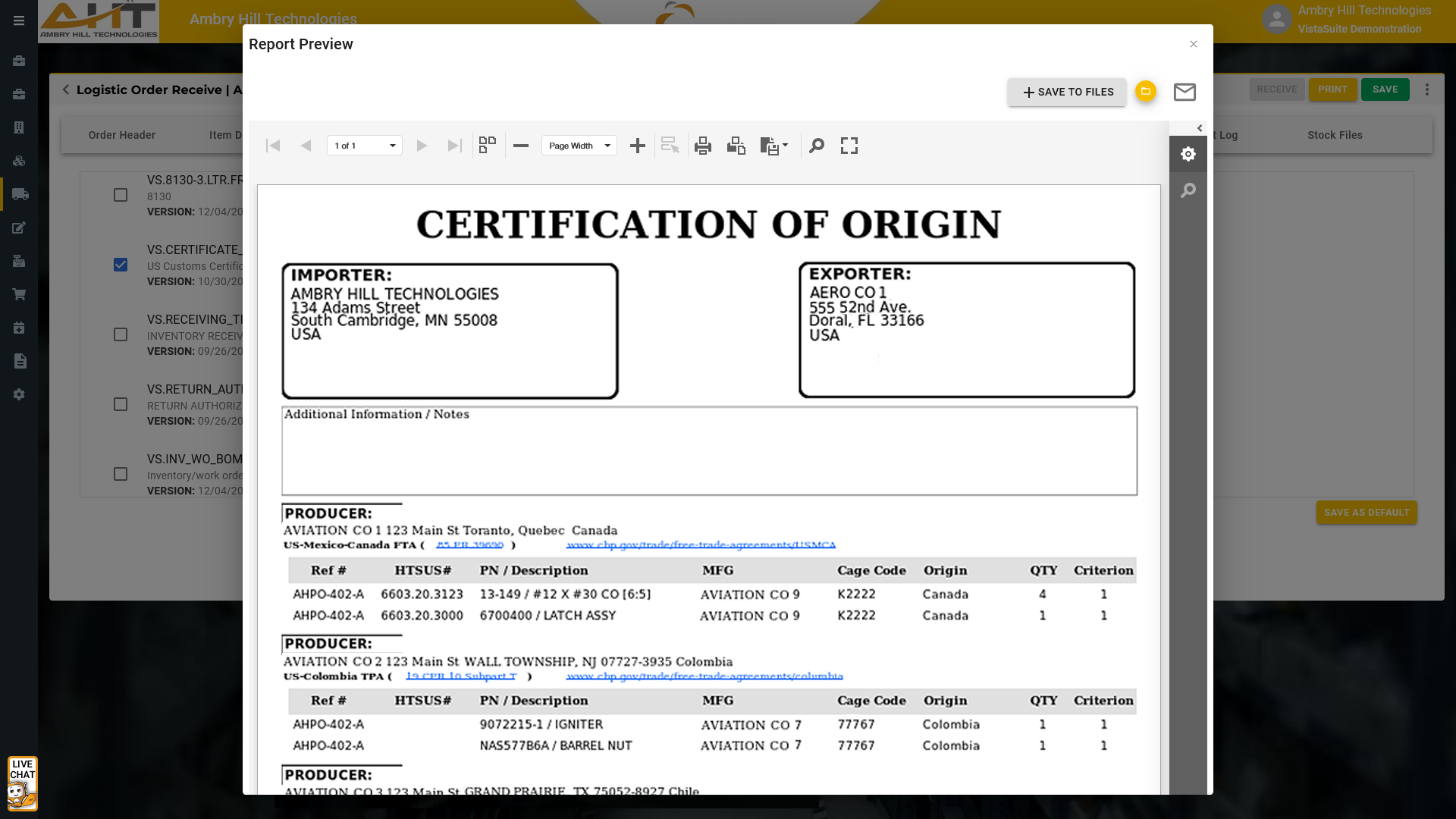
When importing goods, it is often necessary to provide Customs with the Source of Origin, or Country, where the product was produced. Vista-Suite Enterprise offers a pre-built Certificate of Origin document found in the Logistics Order Receipt (LOR) application.
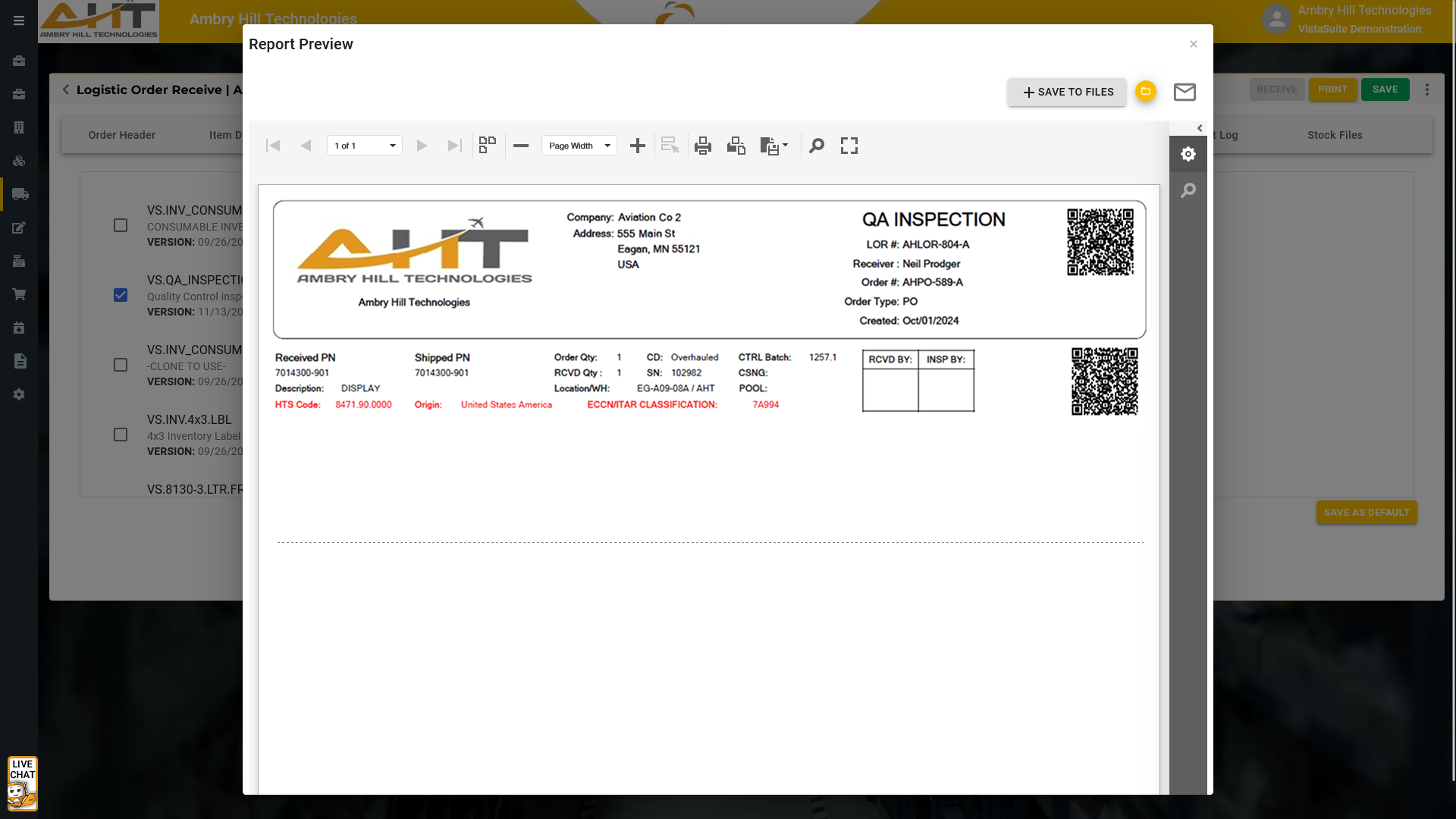
When importing goods, it is often necessary to provide Customs with the Source of Origin, or Country, where the product was produced. Vista-Suite Enterprise offers a pre-built Certificate of Origin document found in the Logistics Order Receipt (LOR) application.
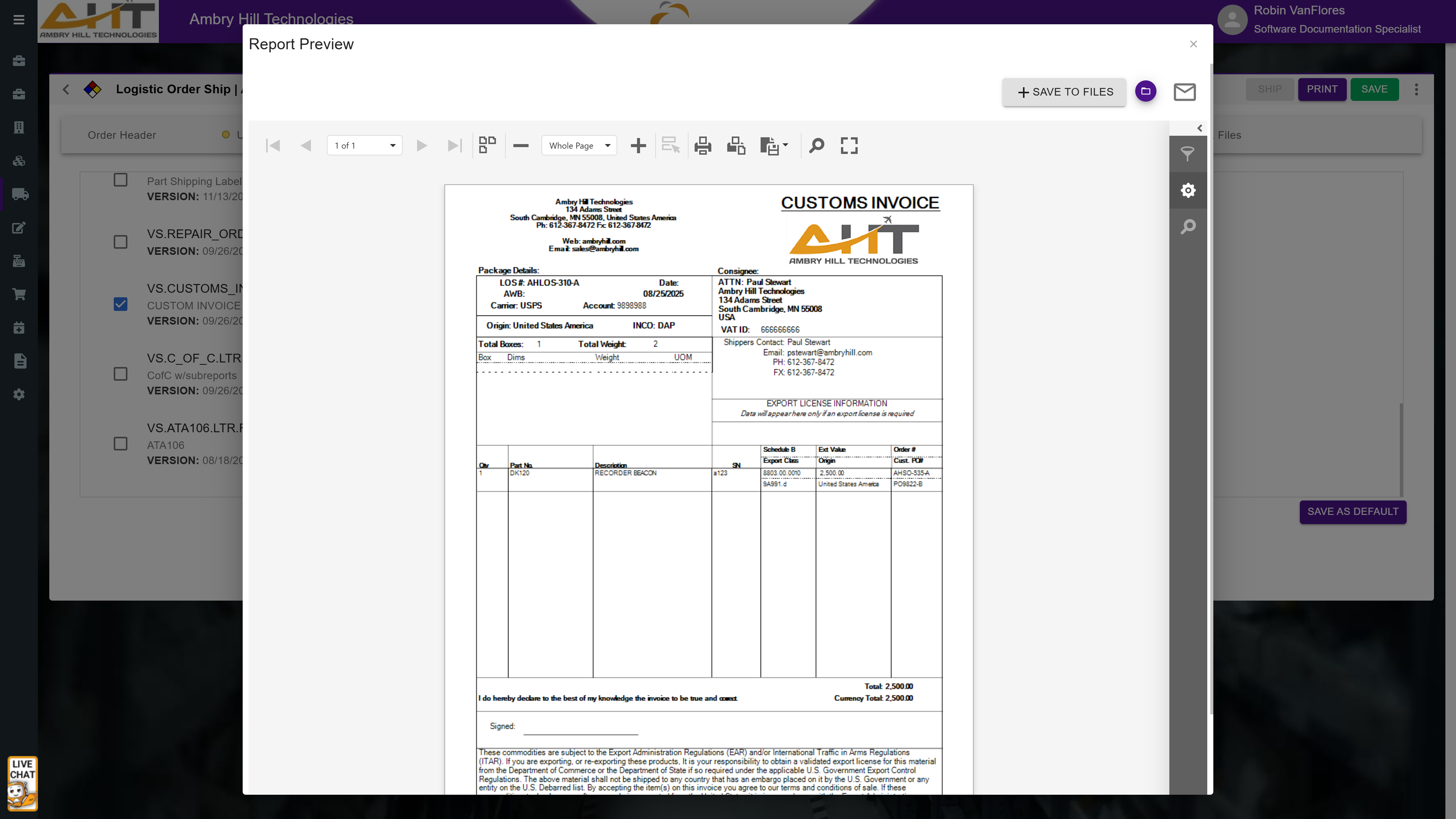
The Customs Invoice, generated by the Logistics Order Shipping (LOS) module, supports international shipment documentation. It provides customs-related details used to assess duties, taxes, and goods movement across borders. This includes information such as item descriptions, quantities, declared value, country of origin, HTS codes, Incoterms, and full shipper and consignee details. The Vista-Suite Enterprise LOS system can pull this data from the corresponding order, reducing manual entry. By standardizing this document, the system helps shippers prepare the information needed for customs review.
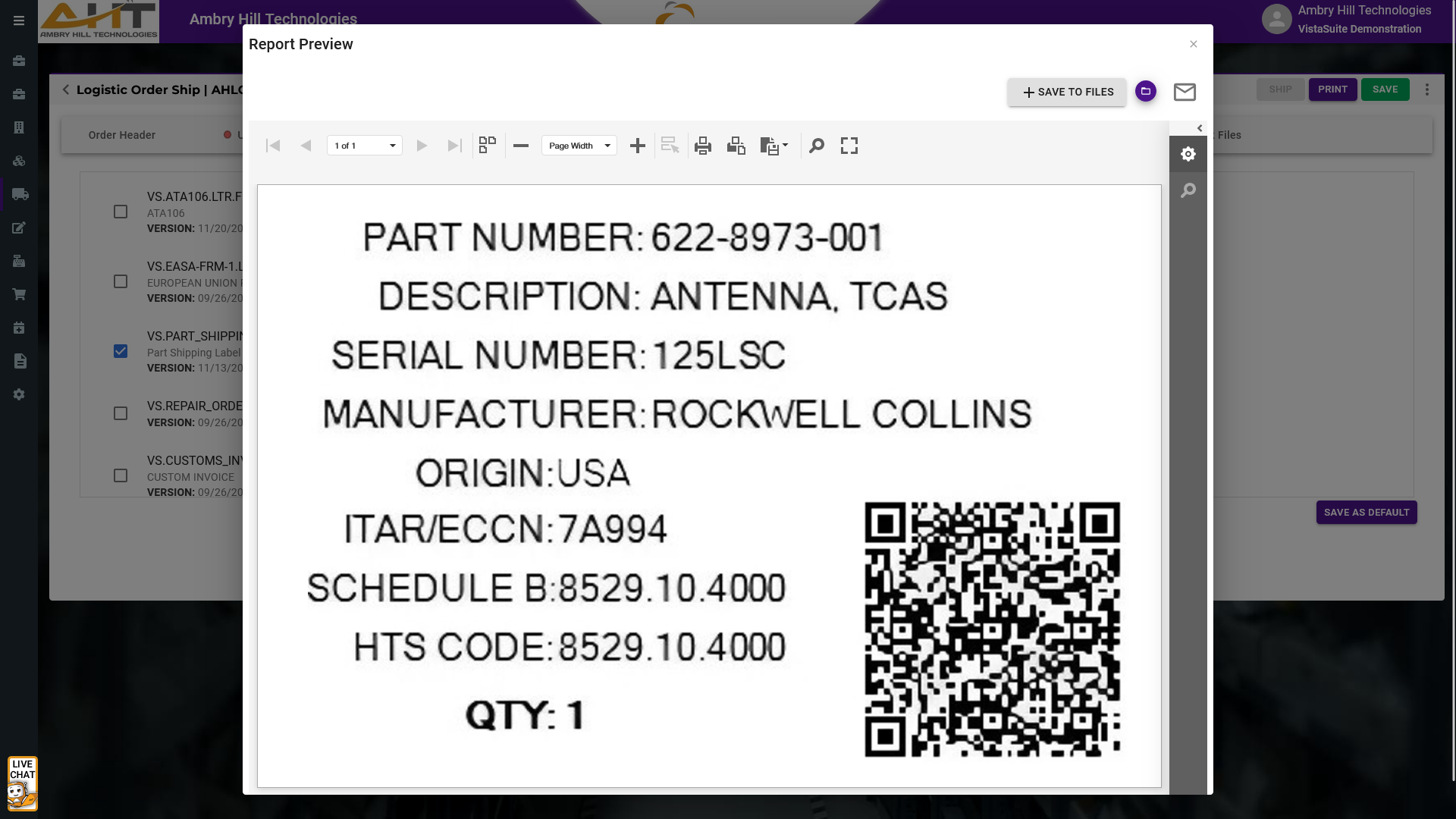
Essential compliance information and manufacturer traceability are embedded into a single,
easy-to-read label that supports shipment review.
Unlike generic ERP-generated labels, this format includes critical export and customs data,
supports serialized inventory management, and includes QR codes to quickly retrieve the
corresponding LOS record through the Vista-Suite Enterprise mobile application.
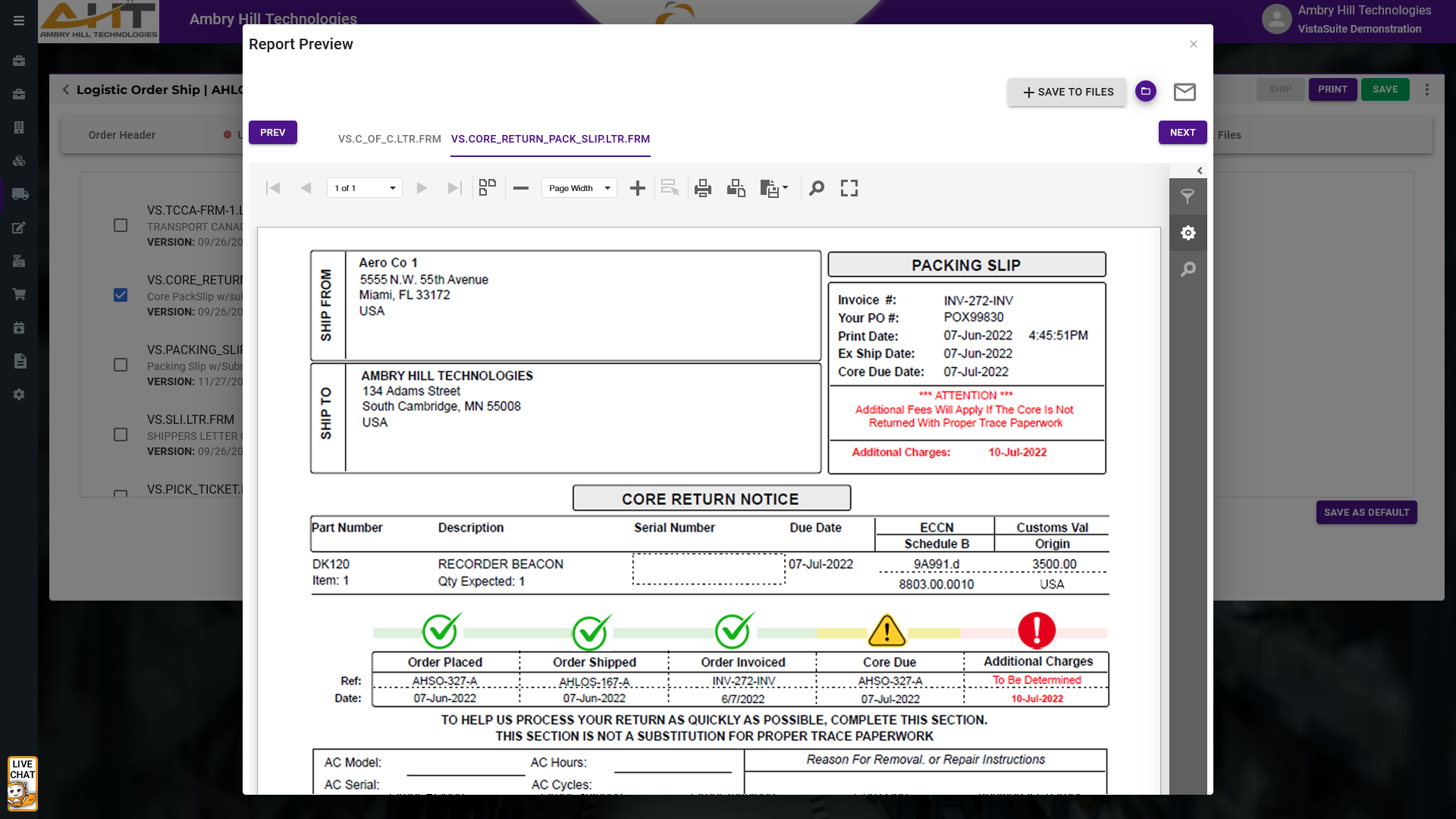
The Core Return Pack Slip is a document generated by the Logistics Order Shipping (LOS) module to accompany the shipment of a part that requires a core return. It provides clear instructions and reference details for the recipient to return the used or repairable core component. Typically included in the outbound shipment, the slip stays with the new or overhauled part and serves as both a return authorization and tracking reference when the core is sent back. This document helps streamline the reverse logistics process, reduce delays in core returns, and support proper matching of returned cores to original transactions.
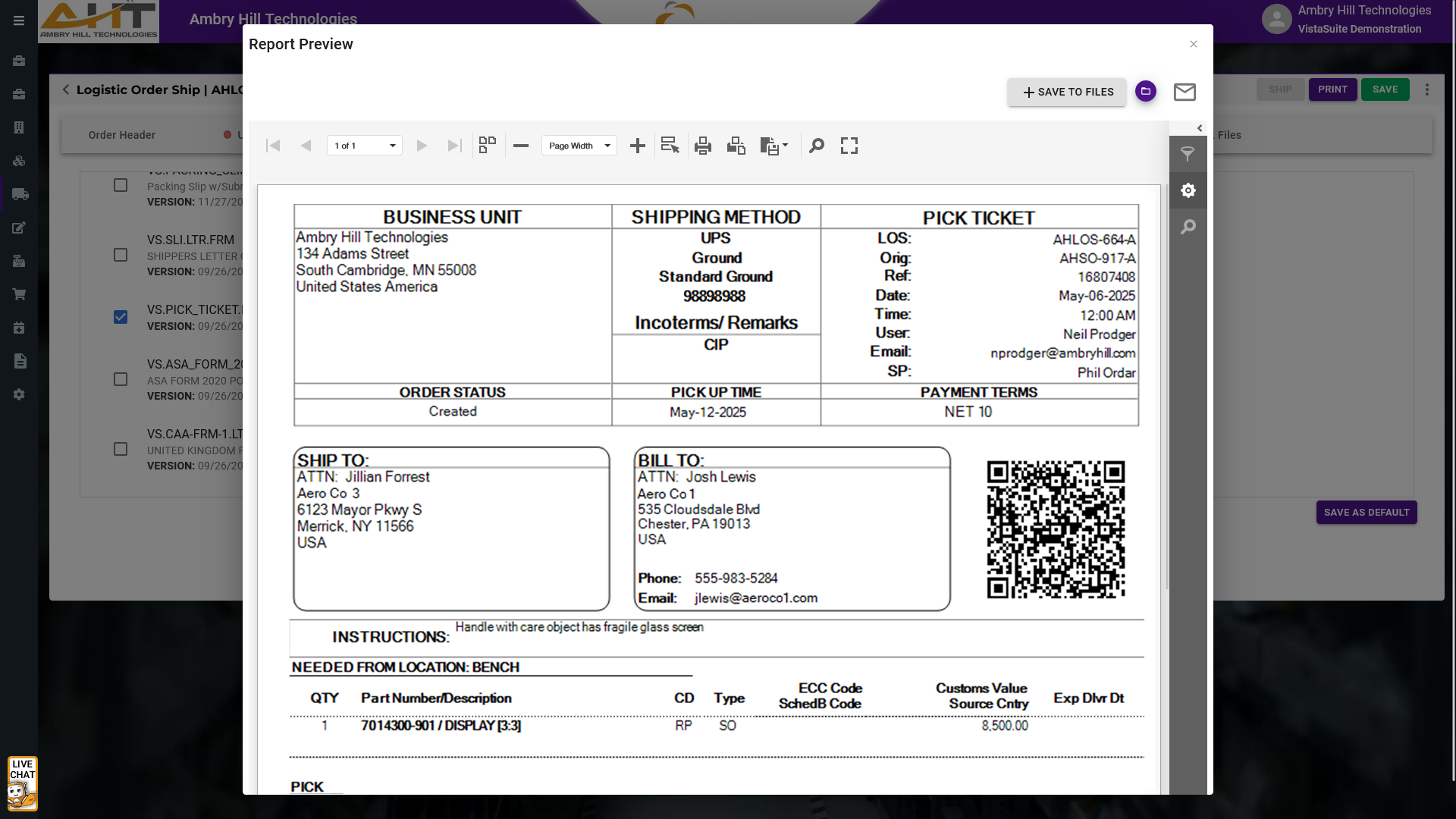
This internal document informs warehouse staff on which items to retrieve for order fulfillment. It clearly lists part numbers, quantities, and storage locations to streamline the picking process and reduce errors. A well-prepared pick ticket helps teams move faster and with greater confidence, especially when time-sensitive orders are in play.
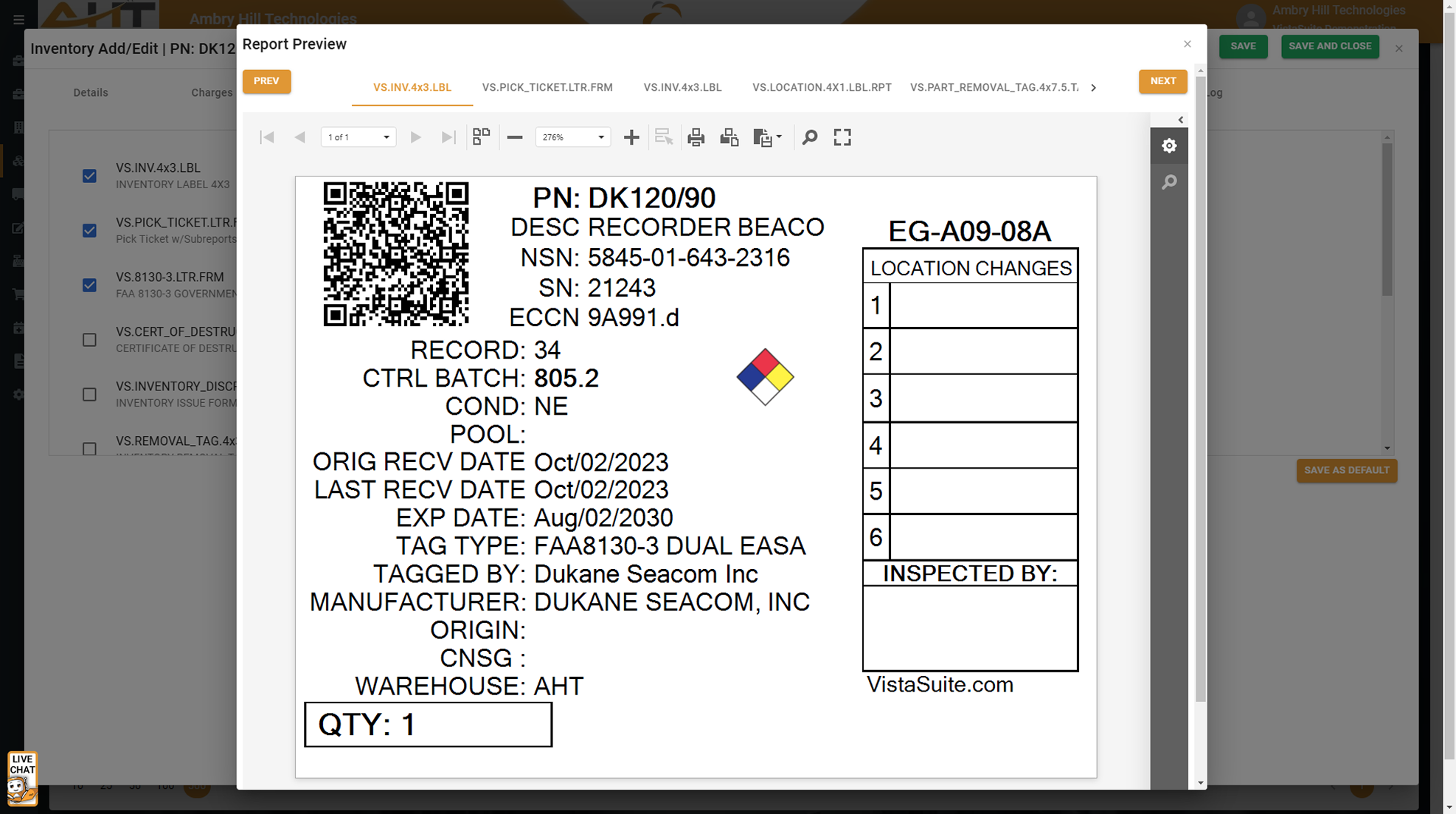
The layout is both informative and useful; complete with QR code, unique signal icon, and space to keep track of location changes.
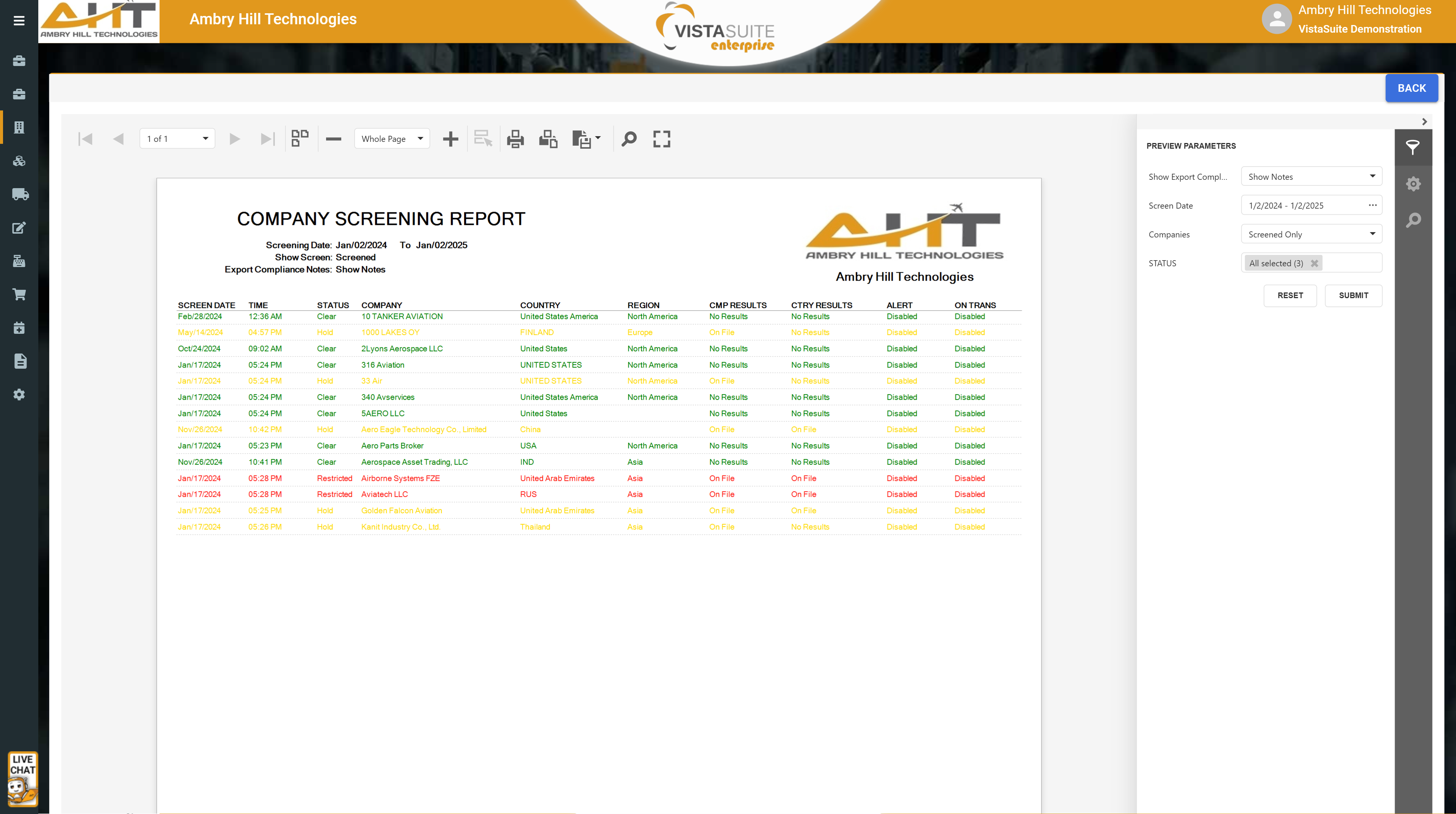
Displays the outcomes of compliance screenings for selected companies filtered on timeframe, company name, and record status. Descartes VisualCompliance is an optional integration and may require a separate subscription.
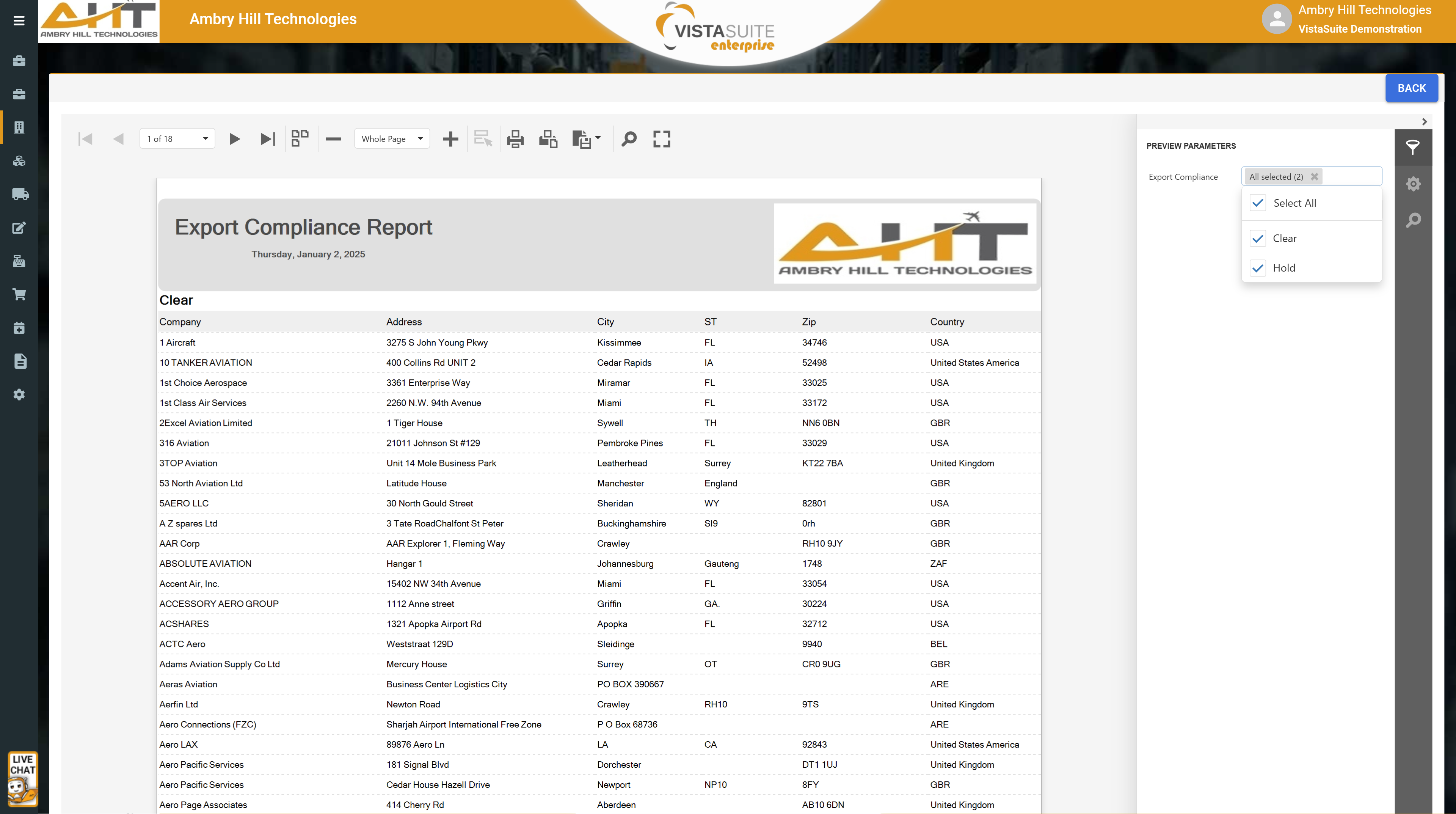
Sorts all companies according to the restricted party screening categories of clear, hold, or restricted. Descartes VisualCompliance is an optional integration and may require a separate subscription.
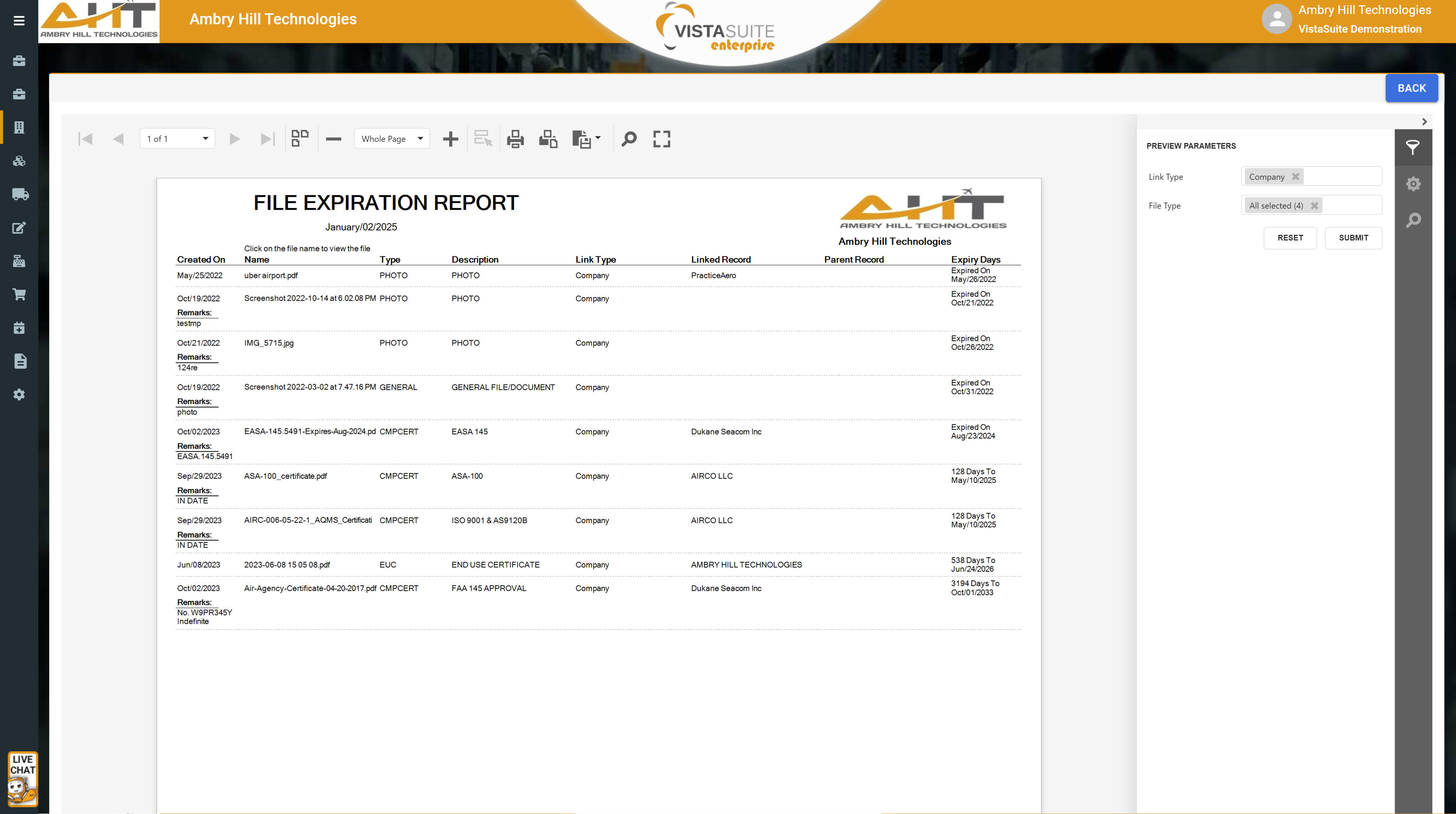
Lists files and documents based on expiration dates to determine ones requiring attention.
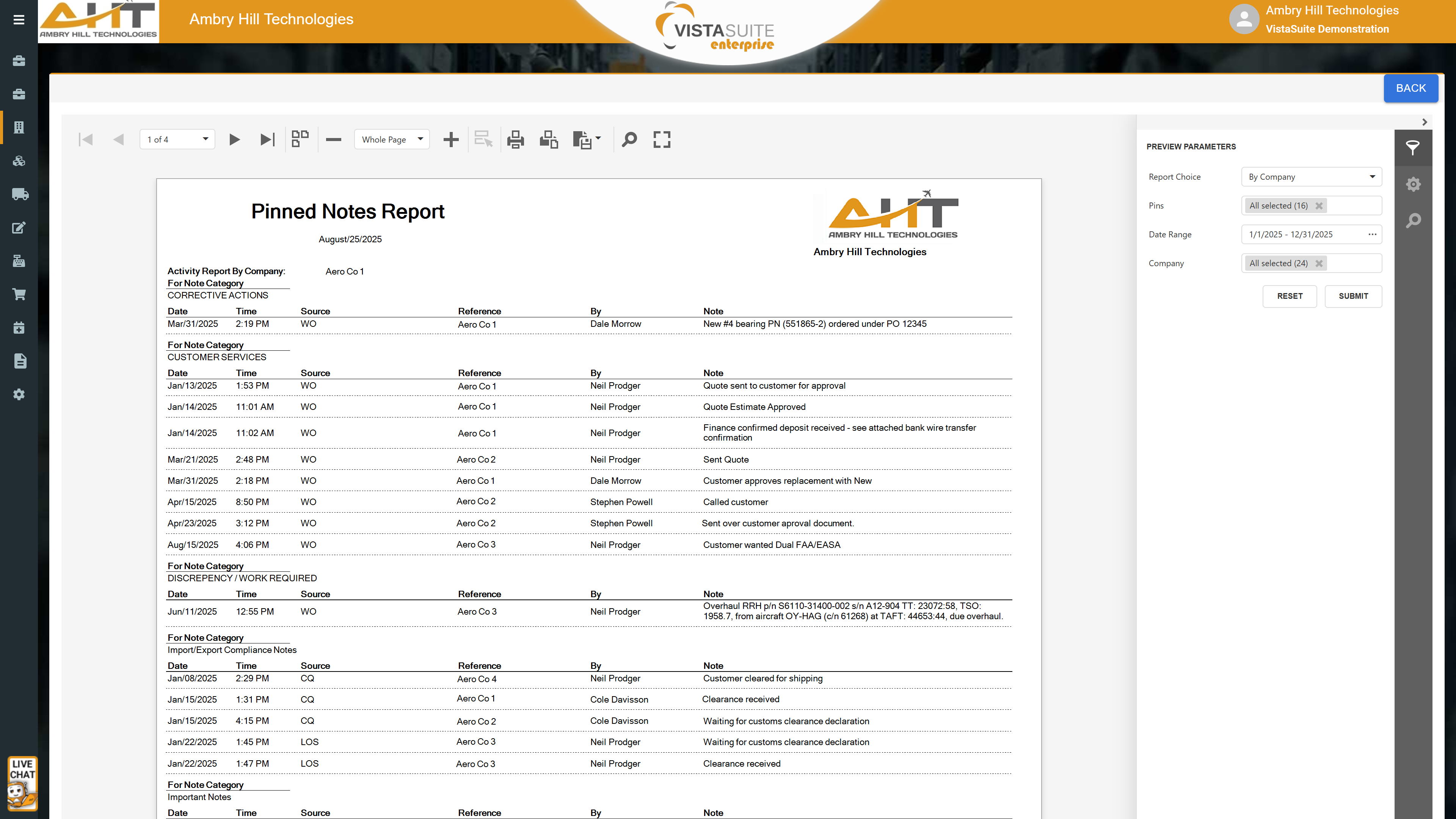
A quick reference to all pinned notes across the system matching the specified search parameters.
Software development moves fast, and features evolve over time. While we strive to keep this and other pages accurate, some information may not reflect the most recent changes. For the most current details, we recommend scheduling a live demo at ambryhill.com/demo.
Bring clarity and control to your aviation operation.