
 Role-Based Security and User Permissions
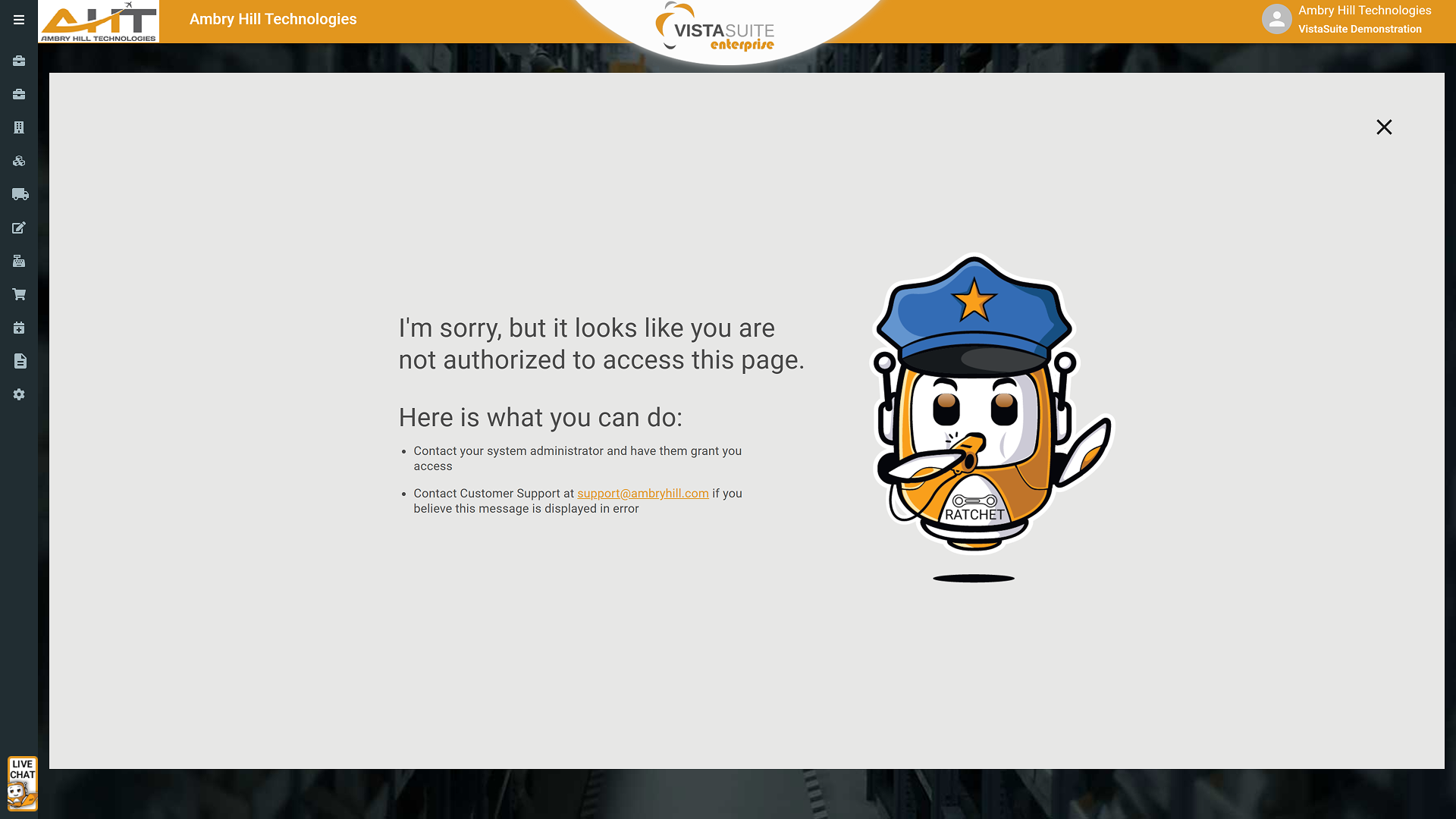
Vista-Suite Enterprise helps aviation teams align user access with real job responsibilities across modules, records, and sensitive workflow actions.
Admins can create roles around actual work functions, from view-only access to controlled permissions for pricing, cost changes, transaction edits, file management, and record deletion.
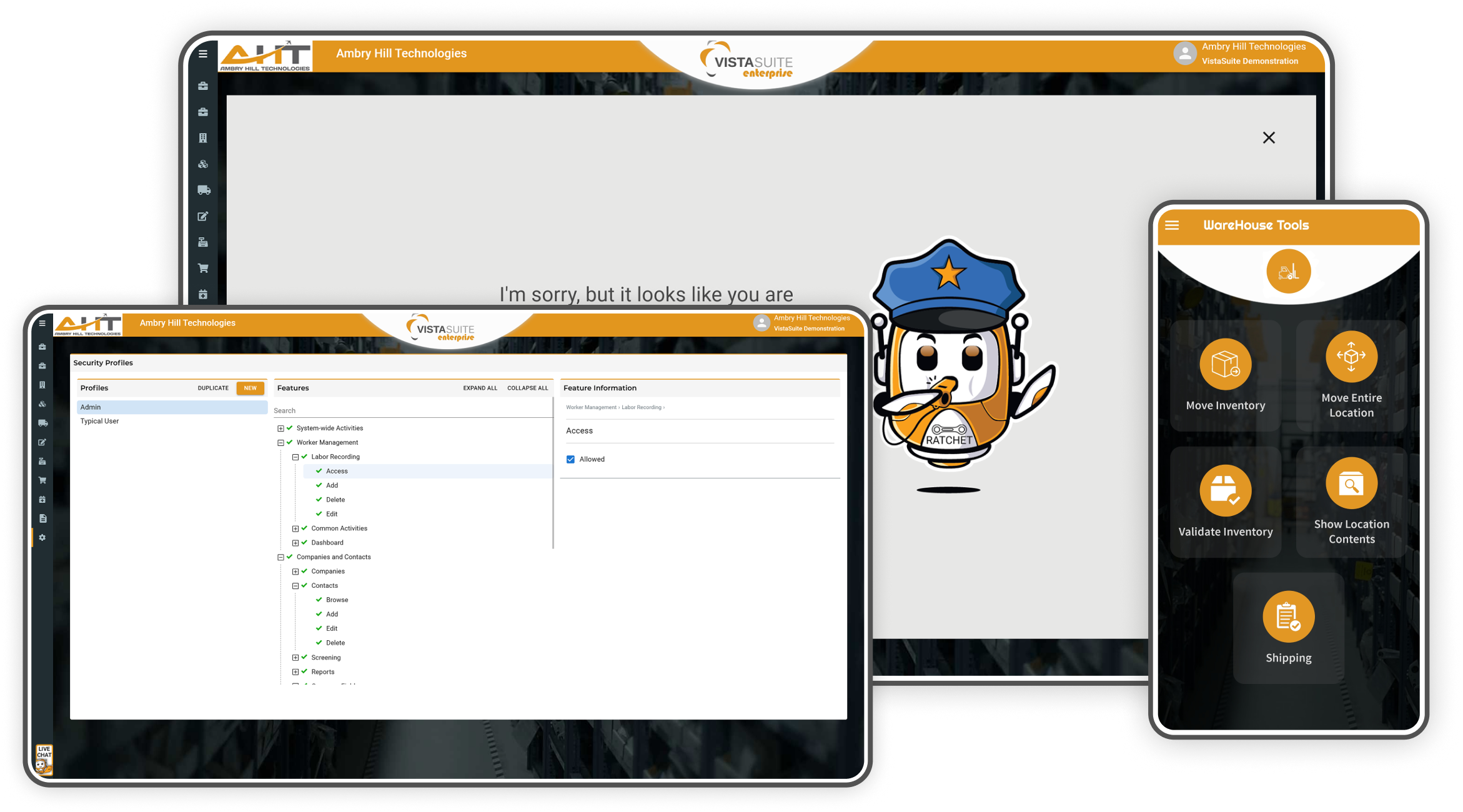
Role-based security in Vista-Suite Enterprise lets administrators define who can view, add, edit, delete, print, approve, configure, or manage records across aviation ERP and MRO workflows. Permissions can be shaped around departments, responsibilities, and sensitive actions so users can complete their work without unnecessary access.
Controls access to master part records and related activities including pricing, classifications, metadata, and more.
Allows viewing of part master records including description, manufacturer, pricing data, and configuration fields.
Enables users to create new part master entries in the system.
Grants rights to modify existing part master data such as list price, capability flags, or classification details.
Permits the removal of a part master record, generally restricted to admin roles.
Allows transaction history to be reassigned from one part to another when needed.
Grants access to the full part master list view, allowing sorting and filtering of all parts.
Lets users print/generate part master templates, necessary for documentation, internal review, and customer communications.
Enables viewing of ODBC-connected databases tied to the part and company information.
Includes permissions to add/edit/delete part master checklists, user-defined fields (UDFs), internal notes, and related document attachments.
Controls all aspects of managing physical stock, including creation, tracking, adjustments, and linked file management.
Grants access to enter new inventory records including serial number, location, quantity, condition, and more.
Allows modification of inventory attributes such as cost, warehouse, or traceability fields.
Permits complete removal of an inventory record. Typically restricted to supervisory roles.
Allows users to transfer inventory between locations, warehouses, or condition codes.
Grants permission to divide inventory quantities across new records while retaining traceability.
Enables a user to designate inventory as scrapped and adjust system quantities accordingly.
Allows users to create a Repair Order directly from an inventory record.
Grants access to generate and print inventory documents including tags or barcodes.
Controls the ability to add or edit inventory-related files, custom fields, and internal documentation.
Allows users to review or update allocation details tied to sales, work orders, or pools.
Enables visibility into inventory pools and associated linked transactions such as SOs or POs.
This set of permissions governs access to customer, vendor, and partner company records and their associated contacts, notes, addresses, screening fields, and files.
Enables users to view company profiles including contact details, vendor/customer flags, and status info.
Grants rights to create a new company record in the system.
Allows modification of company data including terms, tax settings, and more.
Permits removal of a company profile. Generally restricted to administrative roles.
Provides access to a list view of all companies with dozens of filters for vendor/customer information.
Allows users to generate standardized PDF outputs of company data.
Enables users to complete company-specific checklist items tied to account review or process steps.
Allows visibility into associated contacts for each company.
Grants permission to create new contacts under any company record.
Enables updates to contact data including email, phone, and job roles.
Allows permanent deletion of contact records.
Grants access to a contact list view with filtering and sorting capabilities.
Allows input and modification of user-defined fields on company records.
Grants ability to manage internal notes for audit or collaboration.
Controls the upload, edit, and removal of attached company documents.
Permissions to add, edit, or delete billing, shipping, and other address types.
Includes access to screening-related workflows, export notes, and regulatory alert visibility.
These permissions control access to sales quotes and vendor quotes, including line item editing, file attachments, and workflow actions like creating orders.
Allows users to generate a new customer quote, including quote number and header data.
Grants rights to update quote header info, terms, expiration date, and other details.
Allows quote removal where permitted by role and process controls.
Allows access to the visual workflow board showing quotes by stage.
Grants ability to convert quotes into downstream transaction types.
Enables generation of printable or shareable PDFs for customers.
Grants ability to add products, services, or charges to a quote.
Allows modification of price, quantity, or part reference on a line.
Permits removal of quote items.
Enables editing of custom fields on quote records.
Controls access to standard or custom terms and conditions.
Allows users to manage quote notes for both internal use and external visibility.
Grants upload and management of quote-related documents or templates.
Allows use of predefined quote structures and saving custom defaults.
Enables viewing of downstream transactions created from a quote.
These permissions support all areas of the request-for-quote capabilities and workflow management.
Enables users to view incoming customer RFQs for quoting.
Allows users to create shared RFQ workspaces with coworkers for shared RFQ management.
Grants control over the setup and modification of automated RFQ assignment rules by vendor, part type, and dozens of other criteria.
Controls access to supplier-submitted quotes, including entry, editing, and management of pricing and lead time details in response to sourcing activities.
Allows creation of a new quote from a vendor in response to an outbound RFQ.
Enables access to all vendor quotes in the system.
Permits updating of terms, pricing, or status.
Grants ability to remove a vendor quote.
Controls add/edit/delete access to line items within each vendor quote.
Grants access to a visual quote workflow board by status.
Allows the user to edit quoted pricing fields and cost details from vendors.
Controls access to sales order management, including order creation, fulfillment tracking, inventory allocation, pricing, and associated workflow actions.
Enables creation of new customer sales orders with linked inventory or services.
Allows updates to header, line items, delivery info, or billing.
Grants ability to remove sales orders.
Grants search and list access to all SOs.
Enables visual board view of SOs by fulfillment status.
Permits add/edit/delete of sales order items.
Controls access to tools for calculating core costs on exchange transactions.
Enables use of pool inventory costing tools during sales.
Permissions to control access to invoice management, including billing details, line items, and more.
Allows creation of customer-facing invoices.
Permits updates to header fields, invoice amounts, and taxes.
Grants permission to delete invoices.
Enables access to all invoice records.
Grants ability to edit line-level charges, pricing, and allocations.
Enables users to see invoices in a status-based swimlane format.
Controls access to tools for calculating core costs on exchange transactions.
Enables use of pool inventory costing tools during sales.
Permissions for handling the procurement of inventory or services from suppliers.
Allows users to create new purchase orders.
Enables modification of terms, dates, suppliers, or items.
Permits PO removal.
Enables list view access to all POs.
Allows users to visualize POs by stage/status.
Grants ability to modify quantities, part numbers, or prices.
Allows dynamic addition of cost or item types to a PO.
Controls editing of ship-to, billing, and vendor details.
Enables access to additional PO data and documentation.
Manages workflow functions for outsourced or internal component repair activities.
Allows users to initiate a new RO with linked part and vendor.
Enables updating of RO terms, costs, and return details.
Permits deletion of the RO record.
Grants access to the RO list view and filters.
Enables visual board of ROs by process stage.
Controls add/edit/delete of parts being sent for repair.
Grants access to edit outbound/inbound shipping data and attach files.
Allows editing of supplemental repair order details.
Used for internal labor, part usage, and service tracking for repair, build, or inspection tasks.
Grants users the ability to create new WOs for tasks like teardown, inspection, or assembly.
Enables full updates to header, job details, or work type.
Permits deletion of the entire WO record.
Allows access to a list of all work orders.
Grants ability to define, edit, and sequence task steps within a WO.
Enables add/edit/delete of inventory and billing lines in the work order.
Displays work orders in swimlane format by phase or completion status.
Controls all aspects of user-recorded labor time on transactions such as work orders and activities across the system.
Allows users to record new labor entries tied to work orders or standalone tasks.
Grants ability to revise time, classification, or notes on existing labor records.
Permits removal of labor entries. Often limited to supervisors.
Allows duplication of a previous labor entry for efficiency.
Grants rights to classify labor as billable and push it to an invoice or order.
Enables stopping of labor timers, including a global stop function for all user timers.
Allows access to the labor entry dashboard or logs.
Enables visibility into predefined activities for quick labor categorization.
Manages shipment (LOS) and receipt (LOR) documentation, adjustments, and processes.
Allows full lifecycle control of outbound shipments including air waybill details, ship method, incoterms and more.
Grants permission to process documentation and finalize outbound shipments.
Enables adding or updating parts, charges, or packaging details.
Allows adjustment of boxes, dimensions, weights, and shipping instructions.
Enables quick look-up of prior shipments for an address or contact.
Manages LOS record structure and documentation.
Provides a workflow dashboard of outbound shipments.
Grants full access to receipt records, including inbound air waybill details, status, and company info.
Enables users to edit box-level information (dims, weight, UOM, etc.)
Controls documentation and other details related to received shipment records.
Grants visibility to shipments that are in-progress or awaiting processing.
These permissions grant access to viewing dashboards and managing report libraries
Allows users to view real-time data visuals, tables, or key metrics.
Enables creation and management of customized system reports.
This section governs access to foundational configuration elements in Vista-Suite Enterprise such as dropdown menus, default values, classifications, and system rules.
Grants control over storing and maintaining shared company documents and library files.
Manage standard terms and conditions used throughout orders, quotes, and agreements.
Controls currency options available throughout the system.
Defines allowed file types for uploads and associations.
Custom tables used for classification fields like part categories, regions, or status values.
Customizes the workflow statuses used in Kanban boards across modules.
Controls which data records can be pinned or favorited by users for quick access.
Manages shipper account numbers and preferences for each company.
Allows the setup of internal user teams or groups for task routing or filtering.
Grants full control to create, edit, and remove custom fields across modules.
These permissions are for system administrators responsible for user access, authentication, and overall account settings.
Allows viewing or updating of the company profile used for system-level defaults.
Grants permission to access high-level system configuration pages.
Enables access to view current or historical exchange rates for multi-currency management.
Allows configuration of email harvesting and inbound email functionality.
Grants entry to user account configuration screens.
Enables management of email addresses associated with system accounts.
Allows browsing of user records including active/inactive status, login names, etc.
Grants authority to manage or reset user passwords.
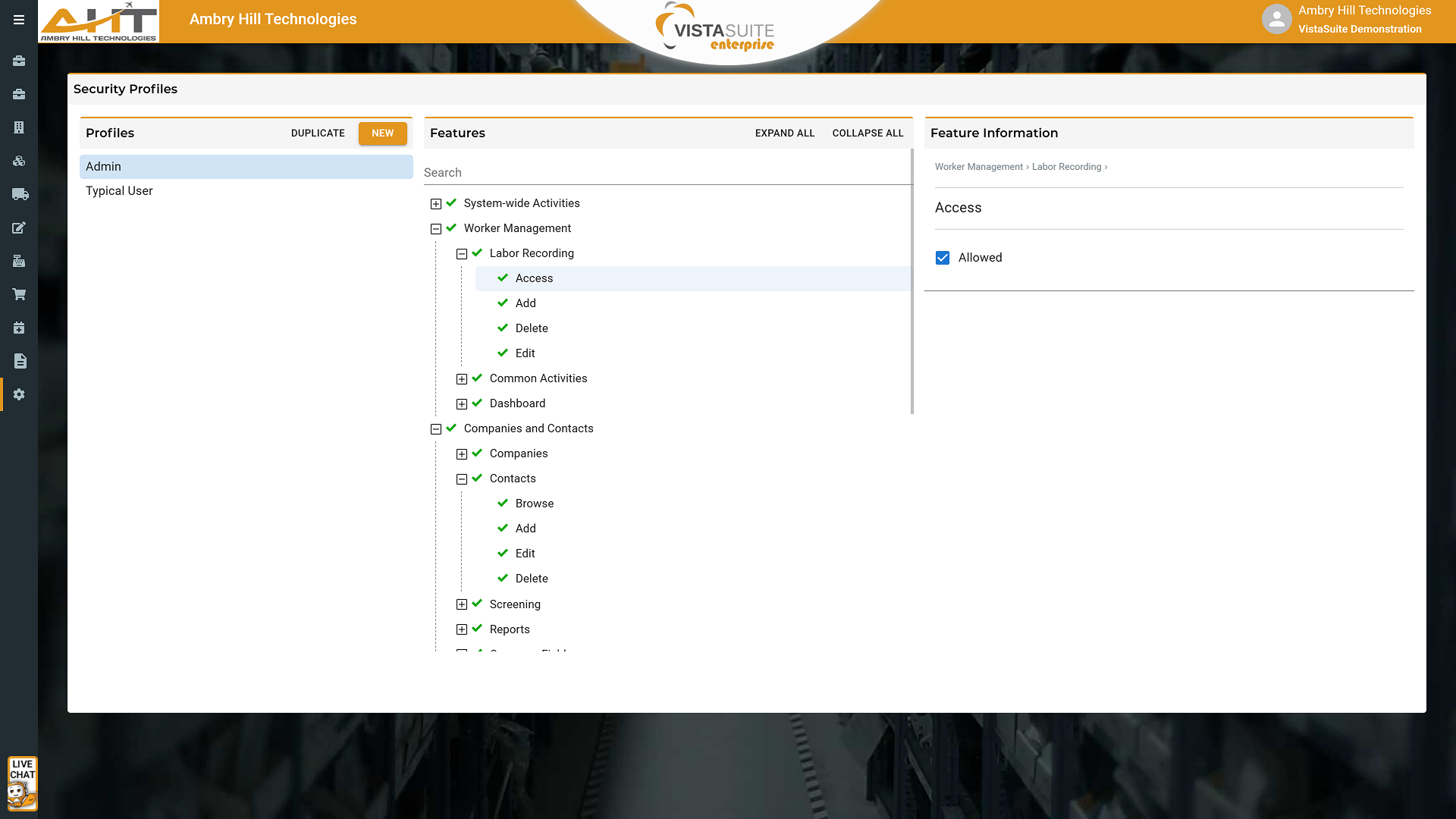
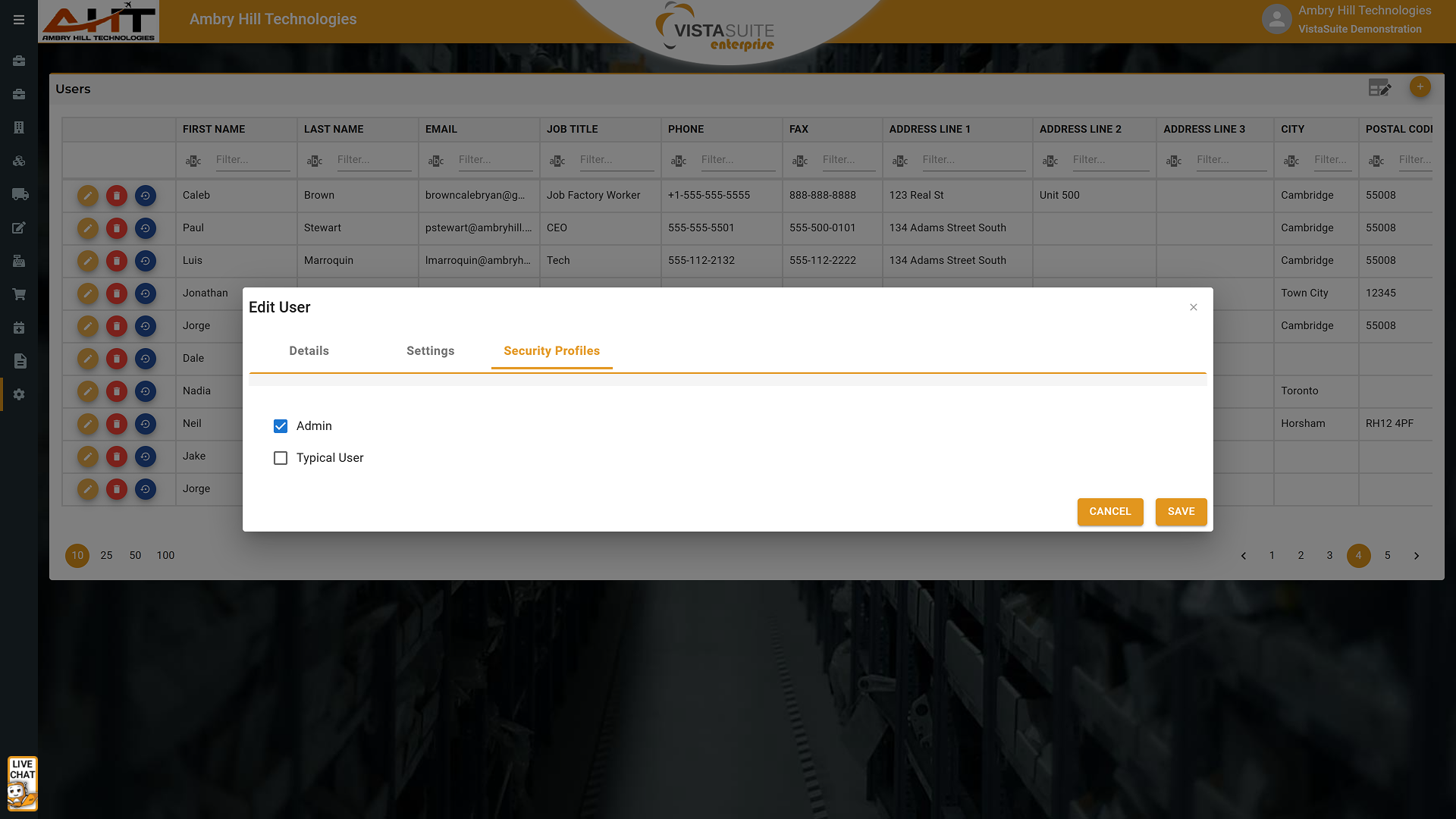
Full control over the creation, editing, assignment, and removal of security roles.
Grants access to system-wide search functionality, allowing users to locate records across all modules based on assigned access.
Allows users to access the internal help file documentation.
Permits a user to stop all of their own active labor timers with one action, which is useful for time management or shift changes.
Personal access controls that let each user manage their own profile.
Allows individual users to view and update their own contact details, profile image, and password.
For aviation aftermarket companies, security controls are a concern for both ground-level operations and IT. Vista-Suite Enterprise role-based permissions help teams reduce unauthorized edits to pricing, parts, and cost records, protect sensitive customer data, and support internal audit processes. Instead of relying on fixed role definitions or limited group permissions, administrators can shape access around how the aviation operation actually works.
See a demo by contacting sales@ambryhill.com
Software development moves fast, and features evolve over time. While we strive to keep this and other pages accurate, some information may not reflect the most recent changes. For the most current details, we recommend scheduling a live demo at ambryhill.com/demo.
Bring clarity and control to your aviation operation.