

 Repair Orders
Aviation repair work depends on clear control of incoming items, vendor or internal repair activity, work scope, piece parts, charges, files, shipping, receiving, and cost tracking. When repair details are scattered, teams can lose visibility into status, cost, and customer commitments.
Vista-Suite Enterprise gives teams a connected repair order workflow for assigning outbound and inbound shipping addresses, calculating piece part costs from prior transactions, applying charges to part numbers, mixing inventory sources, supporting multiple transaction types, linking related orders, printing documents, and managing repair order templates.
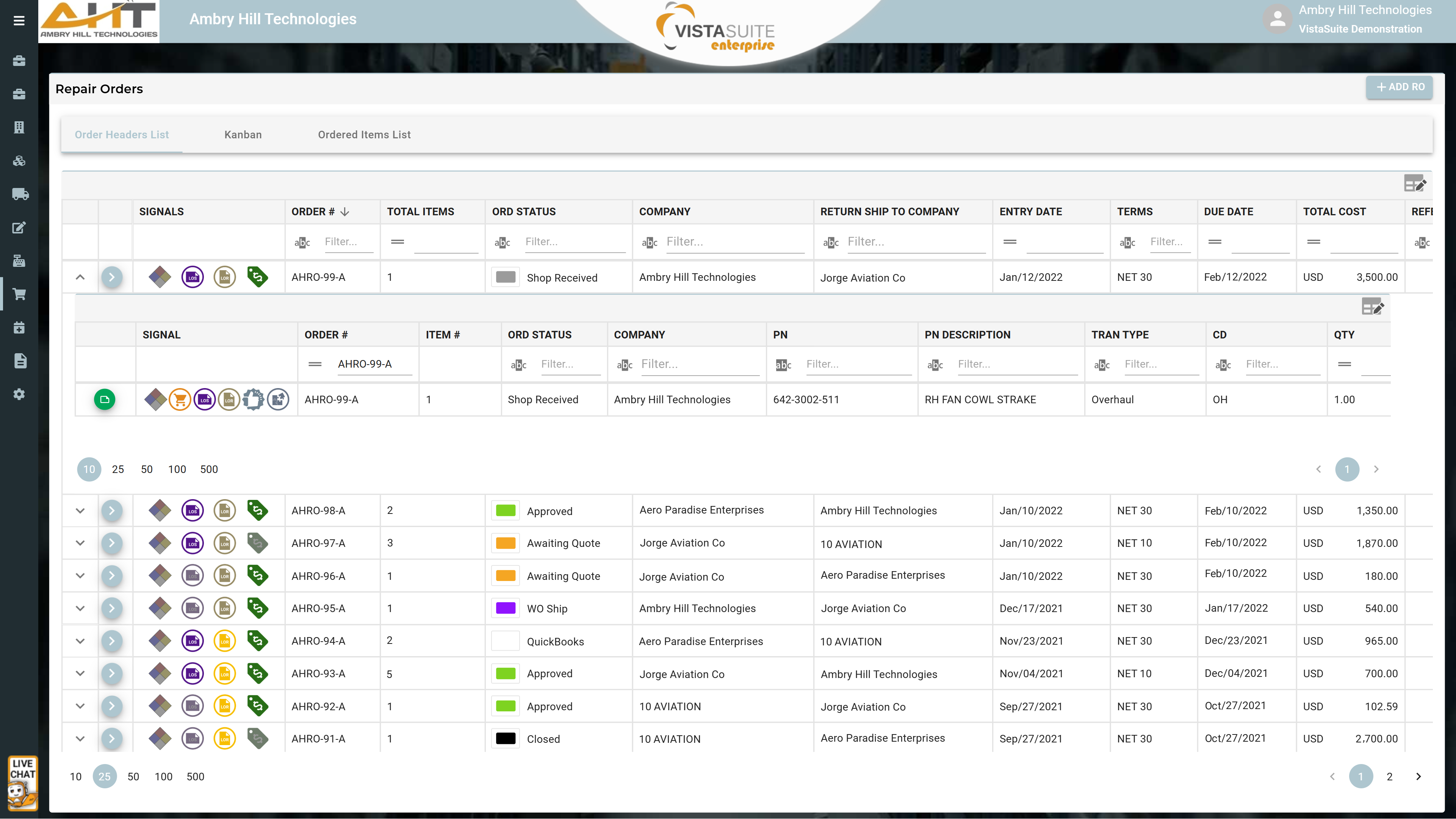
The expanded portion reveals repair order line items and at-a-glance signals that indicate if an item is a hazardous material, allocated, shipped, invoiced, linked to a receiving or shipping event, is approved, or has piece parts. Among the customizable columns displayed is the item disposition, allowing for quick awareness of progress without the need to open the record.
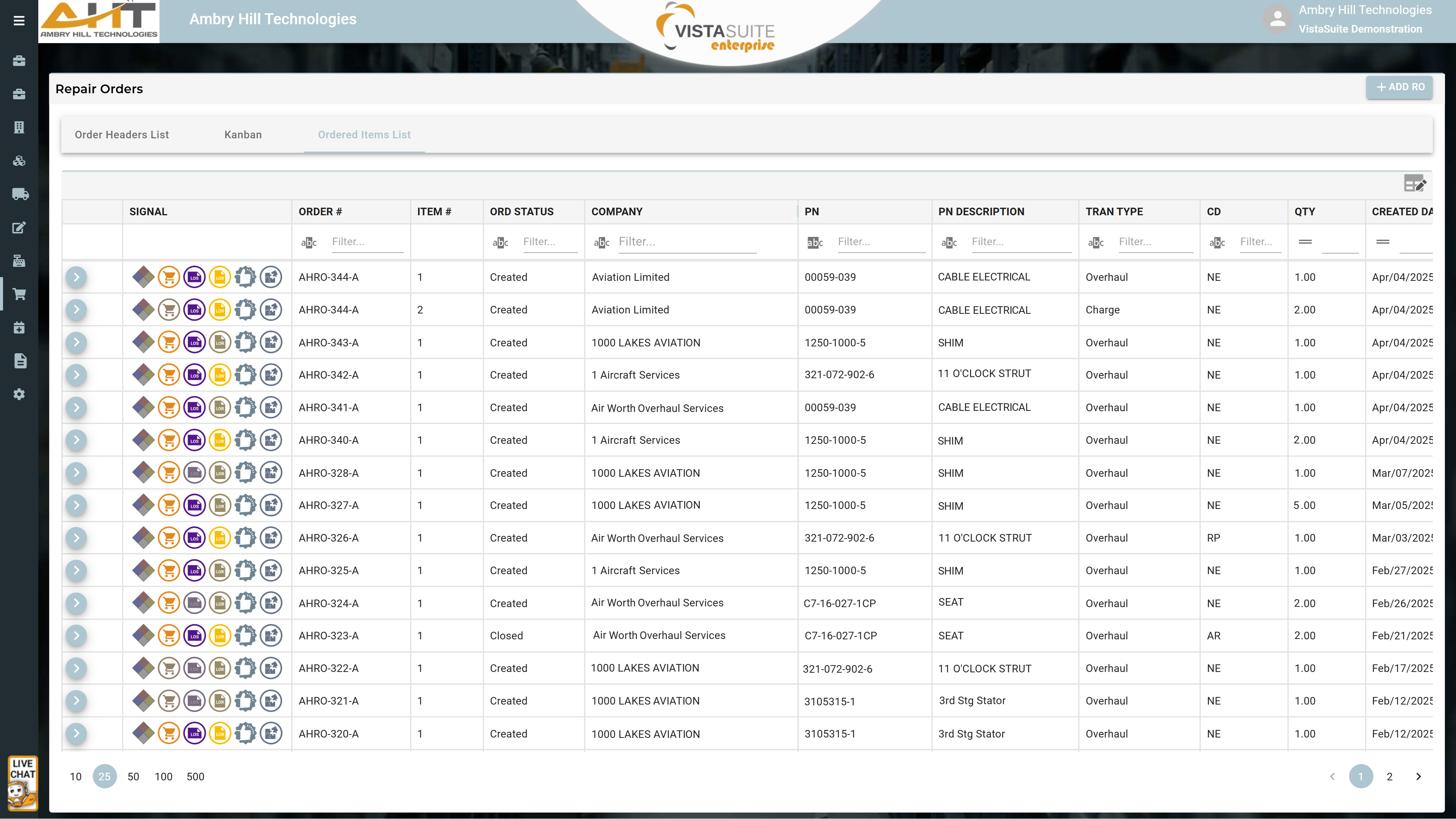
The "Ordered Items List" layout quickly surfaces ordered items and the corresponding repair orders, reducing the tedious process of manually identifying ordered items and related details. The quick-action menu enables options to edit the repair order, print docs, view files, and view item notes.
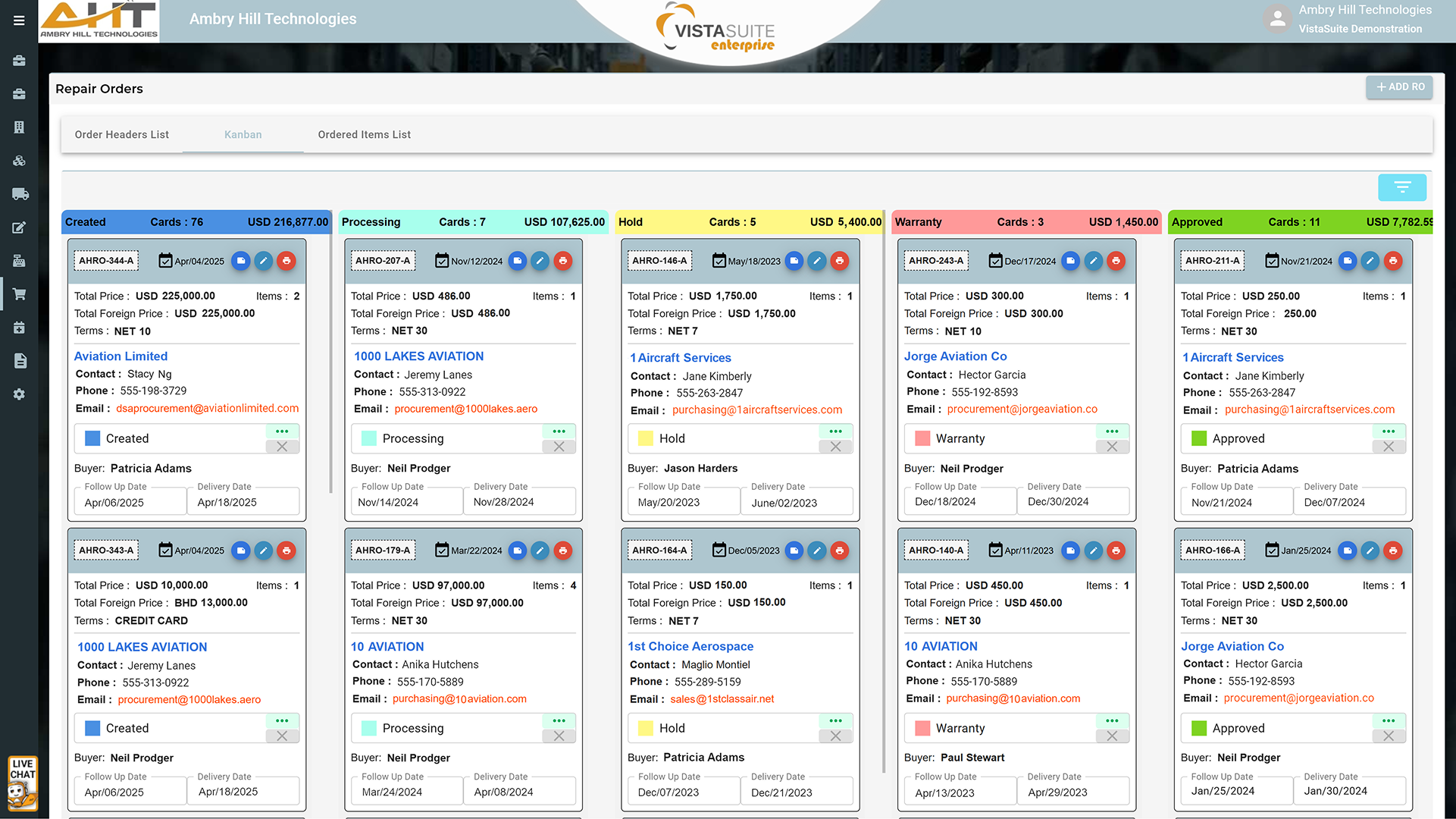
Kanban layouts can be a useful tool for managing repair orders due to their visual workflow, making it easier to track each order's status and progress.
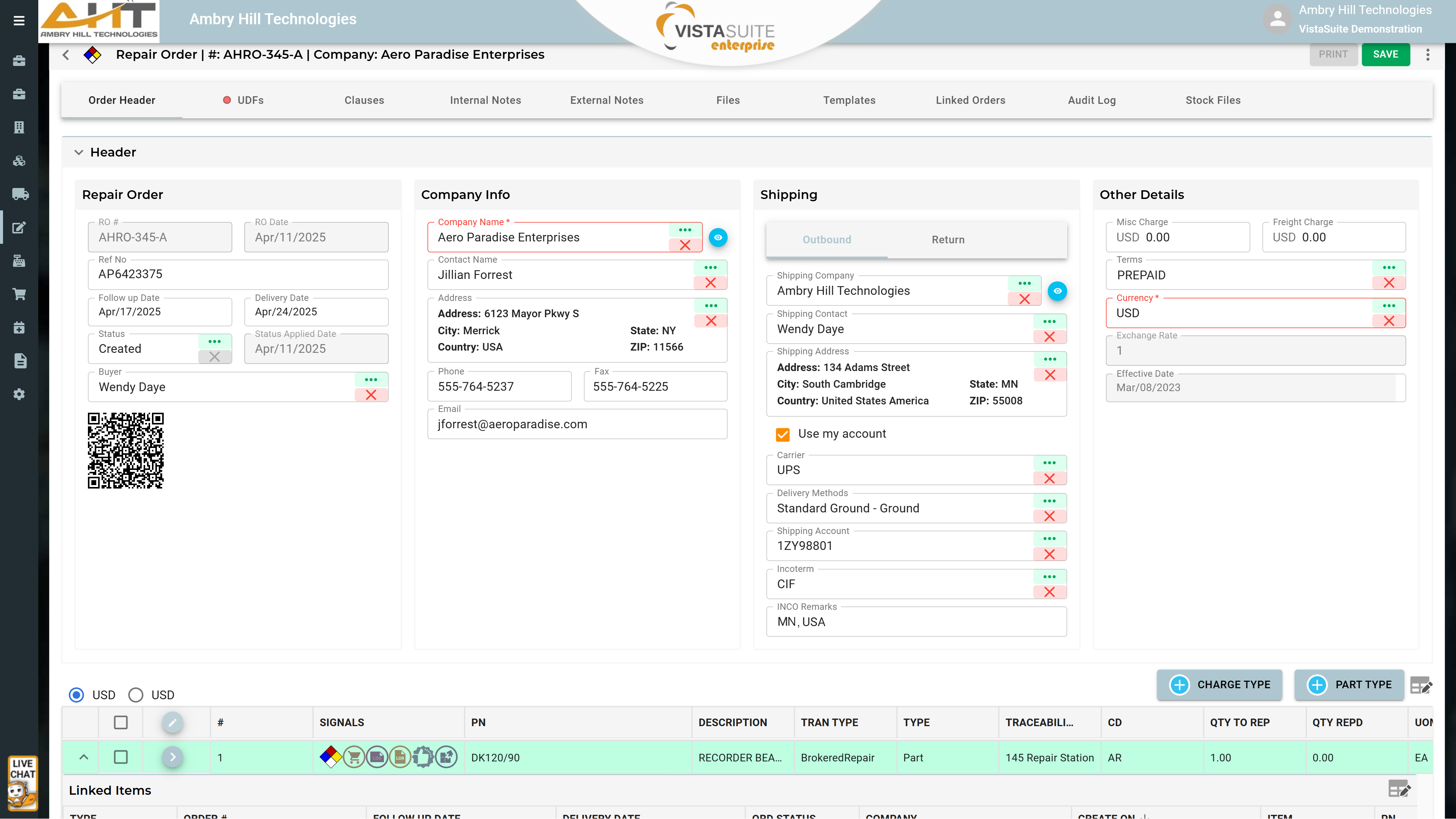
Intuitively structured header information and tabbed access to additional repair order essentials help teams manage repair order details from one connected screen.
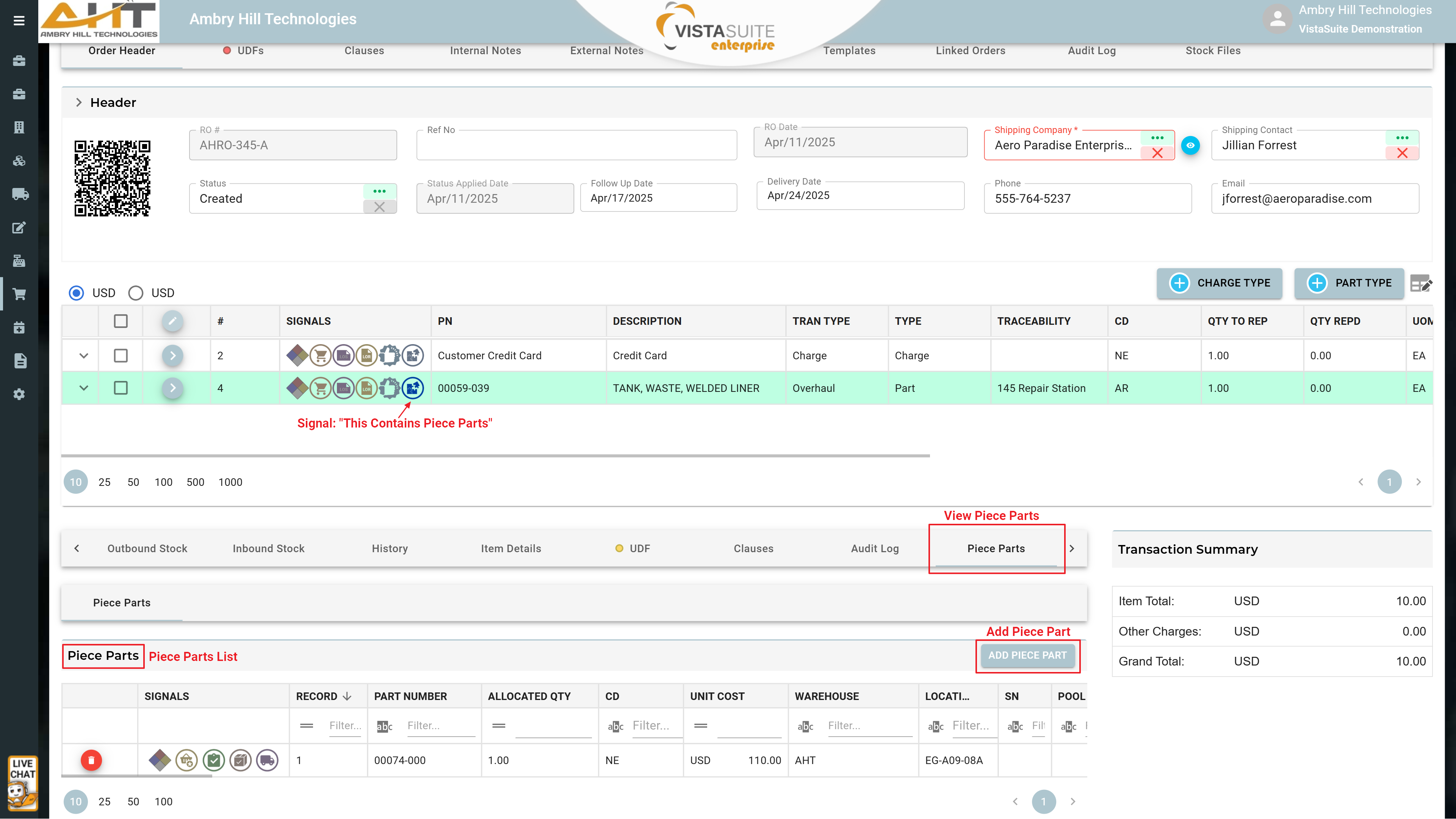
Selecting piece parts in a repair order can calculate costs based on the last sales order price, customer quote price, or purchase order cost. If you attempt to use piece parts that do not match the customer property of the item being repaired, a helpful warning will appear. During receiving, any unused piece parts can be returned to inventory as normal stock. Shipping is handled like standard inventory, simplifying the process for warehouse staff to pick, pack, and ship. Additional piece parts can be sent as needed until the repaired unit is received. Finally, all piece part shipments are linked to both the items they are associated with and the linked orders section of the repair order.
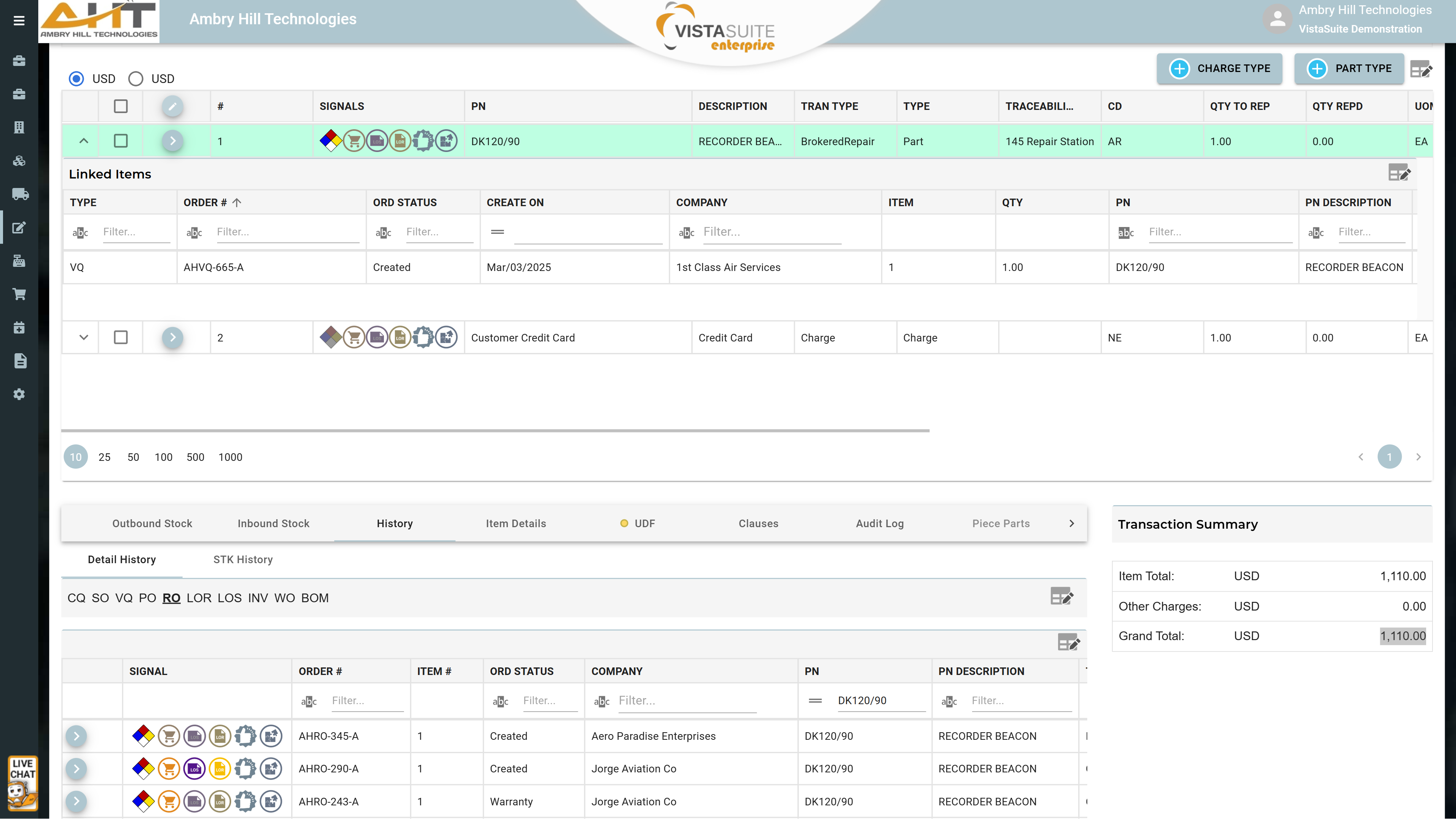
At the top is an expanded line item where linked orders are displayed. Below is a view of record history, and the repair order’s summary of totals.
Repair Order Document: Provide suppliers with a well-structured, professional repair order that clearly communicates expectations, such as precise delivery and payment terms, repair requirements, pricing, and other essential details.
Open Repair Orders: A record of all pending repair orders that have been created but not yet resolved, fulfilled, or shipped. The report is presented in a clean, spreadsheet-style format that feels familiar to users accustomed to working in Excel. While the default output is a static PDF for easy sharing and printing, the report can also be exported to Excel for those who prefer to filter, sort, or manipulate the data in a more interactive way. If a different layout or style better fits your team's preferences, we can tailor the report format to suit your workflow as an additional service.
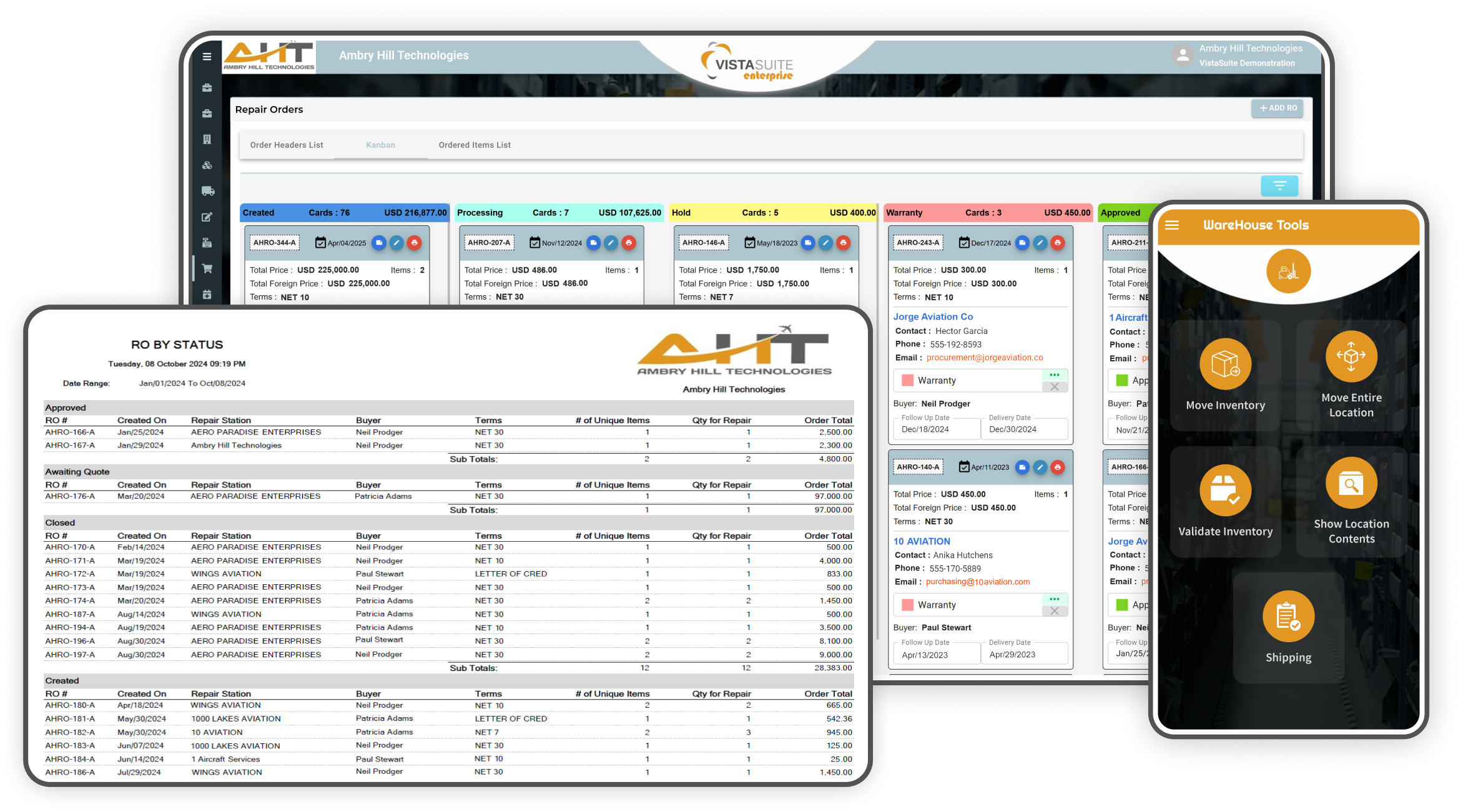
Repair Order Status: A report summarizing the status of repair orders, such as created, hold, warranty, shipped, received, and closed, for example. Customize the status names to your own requirements. The report can be tailored to list details such as repair station name, buyer, terms, number of unique items, etc.
Repair Order Piece Parts: Provides detailed information about all the individual parts used, required, or ordered to complete repair jobs associated with your repair orders.
Pack Slip: A document included with repair order shipments detailing the contents of the package for verification upon receipt.
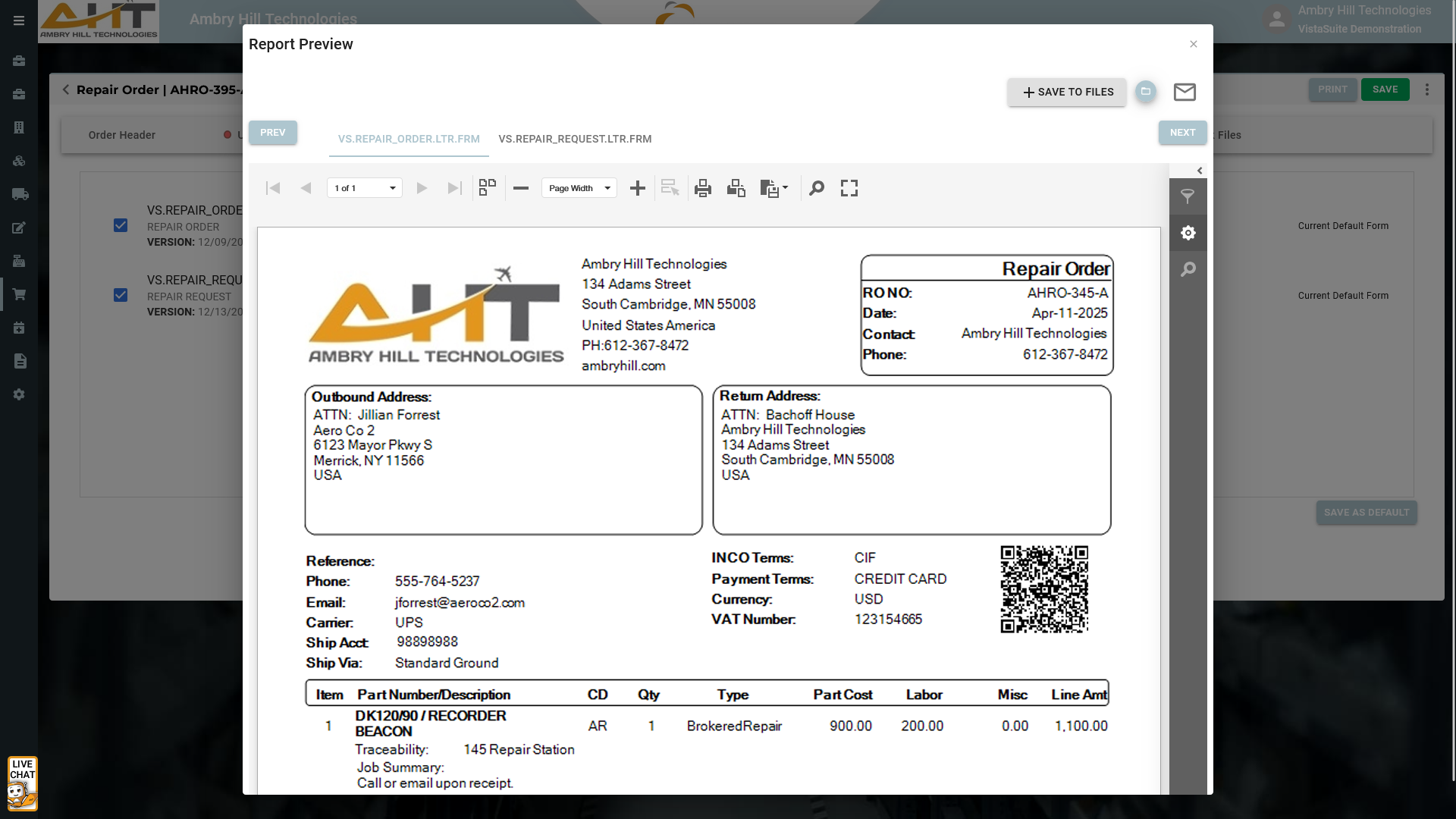
Provide suppliers with a well-structured, professional repair order that clearly communicates expectations, such as precise delivery and payment terms, repair requirements, pricing, and other essential detail
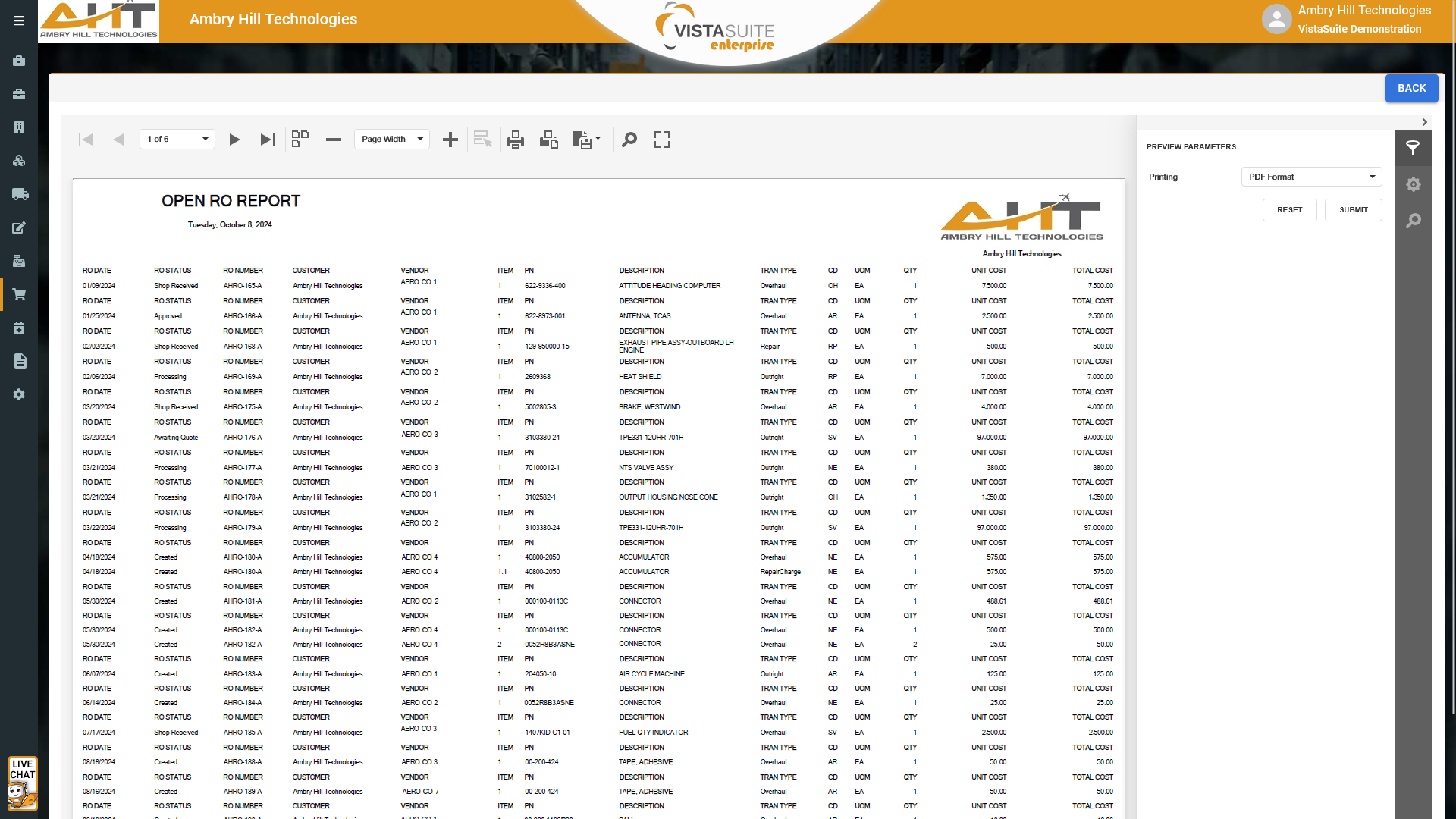
A record of all pending repair orders that have been created but not yet resolved, fulfilled, or shipped. The report is presented in a clean, spreadsheet-style format that feels familiar to users accustomed to working in Excel. While the default output is a static PDF for easy sharing and printing, the report can also be exported to Excel for those who prefer to filter, sort, or manipulate the data in a more interactive way. If a different layout or style better fits your team's preferences, we can tailor the report format to suit your workflow as an additional service.
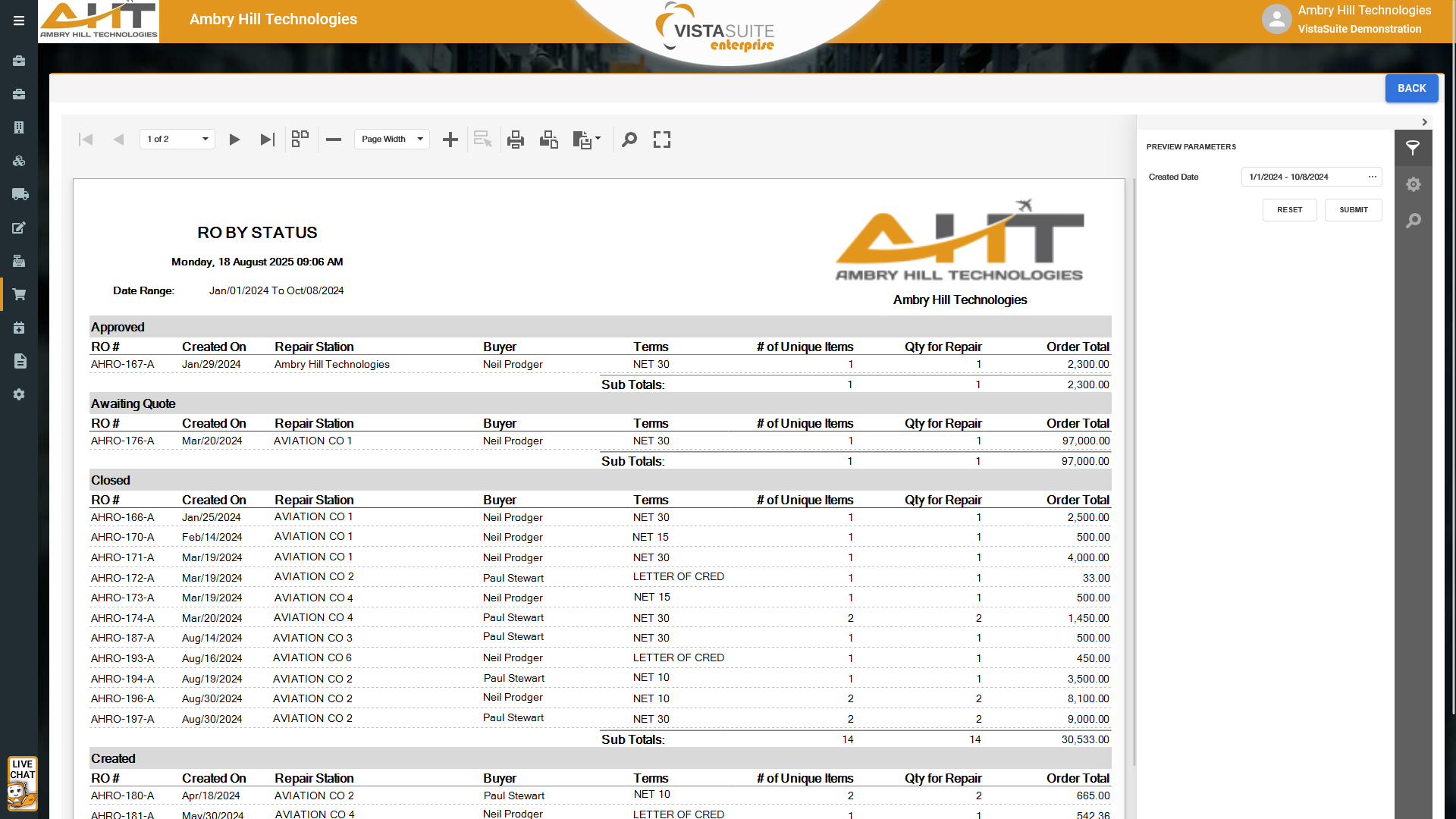
A report summarizing the status of repair orders, such as created, hold, warranty, shipped, received, and closed, for example. Customize the status names to your own requirements. The report can be tailored to list details such as repair station name, buyer, terms, number of unique items, etc.
Software development moves fast, and features evolve over time. While we strive to keep this and other pages accurate, some information may not reflect the most recent changes. For the most current details, we recommend scheduling a live demo at ambryhill.com/demo.
Bring clarity and control to your aviation operation.