

Kitting and lite manufacturing jobs in Vista-Suite Enterprise can start from saved templates, use configurable BOMs and checklists, and track allocated materials through finished-goods receipt.
Teams can issue components to the job, roll costs into the finished item, receive completed kits back into inventory, and keep related files, checklists, and work history tied to the record.
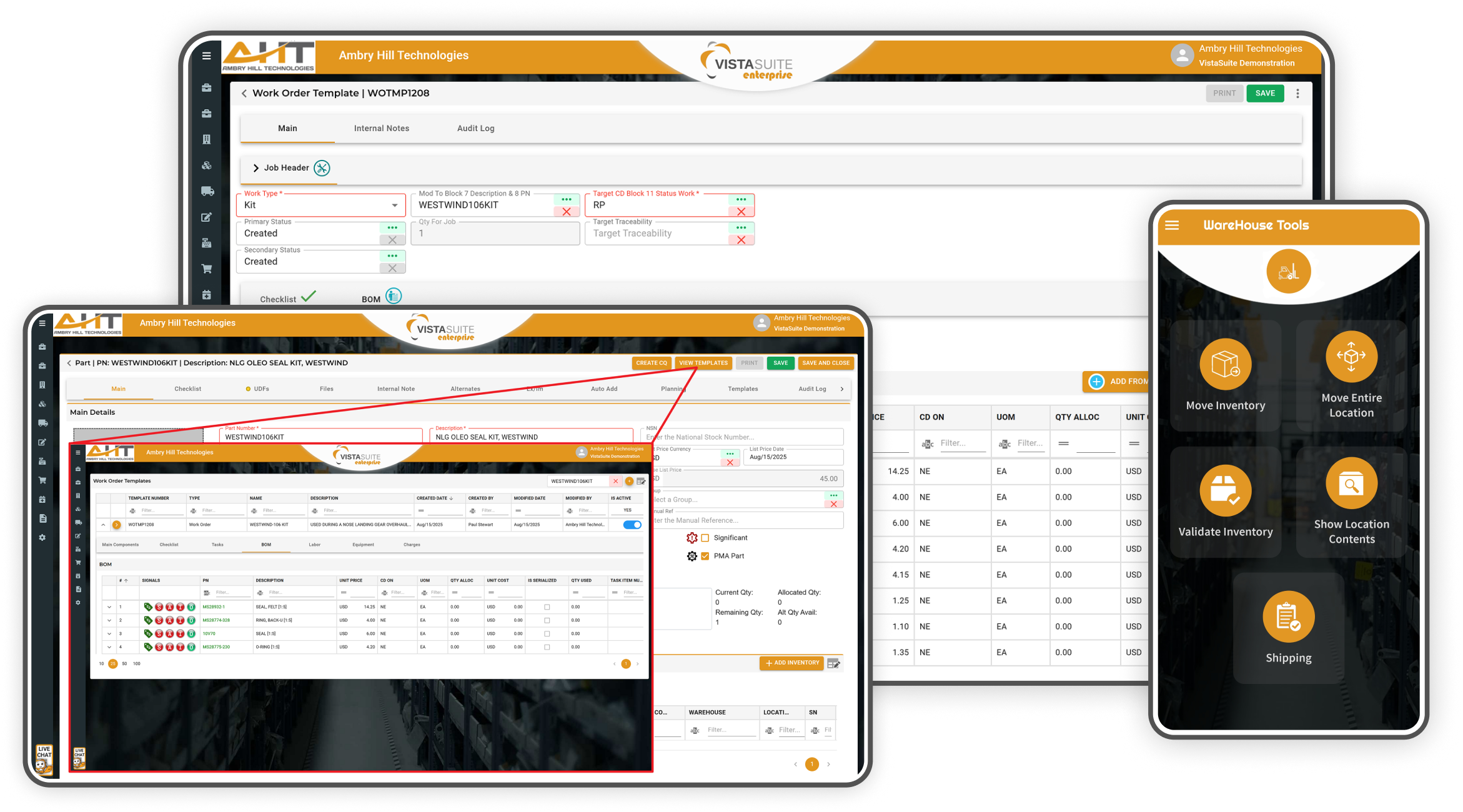
From reusable templates and Bills of Material (BOM) configuration to barcode-enabled inventory control and cost roll-up, Vista-Suite Enterprise supports both kitting and lite manufacturing workflows. Whether you're grouping components or performing lite assembly work, each step can remain traceable and tied to the related job record.
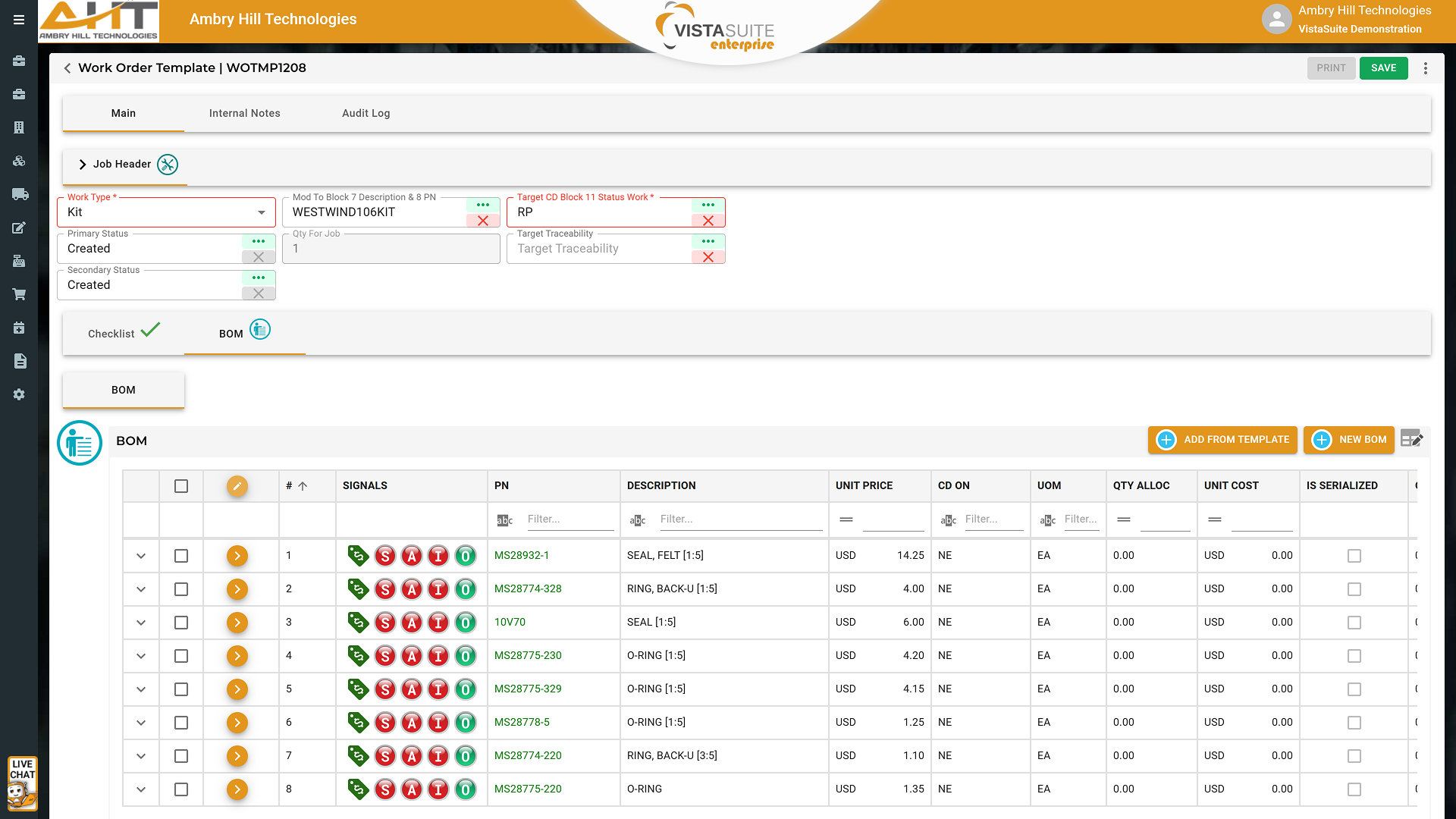
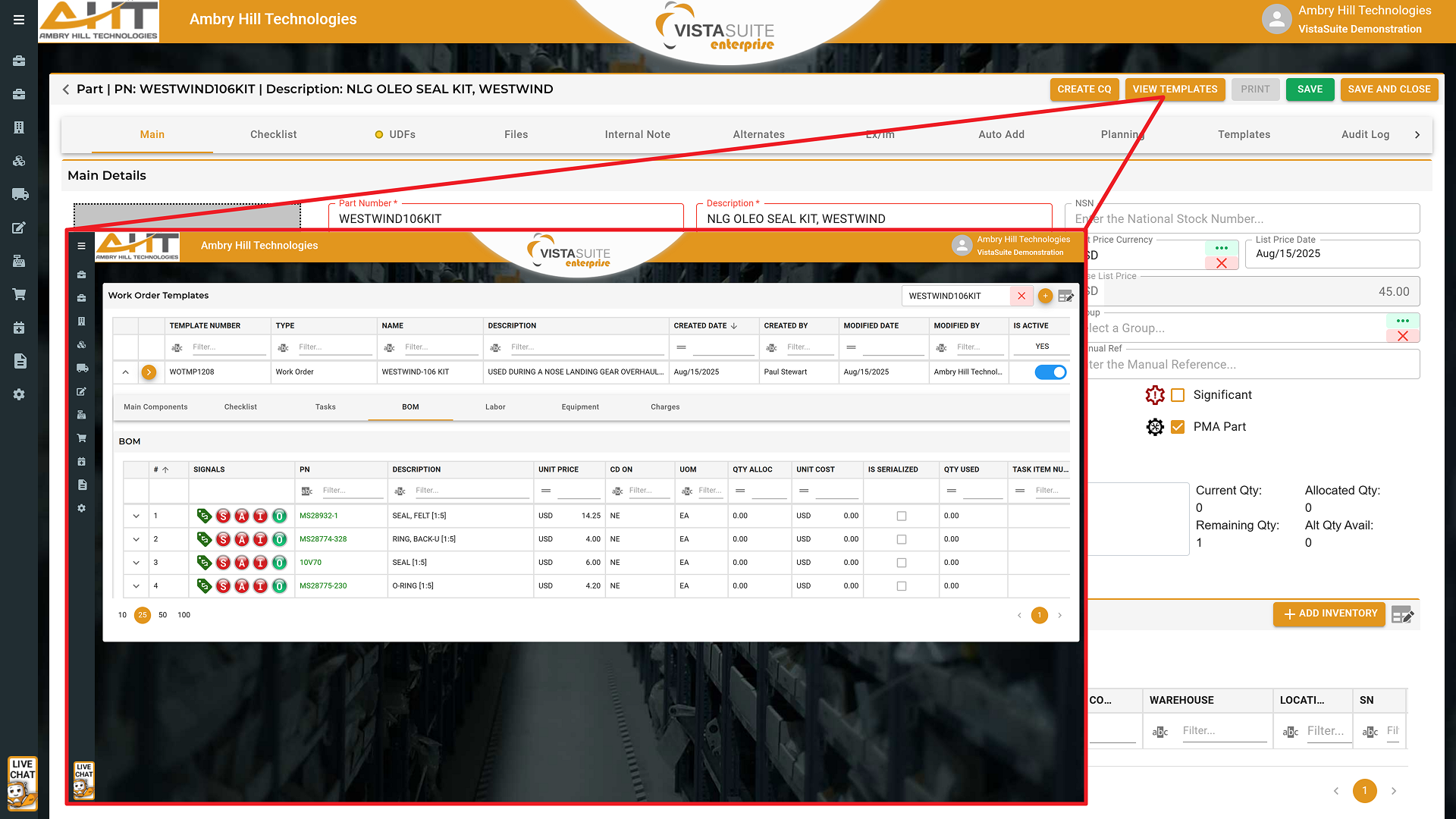
Create reusable templates for kitting, lite manufacturing, basic assembly, or transformation tasks that don't require full manufacturing. Define the standard structure and contents of each work type with appropriate BOMs, checklist steps, and more to support consistent execution and reduce setup time. This helps aviation businesses build subassemblies, prep components, or combine items through a more repeatable process.
Assign a single master part number, whether it's a kit or a light assembly, so the final product is tracked as one inventory unit, complete with audit trail, and costing.
Add required component part numbers and quantities directly into the BOM tab of a template. This supports both basic kitting and more advanced lite assembly work, ensuring precise inventory consumption and accurate cost structure.
Create checklists to guide users through required QA steps. Checklists are logged to support internal reviews and process traceability.
Start a new job using a defined work type such as "Kit" or another internal designation. The same work order engine supports basic kitting, assembly, or condition/configuration changes.
Apply predefined templates to pull in BOMs and checklists from the template. This supports faster job setup and helps parts get issued and processed consistently.
Allocate specific inventory to each BOM line item, with current availability and selection from available stock. This helps reduce shortages, incorrect selections, and double allocation.
Use the Vista-Suite Enterprise mobile app to scan barcodes and allocate inventory remotely. This supports warehouse mobility, improving speed and accuracy during kitting or assembly.
Generate pick tickets based on allocated inventory. These documents guide warehouse staff in pulling the correct parts for both kits and lite manufacturing jobs.
Use work orders to process parts that change condition or configuration during lite manufacturing. These changes are reflected in the inventory record, creating a clear before-and-after snapshot tied to traceable work steps.
Access and complete checklist tasks throughout the process to verify that correct materials, quality steps, or internal procedures have been followed before finalizing the job.
Formally issue allocated inventory using the "Issue to Job" action. This ensures accurate consumption, job tracking, removal from available stock, and links them to the job history for traceability and audit readiness.
Roll up the total cost of all consumed BOM items onto the kit's finished main component using the "Apply Cost" and "Distribute Cost" functions. This supports accurate financial reporting and cost-of-goods tracking for finished products.
Finalize the job and receive the resulting kit or assembled item by turning it in, which can create a new inventory line for the completed product. This makes the product available in stock like any other item with visibility into source materials, costs, and related work orders.
Attach additional information such as images, certifications, inspection documents, labels, and notes to the finished unit during the receiving process. Vista-Suite Enterprise links relevant details like kit number, last source, work order history, and more, which follow the finished item into inventory.
Using the Linked Orders tab, revisit and review all aspects of the associated orders, inventory usage, checklist completion, applied costs, and more. This provides a full audit trail and supports retrospective analysis.
Update the work order status to mark the job as complete. This final step closes out the process and marks the inventory as available for use
In aviation aftermarket parts trading and MRO operations, the ability to pre-assemble components into a ready-to-use kit can reduce turnaround time, lower manual handling, and streamline job execution. Without connected kitting functionality, teams can be left juggling spreadsheets, manual processes, and disconnected systems, resulting in lost time, misused inventory, and costly mistakes. Vista-Suite Enterprise ties kitting and lite manufacturing directly into inventory, costing, and job workflows so teams can build with better control.
See a demo by contacting sales@ambryhill.com
Software development moves fast, and features evolve over time. While we strive to keep this and other pages accurate, some information may not reflect the most recent changes. For the most current details, we recommend scheduling a live demo at ambryhill.com/demo.
Bring clarity and control to your aviation operation.