


Many strategies exist to organize incoming requests for quotes (RFQs), including email inbox rules, but sales decisions still depend on current operational data. Your sales staff needs inventory availability, location, condition or certification codes, quote history, documents, and images before they can decide how to respond. If that information stays inside the enterprise resource planning system (ERP) while the RFQ sits in a separate quoting tool, the user must bridge the gap manually each time.
A more effective approach keeps the ERP as the operational system of record, while the quoting layer retrieves the information needed for decision-making. A SQL-based (Structured Query Language) connection using an ODBC-compatible (Open Database Connectivity) driver gives Vista-Quote a controlled way to work with current data without requiring the company to replace the systems already supporting its broader operations.
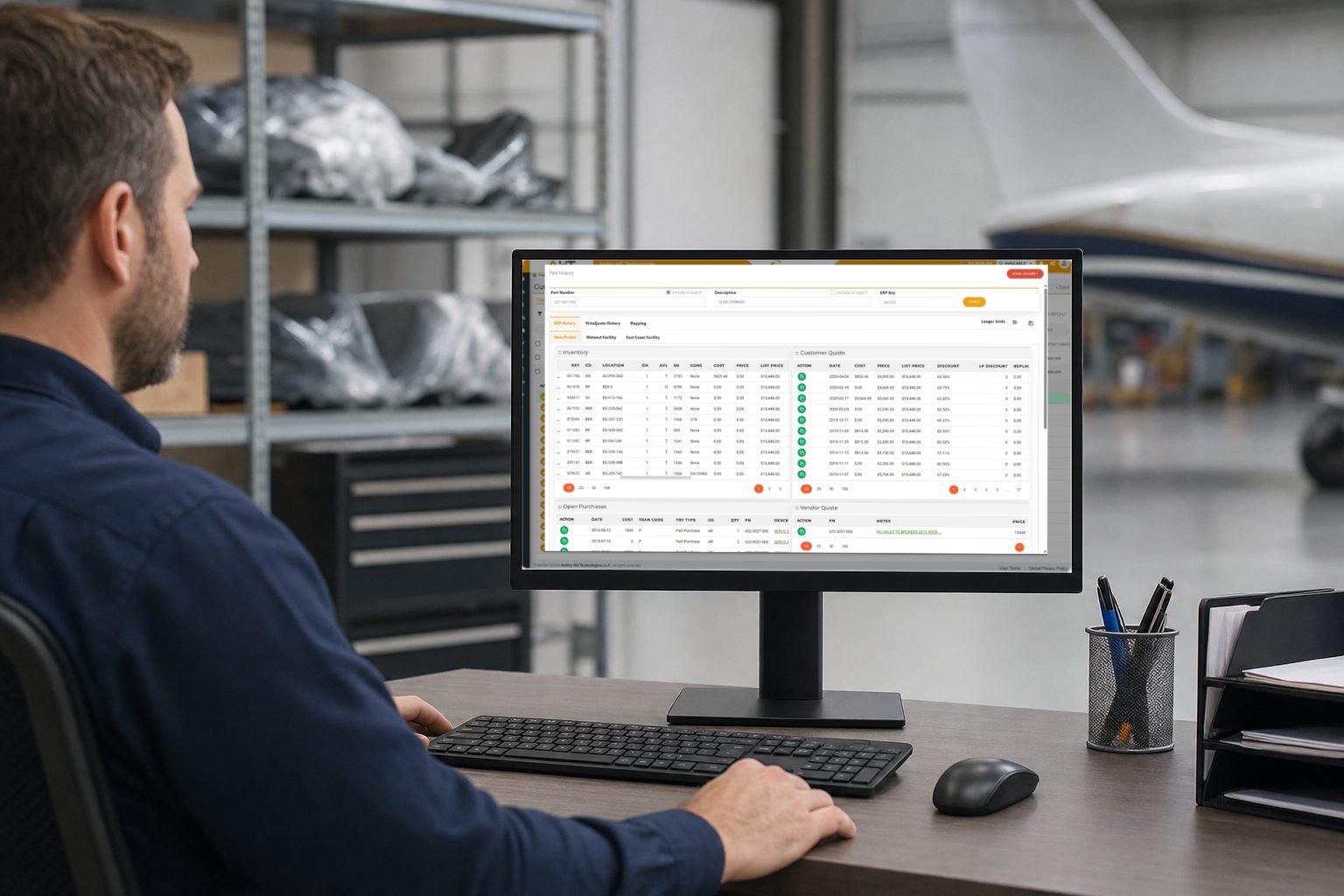
RFQ Workflows Need Current Operational Data
An RFQ doesn’t contain everything required to build a reliable response. The request identifies what the customer wants, but the answer may depend on what is available, where it is located, how the part is represented in the ERP, and what related history or documentation is available. Those facts can change after the RFQ arrives.
When the quoting environment relies on a separate copy of ERP data, data freshness becomes another process to manage. Staff may check two systems, compare records, or delay the response while they confirm which value is current. Quoting tools may still organize the request, yet their automation remains limited by the information they can reach.
The effective solution is to keep the authoritative operational records in the ERP, and let the quoting workflow request the specific data it needs when the user is working on the RFQ. That boundary gives sales access to useful context without creating a second ERP inside the quoting application.
ODBC Compatibility Connects the Quoting Layer to the Existing Data Environment
ODBC is a standard programming interface that enables software applications to connect to and query various database management systems using SQL. By utilizing this type of connectivity, Vista-Quote doesn’t require all customers to operate on the same ERP or database product. The connection can be configured around an ODBC-compatible data environment and the records the customer chooses to make available.
Compatibility still requires deliberate setup. Database structures, field names, record keys, and business rules vary by operation. The supporting connection therefore maps the data Vista-Quote requests to the corresponding records in the customer’s environment. One company may return different fields for a quote-history request than another company returns for the same purpose.
That flexibility is why we describe the capability broadly through ODBC compatibility rather than a list of software names. The important question is whether one’s existing data environment can provide the required information through an ODBC-compatible driver and an approved configuration.
Connected Inventory Data Expands What Automation Can Do
Automation is most useful when its inputs reflect the operation as it exists now. Connected inventory data can give Vista-Quote the availability and related information needed to support automated quoting with real operational data. The quoting process operates without relying on a synchronized inventory snapshot that might need its own separate update process.
The same connection can facilitate automated inventory updates for certain aviation marketplaces like PartsBase, Locatory, SkySelect, and The145. Instead of preparing an isolated export from stale or separately maintained data, the update can use inventory information from the connected environment. Automated marketplace uploads are an additional service, and each marketplace may have its own submission requirements or fees.
The goal is controlled automation, not the removal of professional judgment. Connected data can support routine quote decisions and inventory publishing, while staff still review the requests, exceptions, and customer situations that require attention. The connection enhances workflow inputs but does not determine every action the salesperson takes unless configured to do so via auto-quoting automation.
Multiple Database Connections Can Represent Multiple Operating Locations
A company with several locations may not keep every operation in one database. Separate connections can represent different locations or operating units, giving Vista-Quote access to the relevant data sources within the approved configuration. This supports multi-operation and global organizations without requiring every location to abandon its existing data environment.
Location context matters during quoting. Availability in one operation may not represent availability in another, and the record needed for a response may sit in a different database from the RFQ user’s home location. A configured connection layer can preserve those distinctions while making the required information available in the quoting workflow.
Completed Quote Responses Should Return to the ERP
A useful integration needs a return path as well as a read path. Vista-Quote can insert completed quote information back into the ERP through the configured connection. This ensures that the ERP maintains the operational transaction record while Vista-Quote handles the RFQ and quote process that generated it.
The availability of supporting documents and images also affects the quality and speed of a response. Depending on one’s system capabilities, documents and images associated with the connected records can be made available for viewing in Vista-Quote. The salesperson can review the material in the quoting context instead of treating the RFQ, the ERP record, and its supporting files as unrelated searches.
Vista-Quote handles the RFQ and quoting work, while the ERP remains the operational record used by the wider business. Data can move where the workflow requires it without forcing the organization to rebuild its established system around a new quoting workflow.
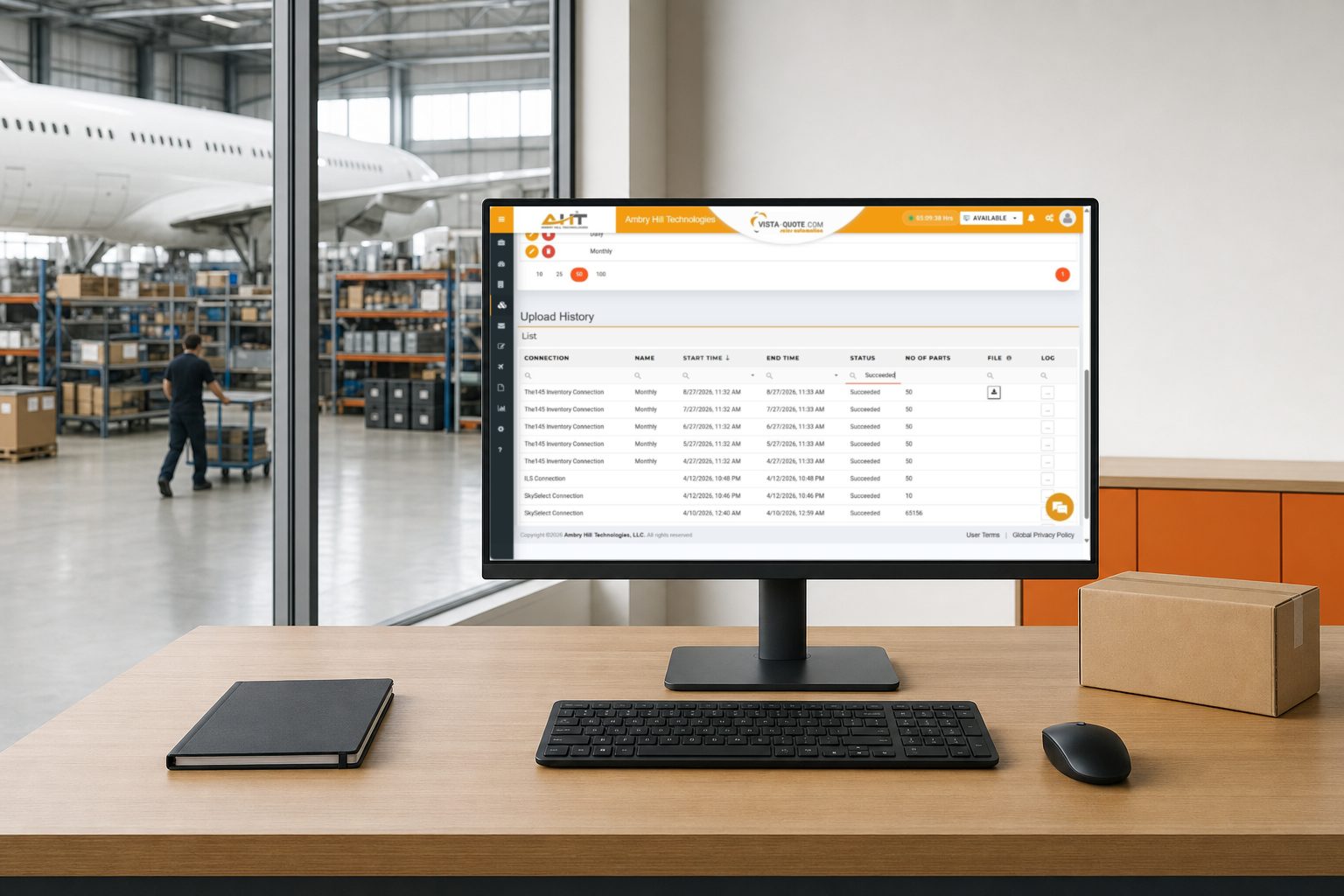
Vista-Quote Gives You Faster RFQ Quoting Without Replacing Your ERP System
For most aviation companies, ripping out an ERP system to get better quoting tools isn’t realistic because it can be expensive, disruptive, and often unnecessary. Vista-Quote is built around a different premise: your ERP stays exactly where it is, and Vista-Quote works alongside it.
Behind the scenes, a secure connection allows Vista-Quote to access necessary operational data such as pricing, inventory, and part records, while also sending completed quotes back to the ERP. The connection is securely controlled, and Vista-Quote does not create a shadow copy of your database. It retrieves what’s needed for each transaction and retains only the minimum required to keep the two systems aligned.
Schedule a live demo at ambryhill.com/demo to discuss how Vista-Quote can connect with your ODBC-compatible data environment.
More About Vista-Quote’s Real-Time ERP Connection
Does Vista-Quote Replace the ERP
No. The connection is designed to let Vista-Quote work alongside the existing ERP or database environment. The ERP remains the operational system of record, while Vista-Quote manages RFQ and quote workflows using approved connected data.
What Does ODBC-Compatible Mean for Vista-Quote
ODBC compatibility means the data environment can provide a driver-based SQL connection that can be configured for the required records and fields. Compatibility and scope depend on the customer’s database structure, driver, mappings, security requirements, and approved implementation.
Can Vista-Quote Work With Data From Multiple Locations
Yes. Multiple database connections can represent different locations or operating units. The configuration determines which data sources Vista-Quote can request and how the returned information is identified for the quoting workflow.
Does Vista-Quote Store All ERP Data in the Cloud
No. Very little of the ERP data pulled through the system is stored centrally by Vista-Quote. Most retrieved information is displayed for a transaction and then discarded, while limited identifiers may be kept to map corresponding records and codes.
Can Connected Inventory Data Be Used for Marketplace Updates
Yes. Automated marketplace inventory uploads are available as an additional service. Marketplace submission methods and fees can vary, so the applicable requirements should be confirmed during implementation.