


As Request for Quote (RFQ) volume grows, processing becomes expensive when every incoming request is treated as a separate clerical event, even when the same sales decision applies to several of them. Each RFQ might include its own part number, quantity, condition, and source details, but this doesn’t mean every response needs a separate workflow of opening, selecting, replying, and updating the queue.
The operational requirement is simple: honor each request while enabling salespeople to batch genuinely related requests. But when a system forces staff to repeat the same decision one record at a time, that repetition distracts from potentially higher-value RFQs that require intentional research, pricing, or customer conversations.
Useful batch processing is not about moving through a queue recklessly, but about matching the size of the action to the size of the decision being made while keeping the underlying requests visible.

Control vs. Efficiency
Opening RFQs individually can be necessary when the requests differ by customer, timing, requested condition, or sales response. However, major inefficiencies occur when staff repeatedly perform the same actions and status updates after making a decision that could have been grouped for a related set of RFQs.
Repetition can make a busy queue look controlled because every record receives individual attention, but handling requests separately is tedious. A better approach is to answer multiple requests from a single customer in a single response to maintain cohesive, efficient sales communication.
It’s important to determine whether handling the records separately changes the outcome. When it does, the RFQs should remain separate. When it does not, Vista-Quote supports a deliberate batch action while preserving RFQ information so you can understand what happened later.
1:1 Sales Responses Not Required
An RFQ is a request received from a buyer, while a quote is the seller’s reply. Although these records are connected, they don’t always follow a strict one-to-one relationship. Several RFQs from the same buyer may need to be consolidated into a single quote if the customer expects a unified response, a single conversation, and a single set of terms, rather than several fragmented replies.
RFQ response consolidation should be based on the underlying customer relationship, not surface-level similarities like a shared part number. For instance, two requests for the same part from different customers usually call for separate decisions, since each customer relationship stands on its own. On the other hand, several requests for different parts from the same customer might be grouped into a single response, since they could be interpreted as one conversation with that buyer.
It’s up to the salesperson managing the queue to determine which RFQs have a shared connection (unless Vista-Quote auto-quoting is active). Consistently applying this careful approach to batch processing ensures the final quote remains coherent while preserving the individual RFQs that contribute to it.
The customer receives one clear, unified response, and the seller avoids the pitfall of generating multiple quotes simply because the requests happened to arrive as separate messages in the inbox.
A No-Quote Is Valuable
A no-quote is still a sales decision even if the original request may not fit current inventory, timing, condition, or business priorities. Removing it from the active queue makes the demand disappear from the operational record.
A cleaner-looking queue comes at the cost of losing the information needed to understand what the organization chose not to pursue. Batch no-quote handling not only prevents repetitive data input but also preserves the underlying activity for future review.
Down the road, it’s not enough to know how many quotes went out. Stakeholders also need context on the requests that were declined or excluded from the remaining quoting process. Preserving that context is what makes batch no-quote a valuable strategy compared with other actions or deletion.
Batch Processing and Automatic Quoting Solve Different Problems
Automatic quoting applies predefined logic without requiring a person to build each response, while human-controlled batching allows a person to apply a single focused decision across selected RFQs. Merging these two ideas can still reveal who made the decision and the rationale behind it.
Just because a customer submits multiple requests doesn’t mean all should be combined into one quote, nor does a group of low-priority RFQs automatically mean each one should get a no-quote. Differences in timing, terms, conditions, or the requested response can still require separate handling.
For complex, high-volume workflows, Vista-Quote offers sophisticated auto-quoting that precisely applies predefined judgment across multiple layers of decision-making. This clarifies for staff which RFQs are being addressed, the decisions made, and helps exclude exceptions when requests need a different response.
Queue Design Determines Where Attention Goes
A well-designed queue focuses on the decisions that still need to be made, rather than wasting the day re-entering the same “no-quote” or “same answer” one RFQ at a time.
When routine responses have to be processed one by one instead of together, staff waste time on repetitive data entry instead of focusing on RFQs requiring critical judgment, such as research, pricing, and sourcing decisions.
Managers also benefit from a reliable queue, but only if it remains trustworthy. A shorter list of active RFQs is only helpful if they can still see what’s been completed and declined, and if batching requests together doesn’t hide the original records within them.
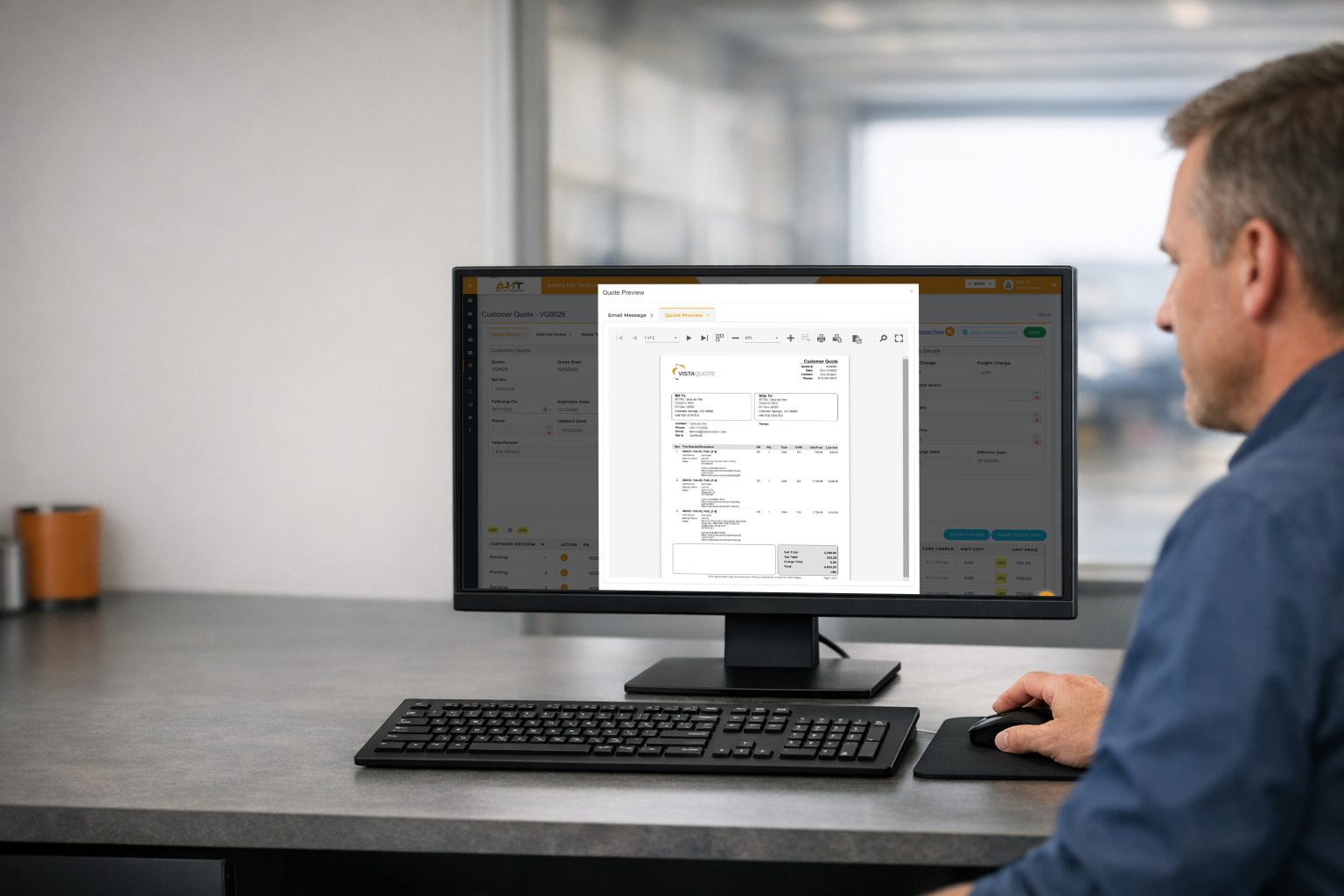
How Vista-Quote Supports Controlled Batch RFQ Decisions
Vista-Quote is built to handle these multi-RFQ scenarios for aviation sales operations. Users can respond to several RFQs at once, and requests from the same buyer can be consolidated into a single quote.
The same logic applies to no-quotes: users can select multiple RFQs for a single no-quote action, while the system still retains the details behind that decision for later review. This eliminates repetitive data entry without forcing unwanted automation, and the user still decides which RFQs belong together and which action applies to them. Vista-Quote can support more advanced automation for teams that want it, but the platform doesn’t assume every team needs that level of handling.
If your sales operation is managing RFQ volume one request at a time, schedule a live demo to see how Vista-Quote can benefit your RFQ review and quoting process.
More about Vista-Quote and RFQ Batch Processing
What is RFQ batch processing?
RFQ batch processing allows a user to apply a reviewed action to a selected group of requests instead of repeating the same clerical step for each record.
Can several RFQs be combined into one quote?
Yes. Vista-Quote can consolidate multiple RFQs from the same requester and respond with a single quote.
Is batch no-quote the same as deleting RFQs?
No. Vista-Quote users can no-quote several RFQs at once while retaining useful information from that activity.
Is batch processing the same as automatic quoting?
No. Batch processing groups RFQs so one decision applies to several at once — it doesn’t make the decision for you. Automatic quoting generates or sends quotes without a person deciding each time.