

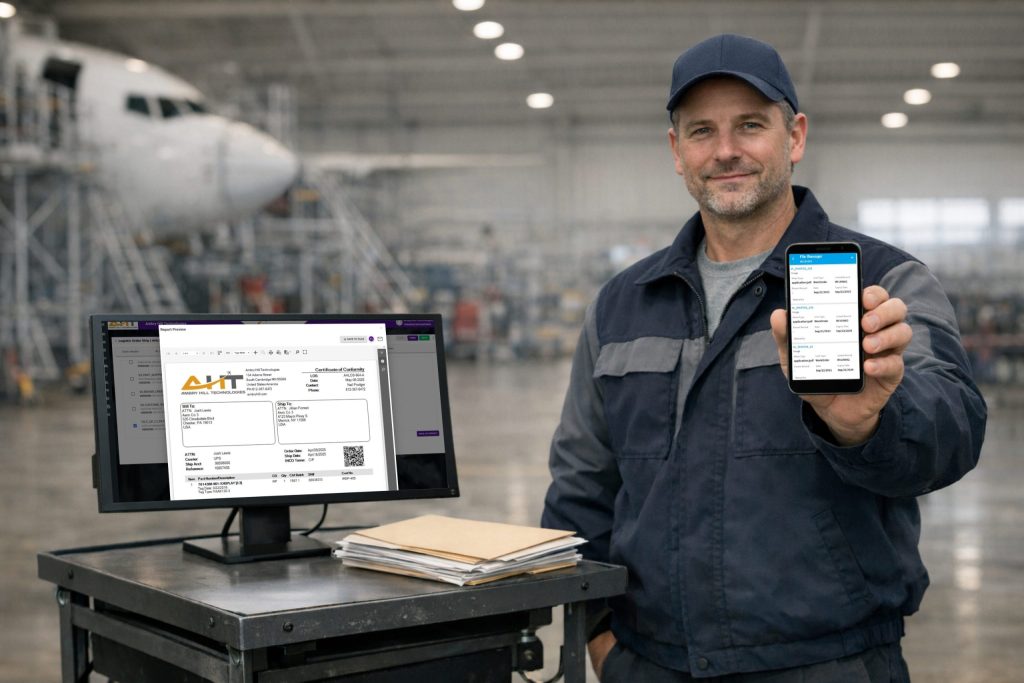
Aviation is a document-heavy industry, particularly in parts trading and MRO, where serviceable components are expected to be accompanied by a tangible FAA Form 8130-3, ATA Spec 106 documentation, shop findings, photographs, customer instructions, prior repair records, and other supporting records. Customers are accustomed to receiving the appropriate paper certification, traceability, and supporting documentation as a standard part of transactions.
When the physical document is the only way to find information, employees spend too much time figuring out how the document, the part, and the transaction are connected. That’s why aviation document management in Vista-Suite Enterprise preserves the paper where it serves the work while making its digital counterpart searchable and available from the record that gives it meaning.
Paper Does Not Need to be the Bottleneck
Step into a bustling stockroom and scan the area — the core issue becomes evident. Certificates are stored in trays, papers are filed in folders, and the sales team has a digital copy linked to an outdated email. Although the software inventory record tracks the part, serial number, condition, location, etc., the supporting documentation might be distributed across various locations.
That bottleneck causes major delays when trace documents are needed before leaving the building, a repair tag is requested, the correct certificate for a serialized unit is required, or documents need to be verified with a part. Each request starts another search through folders, inboxes, naming conventions, and team knowledge.
That kind of inefficient search routine consumes the time of people who should be inspecting material, processing orders, or resolving genuine exceptions – higher value tasks that make progress.
A Document Without Context Creates Rework
A certificate named “8130.pdf” stored under layers of cloud storage folders is not operationally helpful. Neither is a photograph saved under a date with no part number, serial number, receiver, or purchase order reference. Sure, the file exists, but the next person still has to spend time proving that it belongs to the material in front of them.
This is how duplicate work enters an otherwise disciplined operation: one person scans the paperwork, another downloads and renames it, a salesperson saves another copy for the quote, and so on.
That’s why Vista-Suite Enterprise keeps digital documents tied to the part, inventory record, order, or work order, preserving context through each handoff. A user researching the transaction can see the supporting material without rebuilding the story from email threads and cloud storage paths. Exceptions like missing documentation are visible as a gap in the record, rather than discovered after the customer asks for it.
Controlled Documents Need One Source of Truth
Trace documents represent only one part of the overall documentation strategy, whereas exchange agreements, commercial terms, credit applications, instructions, and customer-facing forms evolve over time. Local copies create a quiet version-control problem, risking that an employee may send the file that worked last year because it is still in a personal folder.
The consequence can ripple through an organization if a customer receives conflicting language, finance reviews terms that were not approved for the current transaction, or operations pauses while someone confirms which revision applies.
Vista-Suite Enterprise provides a central, controlled source that gives the people working on a transaction a known current file while preserving the documents actually sent with the record.
Faster Document Access Protects Turnaround Time
Order velocity is often affected by paperwork at the final handoff. A unit that is ready to ship isn’t truly prepared if shipping is waiting for a certificate, sales is still assembling attachments, or someone must verify whether the customer received the correct revision.
Vista-Suite Enterprise’s practical workflow lets the user select the needed files from the transaction and related records while composing the outbound message. The sent quote, order, or invoice and its supporting attachments remain associated with the transaction. Customer service can answer a follow-up without asking three departments to resend their copies.
Vista-Suite Enterprise Connects Files to the Work
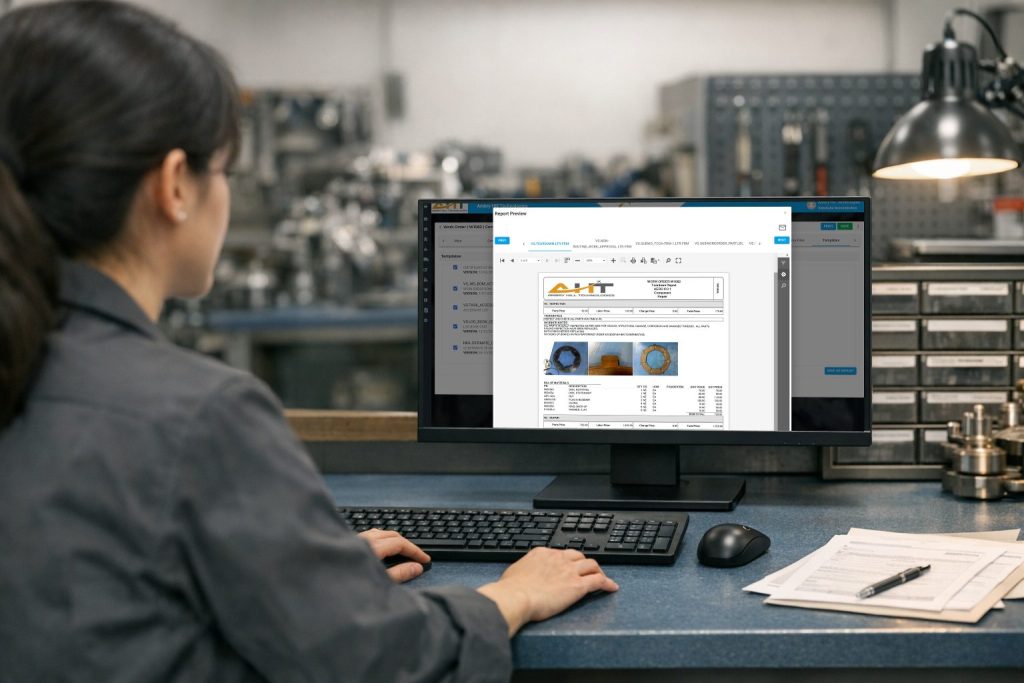
Vista-Suite Enterprise keeps documents, photos, and other files with aviation records such as parts, inventory, transactions, and work orders, with a searchable system-wide file library for broader research. Teams can retrieve supporting material from the operational record instead of relying on paper copies, siloed cloud drives, or personal inboxes.
Controlled exchange agreements and terms can be stored centrally, version-controlled, and selected for outbound transaction emails. Transaction emails can draw attachments from the main library, company files, linked orders, inventory records, or a local computer; locally selected attachments can also be saved to the transaction header files area. The record retains the context needed for later customer service and internal review.
Paper can stay on the bench, in the shipping area, or with the physical traceability stack. The digital workflow removes the scavenger hunt so you can get work done efficiently.
See how Vista-Suite Enterprise handles your document workflow. Request a demonstration at ambryhill.com/demo.
Does aviation document management require a paperless operation?
No. A sound approach can retain paper where customers, regulators, or shop practices require it while using digital copies for search, handoffs, and record access.
Which files should be tied to an aviation transaction or inventory record?
Common examples include FAA Form 8130-3 records, ATA 106 forms, certificates of conformity, repair tags, inspection photos, customer instructions, exchange agreements, and documents sent with a quote, order, shipment, or invoice.
Why is a shared drive not enough for aircraft parts documentation?
A shared drive can store files, but it may not preserve the connection to a specific part, serial number, inventory record, order, or work order. Staff then depend on filenames, folder structures, and memory to reconstruct context.
How does document version control affect aviation operations?
Central control reduces the chance that staff send outdated commercial terms, exchange agreements, or customer forms. It also gives teams a consistent source for the current approved document.
Can electronic copies of FAA Form 8130-3 be retained?
Yes. FAA guidance permits electronic completion and retention when the electronic file contains all required information and the applicable electronic-recordkeeping guidance is followed. Organizations remain responsible for the retention and traceability requirements that apply to their operation.