


A work order can begin with a planned repair and end with a business record that looks very different from the original estimate. An inspection may add tasks, and parts or outside services may change the cost. Some work may require customer approval before proceeding, while other work is already complete and ready to be billed.
The quote or bill must reflect that reality, since a single flat-rate price may suit a defined component repair, but an evolving inspection may require task-level detail, separate parts and labor, or a partial transaction for work that has reached an approval or completion point. When the pricing structure does not match the job, someone has to rebuild the relationship between scope, cost, price, and customer communication.
Effective, modern aviation work order billing keeps those relationships intact. The operation should be able to select the level of detail each transaction requires, see what’s included now, and track the activity that remains on the job.
Work Order Billing Must Reflect the Repair That Actually Happened
Repair work doesn’t always move directly from the initial estimate to the final invoice; additional steps or changes may occur along the way. A familiar component repair may support a stable flat rate, while a teardown and inspection may reveal additional work that must be estimated, approved, and performed in stages. An end-item job may accumulate labor, material, and charges across many tasks before the full scope is known.
Jobs shouldn’t be forced into the same customer-facing structure if the internal process needs to answer, “What amount and level of detail should the customer see at this point in the work?” That decision depends on the job type, the pricing agreement, the approval status, and whether the transaction covers the entire job or a defined portion of it.
Price and presentation are related but serve different operational purposes. Your team may calculate a price based on detailed labor, material, and charge activity, then present the customer with one agreed amount. In another case, the customer may need a summarized breakdown or individual task detail. Even when you present the customer with one summarized price, Vista-Suite Enterprise retains the detailed tasks, labor, parts, and charges behind it, giving your team the job-level context needed to review costs, pricing, and remaining Work in Progress (WIP).
Whole-Job, Category, and Task Pricing Support Different Business Decisions
The three pricing options in Vista-Suite Enterprise are not simply different document layouts. Each one supports a different decision about how much of the Work Order the customer needs to see.
A whole-job price fits a defined repair sold for one agreed amount. The quote or bill can present that amount as a single line, giving the customer a concise commercial view while the operation retains the tasks, parts, labor, charges, and cost information behind it.
A parts/labor/charges rollup provides a useful middle ground. It explains the main components of the price without reproducing every task and line item from the Work Order. Supporting job or task detail can still be shown when the customer or transaction requires it.
Task-level pricing becomes important when individual work packages must be evaluated, approved, or billed separately. Each task can use flat-rate or time-and-material pricing, allowing the commercial document to reflect the same divisions used to manage an inspection, repair, or changing scope.
The choice changes how the work is presented, not where the job is managed. Vista-Suite Enterprise keeps each pricing view connected to the underlying Work Order, so your team does not have to restructure the job or recreate its details in a separate billing process.
Partial Work Order Billing
Vista-Suite Enterprise supports partial quoting and billing from an active Work Order, allowing selected tasks to be included in a customer transaction while the remaining work stays open. Because a transaction may cover only part of the Work Order, it is important to review which tasks and costs are included in the current draft. Any open tasks, pending approvals, unbilled materials, or additional labor may need to be included in a later transaction.
Since the clearest boundary is often the task itself, work requiring customer approval can be selected for a quote, while completed portions can be selected for billing. In either case, the included work remains distinguishable from the tasks and cost activity that have not yet advanced.
Vista-Suite Enterprise keeps partial billing clear by connecting the selected work and remaining WIP to the original Work Order. Your team can see what is included in the current quote or bill and what remains available for a later transaction.
Work Order Cost, Pricing, and WIP Visibility
Vista-Suite Enterprise keeps the pricing draft alongside the Work Order information that supports it. Main-component cost, Bill of Materials (BOM) activity, labor, charges, and negative adjustments can each affect the commercial picture. Reviewing the proposed amount in that context helps your team see both what produced the price and what cost activity remains on the open job.
Cost, price, profit, and margin provide a checkpoint before the draft advances; they do not replace commercial judgment. Remaining WIP adds an equally important distinction by separating the work included in the current quote or bill from activity that has not yet moved into a customer transaction.
Because that information remains connected to the Work Order, production, estimating, billing, and finance can review the same job from their respective perspectives. Your team can evaluate the relationship between the work performed, the amount presented, and the activity still outstanding without reconstructing it in a separate spreadsheet.
How Vista-Suite Enterprise Connects Work Order Quoting and Billing
Vista-Suite Enterprise keeps Advanced Work Order Quoting and Billing inside the Work Order environment where tasks, BOM activity, labor, charges, and WIP are already recorded. Dedicated Quoting Work Screen and Billing Work Screen views let your team prepare drafts with a scope and pricing structure that fit the current transaction.
Pricing Can Be Prepared Where the Work Is Planned
Pricing can be established before the billing draft is assembled. A Work Order or reusable Work Order template can carry pricing information for recurring work. Individual tasks can use total flat-rate pricing, an hourly flat rate, or a time-and-material approach. BOM items, labor entries, and charge lines can also carry their applicable pricing information, and BOM pricing can be applied across multiple selected lines when the same update is appropriate.
This means the billing screen doesn’t have to be the first place to consider the commercial structure. The pricing basis can develop with the job plan and the work record, then flow into the quoting or billing review where the user can confirm or revise it for the current transaction.
Three Pricing Options Match Different Customer Requirements
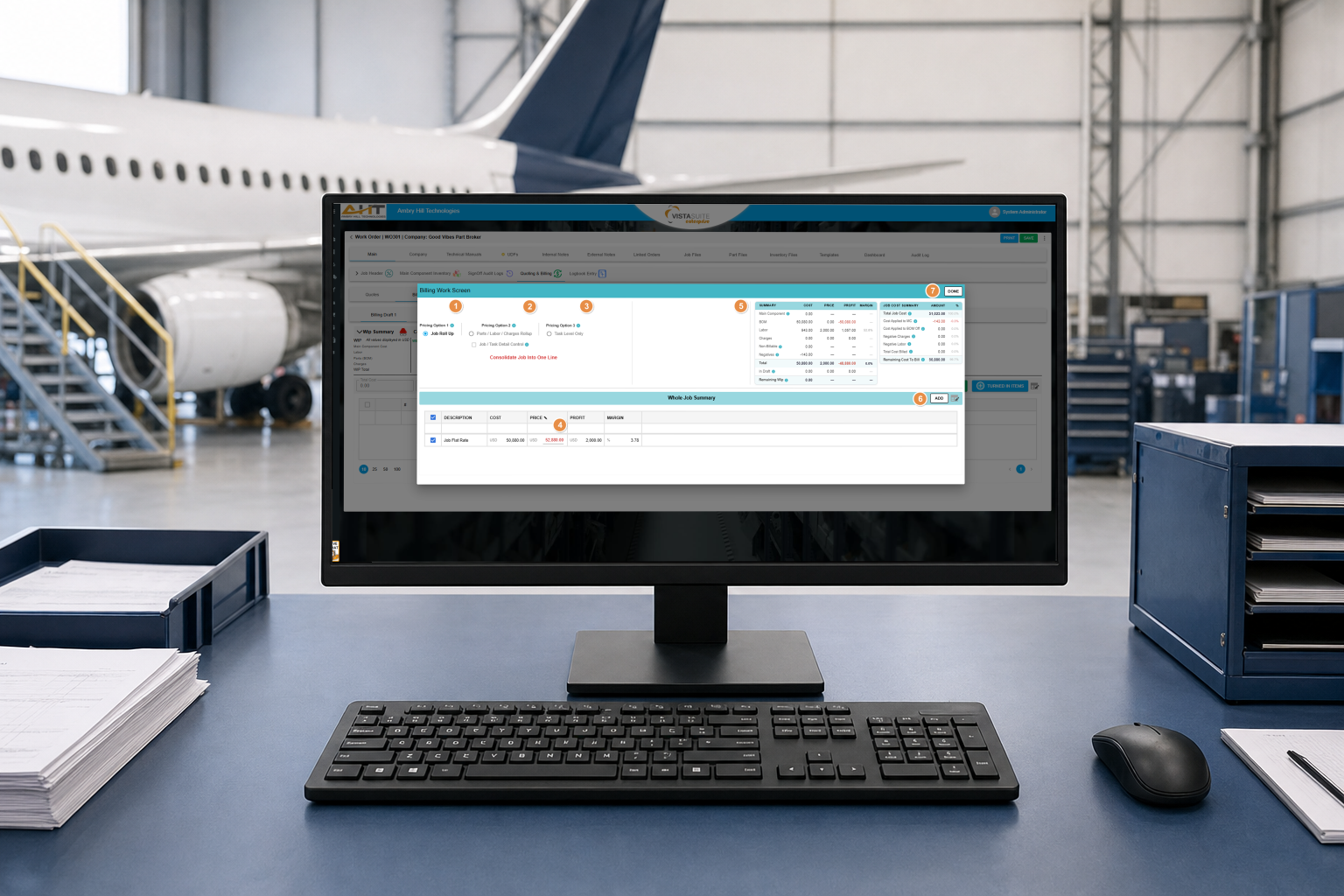
The Billing Work Screen provides three pricing approaches:
- Job Roll Up presents the entire Work Order as one line with one flat-rate price. It fits a transaction where the customer needs one consolidated amount rather than itemized parts, labor, or charges.
- Parts Labor and Charges Rollup creates separate summarized lines for those three categories. The user can work with flat-rate or time-and-material pricing and can enable job and task detail control when category pricing must be reviewed against specific tasks.
- Task Level Only lets the user select and price individual tasks. Each task can be expanded to review its parts, labor, charges, and pricing basis before selected tasks move into the draft.
General task settings can apply a pricing approach across tasks, while individual task pricing can still be adjusted where needed. Task details remain available as the user expands, reviews, and collapses the work, which supports a deliberate task-by-task review without losing completed pricing decisions.
Partial and Detailed Drafts Keep the Transaction Specific
Task-level selection supports partial quoting and billing because the draft can include only the work that belongs in the current transaction. A user can filter for tasks that require customer approval and move the applicable tasks into a quote or billing draft while other tasks remain on the Work Order.
The draft can also match the amount of supporting detail the customer needs. BOM Detailed and Charges Detailed options can show individual parts or charge lines instead of only a rolled-up amount. Multiple drafts allow separate transaction scopes to be prepared from the same Work Order without treating every transaction event as the final bill for the entire job.
Customer Quotes and Sales Orders Stay Connected to the Job
Once the selected work and pricing have been reviewed, the draft can advance into a Customer Quote or Sales Order. Component jobs can apply pricing to the turned-in main component, while end-item jobs can use the billing work screen to prepare the appropriate rollup or task-level transaction. The exact path can follow the job type without separating the business record from the Work Order that produced it.

When a Sales Order is created and saved, Vista-Suite Enterprise displays it within the Work Order billing area. The user can review its line items and a summary of total cost, total price, profit margin, and total profit, then open the related Sales Order directly. That connection gives the Work Order a continuing commercial history and gives the Sales Order the job context behind its line items.
Advanced Work Order Quoting and Billing in Vista-Suite Enterprise gives your team the ability to choose how much of the job to include, how much detail to present, and which pricing structure fits the customer agreement, while keeping the transaction tied to the work and the cost activity behind it.
See how Advanced Work Order Quoting and Billing can support your repair-station workflows. Schedule a live demo of Vista-Suite Enterprise at ambryhill.com/demo.
Questions About Advanced Work Order Quoting and Billing in Vista-Suite Enterprise
What Pricing Options Are Available for a Work Order
Vista-Suite Enterprise provides Job Roll Up, Parts/Labor/Charges Rollup, and Task Level Only pricing options. These allow a Work Order to be presented as one consolidated line, as summarized cost categories, or as selected tasks with their associated pricing detail.
Can a Work Order Be Quoted or Billed in Part
Yes. Task-level selection allows applicable tasks to be added to the current quote or billing draft while other tasks remain on the Work Order. This supports partial transactions for selected work, including tasks that require customer approval.
Can Parts, Labor, and Charges Be Summarized Separately
Yes. The Parts/Labor/Charges Rollup option creates separate summarized lines for the three categories. Job and task detail control can also be used when the pricing review needs to consider specific tasks within those categories.
Can Individual BOM Items and Charges Appear in the Draft
Yes. BOM Detailed and Charges Detailed options can show individual part and charge information in the quote or billing draft when the customer-facing transaction requires more detail.
Can Pricing Be Added Before the Billing Draft Is Created
Yes. Pricing can be added to Work Orders and Work Order templates, including task pricing, BOM pricing, labor billing rates, and charge pricing. That information can then support the later quoting and billing review.
How Does Work Order Billing Connect to a Sales Order
After the billing draft is reviewed, selected lines can be used to create a Sales Order. The saved Sales Order appears in the Work Order billing area with its summary and line items, and the user can open the related Sales Order directly from the Work Order.