


The information your aviation business needs does not stop at the standard fields on a quote, inventory record, or work order. You may track a classification specific to your business, a customer’s program reference, or an additional detail about a particular unit. When those details live only in separate spreadsheets or long notes, producing a useful report can require someone to find and organize them again.
Vista-Suite Enterprise provides user-defined fields (UDFs) throughout its business applications. Parts traders, distributors, and repair stations can capture business-specific details on records such as companies, inventory items, and work orders, then use its forms and reporting tools to include those details in customer documents and internal reports.
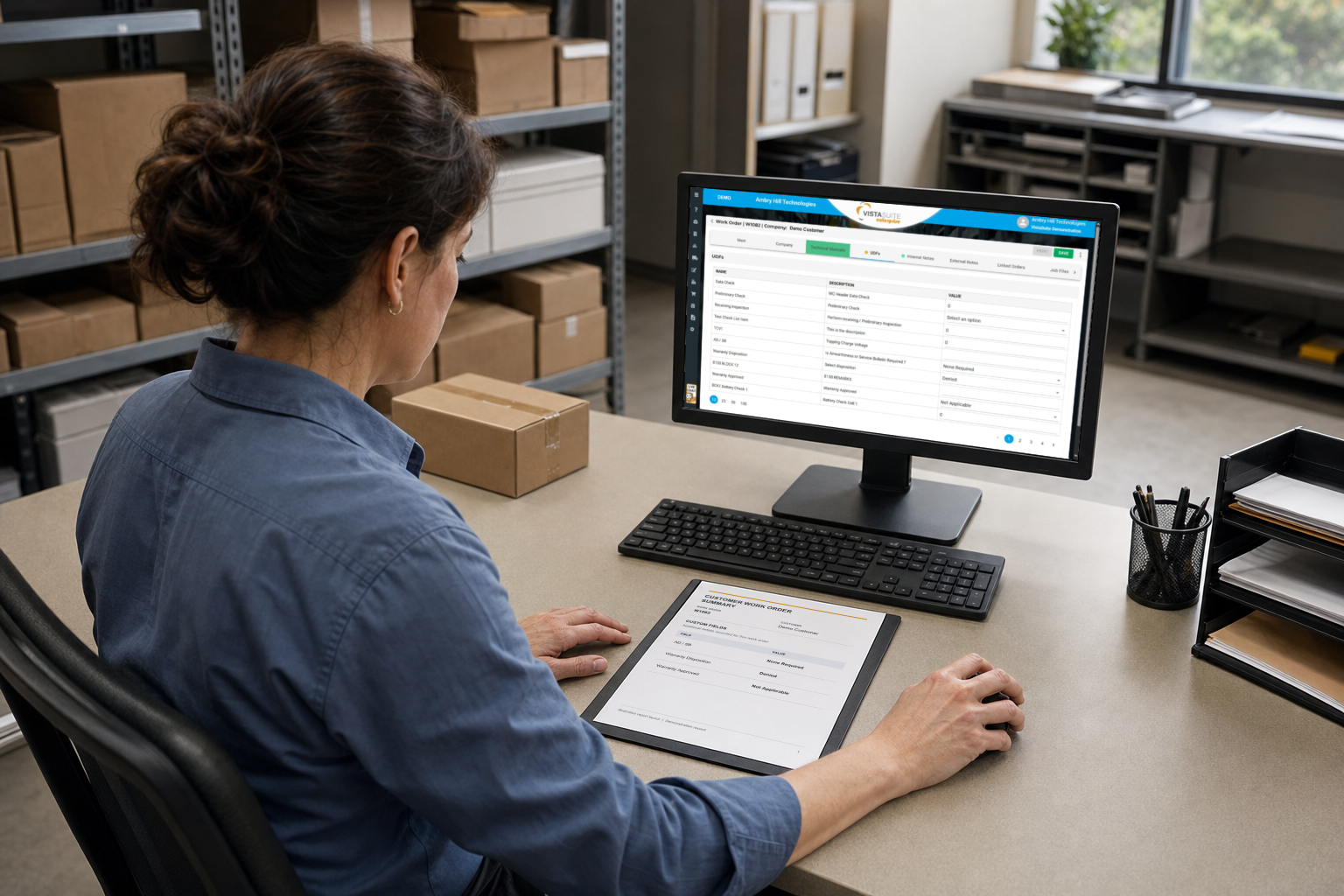
Capture Custom Business Data Across All Your Records
UDFs for inventory, logistics, maintenance work, and more are available in Vista-Suite Enterprise. Custom fields can capture information about an entire record or a specific item or task within it:
- Company records can hold additional information about customers and vendors.
- Master parts and inventory records have separate custom fields, allowing additional part information to be distinguished from details about a particular stock record.
- Customer and vendor quotes, sales orders, purchase orders, repair orders, invoices, and shipping and receiving records support header- and item-level UDFs.
- Work orders support unlimited UDFs on the job header and individual tasks.
This gives you several convenient places to capture information throughout the operation. A company-level detail describes the business relationship; a transaction-level detail describes a particular order. Within an order, a header field can apply to the transaction as a whole, while an item field can hold a value that differs by line.
That distinction is useful for a parts distributor whose customer may require documented humidity readings for moisture-sensitive parts before shipment. A distributor could define “Humidity Indicator Reading” and “Reading Date” UDFs on the relevant shipping items. A custom report could then present those values alongside the part numbers and shipment details, giving the customer a record of the packaging conditions checked for that delivery.
Similarly, a repair station investigating contamination for a customer could define a “Customer Investigation ID” UDF on the work order. Individual sampling tasks could use a separate “Laboratory Sample ID” UDF for oil, filter, or debris samples sent for analysis. A custom report could then list the investigation, each sampling task, and its laboratory reference together, allowing the customer to match the laboratory reports to the specific work performed.
Choose Custom Field Types That Fit Your Workflow
Vista-Suite Enterprise supports custom information such as notes, selection lists, currency values, numbers, and dates. In inventory, quotes, and orders, a spreadsheet-style layout supports UDF entry, while colored indicators on navigation tabs show whether values are empty, partially filled, or filled. These cues help your team see the state of the information while working with the record.
Consistent field formats help your team compare results and prepare reports without first having to organize information from general notes. For example, humidity readings captured in numeric fields can be compared across shipments, while date fields let your team review when those readings were taken.
Custom fields give your reports the additional information needed to answer questions specific to your business. That might mean identifying sales orders with special documentation requirements or reviewing jobs within a repair program you manage. Those reporting needs shape which details your business captures and where they belong. UDF values from company, inventory, and transaction records can then be included in reports that organize those details for your team.
Use Custom Data in Forms and Reports
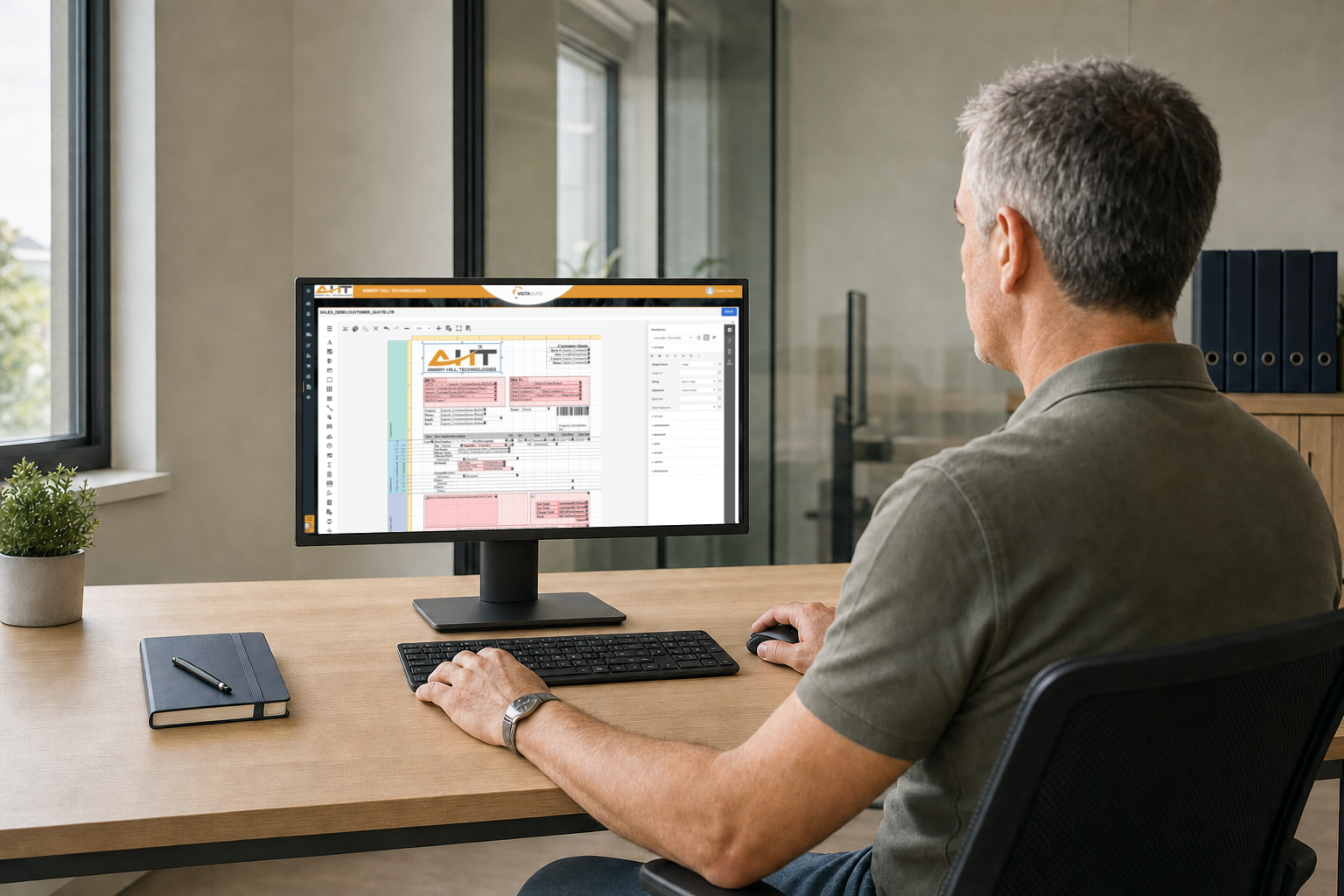
Custom forms and reports turn the details you track into customer documents and business analysis. You control what appears on a shipment document, which records belong together in a report, and which information your team uses to compare activity across orders or repair jobs.
Vista-Suite Enterprise’s browser-based forms and reports designer lets authorized users arrange document elements with drag-and-drop tools and connect them to system data. Layouts can be reused and branded, with calculations, conditional formatting, and previews using actual data. Reporting tools include grouping, summaries, filters, and charts, with export options such as PDF and Excel.
Looking back at the previous use cases: For the distributor, a custom shipping document might pair each part number with its recorded humidity reading and inspection date. For the repair station, an internal report might group related work orders under the station’s own investigation reference and list the laboratory sample IDs associated with each sampling task.
Reusable layouts preserve that presentation and its connections to the selected fields. The same design pulls the relevant values from subsequent records, so your team produces consistent customer documents and internal reports without rebuilding the layout or manually assembling the information each time.
Assign Responsibility for Custom Fields and Reports
Consistent custom fields give your team a reliable basis for comparing orders, jobs, and results. A status or classification means the same thing in daily records and management reports, so everyone reviews the work using the same terms. You can also control who can create or modify custom fields, helping maintain consistent field names and choices across your records and reports.
Vista-Suite Enterprise separates permissions for configuring UDFs, editing their values in supported applications, and using the report designer. That supports distinct responsibilities for field definitions, daily entry, and document layouts. Users can also personalize browse grids, but rearranging visible columns changes a working view rather than defining a new stored field or reusable report.
Ambry Hill builds and maintains the dashboards included with Vista-Suite Enterprise. Your users can filter the data, explore supporting details, adjust available settings, and request dashboard changes. ODBC connections also support reporting in tools such as Power BI and Crystal Reports. The custom fields available for those external reports depend on the data the connection provides.
Evaluate Custom Fields and Reports Together
Vista-Suite Enterprise lets you capture business-specific details across customer records, inventory, transactions, logistics, and maintenance. UDFs keep those details with the relevant records, giving your team the information it needs for daily work and the flexibility to include it in customer documents and reports.
Your team can spend less time maintaining separate spreadsheets, searching through notes, and copying the same details into customer documents. As requirements change, your business can adapt its custom fields and reusable layouts directly in Vista-Suite Enterprise.
Schedule a live demo to see how Vista-Suite Enterprise’s custom fields and reporting tools fit the way your business works: ambryhill.com/demo
More About Custom Fields and Reports in Vista-Suite Enterprise
Are User-Defined Fields Available Beyond Work Orders?
Yes. Vista-Suite Enterprise supports UDFs on company, master-part, and inventory records, as well as transaction headers and items across quoting, sales, purchasing, invoicing, repair orders, shipping, and receiving. Work orders also support fields at the job and task levels.
Can User-Defined Fields Be Included in Custom Reports?
Yes. UDF values from company, inventory, and transaction records can be included in reports. The report design needs to include the appropriate data, so review the actual field, record relationships, and populated output when establishing your requirements.
Can We Design Our Own Customer Documents?
Yes. The integrated designer supports customer-facing forms such as quotes, invoices, and work orders. You can adapt their layout and appearance to your requirements; Ambry Hill also offers custom document design as an additional service.
Is Report Design the Same as Personalizing a Grid?
No. Personalizing a grid changes how you review existing records, such as which columns are visible and their order. Report design creates a reusable output with its own layout and data presentation. A UDF adds the custom information that an output may need.