

In the aviation aftermarket, slow transactions rarely come down to someone typing too slowly. The real holdup is almost always somewhere else: a second module to open, a department to call, a folder to dig through, information that already exists but has to be retyped. If a quote turns into a sales order, that sales order could cause purchasing, repair, shipping, receiving, billing, and a pile of document questions. Speed for your team comes down to one thing: how much distance sits between the work and the information needed to finish it.

The Pattern Shows Up Everywhere
Imagine: A salesperson checks part availability, jots down a note, asks if the item is tied to a repair, double-checks customer instructions, then waits on someone else to confirm the paperwork’s in order. A warehouse tech needs a status update but can’t see the order history. Billing spots a charge and has to track down which part, shipment, or repair caused it.
Multiply those moments across hundreds of transactions a week, and it adds up to staggering capacity loss. People learn workarounds for who to call, which spreadsheet has the answer, and which message thread to scroll back through. Aviation aftermarket transactions are too interconnected to run through disconnected systems because quotes, orders, repairs, shipments, invoices, files, and reports all carry context the next person needs. When the system treats each of those as its own island, the user ends up doing the integration work by hand.
Fix the Distance Between Related Work
When line details, linked activity, files, and status are all visible within a single screen, people stop spending their day proving what happened and start spending it moving the work forward.
Take a brokered repair quote: it needs vendor pricing, customer sign-off, receiving instructions, and eventually invoice detail, all tied together. Or an exchange, which drags in core return terms, replacement charges, approved alternates, and traceability paperwork. A shipment might depend on files sitting with the inventory record, the order, the customer profile, or a file library somewhere else entirely. When the next step is clear from your point of view, no one needs to pause and recall which module provides the answer.
Visibility Sets the Foundation
Nothing slows a business down quite like a status question nobody can answer without digging. When quotes, orders, repairs, shipments, and invoices clearly display their current stage, supervisors can easily identify bottlenecks, and staff are aware of their next responsibilities.
Without a purpose-built system, everything relies on word of mouth. Sales contacts shipping, shipping checks with quality, and billing communicates with sales. Reports might be created eventually, but even then, you have to open the record to understand them. While work might be progressing smoothly, the issue is that no one can see the actual flow until after the fact, when someone reconstructs the data.
This is where a Kanban board proves its value. It displays progress, not just data, enabling teams to manage tasks by stage, identify friction early, and avoid unnecessary meetings that only ask “where’s this at?”
Documents Aren’t an Afterthought
Aviation runs on paper, even when it’s digital paper. Quotes, certificates, trace documents, packing slips, invoices, customer instructions, repair notes, photos, and standard forms are all crucial parts of the transaction. When those files live outside the workflow, the delay shows up at the worst possible time: the customer’s on hold, the shipment’s ready to go, the invoice needs to go out the door.
It costs money in quieter ways, too. Freight charges, inspection fees, repair and core costs, and exchange details get missed or delayed whenever the supporting context isn’t with the line item information. Even when a charge eventually gets caught and billed, somebody just spent an afternoon chasing it down. Fast operations keep files close enough that staff can act on a record without first rebuilding its entire history.
Vista-Suite Enterprise Empowers Smarter Workflows
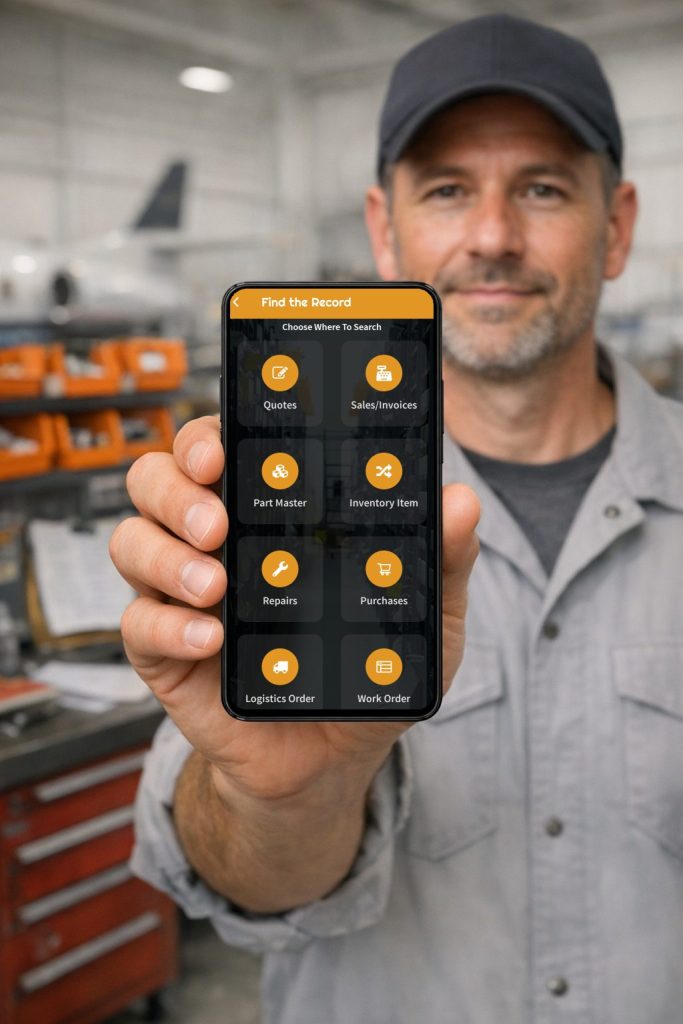
Vista-Suite Enterprise is a cloud-based aviation ERP/MRO platform built for parts traders, distributors, and Part 145 repair stations. It covers quotes, sales orders, purchase orders, repair orders, work orders, invoicing, shipping and receiving, labor tracking, mobile workflows, dashboards and reporting, digital file management, and Kanban-style workflows — all in one place.
That kind of coverage means your team works within the transaction instead of around it. Orders, repairs, shipments, receipts, invoices, files, and reports stay inside one aviation-focused system. Kanban views make transaction stages visible at a glance. Digital file management keeps supporting paperwork attached to the record it belongs to, and dashboards give leadership real visibility.
The payoff is fewer repeated searches, fewer manual handoffs, clearer ownership of each step, and a shorter path from “we got a request” to “the transaction’s done.”
To see how Vista-Suite Enterprise can improve your specific workflow, request a demo at ambryhill.com/demo.
FAQ
Why do aviation aftermarket transactions take longer than expected?
Transactions often slow down because staff have to move between siloed systems, folders, and messages to answer basic questions. The delay usually comes from department transitions, repeated data entry, missing context, or unclear status rather than from the task itself.
How can aviation ERP workflows reduce duplicate data entry?
Aviation ERP workflows can reduce duplicate data entry when related records carry useful context forward. If quote, order, repair, shipment, receiving, invoice, file, and report data stay connected, users have less reason to retype details or rebuild context in another place.
What role do Kanban boards play in aviation ERP?
Kanban boards help teams view transaction stages in a visual workflow. For aviation operations, that can make quotes, orders, repairs, shipments, and invoices easier to prioritize because users can see where records sit in the process.
Why should transaction documents stay connected to the record?
Documents explain what happened and why. When files, forms, certificates, photos, and supporting records stay tied to the transaction, users spend less time searching and have stronger context for customer service, shipping, billing, quality, and management review.
How does Vista-Suite Enterprise support faster transaction workflows?
Vista-Suite Enterprise supports aviation ERP/MRO workflows across core transaction areas, including quotes, sales orders, purchase orders, repair orders, work orders, invoicing, shipping/receiving, dashboards/reports, digital file management, mobile workflows, and Kanban workflows.