

Manage account details, contacts, ownership, notes, files, ERP mappings, warnings, screening context, customer activity, and reports in Vista-Quote. Sellers can review the company information that matters before and during the RFQ-to-quote process.

Search and sort company records, use quick actions, and expand a company in place to review its contacts without leaving the browse grid.

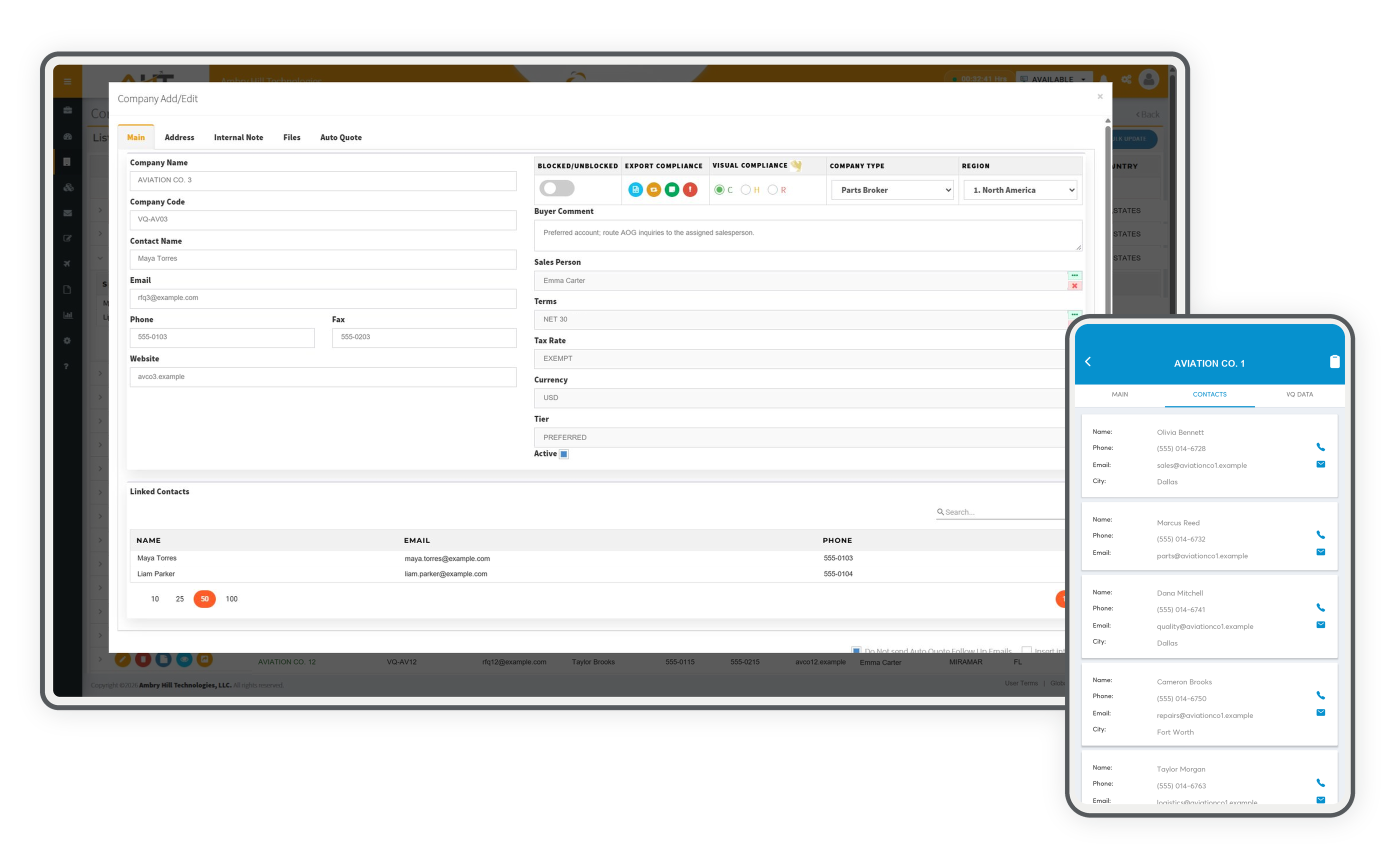
Maintain customer identity, commercial defaults, compliance status, account classification, and linked contacts from one workspace.

Find and manage contacts independently across customer accounts using global search, column filters, sorting, and complete row actions.

Create categorized internal notes with creator and time stamps, attach supporting files, and quickly search or filter the account history.

Review a likely ERP or database account by source code, record key, and location before mapping the Vista-Quote company to it.

Compare the Vista-Quote company created from an inbound request with similar ERP-sourced names and locations, then confirm the correct relationship to prevent duplicate or mismatched customer records.

Compare active, quoted, ignored, blocked, and no-quote customer activity across selectable time periods to identify account patterns and focus sales attention.
Give sellers essential company and compliance context while they are away from a desk, using the same customer record and status information available to the broader team.

Review company identity, contact details, location, compliance status, and an account-specific note from a phone so important context stays visible before customer work continues.

Find the right person for sales, parts, quality, repair, or logistics questions and use the native call or email action directly from the customer account.

Review company-specific quote details—including part, transaction, condition, lead time, quantity, price, and notes—and switch to RFQ history when more request context is needed.

Generate a practical account directory with ownership, location, website, and cross-system mapping status in one exportable report.

Review companies by clear, hold, or restricted status while retaining the report viewer's search, print, pagination, and export tools.

Review screening activity for a selected date range, including each company’s screening status, company and country results, alert and transaction indicators, and any recorded export-compliance notes.
Software development moves fast, and features evolve over time. While we strive to keep this and other pages accurate, some information may not reflect the most recent changes. For the most current details, we recommend scheduling a live demo at ambryhill.com/demo.
Keep customer relationships, account controls, and connected data working together.