

Maintain part identities, alternates, conditions, serial and tag details, traceability, quantities, locations, files, and transaction history in Vista-Quote. Searchable parts and inventory views keep the information used for quoting close to the RFQ and customer workflow.
Vista-Quote's user-centric parts and inventory interface is crafted by aviation professionals to meet the needs of both experienced users and newcomers, ensuring smooth navigation with clean, organized parts and inventory management. Vista-Quote equips you to take decisive actions and effectively manage your parts and inventory with confidence.
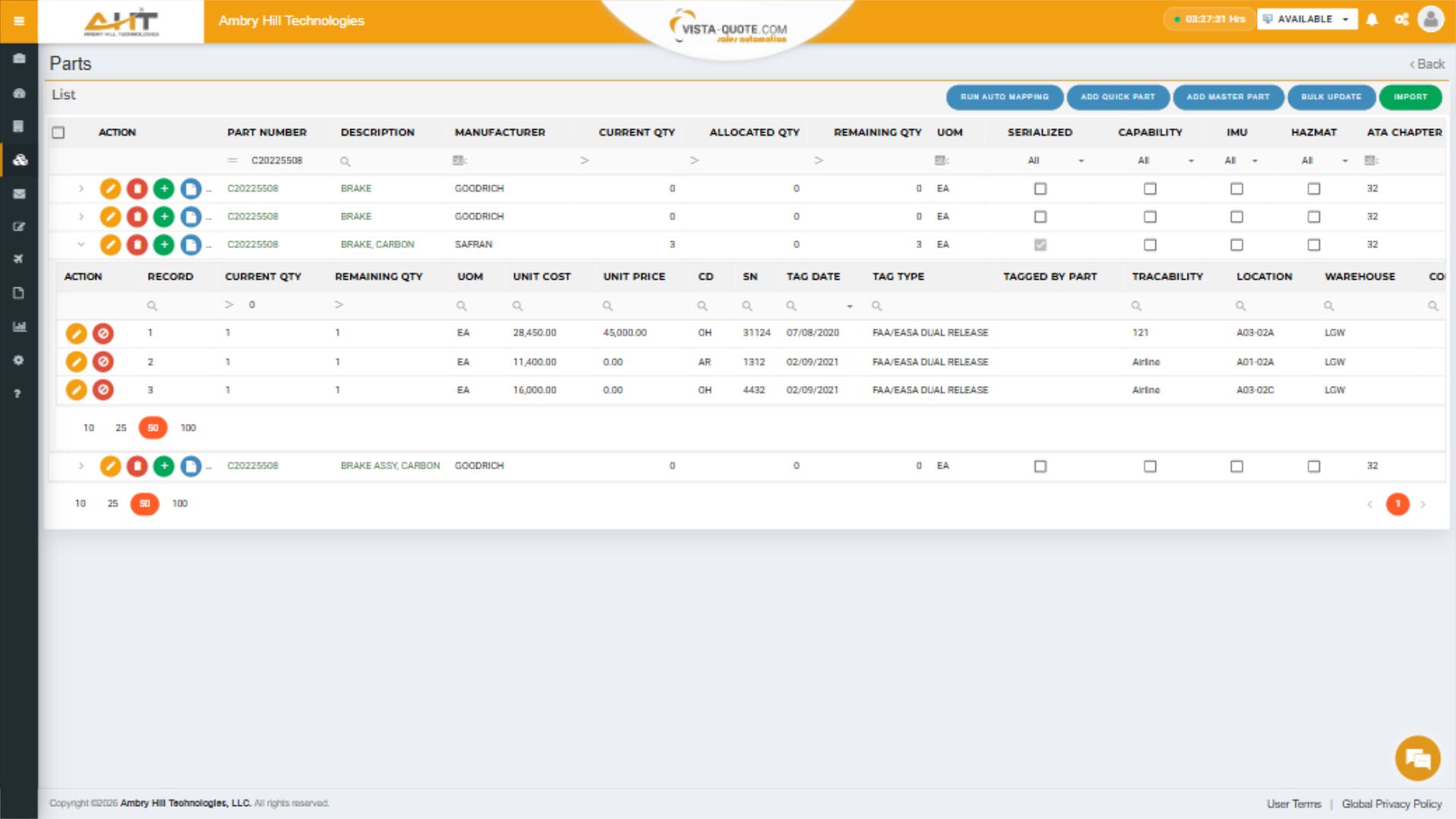
Filter connected master parts and expand a stocked result to review serialized inventory, condition, tag, trace, location, and pricing data in place.
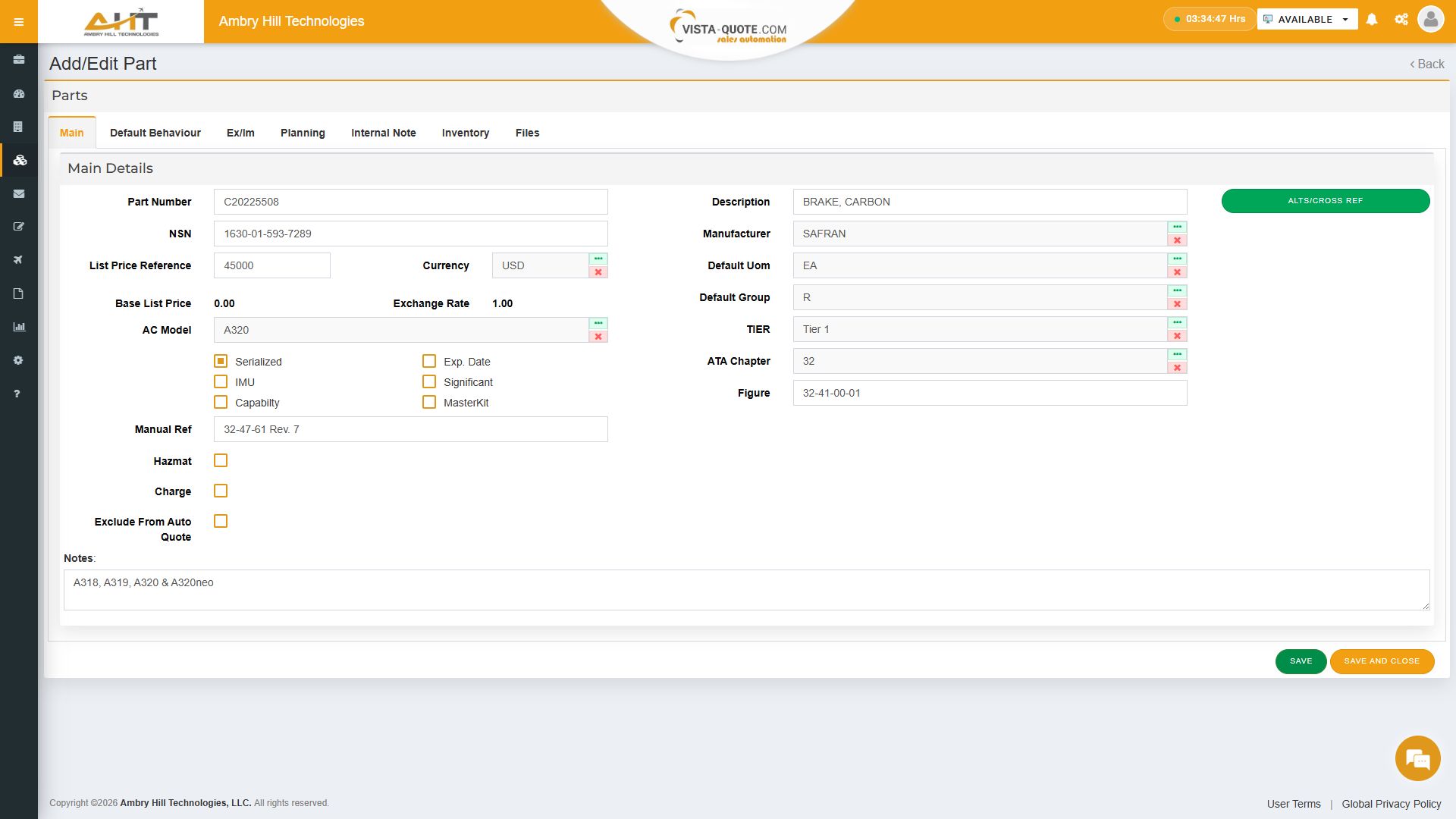
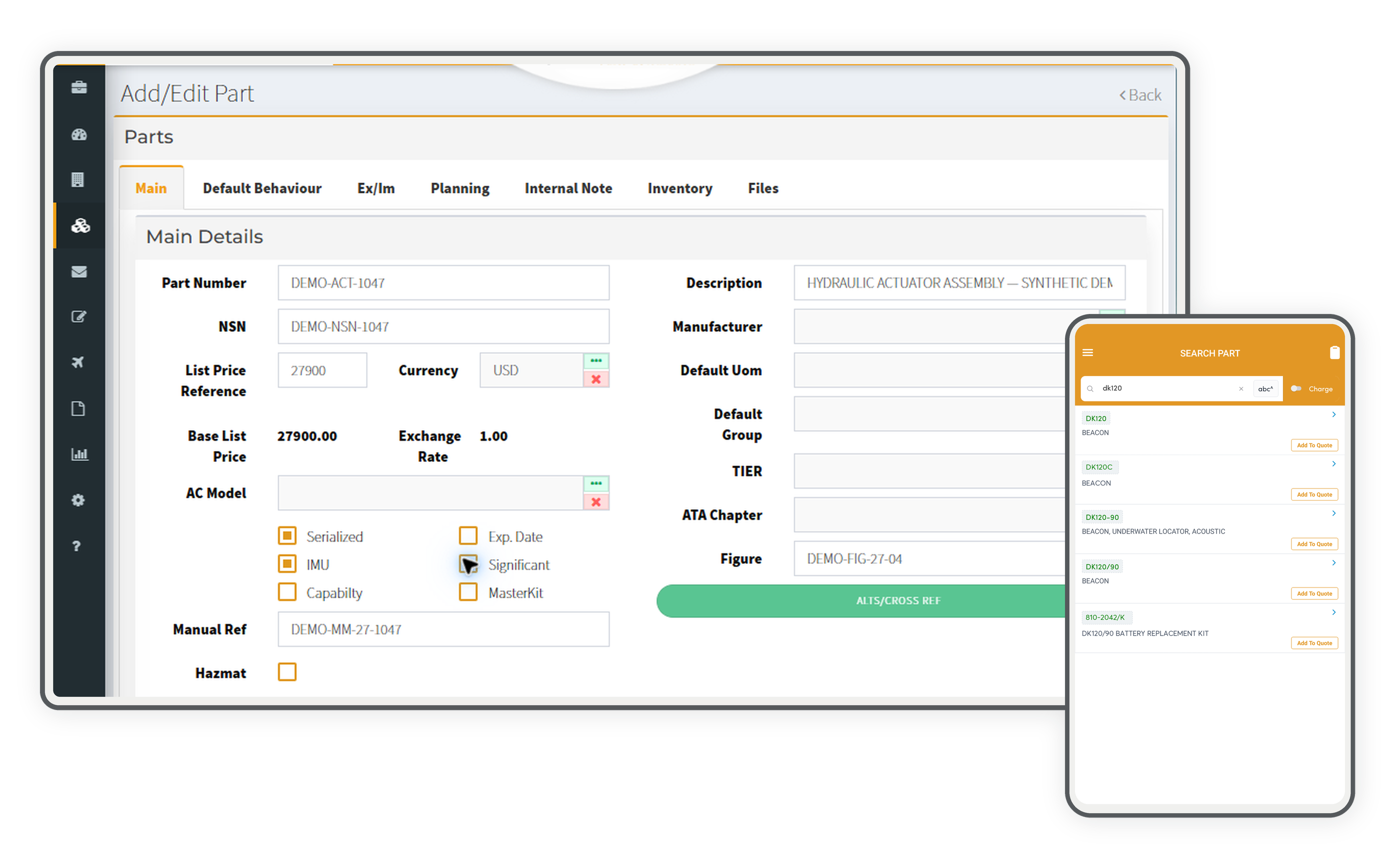
Maintain identifiers, pricing, serialization, aircraft applicability, manufacturer, UOM, ATA chapter, group, tier, figure, and technical notes.
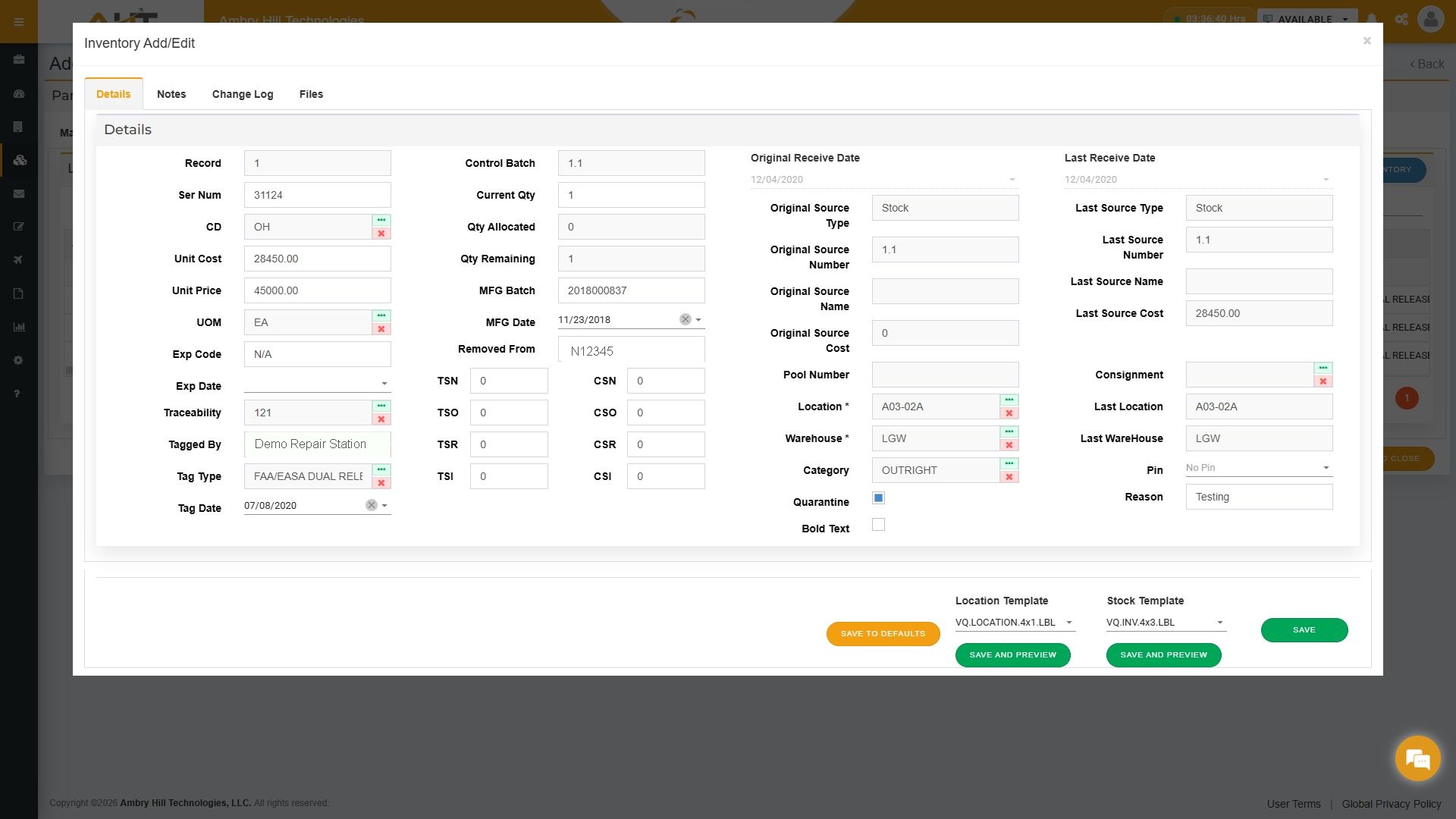
Review warehouse and bin, serial and condition, tag and trace, quantity, source, category, lifecycle, and time-and-cycle details together.
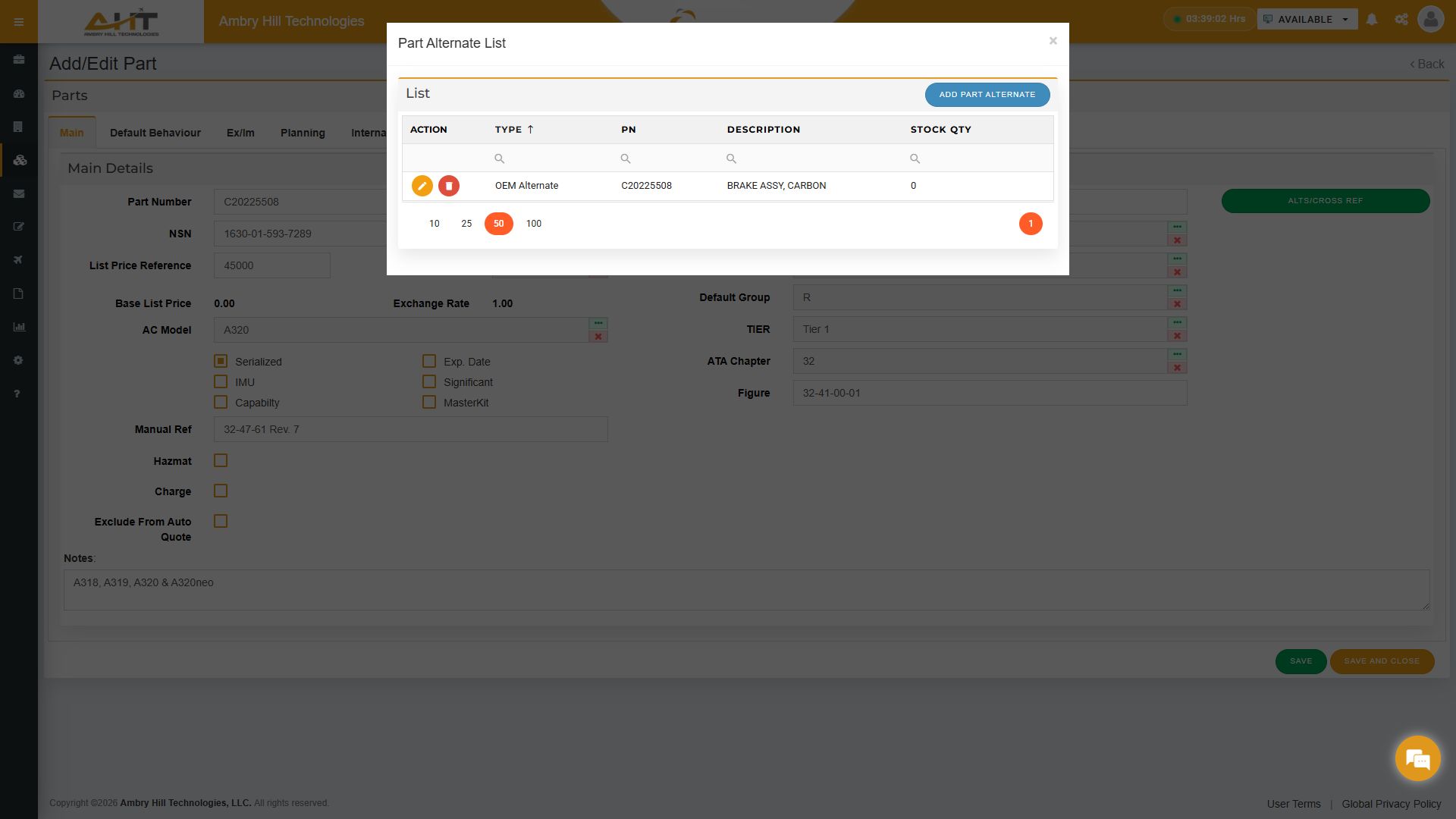
Relate master records as OEM alternates, cross-references, superseded parts, and higher or lower assemblies while keeping inventory availability close at hand.
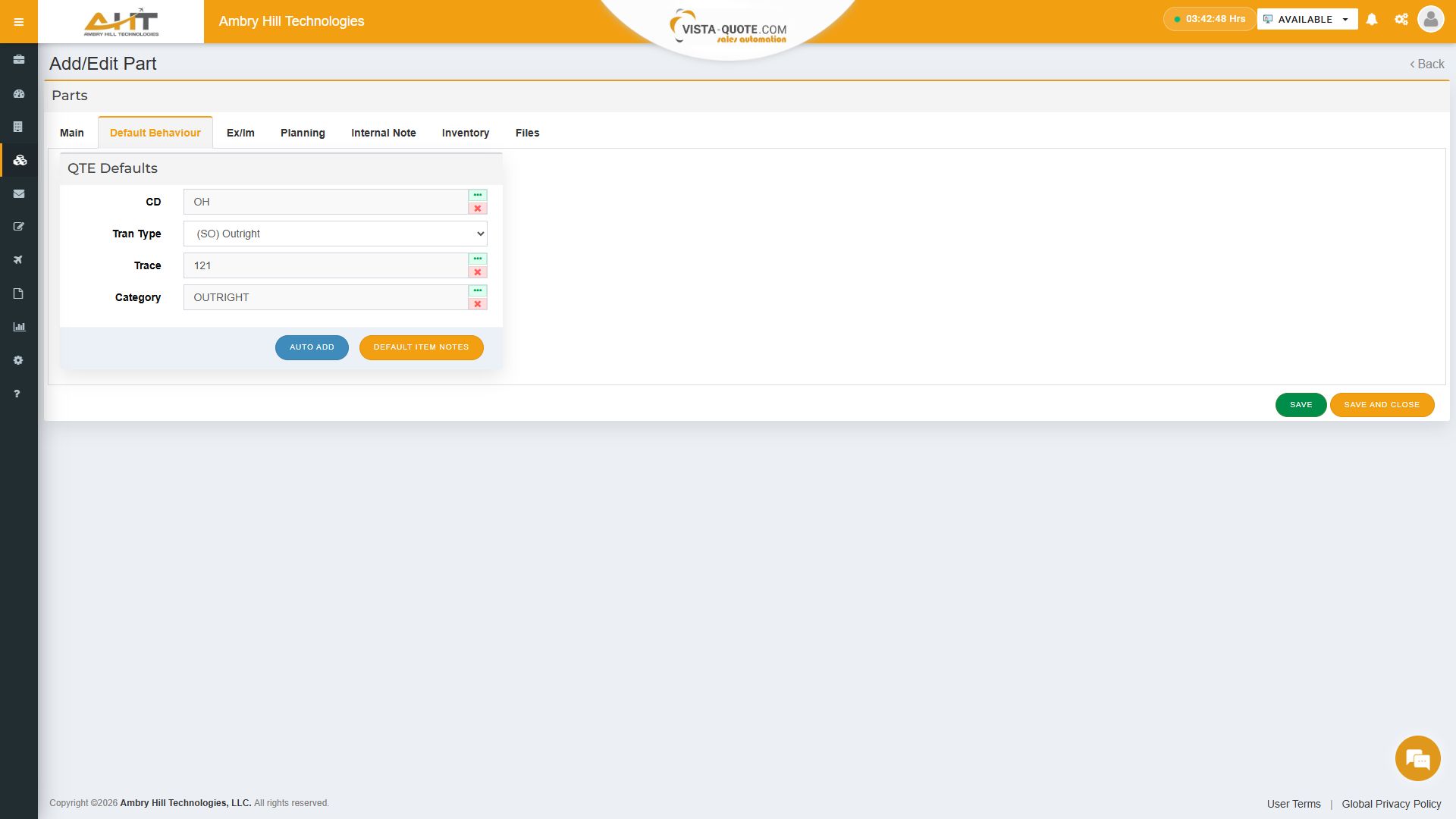
Set the condition, transaction type, traceability, and category Vista-Quote should apply when the part is added to a quote.
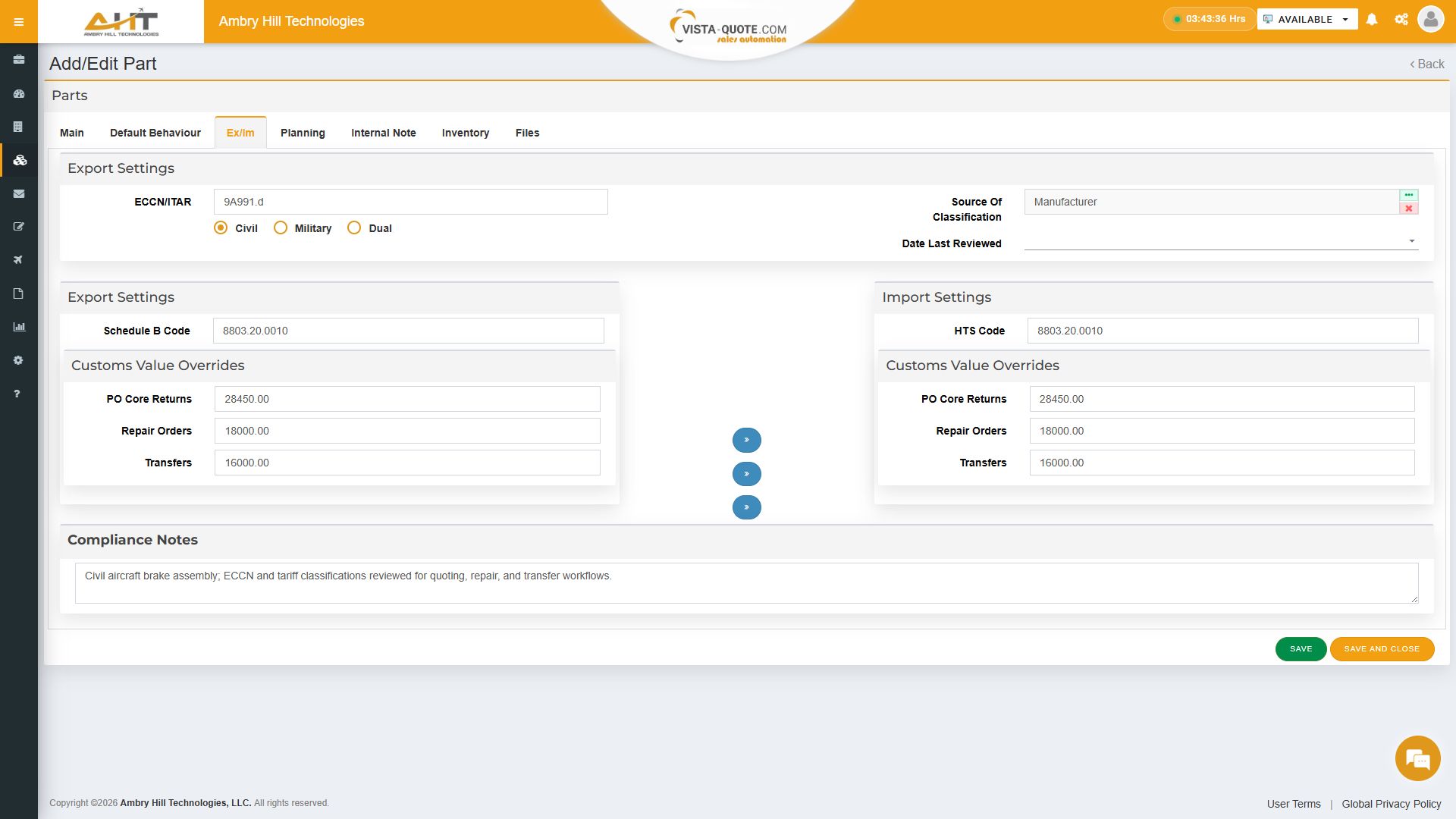
Store ECCN or ITAR classification, Schedule B and HTS codes, customs-value overrides, classification source, and compliance notes with the part.
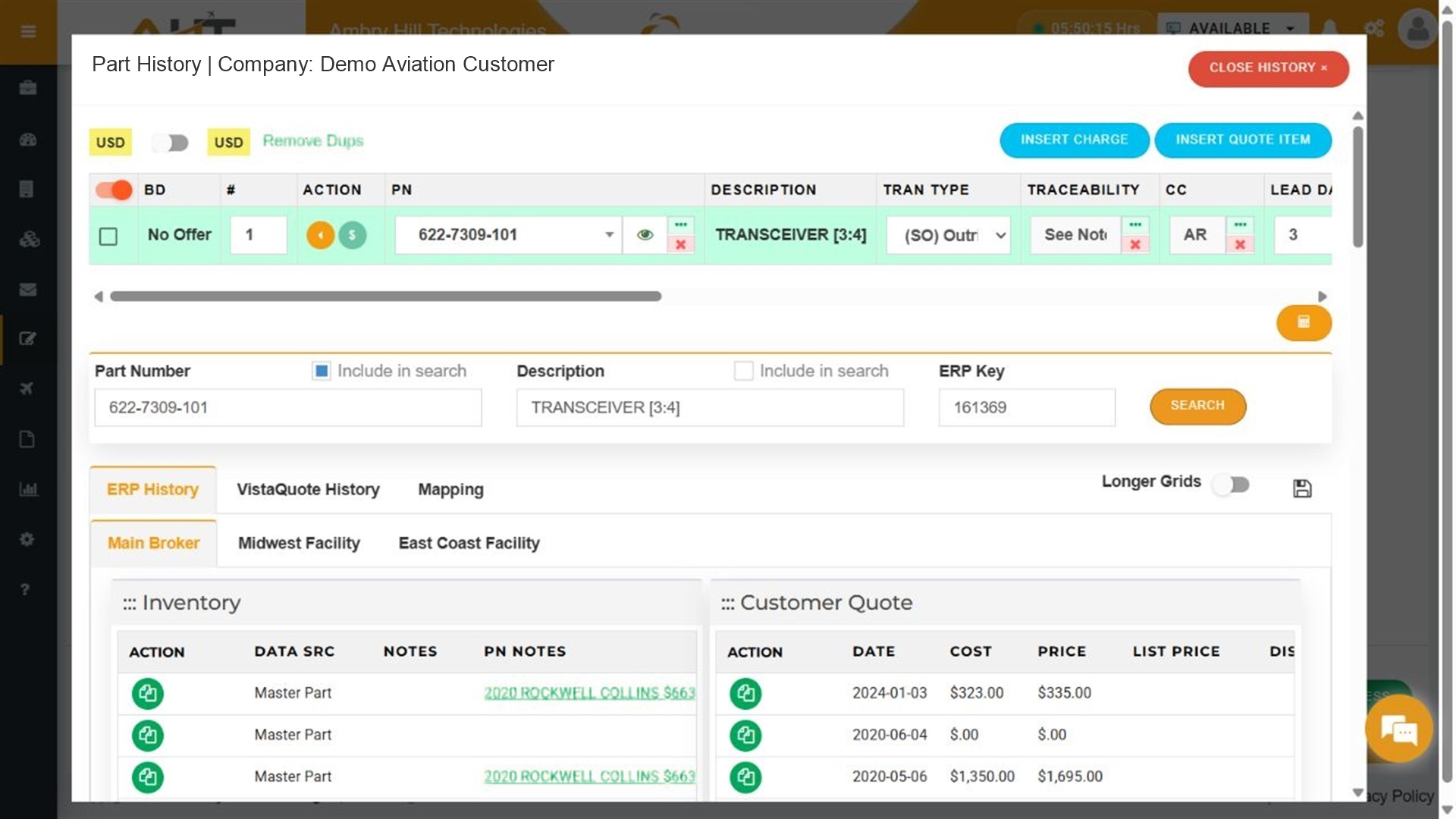
Inspect an inventory line while quoting to see its connected ERP key and research inventory and transaction history without leaving the quote workflow.
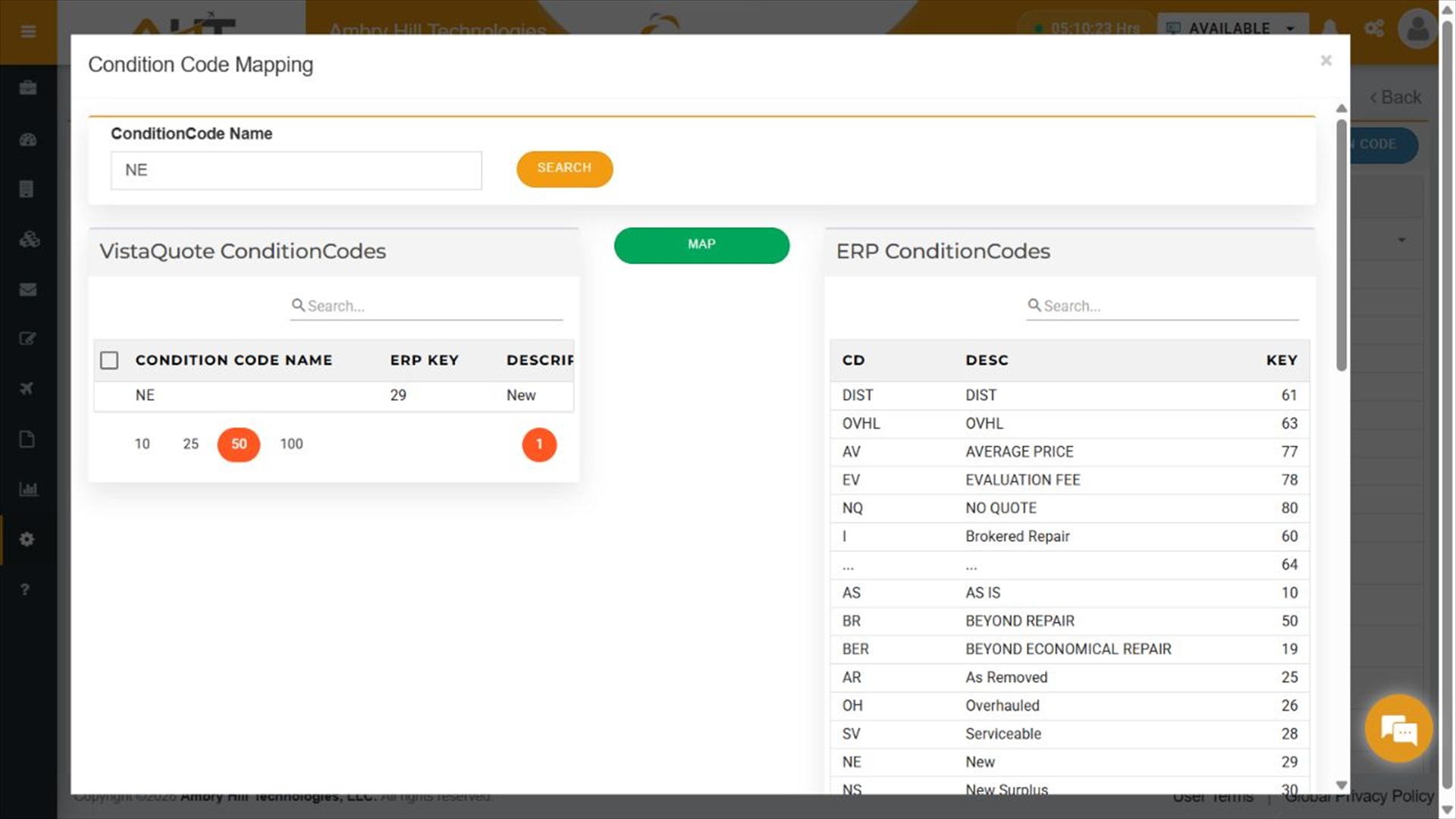
Review Vista-Quote condition groups alongside connected ERP condition values and govern how those records map between systems.
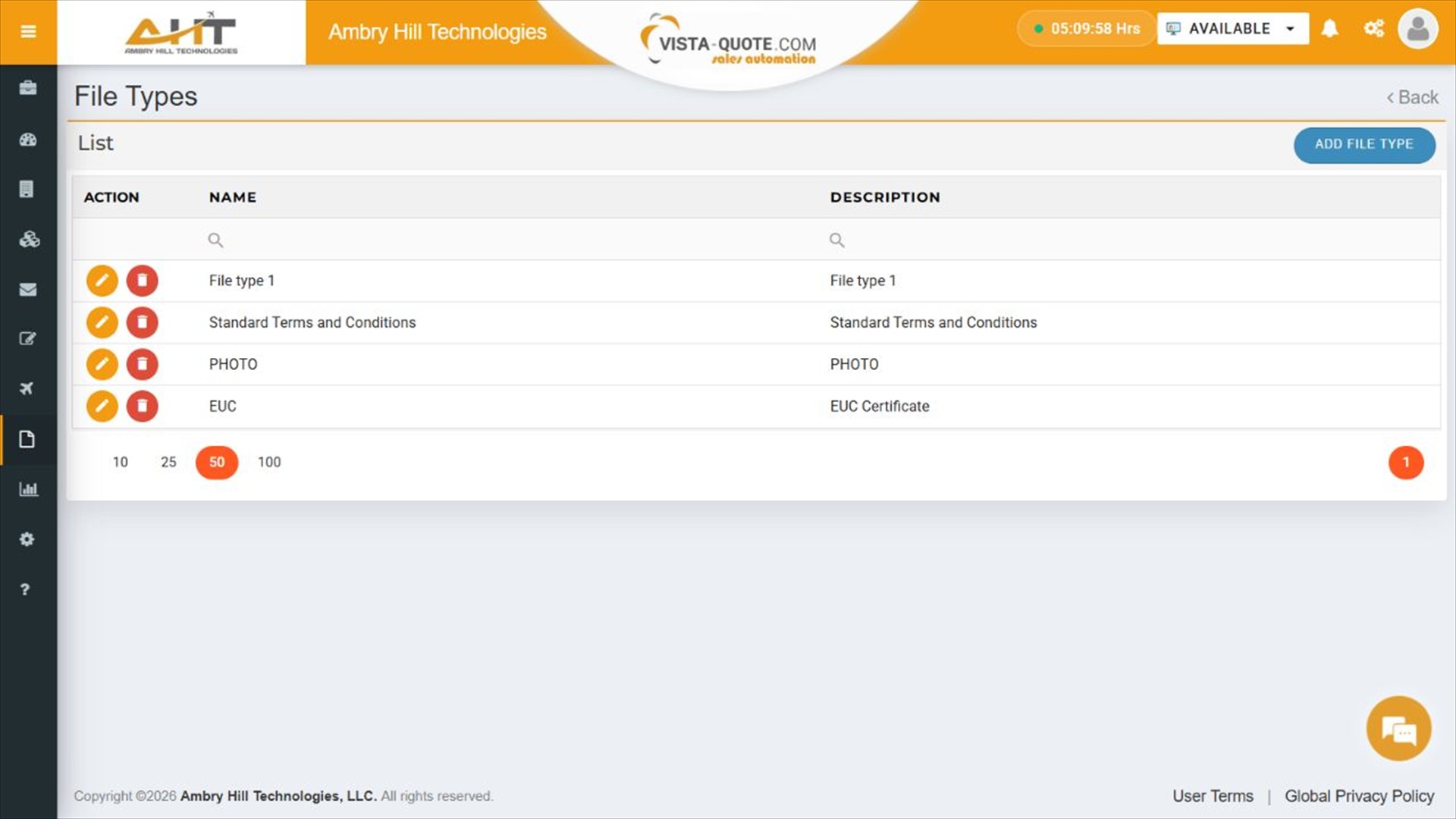
Standardize the file types used with part and inventory records, including photos, certificates, terms, and other supporting documents.
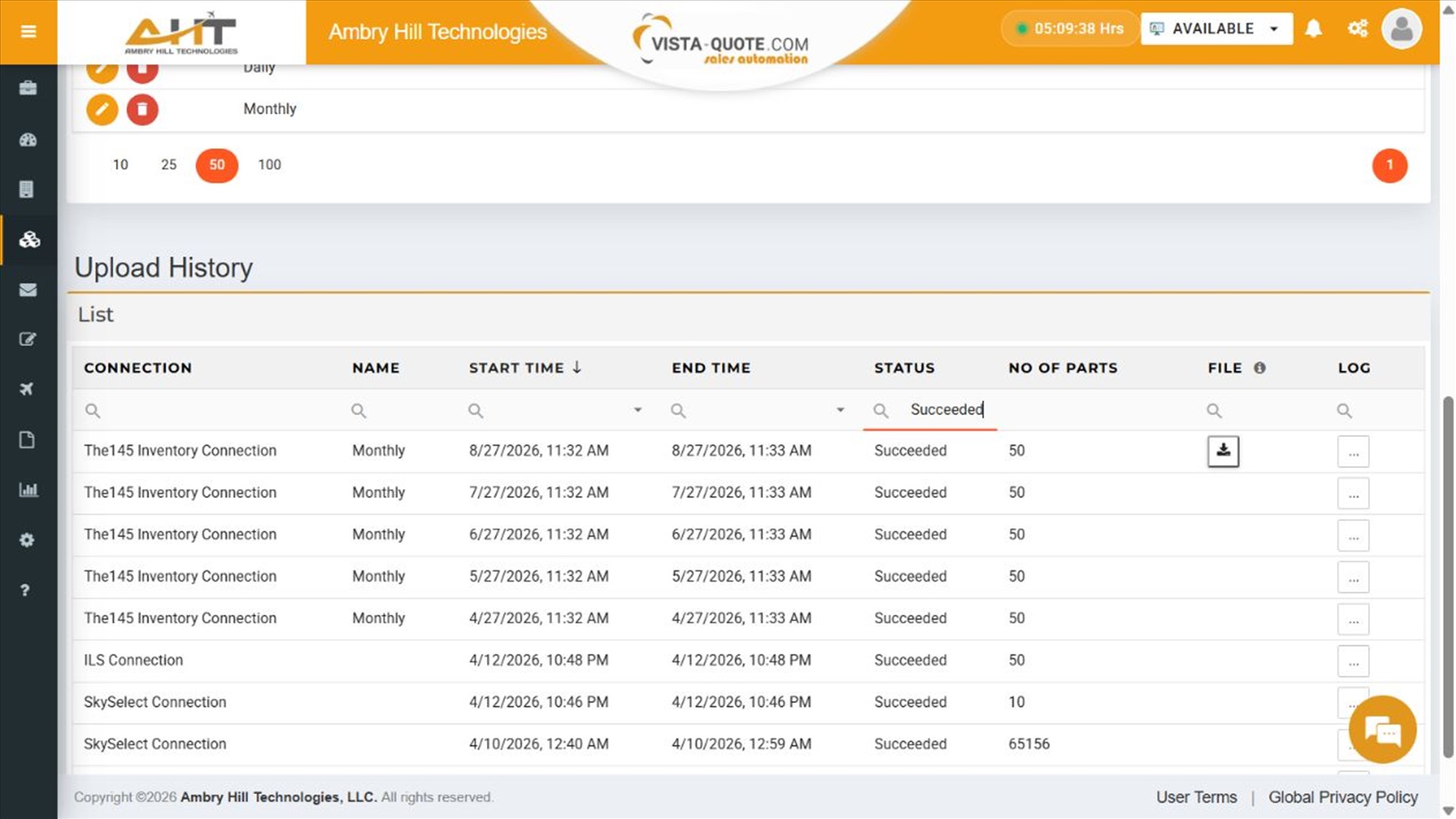
Review successful inventory-connection runs across marketplaces, with schedule, timing, part count, downloadable file, and log access.

Print an operational inventory label using the established product template, with serialized identity, condition, tag and receipt details, warehouse context, location-change tracking, and inspection accountability.
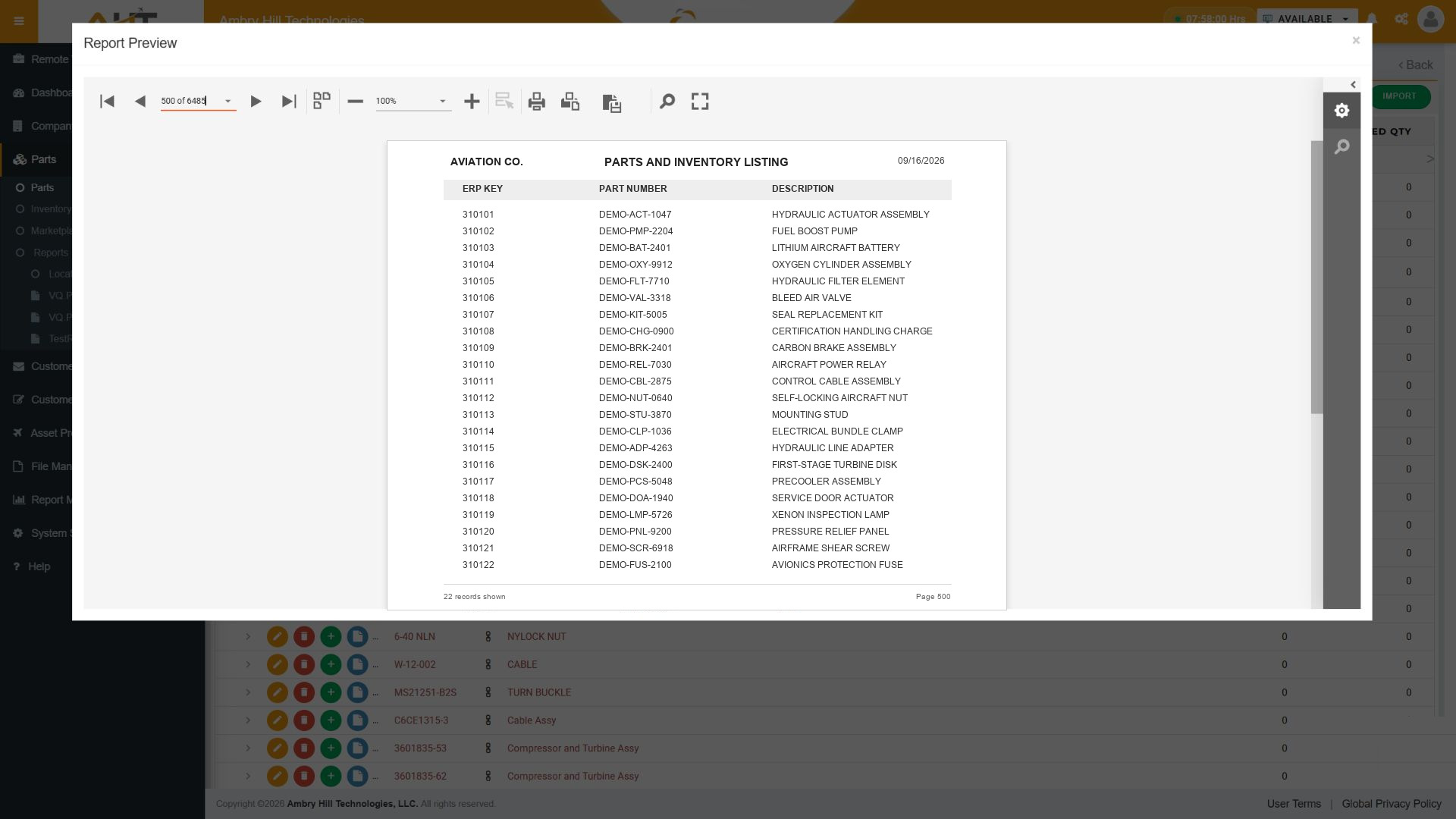
Review large parts listings with connected ERP keys, part numbers, descriptions, page controls, printing, and other report tools.
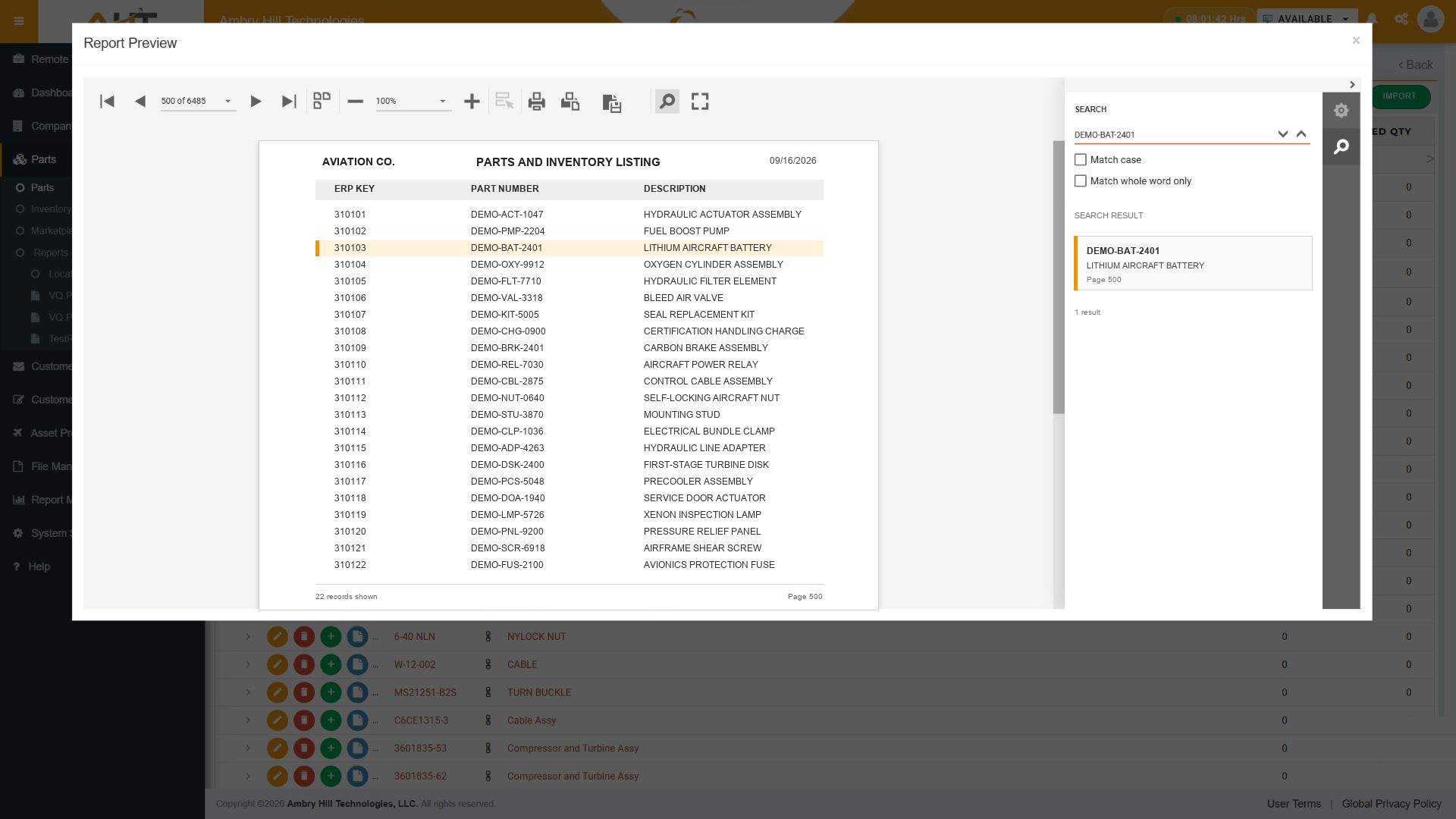
Locate an exact record while working inside the report preview and jump directly to the matching page and row.
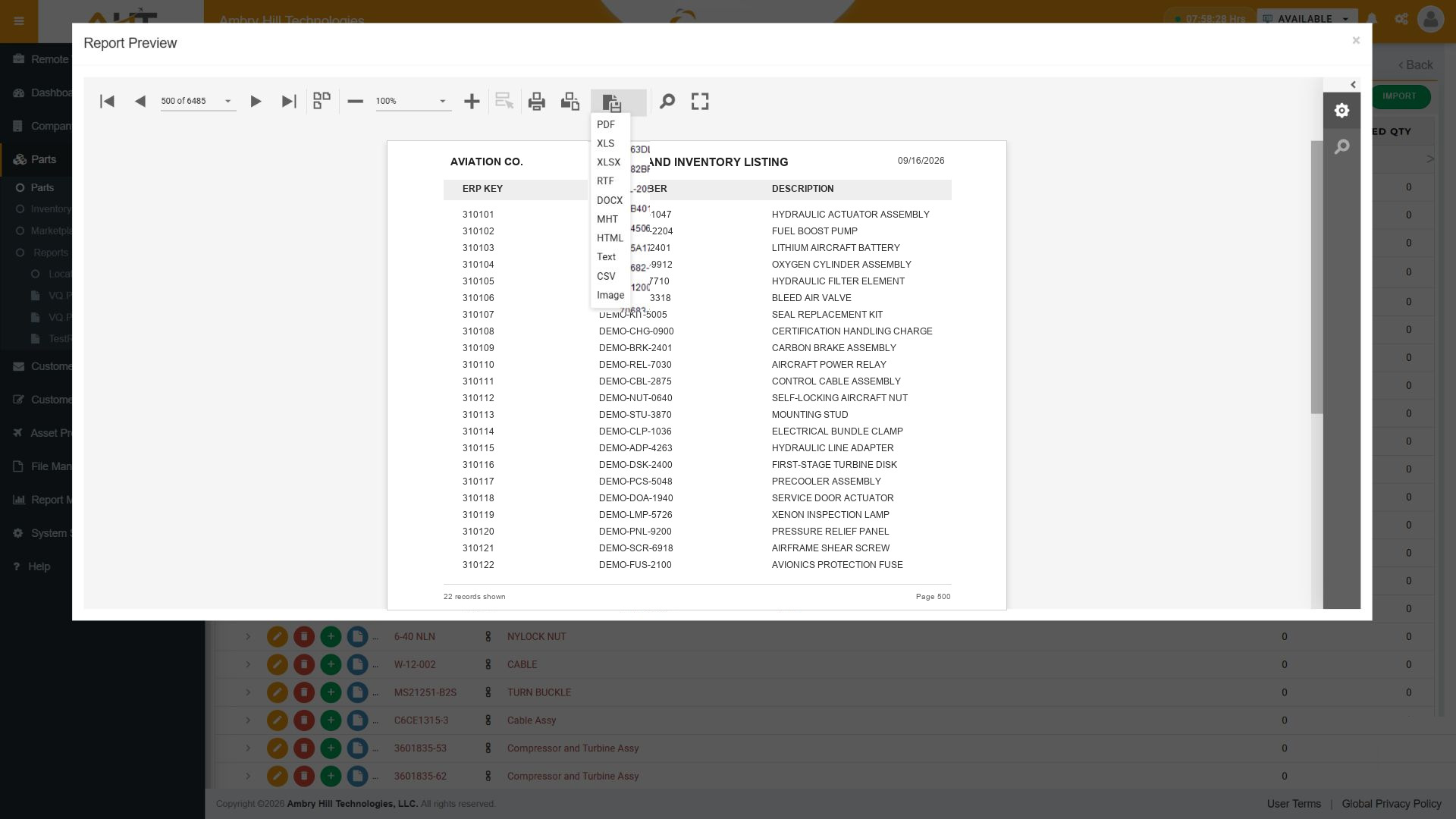
Deliver report output in PDF, Excel, CSV, Word, HTML, text, image, and other common business formats.
Give sellers fast access to part matches, availability, and prior Vista-Quote quote activity so they can move from research to a better-informed response without returning to a desktop.

Find the right aircraft part faster by reviewing matching part-number variants and descriptions, then continue to the record or quote workflow without leaving the mobile search.

Use the RFQ part number to reach prior Vista-Quote quote activity by date and customer, then move between quote, RFQ, and inventory history while researching the part.

Continue from a requested RFQ line into the mapped Vista-Quote part record to confirm identity, condition, availability, quantity, and lead-time context from a phone.

See the buyer’s requested part, customer cross-reference, condition, note, and Master or Alternate relationship together before opening the mapped part record.
Software development moves fast, and features evolve over time. While we strive to keep this and other pages accurate, some information may not reflect the most recent changes. For the most current details, we recommend scheduling a live demo at ambryhill.com/demo.
Bring clarity and control to your aviation quoting workflow.